
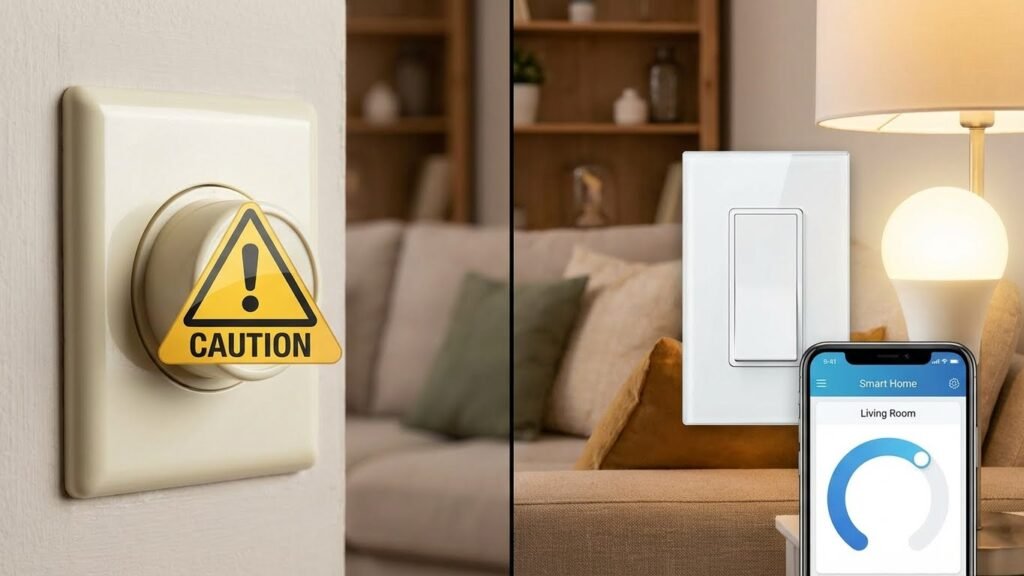
You can use smart bulbs with a dimmer switch, but most smart bulbs do not work well with traditional dimmer switches and can flicker, fail to dim properly, or get damaged. The safest option is to use smart bulbs with their app, voice control, or a compatible smart dimmer designed for LED/smart bulbs.
If you want manual wall control, replace the old dimmer with a smart dimmer or keep the switch always on and use smart controls instead. You’ll also want to check compatibility, update firmware, and test bulbs one at a time to avoid flicker or other issues.
Key Takeaways
- Many smart bulbs conflict with old dimmers, causing flicker or poor dimming.
- Use smart apps, voice control, or a smart dimmer made for LEDs for best results.
- Verify compatibility and test each bulb before changing wiring or switches.
Understanding Smart Bulbs And Dimmer Switches
Smart bulbs run on built-in electronics that handle brightness and color. Dimmer switches change voltage or signal to adjust light output. Knowing how each controls power helps you avoid flicker, damage, or loss of features.
How Smart Bulbs Work
Smart bulbs contain an LED module, a driver, and a wireless controller (Wi‑Fi, Zigbee, or Bluetooth). The driver converts house voltage to the lower, steady current LEDs need. The wireless controller receives commands from an app, hub, or voice assistant to change brightness, color, or schedules.
When you change brightness through the bulb’s app, the bulb’s internal electronics alter LED current. The wall switch only supplies power; if you cut power, the bulb loses connection and can’t be dimmed remotely. Firmware updates or hub settings can affect performance, so keep firmware current.
Types Of Dimmer Switches
Mechanical (triac) dimmers reduce voltage by chopping the AC waveform. They work well with incandescent bulbs but can confuse LED drivers. Electronic smart dimmers use low-voltage control signals or communicate over a smart home protocol to tell compatible bulbs how bright to be.
Single-pole dimmers control one location; 3‑way dimmers work with two switches for the same light. Smart dimmer switches may require a neutral wire or a companion switch. Always check the dimmer’s specs for LED or smart-bulb compatibility before buying.
Compatibility Challenges

Most smart bulbs are not designed for voltage-phase chopping used by many traditional dimmers. That mismatch can cause flicker, buzzing, or reduced bulb life. Non-dimmable smart bulbs can be damaged if used with a dimmer.
You have three main options: use the bulb’s app and leave the switch on, replace the switch with a smart dimmer that talks to the bulb, or buy bulbs labeled “dimmable” and confirmed compatible with your dimmer brand. Test bulbs one at a time and consult manufacturer compatibility lists to avoid problems.
Can Smart Bulbs Be Used With A Dimmer Switch?
You can use some smart bulbs with dimmer switches, but compatibility and settings matter. Choosing the right bulb or switch and following maker guidance prevents flicker, reduced control, or damage.
Potential Risks And Issues
Using a standard dimmer with a smart bulb often causes flicker, buzzing, or loss of app and voice control. Traditional dimmers lower line voltage in ways many smart LEDs can’t handle. That mismatch can make the bulb behave oddly at low levels or fail to turn on.
If the dimmer is a multi-location or old-style triac dimmer, issues grow worse. You may also see uneven dimming range — the bulb might skip some brightness steps. For safety, cut power before swapping wiring or install a bypass device only when recommended.
Manufacturer Recommendations
Check the bulb packaging and the maker’s website for explicit dimmer compatibility. Many brands label bulbs as “dimmable” and list compatible dimmer models or recommend a specific smart dimmer switch. Follow firmware updates and app instructions to enable smooth dimming.
If a manufacturer warns against wall dimmers, use a smart switch or keep the wall switch permanently on and control the bulb from the app. When in doubt, contact support with your dimmer model and bulb SKU for a clear yes/no.
Impact On Bulb Lifespan
Incorrect dimming can shorten bulb life by stressing internal electronics. Repeated flicker, heat from incompatibility, or rapid on/off cycles may degrade the driver and reduce hours of use. Dimmable smart LEDs used with compatible controls usually meet their rated lifespan.
Using a compatible smart dimmer, or keeping the wall switch always on and dimming via app, helps preserve lifespan. If you notice early failure, replace parts only with models the manufacturer endorses to avoid voiding warranties.
Alternatives To Using Dimmer Switches With Smart Bulbs

You can get smooth dimming and remote control without using a traditional dimmer switch. The two main options are using the bulb’s built‑in dimming features or switching to a smart switch designed for LED and smart bulbs.
Dimming With Smart Bulb Features
Most smart bulbs include built‑in dimming you control through an app, voice assistant, or a hub. You can set exact brightness levels, save scenes, and schedule fades. This avoids flicker and damage that happen when a mechanical dimmer cuts voltage.
Use the app or voice command to group bulbs and dim many fixtures at once. Many bulbs also support physical smart remotes or wireless wall controllers that look and act like dimmer knobs but send wireless commands instead of changing line voltage.
Check the bulb specs for true dimmable support and minimum brightness. Some bulbs flicker near very low levels; use presets or gradual fades to keep lights stable. Firmware updates can also improve dim behavior, so keep bulbs current.
Smart Switches Versus Traditional Dimmers
Smart switches replace your existing wall control and communicate with bulbs or your hub. Unlike old dimmers, many smart switches are rated for LEDs and work with smart bulbs by sending digital on/off or scene commands rather than cutting power.
Choose switches that list compatibility with your bulb brand or the protocol you use (Zigbee, Z‑Wave, Wi‑Fi). Look for neutral‑wire requirements, load ratings, and whether the switch can leave the bulb powered when “off” so the bulb stays controllable.
If you want a physical wall control feel, pick a smart switch or add a wireless controller that mounts over the switch. This keeps the bulb powered and preserves smart features while giving you reliable, flicker‑free dimming.
Installation And Setup Considerations
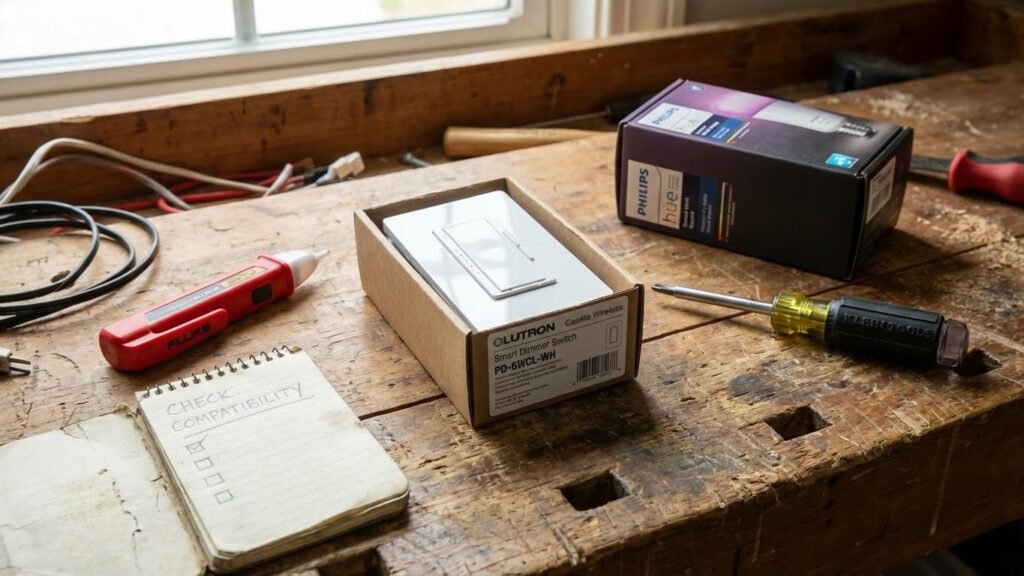
You need to check wiring and safety first, set each smart bulb to the correct dimming mode, and know how to fix flicker, buzzing, or connectivity issues if they appear.
Wiring And Electrical Safety
Turn off power at the breaker before touching any wiring. If you plan to replace a dimmer or work on the switch leg, confirm the circuit is de-energized with a non-contact tester.
Use dimmers rated for LEDs or smart loads. Old TRIAC dimmers made for incandescent bulbs can cause flicker or damage smart bulbs. Look for dimmers that list LED compatibility and the load range (watts) on the label.
Keep the original wall switch in the ON position for smart bulbs. If you need wall control, install a smart dimmer or a neutral-required electronic dimmer compatible with your bulb brand. When in doubt, hire a licensed electrician for any line-voltage changes or if wiring lacks a neutral.
Configuring Smart Bulbs For Dimming
Start by updating the bulb firmware through the manufacturer app. Firmware fixes many dimming and compatibility bugs.
Set the bulb’s maximum brightness in the app before linking it to a wall dimmer. Some bulbs offer a “dimming range” or calibration option; use it so the bulb responds smoothly across the full 0–100% scale.
If you keep a physical dimmer, set it to its highest output and use the app for dimming. For best results, pair bulbs with a smart dimmer designed for that ecosystem (Zigbee, Z-Wave, or Wi‑Fi). Follow manufacturer pairing steps exactly and avoid mixing brands on the same dimmer circuit.
Troubleshooting Common Problems
If bulbs flicker, first check the dimmer type and firmware. Flicker often comes from incompatible dimmers, low bulb firmware, or the dimmer load being below the minimum rated wattage.
Buzzing usually means the dimmer is chopping the waveform incompatibly. Replace the dimmer with an LED-compatible or smart dimmer. Test bulbs on a simple lamp with no dimmer to rule out defective bulbs.
If bulbs lose connectivity when dimmed, increase the dimmer output to full and reset the bulb. Re-pair to the hub or app, then reduce brightness through the app. Keep logging of model numbers, firmware versions, and dimmer type; that information speeds support calls or electrician visits.
Best Practices For Smart Bulb Dimming
Use dimmable smart bulbs only, keep firmware and apps updated, and avoid using mechanical dimmer switches unless the bulb maker approves them. Match bulbs to the correct fixture and keep power to the bulb steady for reliable dimming.
Optimizing Performance
Choose bulbs labeled “dimmable” from trusted brands and check the package for compatibility notes. Dimmable smart bulbs have internal drivers that handle brightness, so they perform best when the wall switch stays fully on. If you need physical control, install a smart dimmer designed for LED/smart bulbs; look for models that list your bulb brand or use an adjustable minimum-load setting.
Keep firmware current. Updates fix flicker, expand dim ranges, and improve color accuracy. Use the bulb’s app to set scenes and limits so bulbs never operate below their safe minimum brightness.
Avoid mixing different bulb types or ages on the same circuit. Mismatched bulbs cause uneven dimming and flicker. If you see buzzing, flicker, or reduced lifespan, switch to bulbs and switches that the manufacturer tests together.
Maintaining Smart Home Integration
Use the bulb’s native app and your smart home hub together, but assign one system to control dimming to avoid conflicts. If you use voice or automation, create routines that send direct brightness commands rather than simulating a switch toggle.
Label devices in your app clearly (room, function). That prevents accidental power-offs and keeps automations reliable. For multi-switch setups, use 3‑way compatible smart dimmers or smart switches that work with your hub to maintain full control across locations.
Test automations after changes. Verify that scenes, voice commands, and physical switches all produce the same brightness. If a bulb behaves oddly, remove it from automations, reset it, update firmware, and then re-add it to the system.
Future Trends In Smart Lighting And Dimming Technology
You will see smarter dimming that talks directly to bulbs instead of relying on old wall dimmers. Wireless protocols like Zigbee, Z-Wave, Thread, and Wi‑Fi are becoming more common for smooth, flicker-free control.
Expect more bulbs and switches to include built-in compatibility checks. Devices will tell you if a dimmer match is safe, cutting down on buzzing, reduced lifetime, or flicker.
Energy savings will improve as dimming and smart controls work together. Adaptive dimming can lower brightness automatically based on time of day, occupancy, or natural light levels.
Look for stronger integration with voice assistants and home platforms. You will schedule scenes, group lights, and set dimming rules from one app or by voice, making control easier.
Manufacturers are moving toward standardized dimming profiles for LEDs. That will make it simpler to mix brands and types without performance problems.
You may also find more advanced features like:
- Dynamic color and dimming that adjust warmth with brightness.
- Adaptive power management to improve bulb life.
- Firmware updates that add dimming improvements over time.
As you upgrade, choose products that state dimmer compatibility and support over-the-air updates. This reduces surprises and keeps your system current.
FAQs
Can I use a smart bulb with my existing dimmer switch?
You can sometimes, but it depends. Many smart bulbs are not made for traditional dimmer switches and may flicker, hum, or get damaged if the switch reduces voltage.
What is the safest option?
Use the bulb’s app or a smart dimmer designed for smart bulbs. Smart dimmers communicate correctly and avoid voltage conflicts that cause flicker or shortened bulb life.
How do I tell if a bulb is dimmer-compatible?
Check the bulb box or product page for “dimmable.” Even then, follow the manufacturer’s guidance about which dimmers or smart switches they support.
Will using a dimmer switch save more energy with smart bulbs?
Not necessarily. Smart bulbs already use little power, and many manage brightness digitally. Controlling brightness via the bulb’s app or automation is usually more efficient and safer than using an old dimmer.
What if my smart bulb flickers after I install a dimmer?
Try switching the wall dimmer to the full-on position and control dimming through the bulb’s app. If flicker continues, remove the dimmer or replace it with a compatible smart dimmer.
Can I mix smart bulbs and regular bulbs on the same dimmer circuit?
Avoid mixing. Different bulb types react differently to dimming and can cause unstable performance or uneven light levels.
Conclusion
You can use smart bulbs with dimmer switches, but you must match the right parts. Use bulbs labeled dimmable and avoid pairing them with legacy wall dimmers unless the bulb maker says it’s safe.
If you want full dimming control, choose a smart dimmer switch designed for LED and smart bulbs. That reduces flicker and extends bulb life. For technical guidance and safety, consult a reputable source like the U.S. Department of Energy or the bulb maker’s support pages.
Sometimes a simple workaround helps: keep the wall switch always on and control brightness with the bulb app or voice assistant. This keeps the smart features working and prevents accidental power cuts.
When in doubt, check compatibility lists from switch or bulb manufacturers. You can also hire a licensed electrician for hardwired smart dimmers to ensure proper installation and wiring.
Follow the manufacturer’s instructions and test one fixture first. That lets you confirm performance without changing every bulb at once.