
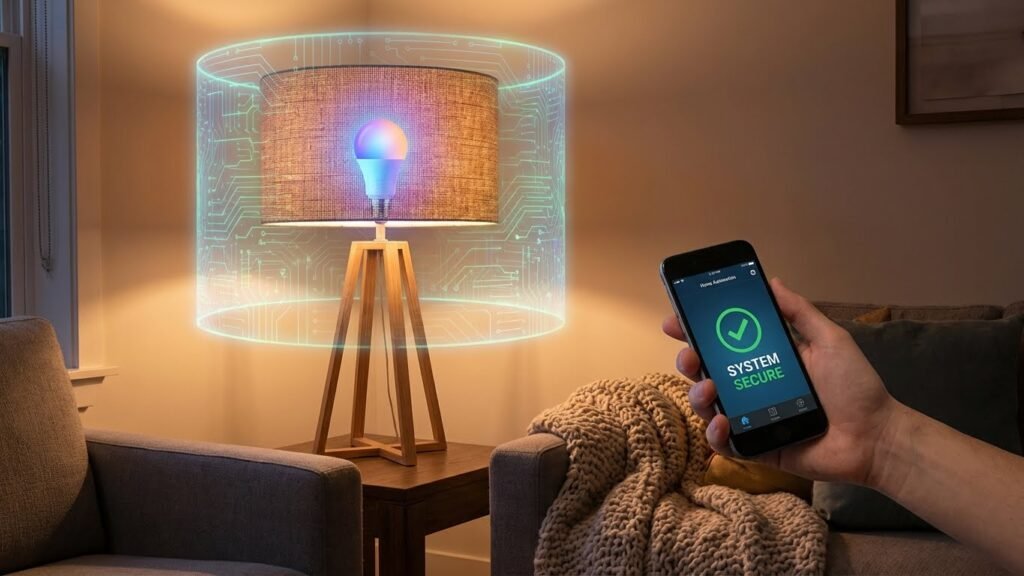
You can use smart bulbs safely, but you must take simple steps to protect your home and data. Smart bulbs pose no greater electrical or health risk than regular LEDs, but they can create privacy and cybersecurity risks if you ignore updates, weak passwords, or unsafe apps.
If you buy well-reviewed bulbs, keep their firmware and apps updated, and place them on a separate network or use strong Wi‑Fi passwords, you keep most risks small. Stay with me to learn how to spot bad apps, lock down your network, and pick bulbs that balance convenience, safety, and privacy.
Key Takeaways
- Smart bulbs are not inherently dangerous when used like regular LEDs.
- Cybersecurity and app safety matter most for connected lighting.
- Simple steps—updates, strong passwords, and network separation—cut most risks.
Understanding Smart Bulb Technology
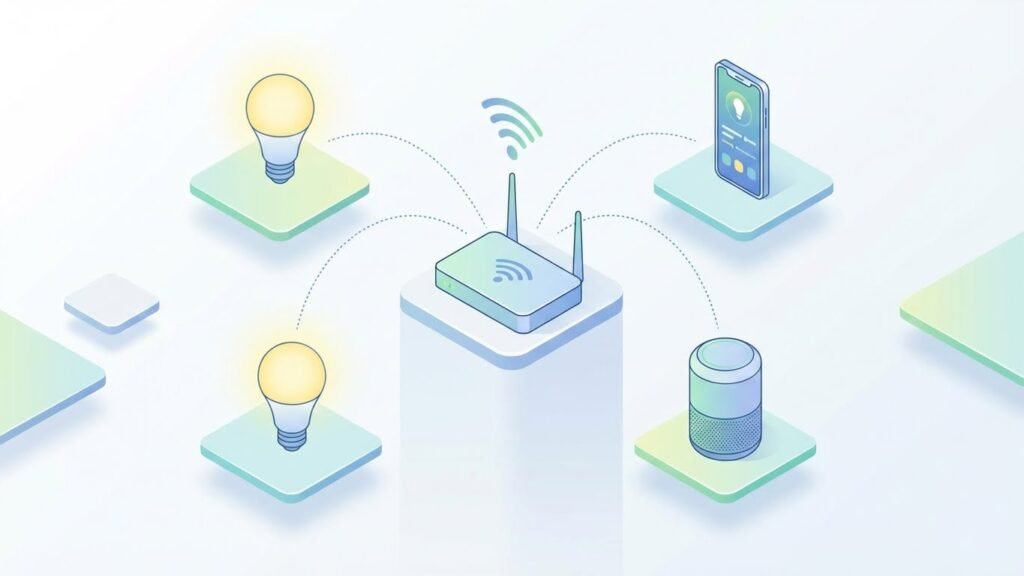
Smart bulbs connect to your home and let you control light level, color, and schedules from apps, voice assistants, or physical switches. They use LEDs, wireless radios, and software to add features like automation, energy tracking, and integration with other devices.
How Smart Bulbs Work
Smart bulbs use LED chips for light and include a small circuit board and wireless radio. The radio uses Wi‑Fi, Bluetooth, Zigbee, or Z‑Wave to receive commands from your phone, a hub, or a smart speaker.
When you tap an app or give a voice command, the signal goes to the bulb directly (Wi‑Fi/Bluetooth) or through a hub (Zigbee/Z‑Wave). The bulb’s firmware interprets the command and changes brightness, color temperature, or RGB color. Some bulbs also report energy use or temperature back to the app.
Power is the same as regular LED bulbs; you still screw them into a standard socket. You must keep the bulb’s firmware updated and use secure home network settings to reduce hacking risk.
Types of Smart Bulbs
Smart bulbs differ by connectivity and features. Main categories include:
- Wi‑Fi bulbs: connect directly to your router, work without a hub, and often have the simplest setup.
- Bluetooth bulbs: pair to a phone for local control, but range and multi‑user sharing are limited.
- Zigbee/Z‑Wave bulbs: require a hub (like a smart home bridge) but use less power and scale better across many devices.
Feature differences matter: some bulbs offer tunable white (adjust warm to cool), full RGB color, dim-to-off, scheduling, and energy reporting. Higher-end models let you create scenes, sync with media, or group bulbs room-wise.
Choose bulbs based on range, number of devices, and whether you want local control without the cloud. Also check maximum lumen output and color rendering index (CRI) to match your lighting needs.
Popular Smart Bulb Brands
Several brands dominate the market and cover different needs:
- Philips Hue: uses Zigbee with a hub, strong ecosystem, wide range of form factors, reliable firmware updates.
- LIFX: Wi‑Fi bulbs with bright output and deep colors; no hub needed but may use more network bandwidth.
- Sengled: offers both hub‑required and Wi‑Fi models; known for value and occasional models with built‑in extras (like speakers).
- Yeelight and TP‑Link (Kasa): budget Wi‑Fi options with solid app control and voice assistant support.
When you pick a brand, check compatibility with your existing ecosystem (Apple HomeKit, Google Home, Amazon Alexa), update policy, and customer support. Look for clear instructions on setup, firmware updates, and privacy or data use policies.
Smart Bulbs and Electrical Safety
Smart bulbs meet safety standards when you pick the right product and follow installation rules. Pay attention to heat output, correct fixtures, and wiring limits to keep risks low.
Overheating Risks
Smart bulbs can run warmer than standard LED bulbs because of added electronics like Wi‑Fi or Bluetooth modules. Check the bulb’s maximum operating temperature in the product specs. If a bulb lists a max temp of 60°C (140°F), avoid enclosed fixtures that trap heat.
Use bulbs rated for enclosed fixtures when needed. If a bulb gets noticeably hot to the touch, unplug the lamp or switch off the circuit and inspect the fixture. Excessive heat can shorten the bulb’s lifespan and damage the plastic or electronics.
Avoid using higher‑wattage bulbs than the socket or fixture allows. Even though smart bulbs are often low‑wattage, a mismatch between bulb size and fixture ventilation causes heat buildup. Replace bulbs that show discoloration, melted parts, or smell of burning.
Fire Hazard Considerations
Fire risks usually come from poor fixtures, bad wiring, or incompatible bulbs—not from the smart features themselves. Check the fixture’s maximum wattage label and never exceed it. Inspect lamp cords for frays and replace damaged cords immediately.
Install bulbs that carry recognized safety marks (UL, ETL, CE). These marks mean the bulb passed electrical and fire safety tests. Avoid cheap, unbranded bulbs that lack certification; they more often fail and overheat.
If you use extension cords or power strips for lamps, pick ones rated for the total load. Don’t daisy‑chain multiple power strips. Install a smoke alarm near living areas and test it regularly so you’ll get early warning if overheating causes smoke.
Proper Installation Guidelines
Turn off power at the switch or breaker before changing bulbs. Let the old bulb cool first to avoid burns. Screw the new smart bulb in firmly but don’t overtighten; that can damage the socket or bulb base.
Match bulb shape and size to the fixture. Use A‑shape bulbs in open lamps and choose bulbs rated for enclosed fixtures when using recessed cans or covered sconces. Check the fixture’s voltage—most smart bulbs work on standard 120V household circuits in the U.S.; use the correct voltage elsewhere.
Follow the manufacturer’s app setup and firmware update steps. Keep the bulb’s firmware current to avoid malfunctions that could cause continuous power draw or heating. Keep bulbs away from high‑humidity areas unless labeled for damp or wet locations.
Cybersecurity Concerns With Smart Bulbs

Smart bulbs can let attackers into your home network, expose personal data, or let someone control devices remotely. You should know how hackers exploit weaknesses, how Wi‑Fi or Bluetooth gaps open doors, and what data bulbs can collect or leak.
Potential for Hacking
Smart bulbs run firmware and often use common chips like ESP series or other IoT modules. Attackers can exploit weak default passwords, unencrypted local communications, or open ports to upload malicious firmware. Once compromised, a bulb can act as a foothold to scan your network, try other devices, or join a botnet.
Physical attacks matter too. A motivated attacker with device access can dump firmware via serial pins or a soldered connection and extract keys. You should treat smart bulbs like any internet‑connected device: change defaults, apply updates, and isolate them on a separate network.
Vulnerabilities in Wi-Fi and Bluetooth
Bulbs that join your Wi‑Fi use your router credentials and may store them insecurely. Flaws in pairing apps or cloud services can leak your Wi‑Fi password or session tokens. If a bulb or its app accepts unauthenticated commands, an outsider on your local network can turn lights on/off or chain attacks to other devices.
Bluetooth bulbs pose different risks. Poorly implemented Bluetooth Low Energy (BLE) pairing can allow nearby attackers to intercept or spoof commands. You should enable WPA3 on routers if available, use a guest or IoT VLAN for smart devices, and keep bulb firmware and companion apps updated.
Data Privacy Implications
Smart bulbs can collect metadata that reveals occupancy patterns and routines. Motion‑capable or sensor‑paired bulbs record when lights turn on/off, which you might not want shared with third‑party cloud services. Some vendor apps upload logs or diagnostic data that include timestamps, MAC addresses, or location tags.
Review privacy settings and app permissions. Disable unnecessary data sharing, opt out of telemetry, and prefer local‑only control options when supported. If a vendor stores data in the cloud, check their retention policy and whether data is encrypted in transit and at rest.
Health and Environmental Impacts

Smart bulbs can affect your health through light quality and minor electromagnetic emissions. They can also create environmental issues when they contain hazardous materials or are not recycled properly.
Radiation and EMF Exposure
Smart bulbs use low-power radio signals like Wi‑Fi, Bluetooth, or Zigbee to connect. These signals generate very low levels of non‑ionizing radiofrequency (RF) energy.
Regulatory bodies set exposure limits well above the power these bulbs emit, so typical home use stays far below safety thresholds.
If you place bulbs very close to where you sleep for long periods, you can reduce exposure by moving the bulb, using wired controls, or turning wireless features off when not needed. People with specific medical implants should check device manuals and consult a clinician if concerned about RF interference.
Light Quality and Eye Safety
LED-based smart bulbs vary in color temperature and blue-light content. High color temperatures (5000K+) emit more blue light, which can suppress melatonin and affect sleep if used at night.
Use warm color settings (2700–3000K) in the evening and blue‑light filters on devices to reduce circadian disruption.
Flicker can occur with some LED drivers and dimming setups. Visible or high-frequency flicker may cause eye strain or headaches in sensitive people. Choose bulbs tested for low flicker and use compatible dimmers to cut that risk.
Environmental Effects of Disposal
LED smart bulbs contain electronic components and small amounts of metals, plastics, and circuitry. They do not hold mercury like CFLs, but they still require proper recycling to prevent e‑waste pollution.
Throwing bulbs in regular trash can send metals and plastics to landfills and complicate material recovery.
Check local electronics recycling programs or take-back schemes from manufacturers. Many cities offer household hazardous waste or e‑waste drop-off sites where you can deposit burned‑out smart bulbs for safe processing.
Best Practices for Safe Smart Bulb Usage
Keep bulbs’ software current, lock down your home network, and follow manufacturer setup and safety guidance. These steps cut risks from hacking, glitches, and electrical problems.
Firmware Updates and Security Patches
Check for firmware updates at least once a month and enable automatic updates when available. Updates fix security flaws and add stability; skipping them leaves your bulbs and network exposed.
If your bulbs use a hub or bridge, update that device too. Apply updates to the hub first, then the bulbs, to avoid compatibility problems. Keep a note of the model and firmware version in case you need vendor support.
If an update fails, power-cycle the bulb and hub, then try again. Contact the manufacturer for signed firmware only—don’t install files from unknown sites. If the maker no longer supports a model, consider replacing it.
Secure Network Practices
Put smart bulbs on a separate guest or IoT Wi‑Fi network with a different password from your main devices. Use WPA3 or WPA2 encryption and a strong, unique password for that network.
Disable remote management and UPnP on your router unless you need them and know how to secure them. Limit open ports and use a firewall to block unexpected inbound traffic to IoT devices.
Use a strong, unique password for the bulb app account and enable two‑factor authentication when offered. If you use a hub, segment it behind a VLAN or firewall rule to reduce lateral movement if a device is compromised.
Manufacturer Recommendations
Follow the manufacturer’s installation and electrical ratings exactly. Use bulbs in fixtures that match the wattage, IP rating (for damp locations), and voltage specified by the maker to avoid overheating or fire risk.
Register your product on the manufacturer’s site to receive security and recall notices. Keep the original packaging or note the model and serial number so you can find firmware and support quickly.
Prefer brands that publish security practices, offer regular updates, and support encryption. If the vendor stops updating devices or has a poor track record, replace the bulbs with models from a supported manufacturer.
Evaluating the Safety of Smart Bulbs in Comparison to Traditional Bulbs
Smart bulbs reduce some common risks found in older bulbs while adding a few new concerns tied to electronics and networking. You’ll mainly weigh physical risks like heat and breakage against lifespan, failure modes, and firmware or connectivity issues.
Physical Safety Differences
Smart bulbs use LED chips and a heat sink to keep temperatures lower than incandescent bulbs. You won’t see glass filaments that shatter easily, and burns from touching the bulb are less likely because LEDs run cooler. Still, the base and driver electronics can get warm, so avoid enclosed fixtures not rated for LED smart bulbs.
Smart bulbs contain small electronic parts and plastic housings that change how they fail. If a smart bulb melts or smokes, cut power immediately and replace it. Follow manufacturer wattage and fixture instructions to prevent electrical hazards. Also check certifications like UL or CE to confirm basic safety testing.
Longevity and Reliability Factors
Smart bulbs typically last far longer than incandescent bulbs—often 15,000 to 50,000 hours—so you change them less and reduce breakage risk. Their solid-state design means fewer sudden failures; most degrade gradually as brightness drops.
Reliability depends on quality of components and firmware. Cheap bulbs may fail sooner or have flaky network behavior. Keep firmware updated and buy bulbs from reputable brands to reduce remote-control glitches and premature failures. Have spare traditional bulbs or a basic lamp ready if a smart bulb stops responding during critical use.
Common Myths About Smart Bulb Safety
Smart bulbs can be safe when you follow basic setup steps and keep firmware updated. They pose two main worries: network hacking and claims about light harming your eyes or health.
Myth Versus Reality on Hacking Risks
Some say smart bulbs let hackers into your whole home network. That can happen if you leave bulbs on default accounts, weak passwords, or unpatched firmware. A more common path is through a poorly secured Wi‑Fi network or a smart hub with known vulnerabilities.
You can reduce risk by using a separate guest Wi‑Fi for IoT devices, enabling strong unique passwords, and installing updates when manufacturers release them. Also disable remote access if you don’t need it and buy bulbs from companies that publish security updates.
Misconceptions About Lighting Effects
People worry smart bulbs cause eye damage, headaches, or excess blue light. Standard LED smart bulbs meet safety tests and emit no harmful UV radiation. However, very bright light or wrong color temperatures can cause discomfort for some people.
To avoid issues, lower brightness in sleeping areas, choose warm color (2700–3000K) at night, and use dimming schedules. If you have light sensitivity or migraines, consult an eye specialist and test bulbs before wide use.
Future Developments in Smart Bulb Safety
You will see stronger security built into smart bulbs at the hardware level. Manufacturers are moving toward chips that support secure boot and hardware encryption, which helps stop tampering and theft of credentials.
Firmware updates will become faster and more reliable. Automated, signed updates reduce the chance you get a malicious or broken update, and some makers will offer update rollbacks if a new release causes problems.
Expect improved standards and certification schemes for privacy and safety. Industry groups and regulators are creating clearer labels so you can compare devices by security features, data practices, and electrical safety.
You will likely find better integration with home network protections. Routers and hubs may isolate smart bulbs on segmented networks by default, limiting what a compromised bulb can access.
Manufacturers will add features that focus on physical safety, too. Look for thermal sensors, better heat dissipation designs, and stricter compliance with safety certifications to lower fire and electrical risks.
Practical controls for you will get simpler and more transparent. You should see clearer privacy dashboards, single-click factory resets, and easy-to-use account protections like multi-factor authentication.
Key trends at a glance:
- Hardware-backed security (secure boot, encryption)
- Signed and auto-verified firmware updates
- Clearer certifications and privacy labels
- Network segmentation by default
- Improved thermal and electrical safety
- Simpler user controls and privacy dashboards
These developments will make smart bulbs safer for everyday use while giving you clearer ways to manage risk.
FAQs
Are smart bulbs secure from hackers?
Smart bulbs can be a way into your network if they use weak passwords or outdated firmware. You lower risk by using strong, unique passwords, keeping firmware updated, and placing devices on a separate guest network.
Do smart bulbs collect personal data?
Some bulbs and their apps collect usage data to improve features. Check the app’s privacy policy and disable permissions you don’t need to limit data sharing.
Can smart bulbs cause health problems?
Most smart bulbs meet safety standards and are safe to use. If you are sensitive to flicker or blue light, choose bulbs labeled low-flicker or with adjustable color temperature.
Will smart bulbs work if the internet is down?
It depends on the bulb. Some bulbs keep basic functions on a local network or via Bluetooth, while others need cloud services for full features. Read product specs to know what works offline.
How do I dispose of smart bulbs?
Treat smart bulbs like regular LED bulbs for recycling, but remove batteries from smart fixtures or controllers first. Follow local e-waste rules for proper disposal.
Are smart bulbs worth it?
They offer convenience, energy savings, and automation options. You must balance those benefits with privacy and security choices you are comfortable managing.
Conclusion
Smart bulbs give you convenience, energy savings, and more flexible lighting. They can change color, follow schedules, and respond to voice commands to make daily life easier.
You should treat them like any connected device. Use strong Wi‑Fi passwords, keep firmware updated, and place bulbs on a separate smart-home network when possible to limit security risk. For guidance on home network safety, see the U.S. Cybersecurity & Infrastructure Security Agency (CISA).
Choose bulbs with safety certifications and buy from reputable brands to reduce fire and electrical hazards. Follow installation instructions and replace damaged bulbs promptly. For product safety standards, check information from the National Electrical Manufacturers Association (NEMA).
If privacy is a major concern, pick bulbs that minimize data collection or work through a local hub rather than cloud services. You can also disable unused integrations and voice assistants to lower exposure.
When you weigh benefits and risks, smart bulbs are safe for most homes if you take basic precautions. Use common-sense electrical safety, maintain your network, and review privacy settings to keep your lighting both useful and secure.