
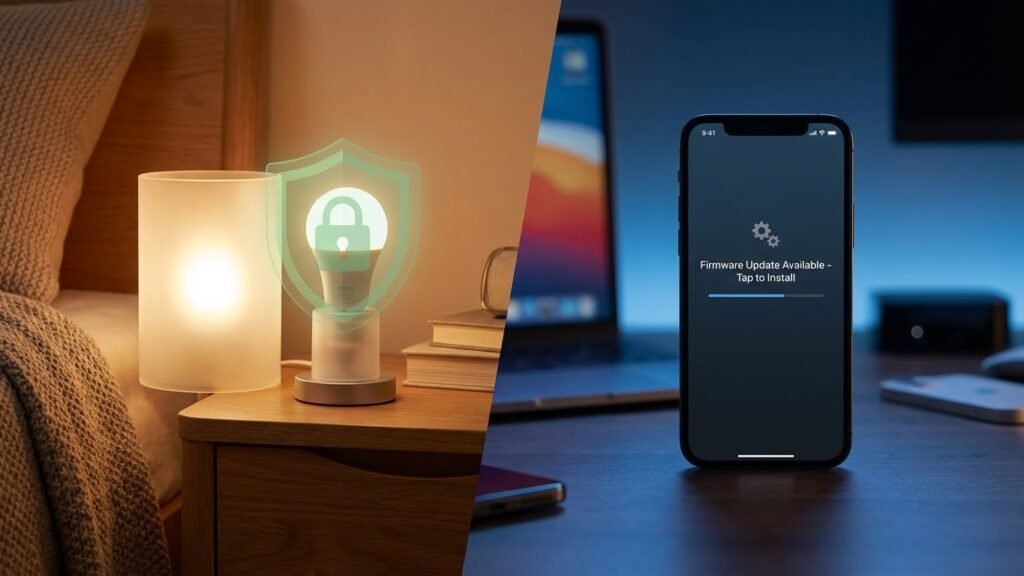
Smart bulbs are not inherently dangerous, but they can create risks if you ignore safety steps and privacy settings. You can use smart bulbs safely by following basic electrical rules, keeping firmware updated, and isolating them on a secure network.
If you care about fire risk, eye strain, or hackers, this article shows what to watch for and what to fix fast. Expect clear steps to reduce health, electrical, and privacy risks so your smart lighting stays useful and safe.
Key Takeaways
- Most risks from smart bulbs are preventable with proper installation and maintenance.
- Update devices and use network security to cut privacy and hacking threats.
- Choose certified products and follow manufacturer guidance to lower health and fire hazards.
Understanding Smart Bulb Technology
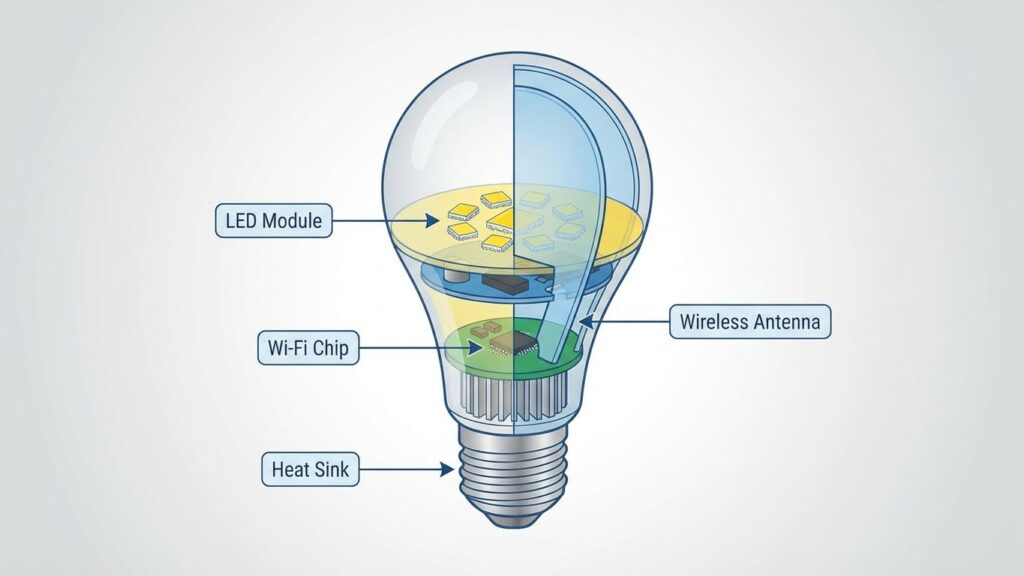
Smart bulbs combine LED lighting with small electronics and wireless features. They let you change brightness, color, and schedules from an app or voice assistant. Security, compatibility, and power use depend on the bulb’s type and connection method.
How Smart Bulbs Work
A smart bulb contains an LED module, a driver that converts mains power to safe low-voltage DC, and a microcontroller that runs the bulb’s firmware. The microcontroller controls LED brightness and color by adjusting current and using pulse-width modulation.
Most bulbs include wireless radios and an antenna for communication. When you tap an app or say a voice command, the signal reaches the bulb’s radio, which decodes it and tells the microcontroller what to do. Some bulbs also have local sensors or support scheduling and effects stored on the bulb.
Firmware handles updates, security, and device behavior. If the firmware is poorly maintained, the bulb may behave unexpectedly or expose your network. Always check update policies and manufacturer reputation before buying.
Types of Smart Bulbs
You’ll find three main categories: basic dimmable bulbs, color-changing RGB/RGBW bulbs, and tunable white bulbs. Dimmable bulbs let you set brightness only. Tunable white bulbs adjust color temperature from warm to cool. RGB and RGBW bulbs add colored LEDs for millions of color options.
Form factors match standard sockets (A19, GU10, etc.) and special fixtures. Some smart bulbs are integrated with motion sensors or cameras. Others rely entirely on a hub or bridge to work. Price and build quality vary widely; cheap bulbs may use lower-grade components and offer shorter lifespans.
Consider lumen output, color-rendering index (CRI), and rated lifetime. Higher CRI and longer rated hours give better light quality and durability. Check compatibility with dimmer switches and existing fixtures to avoid flicker or damage.
Connectivity Options
Smart bulbs connect using Wi‑Fi, Bluetooth, Zigbee, Z‑Wave, or proprietary hubs. Wi‑Fi bulbs connect directly to your router and often need no hub. They provide easy remote control but can add many devices to your Wi‑Fi network.
Bluetooth bulbs pair directly with your phone. They are simple for single-room control but usually need a hub or bridge for remote access outside your home. Zigbee and Z‑Wave use a mesh network through a hub like Hue Bridge or SmartThings. Mesh systems scale well and reduce Wi‑Fi congestion.
Proprietary systems may require the manufacturer’s hub and app. Hubs can centralize security updates and local control, but they add cost and a single point of failure. Match connectivity to your smart-home setup and privacy preferences before buying.
Potential Health Risks of Smart Bulbs
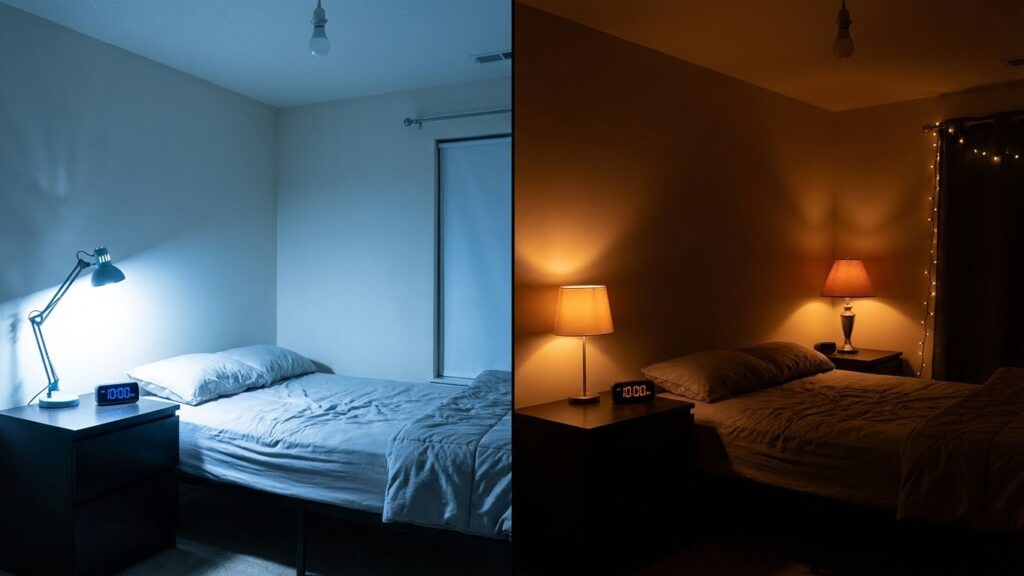
Smart bulbs can affect your sleep, eye comfort, and the wireless devices in your home. You need to know how blue light, electromagnetic fields, and timing of light use can change your health or daily routine.
Blue Light Emissions
Blue-rich LED light from many smart bulbs peaks around 450–490 nm. That wavelength can reduce melatonin production when you are exposed to it in the evening. Use bulbs labeled as “warm white” (2700–3000 K) or enable a night mode after sunset to cut blue light output.
For short tasks like reading in the evening, keep intensity low and sit farther from the bulb. If you work late under bright LEDs, consider blue-light-filtering glasses or screen filters. Children and people with retinal sensitivity should use lower blue output because they may feel more glare or eye strain.
Electromagnetic Field Exposure
Smart bulbs use Wi‑Fi, Bluetooth, or Zigbee radios to connect. These radios emit low-level radiofrequency (RF) energy similar to routers and phones. Current evidence shows RF levels from smart bulbs are far below international limits and pose minimal direct health risk.
If you prefer caution, place smart bulbs on separate circuits when possible, use wired smart switches, or choose bulbs that use low-power protocols like Zigbee. Turn off wireless features when not needed. Shielding is unnecessary for most people, but reducing proximity at night can lower your overall RF exposure.
Circadian Rhythm Disruption
Timing and color temperature of smart bulbs can shift your internal clock. Bright, cool light in the evening signals daytime to your brain and delays sleep onset. That can lead to difficulty falling asleep and reduced sleep quality over time.
Use scheduled scenes to lower brightness and switch to warm tones in the two hours before bedtime. Set automatic “sleep” or “night” routines on your bulb app. For shift workers or those with irregular schedules, choose programmable bulbs to mimic daylight in the morning and dim toward night to support a consistent sleep cycle.
Fire and Electrical Safety Concerns
Smart bulbs can overheat, short, or misfit in fixtures if not chosen and installed correctly. You should check wattage, ventilation, and compatibility to lower the risk of electrical faults and fire.
Overheating Issues
Smart bulbs generate heat from their LED drivers and electronic chips, not just the LED itself. If you place a smart bulb in an enclosed fixture without ventilation, heat builds up and shortens the driver’s life. Over time the driver can degrade, causing flicker, smoke, or in rare cases an electrical fault.
Choose bulbs rated for enclosed fixtures when needed and avoid stacking bulbs in tight recessed cans. Watch for signs: persistent warm-to-touch housings, discoloration of the socket, or frequent blinking. If you notice those, switch off the circuit and replace the bulb with a higher-rated or properly vented option.
Installation Mistakes
Incorrect installation raises your risk more than the bulb itself. Using a bulb rated for a different voltage, overtightening into the socket, or forcing a specialty base into a standard fixture can damage the contacts or insulation. That damage can cause arcing or poor connections that create heat and sparks.
Follow the manufacturer’s instructions for torque and socket type. Turn off power at the switch or breaker before changing bulbs. Replace old, loose sockets and avoid mixing smart bulbs with damaged fixtures or frayed wiring.
Compatibility With Fixtures
Not all fixtures suit smart bulbs. Dimmers, enclosed fixtures, and high-heat environments can conflict with a bulb’s electronics. Using a smart bulb with an incompatible dimmer switch can cause buzzing, flicker, and extra heat from internal electronics.
Check three things: fixture type (open vs enclosed), dimmer compatibility (look for “works with dimmers” or a compatible dimmer list), and maximum fixture wattage. When in doubt, pick bulbs labeled for enclosed fixtures and confirm compatibility with your dimmer brand. If a fixture’s manual forbids LEDs or smart electronics, don’t override that guidance.
Cybersecurity and Privacy Vulnerabilities
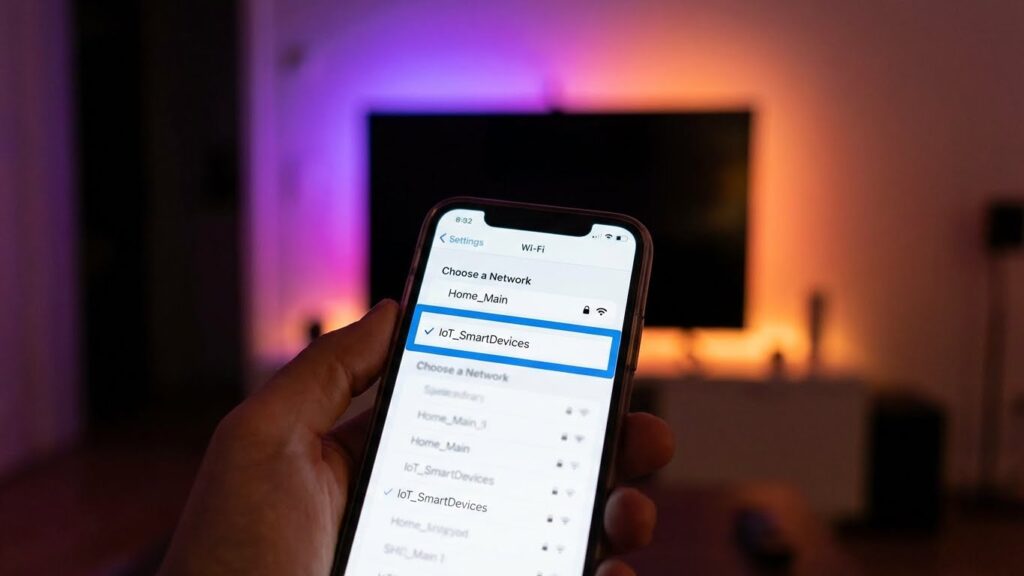
Smart bulbs can let attackers into your home network, expose personal data, or leak settings that reveal your routines. You need to know how these risks happen and what to do to lower them.
Smart Bulbs as Entry Points for Hackers
Smart bulbs often connect via Wi‑Fi, Zigbee, or Bluetooth. If a bulb has weak or no encryption, an attacker on the same network or nearby can exploit that link to access the bulb’s firmware or its control app. Researchers have shown some bulbs can expose Wi‑Fi credentials or accept unsigned firmware, letting attackers move from the light to other devices on your router.
Hackers can also exploit poor default passwords or open pairing modes. Once they control a bulb, they may scan the local network, try common credentials on other devices, or use the bulb as a persistent foothold. Regular firmware updates and changing default credentials reduce this risk.
Data Collection and Sharing Risks
Many smart lighting systems collect usage data: which bulbs you use, schedules, scenes, and sometimes location or account metadata. Manufacturers may send that data to cloud services for voice control, analytics, or remote access. If those services lack strong access controls or are breached, your patterns and account details can be exposed.
Apps and hubs sometimes request broad permissions on your phone or link to third‑party services (voice assistants, IFTTT). That increases how much of your data leaves your home. Review privacy policies, limit app permissions, and disable unnecessary cloud features to keep the data footprint small.
Protecting Your Smart Home Network
Start by isolating IoT devices on a separate guest or VLAN network. That stops a compromised bulb from reaching your computers, phones, or NAS. Use strong, unique Wi‑Fi passwords and WPA3 if your router supports it.
Keep bulbs and apps updated with the latest firmware. Change default logins and disable features you don’t use, like remote cloud access or universal plug‑and‑play (UPnP) on your router. Enable two‑factor authentication on accounts where available.
Use a recognized brand with a history of security patches. Consider a network scanner or router that can detect unusual device behavior and block suspicious traffic. Finally, audit app permissions and revoke any that are not necessary for basic lighting functions.
Radiation and EMF Considerations
Smart bulbs emit small amounts of electromagnetic fields (EMF) mainly from their wireless radios and internal electronics. Most emissions fall quickly with distance and are well below international exposure limits for household devices.
Wireless Communication Protocols
Smart bulbs use Wi‑Fi, Bluetooth, Zigbee, or Z‑Wave radios to connect. Wi‑Fi typically transmits at higher power than Bluetooth or Zigbee, but only when the bulb is actively sending data. Bluetooth and Zigbee use lower-power signals and often send brief, intermittent packets.
If you place bulbs a few feet from living or sleeping areas, the EMF strength drops sharply due to the inverse-square relationship. The radio duty cycle matters: constant streaming (rare for bulbs) raises average exposure more than occasional status updates. Most major health agencies say these low-power, short-range signals do not exceed safety guidelines. If you want to reduce exposure, choose bulbs using low-power protocols and disable unused wireless features.
Comparisons to Other Household Devices
Smart bulbs generally produce far less EMF than Wi‑Fi routers, cordless phones, or microwave ovens when those devices are in use. A router transmits continuously and at higher power, so average exposure near a router is larger than near an idle bulb.
Compared with a smartphone held to your ear, a smart bulb’s radio is weaker and usually farther from your body. The bulb’s internal electronics can create tiny magnetic fields, similar to other LED fixtures, but those fields fall off quickly with distance. If you are concerned, increase the distance between bulbs and places where you spend long periods, or turn off wireless functions at night.
Environmental Impact
Smart bulbs cut home energy use but add new waste and manufacturing impacts you should know. They lower electricity bills but contain electronics that affect disposal and recycling.
Energy Consumption
Smart bulbs use LEDs that consume far less power than incandescent bulbs. A typical smart LED draws 8–12 watts while giving light comparable to a 60W incandescent. That reduces household lighting energy by roughly 70–85% when you replace old bulbs.
However, smart bulbs often run wireless radios and standby electronics. Those features add 0.5–2 watts of continuous draw per bulb, which can offset some savings if you leave many bulbs always connected. If you use schedules, motion sensors, or group control, you can cut wasted on-time and keep overall energy use low.
To maximize benefits, use bulbs with proven low standby draw, enable power-saving modes, and set automations so lights are off when not needed. Check each bulb’s wattage and expected lumen output to compare real-world savings.
End-of-Life Disposal
Smart bulbs include LEDs, circuit boards, and sometimes small batteries or radios, so they count as electronic waste rather than simple glass. That means you should not throw them in regular household trash.
Improper disposal risks releasing heavy metals and persistent materials into landfills. Some smart bulbs contain small amounts of metals used in circuitry; recycling programs can recover these materials and reduce environmental harm.
Find local e-waste drop-off sites, retail take-back programs, or manufacturer recycling options. Remove any batteries first if the bulb design allows. Keep receipts or product model numbers to check specific recycling rules in your area.
Manufacturer Safety Standards and Regulations
Manufacturers must meet electrical, photobiological, and wireless-security rules. You should check for lab testing, safety marks, and clear installation instructions before buying or installing smart bulbs.
Certifications to Look For
Look for UL, ETL, or CSA marks for electrical safety; these show independent testing for fire and shock risks. For LED-specific safety, check IEC 62471 (photobiological safety) to ensure the bulb’s blue light and flicker levels were evaluated.
If the bulb has wireless features, look for FCC (U.S.) or CE (Europe) radio approvals to confirm the wireless transmitter meets limits for interference and emissions. Also prefer products with RoHS or similar marks that limit hazardous materials.
Read the product label and manual. Confirm the listed voltage, socket type, and max wattage match your fixtures. If a manufacturer offers a test report or datasheet, download and review it for stated safety limits.
Regional Compliance Requirements
In the United States, smart bulbs commonly require UL 1598 (luminaires) or component-level UL listings, plus FCC Part 15 for radio devices. Your state or local electrical code can add requirements for recessed fixtures or enclosed fixtures.
In the European Union, bulbs need the CE mark and must meet the Low Voltage Directive and the Radio Equipment Directive if they use Bluetooth or Wi‑Fi. The EU also enforces RoHS and often expects IEC 62471 test documentation for LED products.
In Canada and Australia/New Zealand, look for CSA, RCM, or SAA marks respectively. Where you live determines which certification is essential; confirm that the product’s label explicitly lists the relevant regional marks before purchase.
Best Practices to Minimize Risks
Choose bulbs with tested safety features, secure network setup, and regular checks to prevent fire, privacy, and performance issues. Install bulbs correctly, keep firmware and apps updated, and monitor for odd behavior like flickering or unexpected network use.
Choosing Safe Products
Pick bulbs that carry recognized safety marks such as UL, ETL, or CE for electrical safety. Look for manufacturer support that lists firmware updates and security policies on their website. Prefer bulbs from brands that publish vulnerability disclosures or have a history of issuing patches.
Check communication protocols before buying. Choose bulbs that use WPA2/WPA3-capable Wi‑Fi, Zigbee with a trusted hub, or Bluetooth with secure pairing. Avoid devices that require excessive personal data or cloud-only control if privacy matters to you.
Compare specs: maximum wattage, heat dissipation (heat sink design), and operating temperature range. Read user reviews for complaints about overheating, short lifespan, or frequent disconnects. Keep receipts and note warranty length in case of defects.
Safe Installation Guidelines
Turn off power at the switch or breaker before you touch sockets. Use bulbs rated for the fixture type (indoor vs. outdoor, enclosed fixtures). Overheating risk rises if you put a non-enclosed-rated smart bulb into a fully enclosed fixture.
Screw bulbs in hand-tight—do not over-torque. For outdoor or damp locations, use bulbs with an IP rating that matches the environment. Use the correct base type (E26, E27, B22, etc.) to avoid loose contacts that can spark.
When connecting to your network, create a separate guest or IoT Wi‑Fi network for smart bulbs. Use a strong unique password and enable WPA2/WPA3. Disable remote cloud access in the bulb’s app if you don’t need it, and avoid reusing the same account password across devices.
Regular Maintenance Tips
Check bulbs monthly for signs of damage: cracks, discoloration, or unusual heat at the base. If a bulb flickers, disconnect it and test in another socket to isolate the problem. Replace any bulb that runs excessively hot or smells of burning.
Keep firmware and companion apps up to date. Enable automatic updates where possible, or schedule a monthly check. Remove unused bulbs or accounts from your network and delete obsolete apps that retain access.
Audit network access twice a year. Confirm only trusted devices and hubs connect to your IoT network. Change IoT network passwords periodically and review app permissions to limit data shared with manufacturers or third-party services.
Conclusion
Smart bulbs bring real benefits: energy savings, longer life, and convenient controls. You can enjoy these features with low physical risk when bulbs meet safety standards and you follow installation rules.
Cybersecurity and privacy need attention. Use strong Wi‑Fi passwords, keep firmware updated, and isolate IoT devices on a separate network to reduce the chance of hacking.
Some health concerns exist, mostly about blue light and flicker. Choose bulbs with adjustable color temperature and low flicker ratings if you are sensitive to light or use them for long periods.
Handle and dispose of bulbs responsibly. Follow manufacturer instructions and local rules for recycling to avoid fire or environmental hazards.
Quick checklist:
- Update firmware and apps regularly.
- Use strong, unique network credentials.
- Place bulbs in appropriate fixtures and avoid sealed enclosures unless rated.
- Pick bulbs with good temperature, flicker, and color specs.
You can make smart bulbs safe by taking simple, practical steps. With basic precautions, they offer convenience and efficiency without undue risk.
FAQs
Are smart bulbs a fire risk?
Smart bulbs meet safety standards and use heat sinks to stay cool. If you follow the manufacturer’s wattage and fixture rules, the fire risk is low.
Can hackers access my home through a smart bulb?
Yes, smart bulbs on your Wi‑Fi can be an entry point if they have weak security. Use strong, unique passwords, update firmware, and keep them on a separate guest network when possible.
Do smart bulbs cause eye or health problems?
Most smart bulbs are safe for normal use. Some people are sensitive to flicker or blue‑rich light; choose bulbs labeled flicker‑free or with adjustable color temperature to reduce discomfort.
Are smart bulbs more durable than incandescent bulbs?
Yes. LED smart bulbs typically last thousands of hours longer than incandescent bulbs, often 15,000–50,000 hours. That lowers replacement frequency and saves energy.
Do smart bulbs collect personal data?
Some apps and manufacturers collect usage data to improve features. Read privacy policies and disable data sharing or analytics if you want more control.
Do smart bulbs contain harmful materials?
Most LEDs do not contain mercury like older fluorescent bulbs. Check product specs if you need specific material information.
How do I keep my smart bulbs secure?
Use strong Wi‑Fi passwords, enable encryption, update firmware, and limit app permissions. Those steps reduce most common risks.
Conclusion
Smart bulbs bring convenience, energy savings, and more control over your lighting. You can enjoy schedules, dimming, and color changes that fit your daily routine.
They carry some risks, but most are manageable. Secure your Wi‑Fi, update firmware, and use strong passwords to reduce cyber risks. For network guidance, check resources from the Cybersecurity & Infrastructure Security Agency (CISA).
Physical hazards are rare when you follow instructions and use bulbs that meet safety standards. Replace damaged bulbs and avoid incompatible fixtures to prevent heat or electrical problems.
Consider health effects like blue light exposure at night. Use warm color settings in the evening and lower brightness to protect sleep and comfort. The American Academy of Ophthalmology offers practical eye‑health tips you can follow.
Weigh the benefits against the minor risks for your home. If you take basic security and safety steps, smart bulbs can be a safe, useful upgrade for your living space.