
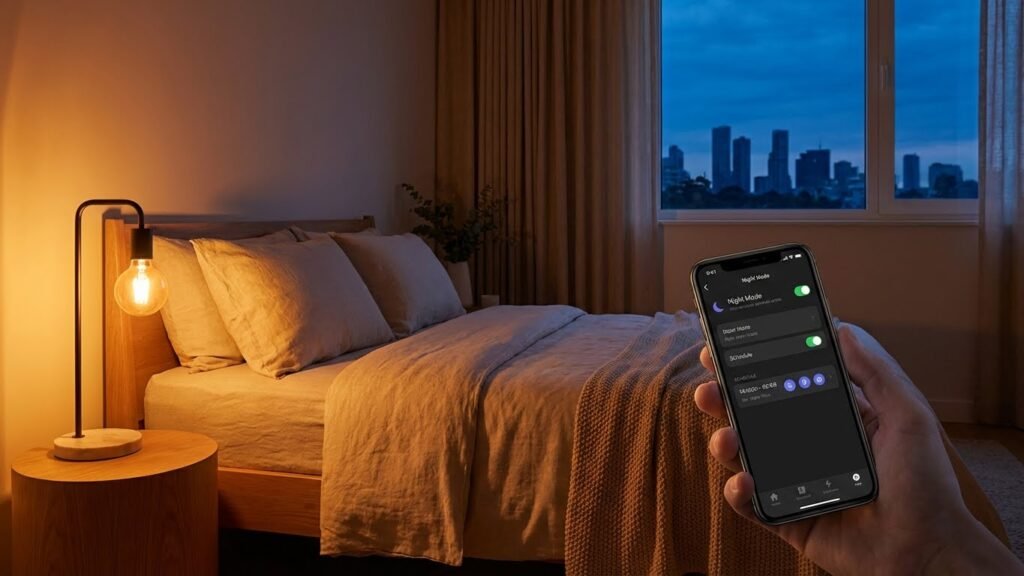
Smart bulbs are not inherently bad for you, but they can cause problems if you ignore simple safety and use rules. You get energy savings and convenience, yet you should watch for blue light at night, possible network risks, and basic fire or compatibility issues with old fixtures.
When used properly—limited evening blue-light exposure, secure network settings, and correct fixtures—smart bulbs are safe for most people.
You can keep yourself safer with a few quick steps: use warm light at night, update firmware, set strong Wi‑Fi passwords, and replace bulbs that run hot or don’t fit properly. Follow those steps and you keep the benefits without most downsides, whether you care about sleep, privacy, or home safety.
Key Takeaways
- Smart bulbs offer convenience and energy savings with manageable risks.
- Limit blue light at night and secure bulbs on your home network.
- Use proper fixtures and watch for heat or compatibility issues.
Understanding Smart Bulbs
Smart bulbs let you control color, brightness, and schedules from apps, voice assistants, or automations. They connect to your phone or hub using Wi‑Fi, Bluetooth, or smart-home protocols and come in different shapes, features, and price points.
How Smart Bulbs Work
Smart bulbs have an LED light source plus a small radio or Bluetooth chip and a processor. The chip receives commands from your phone, a hub, or a voice assistant and changes brightness, color temperature, or RGB color in response.
You can control bulbs directly with Bluetooth or through Wi‑Fi. Bluetooth pairs to a phone nearby; Wi‑Fi lets you control bulbs from anywhere with an internet connection. Some systems use a separate hub (Zigbee or Z‑Wave) to connect many bulbs more reliably and reduce local Wi‑Fi traffic.
Bulbs also run firmware that schedules routines and stores settings. That firmware can update over the internet, which fixes bugs but can also change features you rely on.
Types of Smart Bulbs
Smart bulbs fall into a few clear groups: white-only dimmable, tunable white, and full color (RGB or RGBW). White-only bulbs let you turn lights on/off and dim. Tunable white adjusts warm to cool color temperatures. Full-color bulbs let you pick millions of colors and create scenes.
You can get bulbs in standard shapes (A19), candle shapes, and GU10 or MR16 for track and recessed lighting. Power and brightness are measured in lumens; compare lumens, not watts, when you shop. Also check base type (E26, E27, GU10) so the bulb fits your fixture.
Some products are single-bulb solutions that connect directly to your phone. Others are part of an ecosystem that needs a hub, which can add cost but improve reliability and work better with multiple devices.
Popular Brands and Technologies
Philips Hue uses Zigbee with a dedicated bridge and is known for reliability and wide accessory support. LIFX makes Wi‑Fi bulbs that don’t need a hub and offer very bright, saturated colors. Sengled sells cost‑effective bulbs including models that act as Zigbee repeaters or have built‑in sensors.
Other brands include Wyze (cheap Wi‑Fi bulbs), Nanoleaf (modular panels and color bulbs), and GE/ C by GE (various smart options). Protocols matter: Zigbee and Z‑Wave use a hub and mesh networking; Wi‑Fi is simpler but can crowd your router; Bluetooth is limited by range.
When choosing, check compatibility with your smart assistant (Alexa, Google, HomeKit), the bulb’s brightness in lumens, required hub, and whether firmware updates are automatic.
Potential Health Concerns
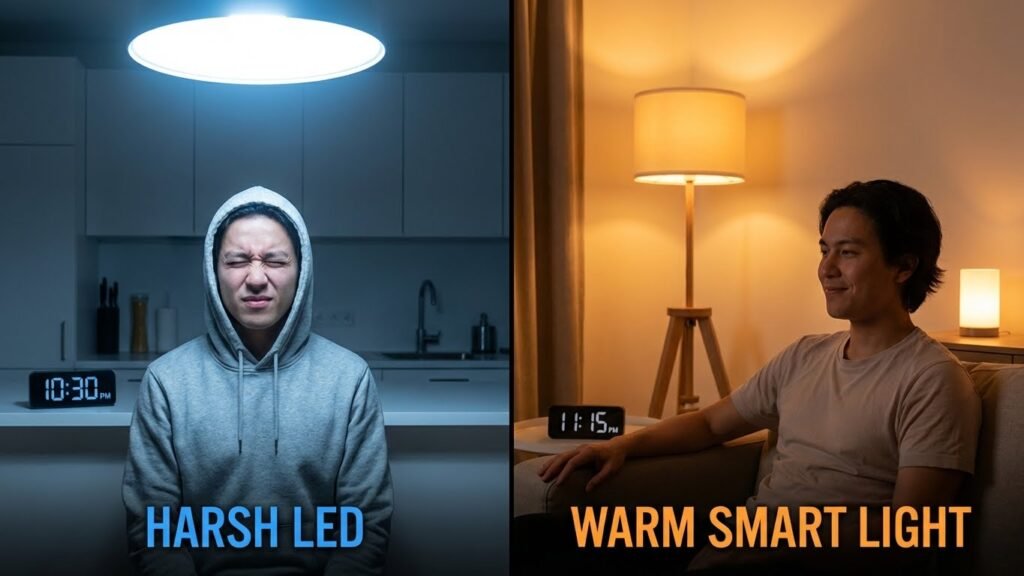
Smart bulbs can affect your body in specific ways: they emit blue-rich light, can change your sleep timing, and may cause eye discomfort when used incorrectly.
Blue Light Exposure
Blue-rich light from many smart LEDs peaks around 450–490 nm. This wavelength is strong at suppressing melatonin when you are exposed at night. If you use bright, cool-white settings in the evening, your body may think it is still daytime.
Limit evening exposure by switching bulbs to warm color temperatures (under ~3000 K) after sunset. Many smart bulbs let you schedule color changes or use “night” presets; set those to activate a few hours before bedtime. Keep reading devices or task lamps separate from ambient smart lighting to reduce direct exposure to blue peaks.
Sleep Disruption
Blue light and bright evening light delay the body’s sleep clock. If you stay in rooms lit by high-intensity, cool-toned smart bulbs late at night, you may fall asleep later and get lower sleep quality. Teens and shift workers are especially sensitive to this effect.
Use timed dimming and warm color scenes to cue your body toward sleep. Aim for lower light levels and warmer tones for at least 60–90 minutes before bed. Consider integrating smart bulb schedules with your bedtime routine rather than relying on manual changes.
Eye Strain
Eye strain can come from flicker, high contrast, and very bright or very dim scenes. Cheap or poorly designed smart bulbs sometimes use modulation that causes perceptible or imperceptible flicker. Long tasks under glare or high contrast between screen and room lighting also increase discomfort.
Reduce eye strain by adjusting bulb brightness to match task needs and avoiding extreme contrasts. Choose bulbs with good dimming performance and low flicker (look for flicker percentage or PWM frequency in specs). Position lights to minimize glare on screens and use layered lighting: ambient plus localized task lamps.
Electromagnetic Radiation and Safety
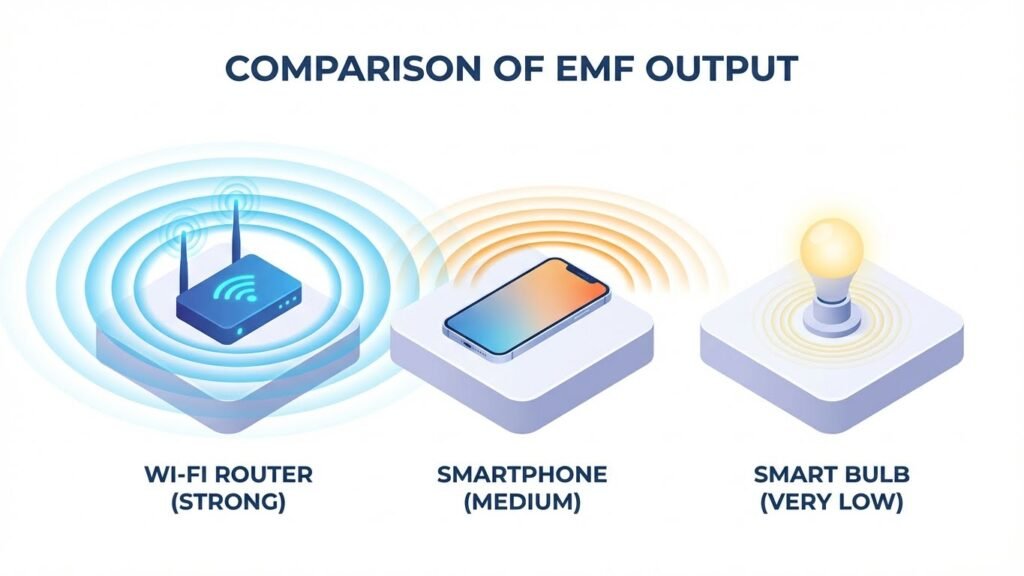
Smart bulbs use small radios and electronics. You should know what frequencies they use, how strong the signals are, and how that compares to safety limits and other devices in your home.
Wi-Fi and Bluetooth Emissions
Most smart bulbs use either Wi‑Fi (2.4 GHz or 5 GHz) or Bluetooth (around 2.4 GHz). These radios send low‑power signals to your router or phone. Power levels for bulbs are typically far below the limits set by regulators like the FCC.
Radio waves from bulbs drop quickly with distance. So a bulb a few feet away gives you much less exposure than a phone held to your ear. If you worry, place hubs or routers away from where you sit or sleep, or choose bulbs that use a separate low‑power hub.
Current Research on EMFs
Research has not found clear harm from the low‑level radio frequencies used by smart bulbs. Major health agencies say everyday exposure to Wi‑Fi and Bluetooth within regulatory limits is not proven to cause disease. Studies continue, especially on long‑term effects and sensitive populations.
If you want caution, choose devices certified to meet local safety standards. Look for manufacturer test reports or third‑party certifications that show compliance with exposure limits.
Comparison With Other Household Devices
Smart bulbs emit far less RF power than a smartphone or a cordless phone base. Typical power ranking (approximate): smartphone > cordless phone > Wi‑Fi router > smart bulb. Distance matters more than the device type.
Non‑wireless lighting like simple LED bulbs do not add RF exposure. Mains wiring and large appliances produce different fields (low‑frequency EMF) not the same as RF from wireless bulbs. If you want to reduce total exposure, focus on limiting close, prolonged use of phones and keep routers or hubs away from bedrooms.
Chemical and Material Safety
Smart bulbs use a mix of plastics, metals, and electronic components. You should know what materials are inside, whether any toxic substances are present, and how to dispose of bulbs safely.
Materials Used in Smart Bulbs
Most smart bulbs use LED chips, driver electronics, a heat sink (usually aluminum), and a plastic or glass outer shell. LEDs themselves are semiconductor chips mounted on small circuit boards. The driver contains capacitors, resistors, and sometimes small transformers or coils.
The base (E26/E27 or others) is metal and connects to household voltage. You’ll also find adhesives and phosphor coatings that turn blue LED light into white light. Cheaper bulbs may use lower-grade plastics and poorly shielded electronics, which can lead to minor off-gassing or faster degradation.
When buying, look for bulbs with metal heat sinks and UL or IEC safety marks. Those choices lower the chance of melting, cracking, or internal component breakdown over time.
Mercury and Heavy Metals
LED and most smart bulbs do not use mercury, unlike fluorescent bulbs. That means you avoid the mercury exposure risk that comes with compact fluorescent lamps (CFLs).
However, smart bulbs can still contain small amounts of heavy metals in solder and electronic parts — typically lead, tin, copper, and sometimes trace amounts of nickel or rare earth elements. RoHS-compliant bulbs limit or eliminate lead and other hazardous substances. Check product specs or packaging for RoHS, CE, or similar certifications if you want minimal heavy-metal content.
If a bulb is damaged, avoid touching broken parts with bare skin. Use gloves and damp paper towels to clean up, and place fragments in a sealed bag for proper disposal.
Disposal and Environmental Impact
Treat smart bulbs as electronic waste, not regular trash. Recycling keeps metals and circuit boards out of landfills and prevents hazardous materials from leaching into soil or water.
Many hardware stores, municipal programs, and e-waste centers accept bulbs for recycling. Some manufacturers offer take-back programs. If recycling options are limited, check local hazardous-waste guidelines for electronic devices.
Labeling helps: look for the crossed-bin symbol or recycling instructions on the box. Proper disposal also recovers valuable materials like aluminum and copper and reduces the environmental footprint of the electronics inside your bulb.
Cybersecurity and Privacy Risks

Smart bulbs can collect data about how and when you use lights and they connect to your home network, which can expose personal details and create security entry points. Protecting device settings, account credentials, and your Wi‑Fi network reduces most risks.
Data Collection Practices
Manufacturers may collect usage logs, device IDs, firmware versions, and app interaction data. This can reveal when you are home, your daily routines, and which rooms you use most. Some apps also request access to location, contacts, or cloud storage for features like automation and voice control.
Check privacy policies to see what is shared, and limit app permissions on your phone. Create a dedicated account email for smart home apps and use strong, unique passwords plus two‑factor authentication when available. Turn off optional data sharing and analytics in the app settings to reduce what the maker can collect.
Smart Home Vulnerabilities
Smart bulbs often join your Wi‑Fi or a hub via Bluetooth or Zigbee, creating another device on your network. Poorly secured bulbs with default passwords or outdated firmware can let attackers access your network and other devices, like phones or cameras.
Segment smart devices on a guest or IoT network to isolate them from computers and phones. Regularly update firmware, avoid using universal pairing codes, and change default passwords. Run periodic network scans and disable remote access in the bulb app if you don’t need it.
Potential Fire Hazards
Smart bulbs can overheat, short, or be misused in the wrong fixture. You need to watch for faulty wiring, blocked ventilation, and compatibility with dimmers or enclosed fixtures.
Electrical Malfunctions
A smart bulb contains a driver and circuit board that can fail. If the driver overheats or a solder joint breaks, the bulb can short and create sparks. That risk rises with cheap, poorly made bulbs that lack safety testing.
Look for signs of electrical trouble: flickering, buzzing, a burning smell, or scorch marks on the socket. If you see any of these, turn the circuit off and replace the bulb immediately.
Use bulbs with safety certifications (UL, ETL, CE) and buy from reputable brands. Update your hub and bulb firmware only from official sources to avoid software faults that might cause erratic power draw.
Installation Guidelines
Match the bulb to the fixture rating. Do not install high-wattage or high-heat bulbs in fixtures rated for lower wattage or in fully enclosed fixtures unless the bulb is rated for that use.
Keep ventilation clear around the bulb. Enclosed fixtures trap heat; poor heat dissipation can damage the heat sink and driver. Use LED smart bulbs with a proper heat sink design for enclosed fittings.
Check wiring and switches before installing smart bulbs. Avoid loose sockets, exposed wires, or overloaded circuits. If you’re unsure about your home wiring, have a licensed electrician inspect and upgrade faulty components.
Physical Comfort and Usability
Smart bulbs can cause visual issues for some people and may emit faint noises. Check bulb specs for flicker percentage, dimmer compatibility, and any fan or driver noise before buying.
Flicker and Visual Discomfort
Some LED smart bulbs use pulse-width modulation (PWM) to dim, which can create flicker you might not notice but can still trigger eye strain, headaches, or migraines. Look for bulbs that list a low flicker percentage (preferably under 5%) or advertise flicker-free or high-frequency drivers.
Match bulbs to your dimmer type. Many older wall dimmers are incompatible with LED drivers and increase visible flicker. If you use motion sensors or frequent on/off cycles, test bulbs in the exact fixture to confirm they don’t flash briefly when switching or connecting to the hub.
If you are sensitive, choose bulbs with wide color rendering index (CRI ≥ 80) and stable current drivers. Try bulbs in a few rooms first, and reduce blue-rich cool-white settings in the evening to lessen visual discomfort.
Noise Emission
Smart bulbs sometimes contain small drivers or wireless radios that can produce audible noise. You may hear a faint high-pitched whine, buzzing when dimmed, or intermittent clicks when the bulb communicates with a hub or voice assistant.
Noise often appears when bulbs operate near a dimmer they weren’t designed for, or if the internal driver is poorly insulated. To reduce noise, use bulbs rated for dimmers if you have dimming switches, or replace incompatible dimmers with LED-compatible models.
If a bulb buzzes loudly or clicks constantly, stop using it. Return or exchange the bulb for a different brand, and test replacement bulbs in the same fixture to ensure the noise does not recur.
Who May Be Most at Risk
Some people are more likely to feel effects from smart bulbs because of how their eyes or bodies react to light. Pay attention to factors like age, sleep patterns, medical conditions, and how long you use bright or colored lighting.
Children and Adolescents
Children’s eyes are still developing and let more blue light reach the retina than adult eyes. That means bright, cool-white, or blue-rich smart bulbs can increase eye strain and may interfere with sleep if used in the evening.
If your child uses devices or room lights before bedtime, choose bulbs with warmer color temperatures (2700–3000K) and dimming features. Limit exposure in the hour before sleep. For bedrooms, consider schedules or night modes on smart bulbs that shift to low, warm light automatically.
Also watch for sensitivity or headaches. If a child reports eye pain, trouble falling asleep, or frequent headaches after room lighting changes, switch to lower brightness and consult a pediatrician or eye specialist.
Individuals With Light Sensitivity
If you have migraine, photophobia, bipolar disorder, or certain retina conditions, specific wavelengths and flicker can trigger symptoms. Blue-rich LEDs and rapid dimming pulses are common triggers for headaches and visual discomfort.
Use bulbs labeled flicker-free and select warm color spectra. Reduce overall brightness and avoid abrupt color changes. You can create preset scenes that use soft, consistent light levels for living spaces and work areas.
Talk to your doctor about how light affects your condition. An eye exam or a specialist can test for photosensitivity and give personalized limits for light intensity, duration, and color.
Comparing Smart Bulbs to Traditional Bulbs
Smart bulbs give remote control, color options, and automation. Traditional bulbs usually cost less upfront and often use the same LED cores for basic light output.
Energy Efficiency
Smart bulbs and modern LED traditional bulbs both use LED diodes, so their base energy use is similar for the same lumen output. If you buy a 9–10 watt smart bulb rated for 800 lumens, it will draw roughly the same power as a 9–10 watt non-smart LED that also produces 800 lumens.
Where smart bulbs can save energy is through scheduling and remote control. You can set lights to turn off automatically, dim them during evening hours, or use motion triggers. Those features reduce hours of use and cut kWh over time.
Note the trade-offs: smart bulbs use a small amount of standby power to stay connected (often 0.5–1.5 watts). That extra draw can offset some savings if the bulb stays on standby many hours a day.
Safety Standards
Both smart and traditional bulbs must meet safety and performance standards like UL, CE, or equivalent national marks. Look for those certification marks on the packaging to confirm basic electrical safety, heat limits, and surge protection.
Smart bulbs add wireless components and firmware, so check for additional certifications such as FCC (radio compliance) and any listed firmware update policies. Poorly made smart bulbs can have loose components, overheating risks, or insecure firmware that might fail.
Always use bulbs in fixtures that match their rated environment (indoor vs. damp location) and wattage limits. Replace bulbs from reputable brands and follow manufacturer instructions to reduce risk.
Smart Bulbs and Pet Health
Smart bulbs can change color, brightness, and timing. They may affect your pet through light spectrum, flicker, and unexpected sounds from devices.
Potential Effects on Animals
Some pets, especially cats and dogs, are more sensitive to light and sound than you are. Blue-rich white LEDs can disrupt circadian rhythms in nocturnal animals and may make some pets more restless at night. Position lights so they don’t shine directly into sleeping areas.
Flicker from cheap LED drivers can irritate animals with acute visual sensitivity. If your pet seems uneasy, try bulbs labeled “flicker-free” or choose higher-quality drivers. Also note that a few smart plugs and bulbs emit high-pitched noises; these sounds can be loud to pets even if you barely hear them.
Use slower color changes and avoid rapid strobe effects in routines or toys. Test new settings for a few days and watch for changes in sleep, appetite, or behavior.
FAQs
Are smart bulbs harmful to your health?
Smart bulbs use LEDs, which are safe for most people when used normally. Some people notice eye strain or sleep disruption from bright or blue-rich light, so dimming or using warmer colors at night helps.
Can smart bulbs cause electrical fires?
Smart bulbs follow the same safety rules as other bulbs. Use bulbs rated for the fixture, avoid overloaded circuits, and replace damaged sockets to reduce risk.
Do smart bulbs let hackers into your home network?
A poorly secured bulb can be an entry point for hackers. Use strong Wi‑Fi passwords, enable device updates, and isolate smart devices on a guest network to improve security.
Will smart bulbs reduce energy use?
Yes. Most smart bulbs are LED-based and use far less energy than incandescent bulbs. Scheduling and automation can cut energy use even more.
Do smart bulbs emit UV or harmful radiation?
LED smart bulbs do not emit UV radiation like some other light sources. They produce visible light and very low heat, so they are safer in that respect.
How long do smart bulbs last?
Lifespan varies but many smart LEDs last thousands of hours—often years with typical use. Check the manufacturer’s life rating for exact estimates.
What should you do if you worry about light and sleep?
Shift to warmer color temperatures in the evening and set schedules that dim lights before bedtime. You can also use “night” modes on many smart bulbs to reduce blue light.
Conclusion
Smart bulbs are not inherently harmful when you use them wisely. They save energy, give you control over color and timing, and can improve convenience around your home.
Manage blue light in the evening by choosing warm color temperatures or scheduling bulbs to dim at night. This helps protect your sleep and reduces eye strain without losing the benefits of smart control.
Buy well-made bulbs from reputable brands and check for flicker ratings, certifications, and firmware updates. Proper disposal of LEDs keeps toxins out of the environment; look for local recycling guides at the EPA website for details (https://www.epa.gov).
Think about network security. Use strong Wi‑Fi passwords, up-to-date apps, and separate guest networks for smart devices to lower hacking risks. The Cybersecurity & Infrastructure Security Agency (CISA) offers simple, practical guidance on securing smart home devices (https://www.cisa.gov).
If you have light-sensitive health conditions, consult a medical professional about light exposure and choose bulbs that meet your needs. For most people, smart bulbs provide more benefit than harm when you choose quality products and use them with basic safety steps.