
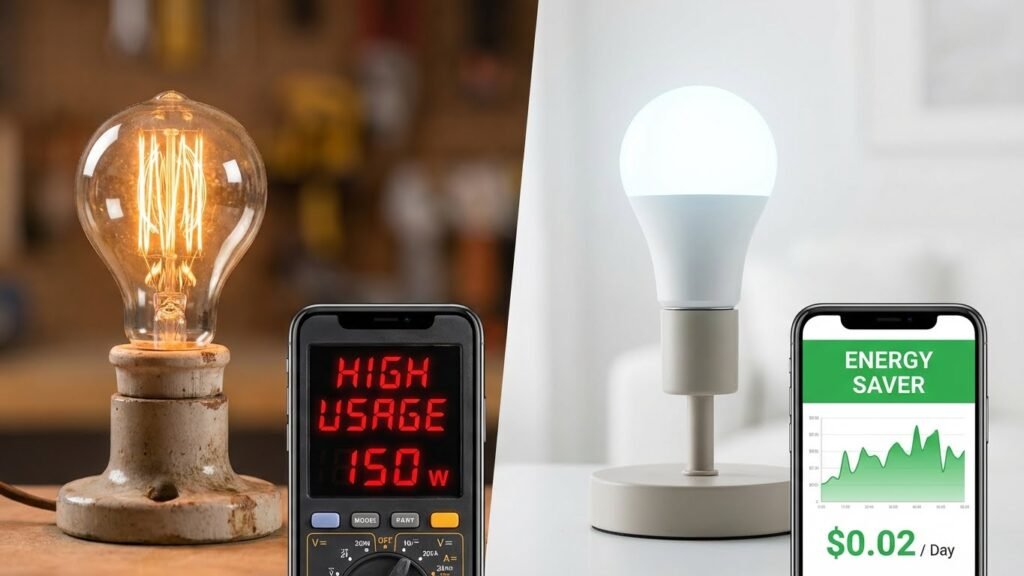
Smart bulbs use a tiny bit more electricity than basic LED bulbs when they sit in standby, but that extra draw is usually so small it barely moves your bill. If you already use LED lighting, switching to smart bulbs won’t meaningfully raise your electricity costs, and smart features can often save energy through dimming, schedules, and automation.
You’ll want to know how much standby power smart bulbs use, how often you actually benefit from automation, and which habits make smart features worth it. This article breaks down what uses energy, how smart bulbs compare to older bulbs, and simple steps you can take to cut use while keeping the convenience you want.
Key Takeaways
- Smart bulbs add a small standby load but usually do not raise energy bills significantly.
- Smart features like scheduling and dimming can reduce overall electricity use.
- Choosing efficient models and using automation wisely gives the best savings.
How Smart Bulbs Consume Electricity
Smart bulbs use LED drivers and wireless radios to make light and connect to networks. They draw power while lit and a small amount when “off.” The parts that matter most are the LED chips, the driver electronics, and any wireless or sensor components.
Energy Consumption During Use
When you turn a smart bulb on, most of the electricity goes to the LED chips that make visible light. Typical smart LED bulbs rated for home use draw between about 6 and 12 watts to match a 40–75 watt incandescent. Dimming cuts that power down; running a bulb at 50% brightness usually uses roughly half the wattage.
You pay for the actual watts used while the bulb is on. If you run a 10-watt smart bulb for 4 hours a day, it uses 40 watt-hours daily — about 14.6 kWh per year. Features like color changing or high color temperatures can slightly alter consumption, but LEDs remain far more efficient than incandescents.
Standby Power Usage

Smart bulbs often draw a small amount of power while “off” so they can receive commands. Most modern models use roughly 0.2 to 1.0 watt in standby. That equals about 1.8 to 8.8 kWh per year per bulb, which normally adds only cents to your annual bill.
Standby use varies by protocol and features. A bulb with Wi‑Fi radios usually uses more standby power than one using low‑energy Zigbee or Bluetooth. If you want near‑zero standby draw, you can cut power at the switch, but that disables remote control and schedules.
Components That Draw Power
Three main parts use electricity in a smart bulb:
- LED chips: produce the light and use most of the power when the bulb is on.
- LED driver and power supply: convert mains voltage to the low-voltage current LEDs need; they incur some fixed losses.
- Wireless radios and sensors: Wi‑Fi, Bluetooth, Zigbee, motion sensors, and temperature sensors use power continuously for connectivity and sensing.
Power draw splits roughly like this in many bulbs: LED chips ~80–95% when lit, driver losses ~5–15%, and radios/sensors a few percent (more noticeable in standby). Features such as constant-color white use less controller power than frequent color changes or effects, which increase processing and radio activity.
Comparing Smart Bulbs to Traditional Bulbs

Smart bulbs typically use the same LED light engine as modern LEDs, so their light output and baseline energy use are similar. The main differences come from extra electronics, standby power, and how you actually use the bulbs.
Smart Bulbs vs LED Bulbs
Smart bulbs and regular LED bulbs both use LED diodes to produce light, so they need about the same watts to reach a given lumen level. For example, a 9–10 W smart bulb often equals a 60 W incandescent in brightness, matching a 9–10 W regular LED. The extra hardware in smart bulbs—Wi‑Fi, Bluetooth, or radio chips and a small power supply—adds a small standby draw, typically under 1 W.
That standby use can matter if you leave many bulbs idle for long periods. But smart features let you schedule, dim, or automate lighting, which often lowers overall energy use compared with always-on LEDs. If you mostly switch lights with a wall switch and never use apps or automation, a plain LED usually wastes no standby power and will be slightly cheaper to run.
Smart Bulbs vs Incandescent Bulbs
Incandescent bulbs use far more power to make the same light. A typical 60 W incandescent produces the same brightness as a 9–10 W smart or regular LED. That means swapping one incandescent for a smart bulb cuts lamp power by about 80–85% while also adding smart control features.
The small standby draw of a smart bulb is tiny next to the large savings you get over incandescents. Even if your smart bulb uses 0.5–1 W when idle, you still save dozens of watts whenever the light would otherwise be on. If you replace many incandescents, you should see clear reductions in energy use and lower bills.
Impact of Smart Features on Electricity Use
Smart features add small steady power use but can cut hours of light-on time through automation and dimming. Some features draw under 1 W when idle, while others only use power when actively changing settings or sensing motion.
Wi-Fi and Bluetooth Connectivity
Wi‑Fi smart bulbs keep their wireless radio active to receive commands and updates. That radio typically uses about 0.2–1 watt when the bulb is “off” but still connected. Over a year, that standby draw equals only a few kilowatt‑hours and usually costs under a dollar, depending on local rates.
Bluetooth bulbs generally use less standby power than Wi‑Fi because Bluetooth Low Energy is optimized for short, low‑power links. However, Bluetooth range is limited, so you might need a hub or your phone nearby to control bulbs, which can change how often bulbs wake and use extra power.
If you rely on frequent cloud commands, firmware updates, or voice assistants, expect slightly higher network traffic and occasional extra power use during those events. For the lowest idle use, choose bulbs or systems that support local control or Zigbee/Z‑Wave with a single hub.
Sensors and Automation
Motion sensors, light sensors, and occupancy detectors cut run time by turning lights off when rooms are empty or bright enough. This can reduce total lighting energy more than the sensors’ tiny power use increases it.
Sensors usually draw power in microamps to milliamps while idle, and they pulse only when checking for motion or light. The extra energy for the sensor itself is minimal compared with hours saved when lights turn off automatically.
Placement and sensitivity matter. A poorly positioned sensor can trigger too often or miss people, reducing savings. You can maximize efficiency by adjusting timer lengths, sensitivity, and placement to match how you use each room.
App-Based Controls
App controls give you scheduling, dimming, and grouping, which lower energy by limiting brightness and run time. For example, scheduling lights to run only during evening hours and dimming to 50% can cut consumption roughly in half versus full brightness.
Running scenes or animations uses more power than static white light. Color and high-brightness modes increase LED current, so avoid bright color scenes for long periods if you want to save energy.
Apps sometimes query bulbs for status or push updates, causing brief spikes in use. Those spikes are small compared with runtime savings from smart schedules and dimming. Use local control and conservative update settings to keep app-driven energy use low.
Factors Influencing Smart Bulb Energy Consumption
Key factors that change how much power a smart bulb uses include the make and model of the bulb and how you operate it. These affect both the bulb’s power draw when lit and any standby or network-related energy use.
Brand and Model Differences
Different brands and models use different LED chips, drivers, and wireless radios. Some premium bulbs use efficient drivers and low-power Bluetooth or Zigbee radios, which can cut standby draw to well under 1 watt. Cheaper bulbs may use older electronics and draw more in standby or at low brightness.
Look at the bulb’s specifications: rated wattage, lumens per watt (efficacy), and listed standby power. Check independent tests when possible; manufacturers sometimes list ideal numbers that differ from real-world results. Firmware and software features (color changing, effects) also matter because they may increase processor or radio activity.
Usage Patterns
How you use bulbs often affects total energy more than small differences between models. If you keep lights on many hours per day, the bulb’s on-state wattage dominates energy use. For short, infrequent use, standby draw and wake-up behavior become more important.
Control method matters too. If you leave a smart hub or bridge powered for Wi‑Fi control, include its ~1–3 watt draw in your calculations. Scheduling, dimming, and motion-triggered use lower energy. Constant color-change scenes or frequent network polling raise it slightly.
Potential Energy Savings With Smart Bulbs
Smart bulbs can cut wasted light and lower your electricity use through controlled brightness and timed on/off. You can save energy by dimming lights when full brightness is not needed and by automating lights to run only when rooms are occupied.
Dimming Capabilities
Dimming a smart bulb reduces the power it uses compared with running at full brightness. For example, lowering a 10-watt LED smart bulb to 50% brightness typically drops power draw to around 5–6 watts, saving roughly half the energy while keeping enough light for many tasks. Not all bulbs scale perfectly; some models use a small fixed amount of power for their electronics even at low brightness. Check the bulb spec for “dimming range” and “minimum wattage” to know real savings.
Use schedules or scenes to set lower brightness for evening TV time, night lights, or hallways. Dimming increases lamp life, too, which reduces replacement frequency and indirect energy costs from manufacturing and shipping. Combine dimming with motion sensors for rooms you use briefly to multiply your savings.
Scheduling and Automation Efficiency

Scheduling turns lights off when you don’t need them and avoids accidental run time. You can program smart bulbs to follow daily routines: turn off after you leave for work, set lower brightness during late-night hours, or run only in specific rooms at specific times. That can cut hours of idling light each day.
Automation also ties bulbs to sensors and geofencing. Motion sensors can switch lights off within minutes in empty rooms. Geofencing can shut lights when your phone leaves the house. These features reduce standby and forgetfulness losses that regular bulbs can’t prevent. Look for bulbs that report power use in the app so you can measure how much energy each schedule saves.
Tips for Reducing Electricity Usage With Smart Bulbs
Use scheduling, lower brightness, and proper grouping to cut run time and wattage. Keep firmware current to reduce wasted standby power and unlock power-saving features.
Optimizing Settings
Set schedules to turn lights off when you leave home or go to bed. Use the app to create routines tied to sunrise/sunset or your phone’s location so bulbs don’t stay on by accident.
Lower the default brightness for rooms where full light isn’t needed. A 60% brightness setting uses noticeably less power than 100% and still lights a room well.
Group bulbs by room so you control several with a single command. This avoids turning on lights in unused areas. Use scenes that set multiple bulbs to the same reduced level instead of turning each on at full power.
Enable dimming and timers in the app rather than leaving bulbs on standby. If you use color features, prefer white or soft white modes; color cycling and high-saturation modes can draw slightly more power.
Regular Firmware Updates
Check the bulb or hub app for firmware updates at least once a month. Manufacturers release updates that cut down standby draw, patch bugs that cause phantom power use, and improve scheduling accuracy.
Allow automatic updates if the option exists. Automatic updates ensure you get fixes as soon as they’re released without needing to remember manual installs.
If an update mentions “energy” or “power” improvements, prioritize installing it. After updates, review your routines to confirm settings stayed the same. This keeps your bulbs running efficiently and prevents unexpected behavior that could raise energy use.
Environmental Impact of Smart Bulb Energy Use
Smart bulbs use LED technology, which cuts the energy needed to produce the same light compared with incandescent bulbs. That lower wattage reduces the electricity you draw and the greenhouse gases tied to power generation.
Many smart bulbs draw a small amount of standby power when not lit. This extra draw is usually less than one watt per bulb, so it has a minor effect on your overall energy use. In most homes, the savings from LED lighting far outweigh the tiny standby cost.
You can reduce your environmental footprint further by using automation and schedules. Timers, motion sensors, and away modes stop lights from running when no one needs them. Those features let you use even less energy than a standard LED bulb.
Consider lifecycle impacts beyond electricity. Smart bulbs may contain electronics that complicate recycling. Keep old bulbs out of the trash and look for recycling programs or take-back options to limit e-waste.
Quick comparison:
- Energy while on: Smart LED << Incandescent
- Standby draw: Smart LED > Regular LED (small amount)
- Expected lifetime: Smart LED ≥ Regular LED, often longer
If you want to maximize benefit, choose certified energy-efficient models, disable unnecessary network features, and recycle bulbs properly. These steps lower both your bill and environmental impact.
Conclusion
Smart bulbs use slightly more power than plain LED bulbs when idle, but that extra draw is tiny. You still save a lot compared to incandescent lights because smart bulbs use LED technology for actual lighting.
You gain control and automation that help cut runtime and waste. Scheduling, motion sensors, and dimming can lower your total energy use and make the small standby use irrelevant.
If you want to minimize waste, choose bulbs with low standby watts and a reliable protocol (Zigbee, Thread, or low-power Wi‑Fi). Turn off power strips or use switches for lights you rarely control remotely.
Quick comparison:
- Smart LED vs incandescent: big savings in every case.
- Smart LED vs basic LED: small standby cost for extra features.
- Ways to save: scheduling, motion sensors, dimming, and efficient protocols.
You can expect smart bulbs to be a practical, energy-wise choice when you use their features. They add convenience and control while keeping your electricity use close to that of regular LEDs.
FAQs
What makes smart bulbs use a bit more power than regular LEDs?
Smart bulbs add radios, sensors, and sometimes Wi‑Fi chips. Those extras draw a small amount of standby power even when the light appears off.
Will that standby power show up on your electric bill?
Usually no. Most smart bulbs use less than one watt in standby. That adds very little to monthly bills compared with the energy saved by LED lighting.
Can scheduling and automation save energy?
Yes. You can schedule lights to turn off when not needed and dim them at night. Automation often cuts more energy use than the bulbs’ standby draw adds.
Do smart bulbs last as long as regular LEDs?
Yes. Smart LED bulbs typically have similar lifespans to standard LED bulbs. Longevity depends on heat, quality, and how often you change brightness or color.
Should you disconnect smart bulbs to save power?
Not usually. Turning them off by app or switch makes the biggest savings. Unplugging or removing power only helps if standby draw is unusually high.
How can you choose the most efficient smart bulb?
Look for low standby-watt specs, ENERGY STAR or equivalent labels, and user reviews on real-life energy use. Dimmable bulbs and good firmware also help reduce consumption.
Conclusion
Smart bulbs use a small amount more electricity than plain LED bulbs because of their wireless chips and standby power. That extra use is usually under 1 watt when the bulb is “off,” and adds only a few dollars per year to your bill for most homes.
You can cut that tiny overhead by using schedules, dimming, and motion sensors. Those features often save more energy than the extra standby draw, so smart bulbs can lower your overall usage compared with older incandescent lights.
If you want hard numbers, check manufacturer specs and independent tests from trusted sites like the U.S. Department of Energy and Energy Star for wattage and standby ratings. These resources help you compare models and pick the most efficient options.
Think about how you use lighting in your home. If you rely on automation, remote control, or precise dimming, smart bulbs give benefits that outweigh their small extra draw. If you rarely use the smart features, a standard LED may be simpler and slightly cheaper to run.