

You can use smart bulbs in many ceiling fans, but compatibility matters — socket size, dimmer wiring, and fixture space can stop some bulbs from working properly. If your fan uses a standard A19/E26 socket and no legacy dimmer or triac control, a smart bulb will usually work fine.
You’ll learn which bulbs fit common fan sockets, when to avoid smart bulbs (like with fan dimmer circuits), and simple alternatives such as smart switches or compatible retrofit controls that solve tricky cases. This article gives clear, practical steps so you can decide fast and install with confidence.
Key Takeaways
- Check socket type and dimmer wiring before choosing a smart bulb.
- Many smart bulbs work, but some fans need alternative smart controls.
- Choose compact, well-ventilated bulbs and follow simple installation steps.
Understanding Smart Bulbs and Ceiling Fans
Smart bulbs connect to your phone, smart speaker, or hub and change how you control light. Ceiling fans have different light fittings and controls that affect which smart bulbs will work and how well they perform.
How Smart Bulbs Work
Smart bulbs contain LEDs, a wireless radio (Wi‑Fi, Zigbee, or Bluetooth), and a small control circuit. You pair the bulb with an app or hub, then you can turn it on/off, dim it, change color, or set schedules from your phone or voice assistant.
Power comes through the bulb socket like a regular lamp. The bulb expects full line voltage and stable power; it won’t work if the circuit is cut or heavily dimmed by an incompatible dimmer. Some bulbs need a hub for advanced features or mesh networking, while others use direct Wi‑Fi or Bluetooth.
Types of Ceiling Fans
Ceiling fans vary by light kit style and socket type. Common light kits use standard E26/E27 screw bases, but some use candelabra (E12) or integrated LED modules with no replaceable bulb.
Fans also differ in control method: pull chains, wall switches, remote controls, and integrated smart controls. Fans with built‑in dimmers or triac dimmer circuits can send reduced voltage that may confuse smart bulbs. Fixtures with small shades or recessed housings may restrict bulb size and cooling, which affects bulb lifespan.
Compatibility Factors

Check socket type, physical size, and shade clearance first. Fit matters: many smart bulbs are taller than traditional bulbs and may not clear the fan’s housing or glass shades. Confirm the socket: an E26 smart bulb won’t fit an E12 base without an adapter.
Check controls: if the fan uses a wall dimmer or built‑in dimmer, avoid using the dimmer with a smart bulb. The dimmer can cut power and break the bulb’s wireless control. If the fan uses a remote, make sure the remote leaves constant power to the bulb; some remotes switch power and will stop smart control.
Also confirm heat and vibration limits. Fans cause airflow and vibration; most LED smart bulbs tolerate this, but tightly enclosed fixtures can trap heat and shorten bulb life. Finally, match the bulb’s communication protocol to your ecosystem (Wi‑Fi, Zigbee, Bluetooth) or plan to add a hub if needed.
Smart Bulb Compatibility With Ceiling Fans
You need to match the bulb to the fan’s physical socket, electrical limits, and dimming setup. Check the lamp housing, the switch type, and the fan’s wiring before buying smart bulbs.
Socket and Size Requirements
Most ceiling fan light kits use smaller bulbs like A15, candelabra (E12), or intermediate (E17) bases, not the common A19 with an E26 base. Measure the bulb pocket depth and shade opening so the bulb won’t hit the glass or heat sink when the fan spins.
Look for the exact base type printed on your fixture or in the fan manual. If you can’t find a matching smart bulb, you can use a compatible adapter or choose a smart retrofit module for the fan’s light kit. Confirm the bulb’s length and shape (for example, globe vs. candle) to avoid clearance problems.
Wattage and Voltage Considerations
Check the maximum wattage rating on the fan’s light kit plate or manual. Most LED smart bulbs draw far less power than incandescent bulbs, but the fixture still lists a max wattage you must not exceed.
Also verify the home voltage (usually 120V in the U.S.) and the bulb’s rated voltage. Using a bulb designed for a different voltage can cause failure or safety risks. If the fan uses multiple bulbs on a single circuit, confirm the combined wattage and heat output stays within the fixture’s limits.
Dimmable vs Non-Dimmable Smart Bulbs
If your wall switch is a dimmer or the fan has a built-in dimmer, buy bulbs labeled dimmable that explicitly support your dimmer type (leading-edge vs. trailing-edge). Using non-dimmable smart bulbs on a dimmer can cause flickering, reduced lifespan, or damage.
Many smart bulbs handle dimming via app or hub, so pair them with a simple on/off switch or replace the wall dimmer with a smart switch rated for LED loads. If you keep a mechanical dimmer, check the smart bulb maker’s compatibility list to prevent control conflicts and to keep the bulb’s firmware features working correctly.
Installation Guidelines for Smart Bulbs in Ceiling Fans
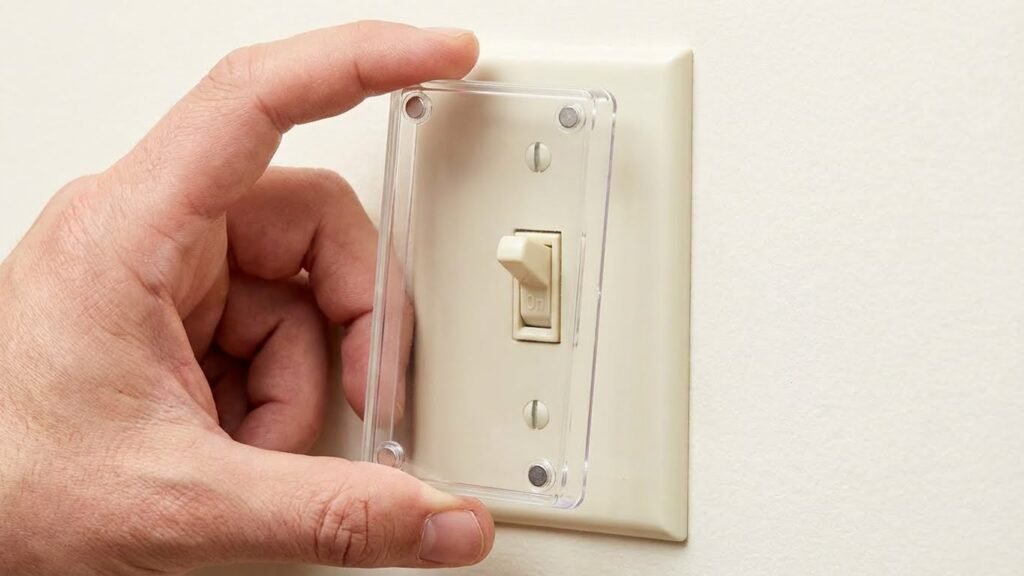
You will learn how to pick the right bulb, install it safely, and avoid common errors that cause flicker or loss of control. Follow the practical steps and safety checks to get reliable smart lighting in your ceiling fan.
Step-by-Step Installation Process
Turn off power at the wall switch and, if possible, at the circuit breaker before touching the fixture. Remove the fan’s light globe and old bulbs. Check the socket type (usually E26/E27) and the bulb size to ensure the smart bulb fits without hitting the fan housing or globe.
Screw the smart bulb in until snug, not overtight. Restore power and follow the bulb maker’s pairing steps—usually via app or voice hub. If the fan has a pull chain, set it to the ON position to allow app control. Test basic on/off and dim functions from the app.
If bulbs are Wi‑Fi dependent, confirm the fan is within router range. For Zigbee or Z‑Wave bulbs, ensure a compatible hub is powered and in pairing mode. Label the bulb location in the app so you can control that specific fan light later.
Safety Precautions
Always cut power before changing bulbs to avoid shock. Use a ladder with a spotter when you work on ceiling fans to prevent falls. Hold the bulb and the fixture securely while screwing in the bulb to avoid dropping it.
Check the fan’s fixture rating for wattage and bulb type. Do not use bulbs that exceed the fixture’s heat limits. If the fan has a dimmer or three‑way switch, remove or bypass the dimmer before installing smart bulbs, because many smart bulbs don’t work correctly on dimmer circuits.
Avoid touching the LED surface with bare hands if the bulb gets hot during testing. If you notice flicker, buzzing, or smells, turn power off and inspect wiring and switch type before resuming.
Common Installation Mistakes
Installing smart bulbs on a dimmer circuit is a frequent error. Dimmers lower voltage and can cause flicker, unreliable pairing, or damage. Either replace the dimmer with a standard switch or buy bulbs rated for dimmer use and compatible with your dimmer type.
Using the wrong bulb size or shape leads to poor fit or blocked airflow. Measure the fixture depth and choose an A19, BR30, or compatible size so the globe fits and the bulb clears moving parts. Overtightening bulbs can crack the base or damage the socket—stop when snug.
Ignoring Wi‑Fi range or hub compatibility creates control issues. Test your network or hub near the fan before final assembly. Also avoid mixing bulb control methods—don’t use an in‑line wall dimmer with app‑only bulbs.
Benefits of Using Smart Bulbs in Ceiling Fans

Smart bulbs add remote control, energy savings, and flexible light options to your fan fixture. They let you set schedules, dim levels, and colors to match tasks and moods without changing wiring or the fan itself.
Remote Control and Automation
You can control bulbs from your phone, voice assistant, or a smart home app. Turn lights on or off, dim them, or set schedules while you’re away. This helps with security — you can simulate presence by scheduling lights to come on at night.
Automation lets you tie lights to routines. For example, have the fan light turn on at 6:30 a.m. at 60% for waking up, then switch off when you leave using geofencing. If you use motion sensors or smart switches, the bulb can respond to movement or the fan’s power state. Make sure the fan’s wall switch stays on, or the smart bulb will lose power and remote control.
Energy Efficiency
Smart bulbs use LED technology and often draw far less power than incandescent bulbs. You can cut electricity use by dimming lights or setting timers so lights aren’t left on. Many smart bulbs report energy use in the app, so you can track and compare consumption over time.
Rules and schedules reduce waste automatically. For instance, set lights to run only during evening hours or to turn off after 15 minutes of inactivity. Using lower brightness for night and full brightness for tasks also lowers overall wattage without hurting comfort.
Customizable Lighting Options
Smart bulbs offer color temperature and color choices to match activities. Pick cool white (4000–5000 K) for reading and warm white (2700–3000 K) for relaxing. RGB bulbs add colored light for mood or movie nights.
You can save presets for different scenarios: “Work” at bright cool light, “Dinner” at dim warm light, and “Night” at low red-tinted light to avoid blue light before bed. Control these presets from voice commands or app buttons for quick changes that fit your routine.
Potential Limitations and Challenges
You may run into issues with wireless signals and with the fan’s built-in controls. Both can stop smart bulbs from working as you expect or limit features like dimming and color changes.
Wireless Connectivity Issues
Smart bulbs rely on Wi‑Fi or Zigbee/Z‑Wave hubs. If your fan sits far from the router or in a metal‑framed ceiling, the bulb may drop connection or respond slowly. You’ll notice delays when you use voice commands or the app, and automations can fail if the network is unstable.
Interference from other devices matters too. Microwaves, baby monitors, and dense electrical wiring can cause packet loss on 2.4 GHz Wi‑Fi. Using a mesh network, a nearby hub, or choosing bulbs that support a stronger protocol can reduce these problems.
Check the bulb’s placement in multi‑fan rooms. Multiple smart bulbs on the same circuit can create network congestion. Limit simultaneous firmware updates and keep the hub or router within line of sight when possible.
Fan Speed and Light Control Interference
Many ceiling fans use the wall switch, pull chains, or a fan remote that cuts power to the light. If the switch removes power, smart bulbs lose their settings and cannot be controlled remotely. You’ll need the switch kept in the ON position or install a smart wall control.
Dimming behavior can mismatch. Some fan light housings use A15 or candelabra sockets that need specific bulb shapes and dimming drivers. Using an incompatible bulb can cause flicker, buzzing, or reduced dim range. Confirm socket type and choose bulbs labeled compatible with your fixture and dimmers.
Remote fan controllers can also send PWM or AC signals that conflict with smart bulb circuits. If you see inconsistent colors or brightness when the fan changes speed, consider replacing the controller with a smart fan module designed to work with smart bulbs.
Recommended Smart Bulb Features for Ceiling Fans
Pick bulbs that handle heat, fit the fixture, and work with your voice or hub. Focus on rated temperature, dimming type, and platform support so you avoid flicker, shortened life, or loss of control.
Heat Resistance
Choose bulbs with a high maximum operating temperature and good heat dissipation. Look for an LED driver and housing designed for enclosed or semi-enclosed fixtures; these reduce internal heat and slow lumen degradation. A bulb rated for 40°C (104°F) or higher in enclosed fixtures performs better under fan housings that trap heat.
Check the bulb’s warranty and rated lifetime measured in hours at specific temperatures. If your fan sits on a warm ceiling or in a hot room, pick bulbs with an aluminum body or vents to help cool the electronics. Avoid cheap plastic housings that insulate heat.
If you plan on using bright, high-lumen bulbs (800 lm+), choose models explicitly listed as suitable for ceiling fans or enclosed fixtures. That lowers the risk of dimming, color shift, or early failure.
Smart Home Ecosystem Compatibility
Confirm compatibility with your existing hub or voice assistant before buying. Look for direct support of Alexa, Google Assistant, or Apple HomeKit if you use voice control. If you rely on a hub (Zigbee/Z-Wave), match the bulb’s protocol to the hub type to avoid an extra bridge.
Prefer bulbs that support local control rather than cloud-only features. Local control lets you retain on/off and scene functions during internet outages. Also check whether the bulb supports third-party apps and routines, so you can integrate schedules, motion sensors, or fan-linked automations.
Read the product specs for required bridges, pairing steps, and multi-device group controls. Make sure the bulb’s firmware updates are available and easy to apply; firmware fixes often resolve connectivity or dimming issues.
Maintenance and Troubleshooting Tips
Keep bulbs and sockets clean. Dust and grime can reduce light output and cause poor connections. Turn power off before you clean to stay safe.
Check bulb size and fit regularly. Many fans use A15 or smaller sockets that won’t fit some smart bulbs. If a bulb is loose, tighten it gently but do not overtighten.
Watch for flicker, dimming, or loss of connection. These often come from incompatible dimmer switches, fan controllers, or weak Wi‑Fi signals. Try removing any wall dimmer or set it to full on to test the bulb.
Use simple restart steps first. Power the bulb off for 10 seconds, then back on. Reboot your router and the bulb’s hub or bridge if you use one.
Keep firmware and apps up to date. Manufacturers release fixes that improve stability and add features. Update one device at a time so you can spot which update caused a change.
If a bulb overheats, stop using it. Overheating shortens lifespan and can trigger safety switches in fans. Use bulbs rated for enclosed fixtures only if your fan has a shade or glass cover.
Use this quick troubleshooting checklist:
- Confirm socket type and bulb size.
- Remove dimmers or set to full power.
- Reboot bulb, router, and hub.
- Update firmware and app.
- Swap bulb with a known working one to isolate the issue.
Contact manufacturer support if problems persist. Have model numbers, firmware versions, and a brief description of steps you tried ready to speed up help.
Conclusion
You can use smart bulbs in most ceiling fans if the bulb fits the socket and the fan’s controls don’t conflict with the bulb. Check the socket type, bulb size, and whether the fan uses a dimmer or special control that could interfere with the smart bulb.
Install smart bulbs only after confirming compatibility and turning power off. If your fan has a wall dimmer or RF remote that cuts power or dims by reducing voltage, avoid smart bulbs or replace the control with a smart switch or compatible fan controller.
Benefits include remote control, schedules, and energy savings. Expect potential limits from tight housings, heat, or incompatible dimmers; choose bulbs rated for enclosed fixtures or fan use when needed.
If you want full smart control across both fan and light, consider a smart fan controller or a fan with built-in smart lighting. That approach avoids switch conflicts and gives more reliable dimming and automation.
Quick checklist
- Verify socket type and physical fit.
- Avoid line-voltage dimmers that reduce voltage.
- Use bulbs rated for enclosed fixtures if required.
- Consider a smart switch or fan-specific smart controller for best results.
FAQs
Will a smart bulb fit my ceiling fan?
Check your fan’s socket size first. Many fans use smaller A15 or candelabra sockets, while most smart bulbs are A19. You may need a bulb that matches the socket or a socket adapter.
Can smart bulbs work with a fan dimmer or wall dimmer?
Avoid using smart bulbs with legacy dimmer switches. Those switches can cut power or change voltage in ways that confuse smart electronics. Use the fan’s switch only as an on/off, or use compatible smart switches.
What if my fan only has one pull chain or shared control?
Smart bulbs still work if the fixture supplies constant power. But if pulling the chain cuts power, your bulbs lose their smart functions. Consider a smart wall switch or a smart fan controller instead.
Do smart bulbs affect fan operation or safety?
Smart bulbs do not change how the fan runs. Make sure bulbs don’t hang low enough to hit blades. Also confirm the fixture can handle the bulb’s size and heat output.
How do you control smart bulbs in a fan?
You can use a smartphone app, voice assistant, or a paired hub depending on the bulb. Group bulbs and set schedules the same way you would with any other smart light.
Are there better alternatives?
Yes. Smart fan controllers or retrofit modules let you control both fan speed and light reliably. They avoid socket size issues and keep smart features when the wall or pull switch is used.
Conclusion
You can use smart bulbs in most ceiling fans if you check fit and compatibility first. Match the bulb base and size, and avoid fixtures controlled by dimmer circuits not made for smart bulbs.
Smart bulbs bring useful features like remote control, schedules, and color options. They may save energy and add convenience when paired with a stable hub or voice assistant such as Amazon Alexa or Google Assistant (support pages at support.google.com and developer.amazon.com can help with setup).
Consider wiring and control methods before buying bulbs. If the fan has a wall dimmer or a separate fan-light switch, you might need to replace the dimmer or change the switch behavior for consistent performance.
Choose bulbs rated for enclosed fixtures if your fan has a glass shade. Also pick lower-heat options if the fixture has limited ventilation to keep the bulb and fan wiring safe.
If you want tighter integration, look at smart fan controllers or fan-specific smart bulbs as alternatives. These options help when the fan’s wiring or switches limit what standard smart bulbs can do.