
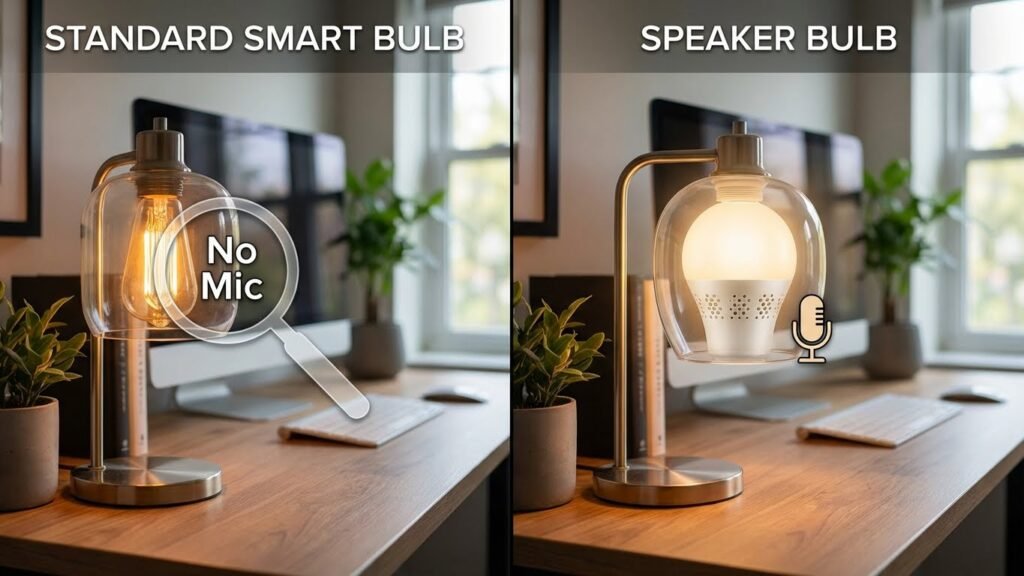
You probably wonder whether your smart bulbs can listen to you. Most smart light bulbs do not have microphones; they only connect to apps or voice assistants and respond when you give commands through those devices. If a bulb itself includes voice control, it may have a built-in mic — but that’s uncommon in standard smart bulbs.
Think about how you control the lights: often your phone, a smart speaker, or a hub handles voice input, not the bulb. If privacy matters, check product specs, app permissions, and whether the device uses a third-party voice assistant or records audio on its own.
Key Takeaways
- Most smart bulbs lack built-in microphones and rely on external devices for voice control.
- A small number of bulbs include mics or cameras, so check specs and permissions.
- Secure setups use trusted hubs, limit app permissions, and review device privacy settings.
Do Smart Light Bulbs Have Microphones?
Smart bulbs usually do not include microphones, but a few models and related devices can. Some lighting products include voice features or sensors that require audio input, while most standard smart bulbs only contain LEDs, a wireless radio, and basic control electronics.
Microphone Presence in Leading Brands
Philips Hue, LIFX, and Sengled’s common consumer smart bulbs do not have built-in microphones in their basic lamp-shaped Wi‑Fi or Zigbee bulbs. These brands focus on color, dimming, and network control rather than audio capture.
Sengled and some lesser-known brands sell hybrid devices (for example, bulbs with built-in speakers or cameras) that may include microphones as part of the add-on hardware. These are usually labeled as “speaker bulbs,” “camera bulbs,” or “security bulbs.”
If a product lists voice assistant integration (works with Alexa/Google) that does not mean the bulb has a mic. Most integrations rely on a separate hub or your phone to send voice commands. Always read the product specs for “microphone,” “audio input,” or “voice assistant built-in” to be sure.
Purpose of Built-In Microphones
When manufacturers add microphones to lighting products, they use them for specific functions: voice control without a separate smart speaker, sound-triggered lighting effects (like music sync), or part of a camera/speaker combo for two-way audio.
Microphones in bulbs are rare because adding one raises cost, power, and privacy concerns. Brands that include audio usually advertise features clearly, since consumers need to know about recording or two‑way talk functions.
Security bulbs with audio typically pair the mic with local processing or cloud services. That affects where audio is stored and who can access it, so check privacy policies and whether audio stays on-device or uploads to servers.
How to Check If Your Smart Bulb Has a Microphone
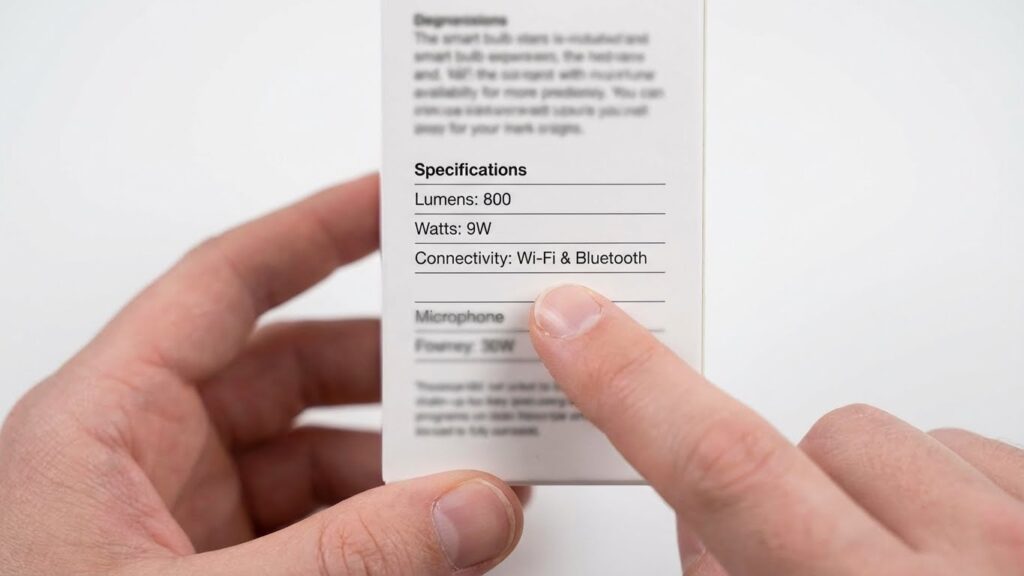
Look at the product box and the official spec sheet. Search for terms like “microphone,” “built‑in mic,” “two‑way audio,” “voice assistant built-in,” or “speaker” in the specifications. If none appear, the bulb almost certainly lacks a microphone.
Inspect the physical device for small grille holes or mesh that suggest a speaker or mic. Also check the product app settings for audio options—music sync or voice settings imply audio hardware or reliance on another device.
If still unsure, contact the manufacturer support and ask directly whether the model contains an audio sensor and how audio data is handled and stored.
Privacy and Security Implications
Smart bulbs with microphones can collect audio, connect to networks, and store or send data. These features create risks you should know, standards manufacturers must meet, and controls you can use to limit audio access.
Potential Risks Associated with Microphones
If a bulb has a microphone, it can pick up private conversations and background sounds in your home. That audio might be stored on the device, sent to the manufacturer’s cloud, or routed through third-party services like voice assistants. Each step adds a risk: local storage can be extracted if the device is hacked, cloud storage can be breached, and third-party services may retain recordings under their own policies.
Compromised credentials or weak network security let attackers access the mic remotely. Malware on your phone or smart-home hub can also trigger listening. You should assume any internet-connected mic increases exposure of sensitive speech, schedules, and personal details.
Industry Privacy Standards
Manufacturers often follow specific rules for data handling and device security. Look for devices that use end-to-end encryption for audio in transit and at rest, and that publish clear data-retention policies. Certifications like ISO/IEC 27001, SOC 2, or adherence to regional laws (GDPR in Europe, CCPA in California) indicate stronger privacy practices.
Also check for independent third-party audits or vulnerability disclosure programs. Companies that allow security researchers to report bugs and that publish firmware-update timelines are less likely to leave microphones exposed for long. Absence of audits or vague privacy policies is a red flag.
User Control Over Audio Features
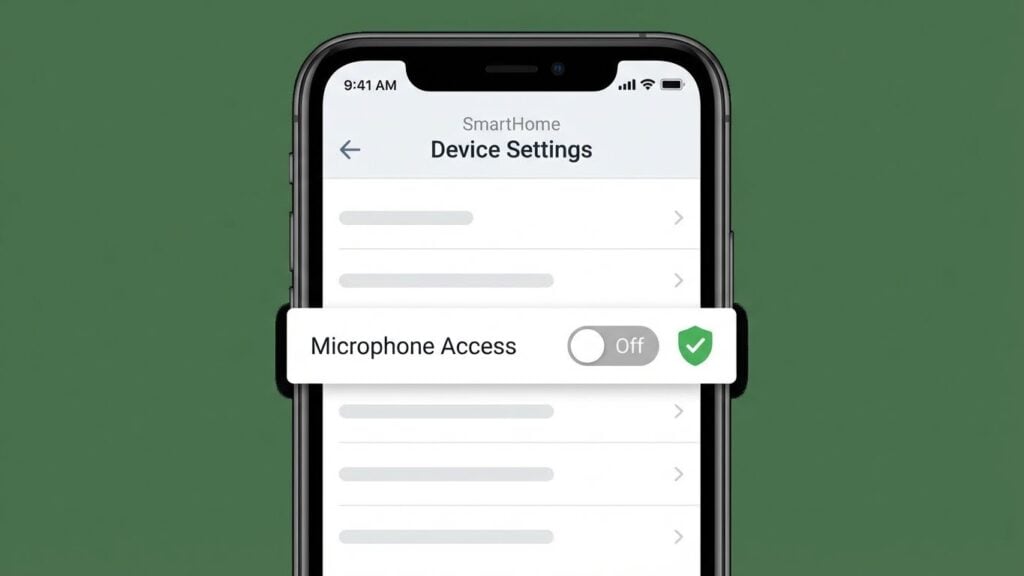
You can reduce risk through settings and physical controls. Disable microphone access in the bulb’s app and in any linked voice assistant account. If the device lacks a clear mute option, avoid connecting it to your Wi‑Fi or choose bulbs without mics.
Use strong, unique passwords and enable multi-factor authentication on accounts tied to your smart home. Keep firmware and app software updated to patch vulnerabilities. Consider segmenting smart devices on a guest network so a compromised bulb can’t reach your main devices. Finally, review and delete stored recordings regularly, and prefer vendors that let you opt out of data collection.
How Smart Light Bulbs Communicate
Smart bulbs talk to your phone, hub, or other devices using radio or light-based links. They send status updates, receive commands, and join automation routines without any built-in microphones.
Wireless Communication Protocols
Most smart bulbs use Wi‑Fi, Bluetooth, Zigbee, or Z‑Wave to exchange data.
- Wi‑Fi: Connects directly to your router. It gives you remote control from anywhere but uses more power and can add network traffic. Use Wi‑Fi bulbs if you want simple setup without an extra hub.
- Bluetooth: Links to your phone at short range. It’s energy efficient and easy to pair, but it won’t work well for whole‑home control unless you use a Bluetooth gateway.
- Zigbee and Z‑Wave: Require a hub or bridge. They form low‑power mesh networks, so bulbs relay messages across the room and extend range. These protocols are reliable for large setups and reduce Wi‑Fi congestion.
You can often mix technologies in a system, but check product specs to confirm compatibility with your hub or router.
Integration with Smart Home Assistants
Smart bulbs integrate with assistants like Alexa, Google Assistant, or HomeKit through local or cloud links.
- Cloud integration: Bulb connects to the maker’s cloud, and the assistant calls that cloud to issue commands. This lets you control lights from outside your home but depends on internet access and the manufacturer’s servers.
- Local integration: Some systems let the assistant control bulbs directly over your LAN. This keeps traffic inside your home and can be faster and more private.
- Voice control: Voice commands go to the assistant device (which may have a microphone), not the bulb. The bulb only performs the action it receives; it does not listen for voice itself.
Check whether a bulb supports your assistant, and whether it requires a hub or cloud account to enable voice control.
Common Misconceptions About Smart Bulbs
Smart bulbs usually do not have built-in microphones, but some devices can detect simple sounds or connect to systems that listen. Voice control often happens through a separate smart speaker or a phone app, not the bulb itself.
Difference Between Sound Detection and Microphones
Some smart bulbs list “sound detection” or “audio-triggered scenes.” That means the bulb can change when it senses a loud noise through a paired hub or app, not because the bulb has a mic. The detection often relies on your phone, a smart hub, or a connected smart speaker to process the sound.
If a bulb package mentions a mic, check the spec sheet. Most mainstream bulbs (Wi‑Fi or Zigbee) lack onboard microphones. When a hub reports sound events, it may use short, non‑recorded indicators like “noise detected” rather than streaming or storing audio.
How Voice Control Features Work
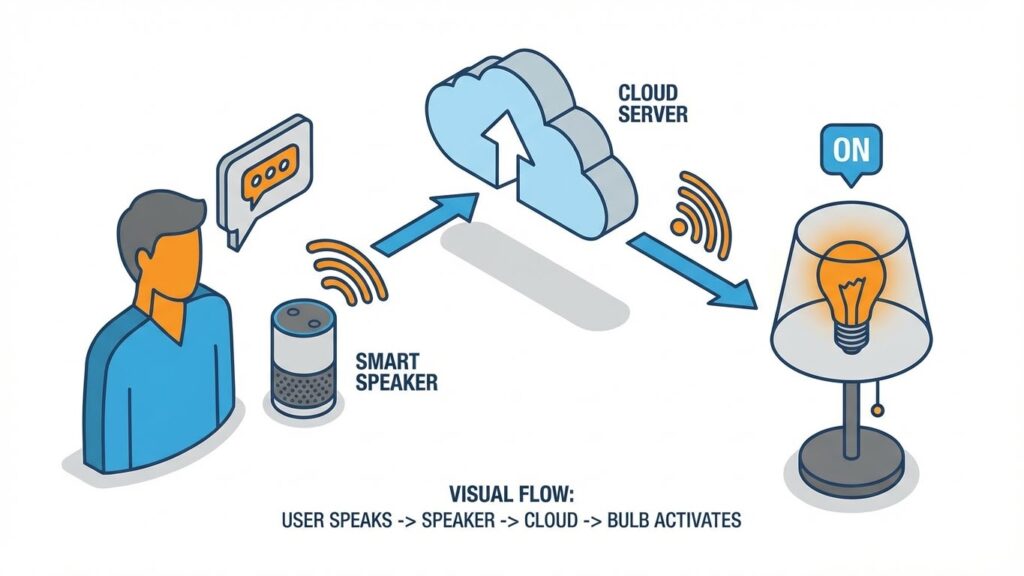
When you use voice to control a bulb, the spoken command usually goes to a dedicated device: a smartphone, smart speaker, or home hub. That device records and interprets your voice, then sends an instruction (on/off, dim, color) to the bulb over Wi‑Fi or a mesh protocol.
If a bulb vendor claims “works with Alexa/Google,” confirm whether the bulb itself or the voice assistant handles the voice input. You can also disable voice assistant features in the assistant’s app if you want to avoid cloud processing of your speech.
Alternatives to Voice-Activated Lighting
You can control smart lighting without using voice. Two reliable choices are phone/tablet apps and physical controls like wall switches or motion sensors.
App-Based Controls
App controls let you change brightness, color, and schedules from your phone or tablet. Most major brands (Philips Hue, LIFX, Kasa) offer free apps that connect over Wi‑Fi or a hub. Use the app to set timers, create scenes, and link bulbs into groups so you can turn several lights on or off with one tap.
Apps also let you control lights remotely when you’re away. Look for features like geofencing (lights follow your phone’s location), energy usage reports, and integration with calendars. Keep your app and bulb firmware updated to fix bugs and protect your devices.
Physical Switches and Sensors
Physical controls avoid reliance on phones or cloud services. You can use standard wall switches, smart in-line switches, or smart dimmers that replace the switch while keeping smart bulb features intact. This ensures your lights work even if the network is down.
Motion and light sensors add hands-free control without voice. Place a motion sensor in hallways or rooms to automatically turn lights on and off based on presence. Choose sensors with adjustable sensitivity and timeout settings to reduce false triggers and save energy.
Tips for Choosing Secure Smart Lighting
Start by checking the product specs for microphones or cameras. If privacy matters, pick bulbs that clearly state they have no onboard mic or camera.
Use strong, unique passwords for your Wi‑Fi and smart-home accounts. Enable two‑factor authentication when available to add a second layer of protection.
Prefer devices that support local control or a trusted hub (Zigbee, Z‑Wave). Local control reduces how much data leaves your home network.
Keep firmware and apps updated. Updates often fix security flaws, so enable automatic updates when you can.
Buy from reputable brands with clear privacy policies and regular security updates. Check reviews and manufacturer support history before you buy.
Limit what the app can access on your phone. Grant only necessary permissions and avoid apps that request excessive access.
Segment your network by using a guest Wi‑Fi for smart devices. This separates them from your main devices like laptops and phones.
Consider encryption and standards. Look for WPA3 support on your router and secure pairing methods like encrypted keys.
Quick checklist:
- Confirm mic/camera presence in specs
- Use strong passwords + 2FA
- Prefer local-control or reputable hubs
- Enable automatic firmware updates
- Restrict app permissions
- Put smart bulbs on a guest network
These steps lower your risk and give you clearer control over how your lighting system handles data.
FAQs
Do smart bulbs usually have microphones?
Most smart bulbs do not include microphones. They focus on lighting, color, and wireless control over Wi‑Fi, Bluetooth, or Zigbee.
Can any bulbs listen to conversations?
Only bulbs with built‑in voice assistants, cameras, or explicit mic hardware can pick up sound. Check the product specs to be sure.
How can I tell if a bulb has a microphone?
Look at the manufacturer’s specs, user manual, or product page. If a mic or voice assistant is listed, the bulb can capture audio.
Are bulbs with mics always listening?
Devices with microphones may use wake words before recording. Still, smart devices can sometimes send data for processing. Review privacy settings and permissions.
What privacy steps should you take?
Disable voice features if you don’t need them. Keep firmware updated and use strong Wi‑Fi passwords. Place mic‑equipped devices in less private areas.
Can smart bulbs be hacked to spy on you?
Hacking is possible but not common. Secure your home network, change default passwords, and apply updates to lower risk.
Should you buy a bulb with a microphone?
Choose based on your needs. If you want voice control, a mic helps. If privacy matters more, pick bulbs without voice features.
Conclusion
Most smart light bulbs do not include microphones. If a bulb lacks mic hardware, it cannot listen to you. Check the product specs or packaging to confirm whether a microphone or camera is present.
If a bulb does include a mic for voice control, you can still control privacy. Look for devices that let you disable voice features or disconnect cloud services. You can also use a smart speaker or hub that handles voice locally to limit data sent to manufacturers.
Take a few simple steps to protect your privacy. Keep device firmware updated, use strong, unique passwords, and enable two-factor authentication where possible. For guidance on secure smart-home setup, see resources from the Federal Trade Commission and Electronic Frontier Foundation.
When shopping, prioritize trusted brands and read reviews that mention privacy and security. If you want lighting features without microphones, choose basic smart bulbs or models that explicitly state they have no audio or camera capabilities.