
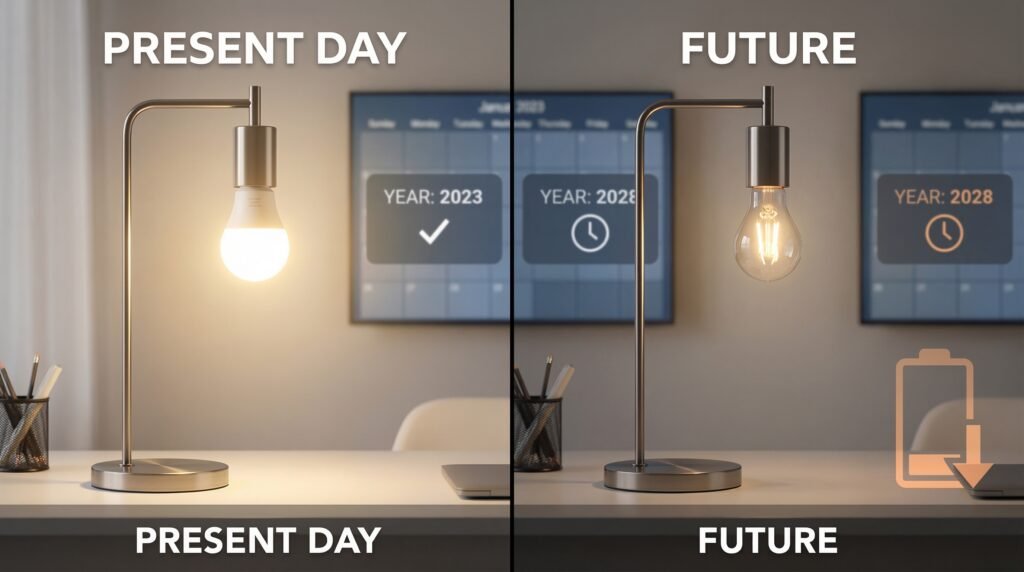
Smart bulbs do not usually “burn out” suddenly like old incandescent bulbs. Most smart LEDs slowly get dimmer over time and are rated to last thousands of hours, so you’ll likely replace them for age or failure of internal parts rather than an abrupt blowout.
You’ll learn what shortens their life, how they compare to regular bulbs, and simple fixes that often restore function or extend use. This will help you decide when to replace, troubleshoot, or recycle your smart bulbs without guessing.
Key Takeaways
- Smart LEDs fade gradually and rarely fail without warning.
- Lifespan depends on usage, heat, and build quality.
- Simple care and troubleshooting can extend usable life.
Do Smart Bulbs Burn Out?
Smart bulbs can stop working in different ways, and how long they last depends on build quality, how you use them, and heat. You’ll read what “burn out” really means, typical life expectancies in hours, and the common signs that a bulb is failing.
What It Means for a Smart Bulb to Burn Out
Burn out for a smart bulb usually means its light output falls too low or it stops turning on reliably.
Most smart bulbs use LEDs, which don’t explode like old incandescents. Instead, they slowly lose brightness over time, a process called luminous decay.
Other failure modes include electronics dying — the Wi‑Fi/bluetooth module, driver, or power supply can fail even if the LED chips still work.
You can also get intermittent faults: the bulb might flicker, lose connectivity, or reset itself. Those are signs of electronic or thermal stress rather than the LED simply burning out.
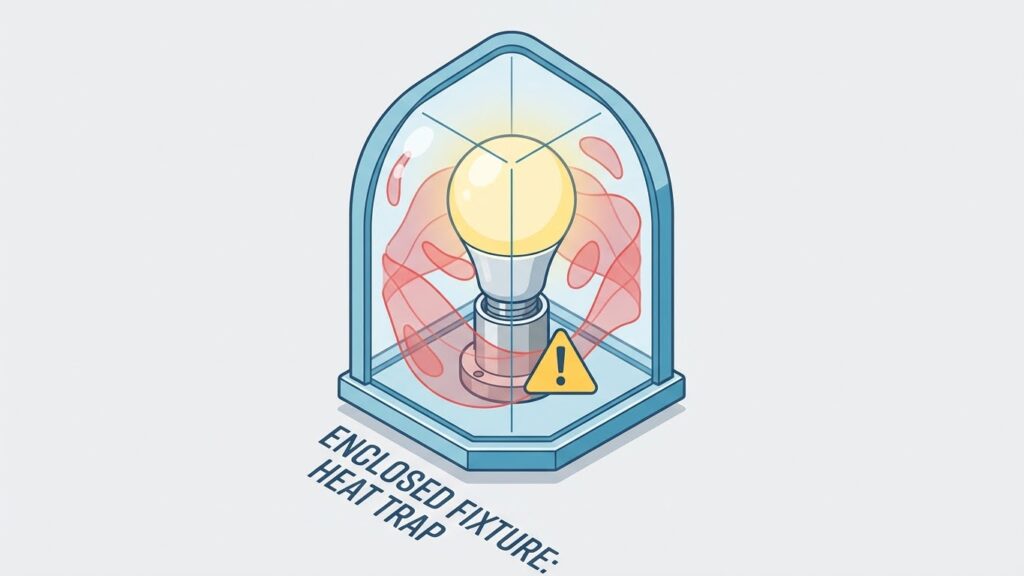
Environmental factors—high heat inside enclosed fixtures, voltage spikes, and loose sockets—often cause the electronics to fail faster than the LEDs themselves.
So “burn out” can mean the light dims permanently, the circuitry fails, or the smart features stop working.
Typical Lifespan of Smart Bulbs
Most modern smart LED bulbs are rated from about 15,000 to 50,000 hours depending on quality and brand.
At 3 hours per day, 25,000 hours equals roughly 23 years; at 5 hours per day, it’s about 13.7 years. Real-world life is usually shorter because of heat and driver failures.
Lower‑cost smart bulbs often quote 25,000 hours or similar, while higher‑end models and plain LED bulbs may claim up to 50,000 hours.
Note the lifetime rating usually refers to when brightness falls below a usable level, not when the bulb instantly stops working.
You should check the spec sheet for rated hours, warranty length, and whether the bulb is safe for enclosed fixtures.
Warranties of 2–5 years are common and can hint at expected real‑world longevity.
Signs That a Smart Bulb Is Failing
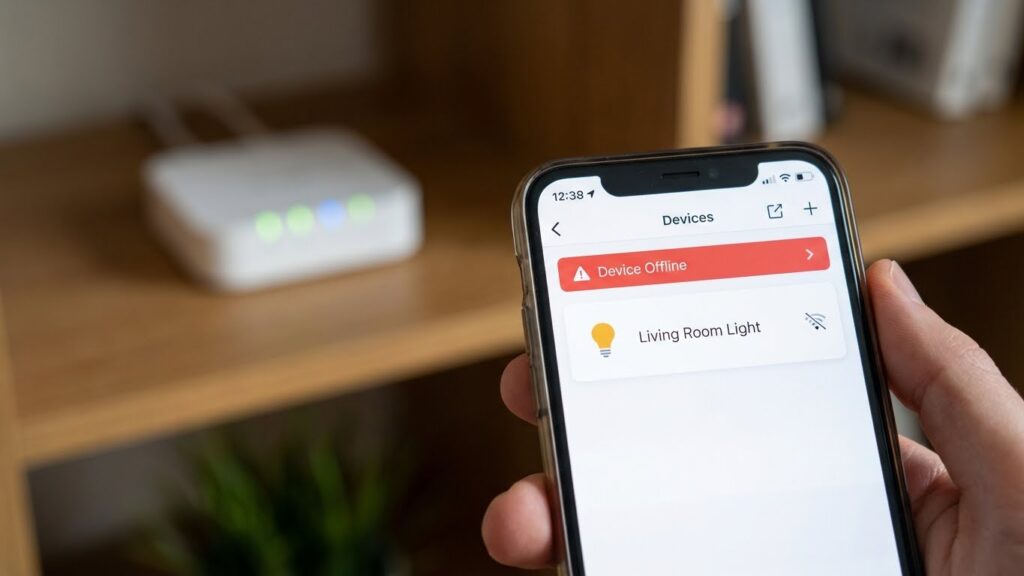
Watch for these clear signs: reduced brightness, color shifts, flickering, and loss of connectivity.
If the bulb won’t pair with your hub or app but powers on, the smart module may be failing.
Flicker or random on/off cycles point to driver or power issues.
If the bulb gets very hot to the touch, the internal components may be degrading faster than normal.
Slow dimming over months means luminous decay; sudden failure or a dead bulb suggests electronic or supply failure.
Track patterns: if problems appear only in one fixture, the socket or wiring may be the cause rather than the bulb.
Factors Affecting Smart Bulb Lifespan
Several key things change how long a smart bulb lasts: how often you switch it, the parts inside the bulb, and the heat or humidity where it runs. Each point below shows what to watch for and practical steps you can take.
Usage Patterns and On-Off Cycles
How often you turn the bulb on and off matters. LED-based smart bulbs don’t “burn out” suddenly; they slowly lose brightness over time. But frequent switching — tens of thousands of cycles — stresses internal drivers and can shorten rated life.
If you use timers, motion sensors, or scenes that flick the light many times per hour, expect reduced lifespan. For long daily use, leaving bulbs on for extended periods is usually gentler than rapid cycling. Use scenes and schedules that minimize unnecessary toggles. Also consider bulbs rated for high cycle counts if you rely on sensors.
Monitor actual hours on and the number of cycles if your system logs them. That helps you compare real use to the manufacturer’s rated life and decide when replacement makes sense.
Quality of Electrical Components
Not all smart bulbs use the same parts. The driver (power supply), LED chips, and wireless module quality determine reliability. Cheap drivers can fail from voltage spikes or poor heat handling. Higher-end bulbs use better capacitors, surge protection, and tested drivers.
Look for bulbs from reputable brands that list driver specifications, surge tolerance, and LED binning. Certifications like UL and CE indicate basic safety testing. Firmware updates also matter: bugs in wireless code can cause constant reboots that stress hardware. Choose bulbs with a clear firmware update path and good user reviews about longevity.
If you have frequent power surges, add surge protection at the fixture or circuit level. That protects the bulb’s electronics more effectively than replacing bulbs often.
Heat and Environmental Conditions
Heat is one of the biggest killers of smart bulbs. LEDs and drivers run hotter in enclosed fixtures or near other heat sources. High ambient temperatures accelerate luminous decay and degrade solder and capacitors.
Install bulbs in fixtures rated for LED use and allow airflow around the bulb. Avoid enclosed downlights unless the bulb specifies compatibility. Humid or outdoor locations require bulbs rated for damp or wet places. Dust buildup also traps heat; clean fixtures periodically to improve cooling.
If a bulb feels very hot to the touch, reduce runtime or change the fixture. Cooler operating temperatures extend both brightness life and electronic reliability.
Comparing Smart Bulbs to Traditional Bulbs
Smart bulbs use LED cores like many modern bulbs, so they already start with low energy use and long rated lifespans. Features such as dimming, scheduling, and constant connection can change how long they last in practice.
LED Technology Versus Incandescent and CFL
LEDs create light by moving electrons through a semiconductor. That makes them cooler and far more efficient than incandescent filaments, which waste most energy as heat. A typical LED smart bulb uses about 8–10 watts to match a 60-watt incandescent.
CFLs use a gas discharge and ballast, which makes them less efficient than LEDs and more fragile over time. CFLs also contain small amounts of mercury, so disposal is more complicated than with LEDs.
For you, that means LEDs—smart or plain—usually last much longer. Many LEDs are rated for 15,000–25,000 hours versus 1,000 hours for incandescents and 8,000–10,000 for CFLs. You’ll replace LEDs far less often.
Energy Efficiency and Longevity
Smart bulbs save energy mainly because they use LED chips and can dim or schedule lighting. Dimming and lower brightness reduce heat and slow lumen depreciation, which helps the bulb last longer.
Standby power matters but is small. Most smart bulbs draw under 1 watt when “off” but connected. That tiny draw adds only a few dollars a year, while the LED energy savings versus incandescent often cut lighting costs by 70–90%.
Lifespan ratings assume ideal conditions. Heat buildup, frequent on/off cycling, and poor fixtures can shorten real-world life. Keep bulbs in fixtures with good airflow and avoid enclosed fixtures if longevity is a priority.
Smart Features Impact on Durability
Smart functions add electronics: Wi‑Fi, Bluetooth, or radio chips and small power supplies. Those parts can fail before the LED chip if they run hot or get voltage spikes.
Regular firmware updates and robust power supplies reduce failure risk. If you want longer life, choose bulbs with good reviews for reliability and from brands that offer firmware support or warranties.
Use schedules and automation to reduce duty cycles, not increase them. Turning lights on and off dozens of times an hour—via unstable automation or rapid triggers—can stress drivers and shorten life.
Common Issues Leading to Smart Bulb Failure
You’ll find two main failure types: problems that stop the bulb from communicating or updating, and electrical events that damage the bulb’s electronics. Both can make a smart bulb stop working long before its rated hours.
Firmware and Connectivity Problems
Firmware bugs and failed updates can freeze a bulb or break features like dimming or color control. If an update fails midway, the bulb’s internal software can become corrupted and the bulb may not reconnect to your hub or app. Check the bulb’s app for update status and apply updates when the bulb is powered and stable.
Wi‑Fi or Zigbee interference also causes issues. Poor signal can make bulbs behave erratically or appear offline. Move routers, reduce competing devices, or place repeaters to strengthen the mesh. If bulbs repeatedly drop from the network, factory-reset one bulb and re-pair it to test whether the problem is the bulb or the network.
Power Surges and Electrical Fluctuations
Power surges from lightning strikes, grid switching, or faulty wiring can overload the bulb’s driver electronics and cause immediate failure. Even smaller voltage spikes shorten the lifespan of the bulb’s internal components over time. Consider using surge protectors or having an electrician check your home’s grounding if you see frequent failures.
Frequent on/off cycling and incompatible dimmer switches also stress LED drivers. Mechanical dimmers or older TRIAC dimmers can create flicker and heat, leading to premature burnout. Use bulbs labeled “dimmable” with compatible electronic dimmers or switch to smart dimming via the bulb’s app to avoid hardware mismatch.
Maintenance and Troubleshooting
Keep bulbs clean, mount them correctly, update firmware, and know how to reset or reconnect a bulb when it stops responding. Small fixes often restore full function without replacing the bulb.
Cleaning and Proper Installation
Turn power off before you touch the bulb to avoid shocks and accidental damage. Use a dry microfiber cloth to remove dust; avoid sprays or water that can seep into the base and damage electronics.
Check the fixture type and socket size. Install bulbs only in fixtures rated for LED smart bulbs and within the product’s temperature range. Overheating shortens LED life, so avoid enclosed fixtures unless the bulb is rated for them.
Tighten the bulb by hand until snug, not over-tightened. Poor contact causes flicker or intermittent power. For outdoor bulbs, use weather-rated models and seal fixtures to keep moisture out.
Keep vents clear and allow airflow around smart bulbs. If you use dimmers, confirm compatibility with LED smart bulbs—otherwise, use the bulb’s app dimming instead of the wall dimmer.
How to Reset and Reconnect Smart Bulbs
If a bulb stops responding, power-cycle it first: turn the switch off for 10 seconds, then on. Many connection issues clear this way. If that fails, follow the manufacturer’s reset steps—commonly a specific on/off blink sequence or a reset button.
Use the bulb’s app to check firmware and connection status. Update firmware when prompted; updates fix bugs and improve stability. Ensure your phone and bulb are on the same Wi‑Fi band if required (many bulbs need 2.4 GHz).
When pairing, move the bulb close to the router or hub and disable VPNs on your phone. If the bulb still won’t join the network, remove it from the app, factory-reset it, then add it again. Keep your hub, router, and app software current to reduce future reconnection problems.
Recycling and Disposal of Smart Bulbs

Smart bulbs often use LED components and small electronics. You should treat them like electronic waste, not regular trash, and choose disposal options that protect people and the environment.
Environmental Considerations
LED smart bulbs contain circuit boards, solder, and sometimes small amounts of metals that can contaminate soil and water if dumped in landfills. If you toss many bulbs in the trash, heavy metals and chemicals from the electronics can leach out over time.
Recycling recovers aluminum, copper, glass, and circuit-board materials. That lowers the need for new mining and reduces pollution from manufacturing. It also keeps hazardous materials out of waste streams that serve homes and parks.
Check local rules: some cities require electronic items or lamps to go to special recycling centers. Manufacturer take-back programs or retail drop-off points often accept smart bulbs for proper processing.
Proper Disposal Methods
Follow these steps to dispose of a smart bulb safely:
- Turn off and cool the bulb before removal.
- Place it in its original box or wrap it in paper to protect the glass and electronics.
- Use a sealed bag for transport to prevent breakage.
Locate recycling options:
- Search municipal e-waste drop-off sites or household hazardous waste events.
- Check if stores that sell bulbs offer take-back or mail-back programs.
- Contact the bulb manufacturer for a recycling program or guidance.
If recycling isn’t available, check local waste rules before discarding in regular trash. Some areas allow LED disposal in household waste, but others require special handling. Keep receipts or program details if you use a take-back service for proof.
Future Trends in Smart Lighting Technology
You will see improvements that extend bulb life, cut failures, and reduce energy use. Expect better components, smarter firmware, and new materials that focus on reliability and longer useful life.
Advancements Improving Lifespan
Manufacturers are using higher-quality LED chips and improved thermal designs so your bulbs run cooler and last longer. Better heat sinks and ceramic parts replace cheap plastics, which lowers the rate of luminous decay and wiring faults.
Firmware updates and smarter drivers also matter. You can get over-the-air fixes that reduce stress on power supplies and prevent premature failures. Some bulbs now include built-in diagnostics that report stress, temperature, and dimming cycles to your app so you can spot problems early.
Standardization of testing and clearer lifespan ratings will help you compare products. Look for bulbs rated in useful life hours (for example, 25,000+ hours) and for manufacturers that publish lumen maintenance curves rather than just a single lifetime number.
Predicted Innovations in Durability
You should expect wider use of modular designs that let you replace drivers or chips without tossing the whole bulb. That change could cut waste and mean fewer full-unit failures over time.
New materials and coatings will resist moisture and dust better, reducing corrosion in sockets and internal contacts. Also, hybrid power handling—better tolerance to voltage spikes and flicker—will protect electronics against common household power problems.
Finally, integration with home systems will allow preventive actions. Your hub can lower brightness during high-heat periods or limit rapid cycling, which reduces stress and extends the practical life of your smart bulbs.
FAQs
Do smart bulbs burn out suddenly?
No. Most smart bulbs use LEDs that fade slowly over time, not fail suddenly like old incandescent bulbs. You may notice dimming or color shifts before they stop working.
How long do they usually last?
Typical smart bulbs last roughly 15,000 to 50,000 hours depending on the brand and quality. That can be several years of normal home use.
Can a smart bulb be damaged by power surges?
Yes. Power surges and poor wiring can damage the electronics inside a smart bulb. Use surge protectors or whole-home surge protection to lower the risk.
Does using smart features shorten lifespan?
Not much. Features like color changing or dimming use the same LED chips, though frequent high-brightness use and heat can speed up wear. Keep fixtures ventilated to help.
Are smart bulbs repairable?
Usually not. Smart bulbs contain integrated electronics and are replaced rather than repaired. Check warranties—many brands offer multi-year coverage.
How can you extend a bulb’s life?
Keep fixtures cool, avoid frequent on/off cycling, use stable power, and choose well-reviewed brands. Proper installation and ventilation help a lot.
Will cheaper smart bulbs last as long as premium ones?
Often they won’t. Cheaper bulbs may use lower-quality components and have shorter lifespans. Read specs and reviews before you buy.
Conclusion
Smart bulbs do burn out, but they wear out differently than old incandescent bulbs. Most last thousands to tens of thousands of hours, so you will likely replace them for age or performance drop rather than a sudden failure.
How long a smart bulb lasts depends on brand, heat, voltage stability, and how often you use smart features. Low-quality bulbs and frequent power surges shorten life, while good ventilation and a reliable power supply help them last longer.
You can extend a bulb’s life by using a stable dimmer, avoiding excessive heat, and updating firmware when manufacturers provide fixes. For guidance on electrical safety and surge protection, consult resources from the U.S. Consumer Product Safety Commission or a licensed electrician.
If you need maximum longevity and simple lighting, standard non-smart LEDs often last longer for the same cost. If you value remote control, schedules, or color changing, smart bulbs give useful features with a reasonable lifespan. Choose bulbs from reputable manufacturers and follow installation and care tips to get the most from your lights.