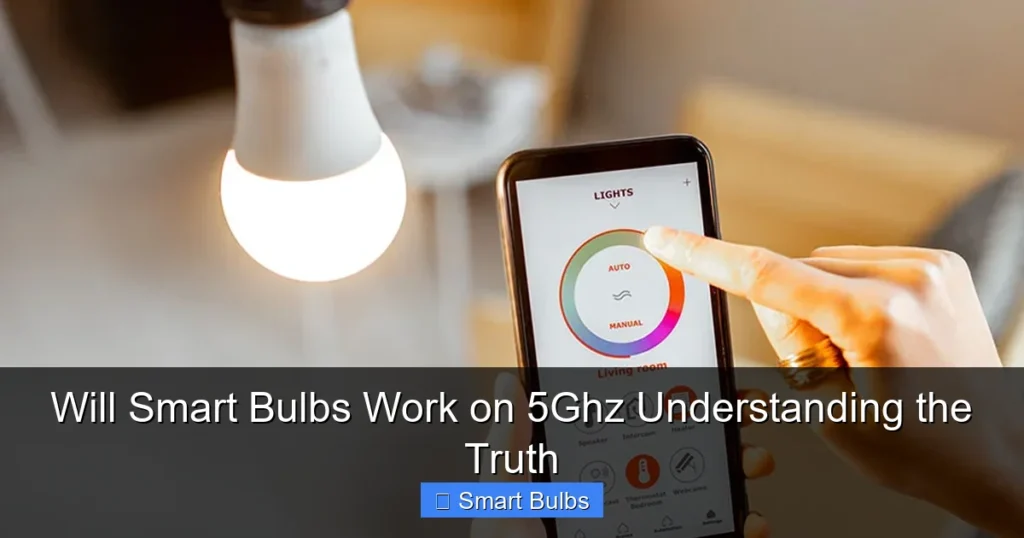
Most smart bulbs are not designed to work on 5GHz Wi-Fi networks. They primarily operate on the 2.4GHz band due to its better range and wall penetration, which is ideal for smart home devices spread throughout a house. Understanding this difference is key to a smooth setup and avoiding connectivity issues with your smart lighting.
Will Smart Bulbs Work on 5Ghz Understanding the Truth
Hey there, fellow smart home enthusiast! Have you ever found yourself scratching your head, wondering why your brand-new smart bulb just won’t connect, no matter what you try? You’ve got a super-fast Wi-Fi network, maybe even a fancy new router, but your smart lighting seems to be putting up a fight. It’s a frustrating experience, and often, the silent culprit is something many people overlook: your Wi-Fi band. Specifically, you might be asking, “Will smart bulbs work on 5GHz?”
It’s a common misconception that since 5GHz Wi-Fi is faster and seemingly more advanced, all your smart devices should naturally gravitate towards it. However, when it comes to smart bulbs, the answer to “will smart bulbs work on 5GHz” is almost universally a resounding “no.” And that’s perfectly okay! In fact, it’s by design. This article is here to demystify the situation, explain why smart bulbs prefer the 2.4GHz band, and give you all the tips and tricks you need to ensure a smooth, headache-free setup for your smart lighting.
We’ll dive into the technical reasons, explore the differences between 2.4GHz and 5GHz, and most importantly, guide you through practical steps to connect your smart bulbs successfully, even if your home network feels dominated by that speedy 5GHz signal. So, let’s shed some light on this topic and get your smart home shining brightly!
Key Takeaways
- Smart Bulbs Prefer 2.4GHz: The vast majority of smart bulbs, regardless of brand, are built to connect exclusively to the 2.4GHz Wi-Fi band, not 5GHz.
- Reasons for 2.4GHz Preference: This choice is due to 2.4GHz offering superior range and better signal penetration through walls and obstacles, which is crucial for devices like smart bulbs spread across a home.
- 5GHz Is Faster, But Shorter Range: While 5GHz provides faster speeds, its shorter range and weaker penetration make it less suitable for low-bandwidth smart home devices that don’t need high speeds.
- Dual-Band Router Management: If you have a dual-band router (which most modern ones are), it transmits both 2.4GHz and 5GHz signals. You’ll need to ensure your smart bulb connects to the 2.4GHz network.
- Common Connection Issues: Trying to connect a smart bulb to a 5GHz-only network, or having band steering automatically try to push it to 5GHz, is a primary reason for setup failures.
- Practical Solutions for Connectivity: Solutions include separating your 2.4GHz and 5GHz networks with different names (SSIDs), temporarily disabling the 5GHz band during setup, or adjusting router settings like band steering.
- Future Standards: While Wi-Fi 6E introduces a 6GHz band, it’s highly unlikely that current smart bulbs will ever utilize 5GHz or 6GHz; future smart home devices might leverage Thread or Matter over existing Wi-Fi bands.
📑 Table of Contents
The Core Truth: Why Smart Bulbs Stick to 2.4GHz
Let’s get straight to the point: the vast majority of smart bulbs on the market today are designed exclusively to connect to the 2.4GHz Wi-Fi band. This isn’t a flaw; it’s a deliberate engineering choice based on the fundamental characteristics of radio frequencies and the specific needs of smart home devices. Understanding this core truth is the first step to resolving any connectivity woes when you ask, “Will smart bulbs work on 5GHz?”
Range and Penetration Are King for Smart Home Devices
Imagine your smart home devices spread out across multiple rooms, perhaps even on different floors. For these devices, a consistent, far-reaching signal is far more important than blazing-fast speed. The 2.4GHz band excels in this regard. Its longer wavelengths allow it to travel further and penetrate solid objects like walls, furniture, and ceilings much more effectively than the shorter, more agile 5GHz waves.
- Greater Reach: A 2.4GHz signal can cover a larger area of your home, ensuring that even a smart bulb in the farthest corner of your house can maintain a stable connection to your router.
- Obstacle Penetration: If your router is in the living room and your smart bulb is in the bedroom across the hall, the 2.4GHz signal will have a much easier time getting through those intervening walls. A 5GHz signal might struggle or drop completely.
Lower Bandwidth Needs for Smart Bulbs
What does a smart bulb actually “do” over Wi-Fi? It sends small packets of data – commands like “turn on,” “change color to blue,” or “dim to 50%.” It doesn’t stream 4K video, download large files, or perform any data-intensive tasks. These operations require very little bandwidth. The 2.4GHz band, while slower in terms of raw data transfer, provides more than enough bandwidth for these simple commands.
- Efficiency: Using the 2.4GHz band is incredibly efficient for smart bulbs, as it doesn’t require the higher data rates that 5GHz offers. This means less processing power is needed by the bulb, potentially leading to lower manufacturing costs and simpler designs.
- Power Consumption: Devices using lower frequency bands often consume less power, which can be an advantage for devices that are always “on” or waiting for commands. While smart bulbs are powered by mains, optimizing for lower power consumption can still be a design consideration.
Older, But Still Relevant Wi-Fi Standards
Many smart home manufacturers opt for older, well-established Wi-Fi standards (like 802.11n, which operates on 2.4GHz) for their smart bulbs. These standards are proven, stable, and less expensive to implement. This helps keep the cost of smart bulbs down, making them more accessible to a wider audience. So, when you ask “will smart bulbs work on 5GHz”, remember that the technology within them is designed for a different, yet highly effective, purpose.
Understanding Your Home Network: 2.4GHz vs. 5GHz
To truly grasp why your smart bulbs behave the way they do, it’s essential to understand the fundamental differences between the 2.4GHz and 5GHz Wi-Fi bands. Most modern routers are “dual-band,” meaning they broadcast signals on both frequencies simultaneously. This flexibility is great for different types of devices, but it can also be a source of confusion if you don’t know which device needs which band. This knowledge is crucial when you ponder, “will smart bulbs work on 5GHz?”

Visual guide about Will Smart Bulbs Work on 5Ghz Understanding the Truth
Image source: static.studyladder.com
2.4GHz: The Workhorse Band
Think of the 2.4GHz band as the sturdy, reliable workhorse of your Wi-Fi network. It’s been around longer and is excellent for general internet use, especially when range is a priority.
- Pros:
- Superior Range: Travels further and maintains a stronger signal over greater distances.
- Better Penetration: Handles walls, floors, and other obstacles much more effectively.
- Wider Compatibility: Nearly all Wi-Fi-enabled devices, old and new, support 2.4GHz, including virtually all smart bulbs.
- Cons:
- Slower Speeds: The maximum theoretical speeds are lower than 5GHz.
- More Interference: This band is crowded. Many other devices use 2.4GHz (microwaves, cordless phones, Bluetooth devices, baby monitors), which can lead to signal congestion and slower performance.
5GHz: The Speed Demon Band
The 5GHz band is the high-performance sports car of your Wi-Fi. It’s designed for speed and handles multiple data-intensive tasks with ease, but it has its limitations.
- Pros:
- Faster Speeds: Offers significantly higher data transfer rates, perfect for streaming 4K video, online gaming, and large file downloads.
- Less Interference: It’s a less crowded band, so you’re less likely to experience congestion from other devices.
- Cons:
- Shorter Range: The signal degrades more quickly over distance.
- Poor Penetration: Struggles to pass through walls and other obstacles, leading to weaker signals or dead zones.
- Limited Compatibility: Older devices and many smart home devices (like smart bulbs) simply don’t support 5GHz connectivity. This is precisely why “will smart bulbs work on 5GHz” usually gets a negative answer.
The “5GHz Problem” and What It Means for Smart Bulbs
When you encounter connection issues with your smart bulbs, it’s often because your smart bulb is trying to connect to a 5GHz network, or your router is trying to push it there. This “5GHz problem” isn’t an issue with the technology itself, but rather a mismatch between device capability and network configuration. Let’s explore how this often plays out.

Visual guide about Will Smart Bulbs Work on 5Ghz Understanding the Truth
Image source: ratedgadgets.com
Dual-Band Routers and Auto-Switching
Most modern Wi-Fi routers are “dual-band,” meaning they transmit both 2.4GHz and 5GHz signals. Many also feature a technology called “band steering” or “smart connect.” This feature aims to automatically guide devices to the optimal Wi-Fi band – usually 5GHz for faster speeds, if the device supports it. While clever, this can be a headache for smart bulbs.
- Band Steering Confusion: When you attempt to connect your new smart bulb, your router’s band steering might try to direct it to the 5GHz network. Since the smart bulb doesn’t support 5GHz, the connection attempt fails, leaving you wondering why your bulb isn’t joining your network.
- Single SSID Issues: If your router uses a single Wi-Fi network name (SSID) for both 2.4GHz and 5GHz bands, it can be even more confusing. Your phone, which likely supports both bands, might be connected to the 5GHz network during setup, while the bulb needs 2.4GHz. This mismatch often leads to failed pairing.
Why Setup Fails if You’re on 5GHz
Here’s a common scenario: you download the smart bulb’s app, open it up, and start the pairing process. The app asks you to connect to your home Wi-Fi network. Your phone is connected to your router’s 5GHz band, which shares the same name as your 2.4GHz band. When the app tries to send the network credentials to the bulb, it’s effectively trying to tell the bulb to join a 5GHz network – a network it simply cannot see or use. The bulb repeatedly fails to connect, and the app often gives a generic error message like “failed to connect” or “device not found.” This is the prime example of why asking “will smart bulbs work on 5GHz” is important before troubleshooting.
Connecting Your Smart Bulbs Successfully: Practical Steps
Now that you understand *why* your smart bulbs won’t work on 5GHz, let’s talk about *how* to successfully connect them to the 2.4GHz band. These steps will help you bypass the “5GHz problem” and ensure a smooth setup experience.
1. Separate Your Wi-Fi Networks (SSIDs)
This is often the most effective solution. Many routers allow you to give your 2.4GHz and 5GHz bands separate names (SSIDs). For example, you might have “MyHomeWiFi” for 2.4GHz and “MyHomeWiFi_5GHz” for the 5GHz band. This makes it clear which network is which.
- How to Do It:
- Access your router’s administration page (usually by typing its IP address, like 192.168.1.1, into your web browser).
- Log in with your administrator username and password (often found on a sticker on the router itself).
- Navigate to the Wi-Fi settings or wireless settings section.
- Look for options to rename your 2.4GHz and 5GHz networks. Give them distinct names, making sure the 2.4GHz name is easily identifiable (e.g., “SmartHome_2.4G”).
- Save your changes and restart your router if prompted.
- During Setup: When you’re setting up your smart bulb, ensure your phone is connected to the newly named 2.4GHz network. The smart bulb will then correctly learn to connect to that same 2.4GHz network.
2. Temporarily Disable the 5GHz Band
If separating SSIDs isn’t an option or seems too complex, you can temporarily disable the 5GHz band on your router during the smart bulb setup process.
- How to Do It:
- Access your router’s administration page.
- Find the wireless settings for the 5GHz band.
- Look for an option to disable or turn off the 5GHz network.
- Save changes and possibly restart the router.
- Once the 5GHz band is off, your phone will automatically connect to the 2.4GHz network (since it’s the only one available).
- Proceed with your smart bulb setup. It will connect to the 2.4GHz band.
- After the bulb is successfully connected, you can re-enable your 5GHz band. The smart bulb will remember the 2.4GHz network and continue to work.
3. Adjust Router Settings (Band Steering)
Some routers have advanced features like “band steering” or “smart connect” that automatically try to optimize device connections. This is the feature that causes your devices to switch between 2.4GHz and 5GHz depending on signal strength and congestion. While usually helpful, it can interfere with smart bulb setup because it attempts to make a smart bulb work on 5GHz, which it cannot.
- How to Do It:
- Go into your router’s admin panel.
- Look for settings related to “Band Steering,” “Smart Connect,” “Wi-Fi AI,” or similar names.
- Disable this feature.
- You might then need to follow step 1 (separate SSIDs) to ensure your devices consistently connect to the correct band.
4. Ensure Your Phone is on 2.4GHz During Setup
Before initiating the smart bulb’s pairing process, double-check that the phone or tablet you’re using for setup is connected to your 2.4GHz Wi-Fi network. If your networks are separated (as in step 1), this is easy to confirm. If they share the same name, you might need to move further away from your router or temporarily disable 5GHz on your phone’s Wi-Fi settings (if available) to force it onto 2.4GHz. This directly addresses the “will smart bulbs work on 5GHz” compatibility issue during setup.
5. Proximity During Initial Setup
Sometimes, simply moving the smart bulb closer to your router during the initial setup can help, even though the 2.4GHz signal has good range. This ensures the strongest possible signal for the pairing process, reducing the chances of dropped connections or timeouts. Once paired, you can move the bulb to its intended location.
The Future of Smart Lighting and Connectivity
While the immediate answer to “will smart bulbs work on 5GHz” remains a firm “no” for the vast majority of products, it’s worth briefly looking at the broader smart home landscape. The industry is always evolving, with new communication protocols emerging.
Matter and Thread: Beyond Wi-Fi
Recent developments like the Matter standard, built on technologies like Thread, aim to create a more unified and interoperable smart home ecosystem. Thread devices often create a mesh network, and while they can connect to your home network via a Thread Border Router (which uses Wi-Fi or Ethernet), the end devices themselves (like a smart bulb) might not directly use Wi-Fi in the traditional sense, or they might use it in conjunction with other protocols. Even with Matter, devices often still use 2.4GHz Wi-Fi for direct connectivity, or they bridge to it.
Bluetooth for Setup, Not Operation
Some smart bulbs use Bluetooth for the initial setup process, which can simplify things a bit. However, once configured, they typically switch to Wi-Fi (the 2.4GHz band) for ongoing control, or connect to a dedicated hub. So, Bluetooth usually doesn’t change the fundamental answer to “will smart bulbs work on 5GHz” for their operational connectivity.
In short, while smart home connectivity is becoming more sophisticated, the fundamental reasons why smart bulbs operate on the 2.4GHz band (range, penetration, low bandwidth needs) mean that it’s highly improbable they will ever widely adopt 5GHz Wi-Fi for their primary operation. The 2.4GHz band remains the ideal choice for these types of devices, and knowing this will save you a lot of troubleshooting time.
Conclusion
So, to bring it all back home: will smart bulbs work on 5GHz? The truth is, almost all smart bulbs are designed to work exclusively on the 2.4GHz Wi-Fi band. This isn’t a limitation but an optimized design choice that leverages the 2.4GHz band’s superior range and wall-penetrating capabilities, which are essential for smart home devices spread throughout your house.
Understanding this distinction between 2.4GHz and 5GHz is your superpower in the world of smart home connectivity. Armed with this knowledge, and the practical tips for configuring your router and setting up your devices, you can confidently connect your smart bulbs without the frustration of repeated failed attempts. Remember, it’s not about making your smart bulbs work on 5GHz, but ensuring they connect correctly to the 2.4GHz network they were built for. Happy smart lighting!
Frequently Asked Questions
Will smart bulbs work on 5GHz networks at all?
No, almost all smart bulbs are specifically designed to connect to the 2.4GHz Wi-Fi band, not the 5GHz band. Attempting to connect them to a 5GHz network will result in setup failure because they lack the necessary hardware to communicate on that frequency.
Why do smart bulbs only use 2.4GHz Wi-Fi?
Smart bulbs use 2.4GHz Wi-Fi primarily because this band offers better range and penetration through walls and obstacles, which is ideal for devices spread across a home. They also don’t require the high bandwidth that 5GHz provides, making 2.4GHz a more power-efficient and cost-effective choice for manufacturers.
What happens if I try to connect my smart bulb to a 5GHz network?
If you try to connect your smart bulb to a 5GHz network, the connection will fail. The bulb’s setup process will not complete, and the accompanying app will typically report an error, such as “device not found” or “failed to connect,” because the bulb cannot detect or communicate on the 5GHz frequency.
How can I tell if my router is broadcasting both 2.4GHz and 5GHz?
Most modern routers are dual-band and broadcast both frequencies. You can check your router’s specifications or look at its administration page (usually accessed via a web browser at an IP address like 192.168.1.1 or 192.168.0.1). Look for separate settings or SSIDs for the 2.4GHz and 5GHz bands.
My router has “band steering.” How does that affect smart bulb setup?
Band steering automatically tries to direct devices to the best Wi-Fi band. For smart bulbs, this can be problematic because the router might try to push them to the 5GHz band, which they don’t support. It’s often best to temporarily disable band steering or separate your 2.4GHz and 5GHz networks with different SSIDs during setup.
Can I make my smart bulbs work on 5GHz with a Wi-Fi extender or mesh system?
No, a Wi-Fi extender or mesh system will not make smart bulbs work on 5GHz if they are only designed for 2.4GHz. While these systems can re-broadcast your Wi-Fi signal, the underlying limitation of the smart bulb’s hardware remains. Ensure your extender or mesh nodes are also broadcasting a 2.4GHz network for your bulbs to connect to.