
Many smart bulbs primarily rely on WiFi for full functionality, enabling remote control, voice commands, and smart home integrations. However, the truth is that some can operate without an active internet connection, particularly through Bluetooth, dedicated hubs (like Zigbee or Z-Wave), or by retaining their last settings during a power outage. While offline operation offers basic control, it often comes with significant limitations, sacrificing convenience and advanced smart features.
Smart bulbs have revolutionized how we light our homes. They offer unparalleled convenience, allowing us to change colors, dim lights, and set schedules with just a tap on our phone or a simple voice command. But as much as we love these high-tech wonders, a crucial question often pops up, especially for those concerned about connectivity, privacy, or reliability: can smart bulbs work without WiFi?
It’s a common misconception that smart bulbs are utterly useless without an active internet connection. Many people imagine a power outage or a router malfunction turning their smart home into a collection of bricked devices. The reality, however, is a bit more nuanced. The definitive answer to “can smart bulbs work without WiFi” isn’t a simple yes or no. Instead, it’s a qualified “yes, under certain circumstances and with specific limitations.” Let’s dive deep into the workings of smart lighting to reveal the full truth.
Understanding how smart bulbs communicate is key to grasping their capabilities—and limitations—without WiFi. While many rely heavily on your home’s wireless network for their most impressive tricks, there are several ways these clever lights can still shine, even when your internet connection takes a vacation. We’ll explore the different technologies at play, the scenarios where you can ditch the WiFi, and, crucially, what you might sacrifice in the process.
Key Takeaways
- WiFi is primary for full features: Most smart bulbs need WiFi for remote access, voice control, advanced routines, and integration into broader smart home ecosystems.
- Bluetooth offers local control: Certain smart bulbs feature Bluetooth connectivity, allowing direct, short-range control from a smartphone or tablet without a WiFi network.
- Hubs enable local networks: Zigbee or Z-Wave smart bulbs connect to a dedicated hub (e.g., Philips Hue Bridge), which creates its own local network, often allowing control even if your internet connection goes down.
- Basic functionality during outages: Many smart bulbs are designed to retain their last on/off state when power is restored after an outage, effectively working as standard bulbs.
- Local control options exist: Some advanced setups or manufacturer-specific solutions can enable limited control over smart bulbs directly from a local network without an active internet connection.
- Significant trade-offs: Operating smart bulbs without WiFi means losing remote access, voice assistant integration, dynamic scenes, and crucial firmware updates.
- Initial setup often requires WiFi: Even if you plan for offline use, many smart bulbs initially need a WiFi connection for pairing, account setup, and essential firmware updates.
📑 Table of Contents
- The Fundamental Role of WiFi in Smart Bulb Operation
- Exploring Alternatives: How Smart Bulbs *Can* Work Without WiFi
- Use Cases and Scenarios Where WiFi Isn’t Essential
- The Trade-offs: What You Lose Without WiFi
- Setting Up Smart Bulbs for “Offline” Use (When Possible)
- Choosing the Right Smart Bulb for Your Needs
- Conclusion
The Fundamental Role of WiFi in Smart Bulb Operation
Before we discuss how smart bulbs can work without WiFi, it’s essential to understand why WiFi is typically their preferred method of communication. For most modern smart bulbs, your home’s WiFi network acts as the central nervous system, connecting the bulbs to your smartphone, voice assistants, and the vast network of cloud services that power their intelligence.
Bridging the Gap: How WiFi Connects Your Smart Home
When you think about the convenience of smart lighting, most of it stems from WiFi connectivity. Your smartphone sends commands to your router, which then relays them to your smart bulbs. This is how you can dim the lights from the couch, change their color from another room, or turn them off after you’ve already left the house. WiFi provides the bandwidth and range needed for these seamless interactions across your entire home.
Cloud Services and Remote Control
One of the biggest perks of WiFi-enabled smart bulbs is remote control. Whether you’re across town or on vacation halfway around the world, you can check if you left the lights on and turn them off. This capability entirely depends on your bulbs having an active internet connection through WiFi to reach their manufacturer’s cloud servers. These servers process your commands and send them back to your home network. Without WiFi, this connection to the cloud is severed, making remote control impossible.
Voice Assistant Integration
Imagine saying, “Alexa, turn on the living room lights,” or “Hey Google, dim the kitchen.” This magic happens because your voice assistant device (like an Amazon Echo or Google Home) is connected to your WiFi, which in turn connects to the internet and the voice assistant’s cloud service. That service then communicates with your smart bulb’s cloud service, sending the command back down to your bulb. If your WiFi is down, or your internet connection is lost, these voice commands simply won’t work.
Firmware Updates and Advanced Features
Smart bulbs, like any smart device, require occasional firmware updates. These updates can introduce new features, improve performance, and, crucially, patch security vulnerabilities. These updates are almost always delivered over WiFi and require an internet connection to download. Without WiFi, your bulbs might miss out on important enhancements, potentially leaving them less secure or less functional over time. So, while you might wonder “can smart bulbs work without WiFi” for daily use, it’s often essential for their long-term health and capabilities.
Exploring Alternatives: How Smart Bulbs *Can* Work Without WiFi
Despite WiFi being the dominant method, it’s not the *only* way smart bulbs communicate. The answer to “can smart bulbs work without WiFi” becomes a resounding “yes” when you consider alternative technologies and specific scenarios. These methods offer varying degrees of functionality without needing a constant internet connection.
Bluetooth-Enabled Smart Bulbs
If you’re asking specifically, “can smart bulbs work without WiFi and without a hub?”, then Bluetooth is often your best friend. Many smart bulbs now come equipped with Bluetooth Low Energy (BLE) technology. This allows them to connect directly to your smartphone or tablet without needing a WiFi network or an internet connection.
Here’s how it works:
Visual guide about Can Smart Bulbs Work Without WiFi The Truth Revealed
Image source: elemakelocks.com
- Direct Connection: Your phone’s Bluetooth connects directly to the bulb. Think of it like pairing your phone with a Bluetooth speaker.
- Local Control: You use the manufacturer’s app on your phone to control the bulb. This means you can turn it on/off, dim it, or change colors as long as you’re within Bluetooth range (typically about 30 feet).
- Limitations: The biggest drawback is range. You can’t control the bulb from another room, let alone remotely. Also, typically only one device can control the bulb at a time via Bluetooth, and you won’t get voice assistant integration or advanced scheduling that relies on cloud services.
Brands like Philips Hue (for their Bluetooth-only bulbs or bulbs operating in Bluetooth mode) and some Cync (formerly GE Lighting) products offer this capability. They are excellent for individual rooms or smaller setups where simplicity and offline capability are priorities.
Zigbee and Z-Wave: The Hub’s Role
Another robust answer to “can smart bulbs work without WiFi” (specifically, without relying on your *internet* connection) involves smart home hubs using protocols like Zigbee and Z-Wave. These are low-power wireless communication standards designed specifically for smart home devices.
Here’s the key difference:
- Dedicated Hub: Bulbs using these protocols don’t connect directly to your WiFi router. Instead, they connect to a dedicated hub (e.g., Philips Hue Bridge, Samsung SmartThings Hub, Hubitat).
- Local Mesh Network: The hub creates its own local mesh network. Devices communicate with the hub and with each other, extending the network’s reach.
- Offline Control: Many hubs are designed to process commands and run schedules locally. This means that if your internet connection goes down, but your home’s local network (router) and the hub are still powered on, you can often still control your Zigbee/Z-Wave bulbs via the hub’s app or smart switches connected to the hub. The hub doesn’t need external internet access for basic operational commands.
- Initial Setup: Keep in mind that while daily operation might be offline, the initial setup and any firmware updates for the hub itself often still require an internet connection.
This is a powerful solution for those prioritizing reliability and local control. While the hub itself often connects to your router via an Ethernet cable (and thus, your local network), the communication between the hub and the bulbs is independent of your internet service provider’s connection.
Direct Local Control and Manufacturer-Specific Solutions
Some smart bulb brands, or more advanced smart home systems, offer limited forms of direct local control that bypass cloud services. This is less common for standard consumer smart bulbs but is gaining traction.
For example:
- Local API Access: Certain brands provide an Application Programming Interface (API) that allows advanced users to control devices directly on their local network using custom software or home automation platforms (like Home Assistant). This requires technical know-how but offers the highest degree of local control, where smart bulbs can work without WiFi internet access.
- Manufacturer Specific Apps: A few apps might have a “local mode” that allows limited control over devices on the same local network, even if the internet is down. This functionality varies greatly by brand and app version.
Power Outages and Basic Functionality
What happens if the power goes out and then comes back on? Can smart bulbs work without WiFi then? Yes, but only in a very basic sense. Most smart bulbs are designed to “remember” their last state. If they were on when the power was cut, they’ll turn back on when power is restored. If they were off, they’ll stay off. They essentially revert to acting like a regular light bulb, providing basic illumination without any “smart” features. This is less about working without WiFi and more about passive functionality, but it’s a crucial aspect of their emergency readiness.
Use Cases and Scenarios Where WiFi Isn’t Essential
So, knowing that some smart bulbs can work without WiFi, when would you actually opt for or benefit from such a setup? There are several practical scenarios where a WiFi-independent smart lighting solution makes perfect sense.
Simple On/Off Control
Sometimes, all you need is a light that turns on and off. If you’re using smart bulbs primarily for energy efficiency or just for the novelty of their design, and you’re fine with controlling them via a physical switch or basic Bluetooth connection, then WiFi isn’t strictly necessary for this fundamental function. In a power outage, as mentioned, they’ll often revert to their last state, providing immediate light when power resumes.
Creating Local Scenes and Routines
For Bluetooth-enabled bulbs, you can create simple scenes directly within the app on your phone. For instance, setting a “reading mode” that dims the light and changes its color temperature, all controlled locally via Bluetooth.
With a Zigbee or Z-Wave hub, even more sophisticated routines can run locally. If you’ve programmed your hub to turn on the hallway lights at sunset or to activate a “movie night” scene, the hub can execute these commands independently of your internet connection. As long as the hub and bulbs have power and are communicating over their local mesh network, your scheduled lighting changes will occur. This is a powerful answer to “can smart bulbs work without WiFi” for automated tasks.
Emergency Lighting and Power Outages
While not actively “smart,” the ability of most smart bulbs to return to their last state after a power interruption is a significant practical benefit. You won’t be left in the dark when the electricity flickers back on. This provides a basic, reliable form of lighting that doesn’t depend on an active WiFi or internet connection, offering a layer of security and convenience during unexpected events. It’s a passive but important way that smart bulbs can work without WiFi for essential functionality.
Areas Without Reliable Internet Access
Consider a shed, a garage, or even a remote cabin where running a reliable internet connection is either difficult or unnecessary. If you want some level of smart control—like dimming or changing colors—a Bluetooth-only smart bulb or a hub-based system (where the hub isn’t reliant on internet for daily operations) could be an ideal solution. This allows for a localized smart lighting experience without the need for a full internet service.
The Trade-offs: What You Lose Without WiFi
While it’s clear that smart bulbs can work without WiFi in various capacities, it’s equally important to understand the significant trade-offs involved. Operating smart bulbs offline often means sacrificing many of the features that make them “smart” in the first place.
Loss of Remote Control and Geofencing
This is perhaps the most obvious limitation. Without an internet connection to the manufacturer’s cloud services, you cannot control your lights when you’re away from home. The convenience of turning lights off from work, or turning them on before you arrive, disappears. Similarly, geofencing features, which automatically adjust lights based on your proximity to home, become impossible as they rely on location services communicating with cloud servers.
No Voice Assistant Integration
If your primary mode of interaction with your smart home is through voice commands with Alexa, Google Assistant, or Siri, you’ll be disappointed. All major voice assistants rely on an active internet connection to process your commands and communicate with your smart devices. So, if your internet is out, your smart bulbs can work without WiFi for manual control, but they won’t respond to your voice.
Limited Smart Home Ecosystem Integration
Part of the beauty of a smart home is how different devices work together. Imagine your smart lock telling your lights to turn on when you unlock the front door, or your motion sensor triggering lights in a specific area. These sophisticated automations, especially when involving devices from different manufacturers, typically depend on cloud-to-cloud integrations, which means they need WiFi and internet access. Without it, your smart bulbs become isolated, unable to participate in a larger, interconnected smart home ecosystem. Services like IFTTT (If This Then That) are also out of the question.
Missing Out on Firmware Updates and New Features
As mentioned earlier, firmware updates are crucial for security, performance, and new functionalities. If your smart bulbs can only work without WiFi, they won’t be able to download these updates. Over time, this could leave them vulnerable to security threats or mean you miss out on improvements and exciting new features released by the manufacturer. It also means that if a bug is discovered, your bulbs might remain stuck with that issue.
No Advanced Scheduling or Dynamic Scenes
While some basic local scheduling is possible with hubs or Bluetooth, the more advanced, dynamic scheduling options (like “circadian lighting” that adjusts throughout the day based on natural light patterns) or complex scene transitions usually rely on cloud processing. Similarly, syncing your lights with music or videos, a popular feature for entertainment, requires a robust internet connection to analyze audio/visual data and send commands to the bulbs in real-time.
Setting Up Smart Bulbs for “Offline” Use (When Possible)
If you’ve decided that the ability for smart bulbs to work without WiFi is a priority for you, here’s a general guide on how you might set them up. Remember, specific steps will vary by brand and model.
Initial Setup Requirements
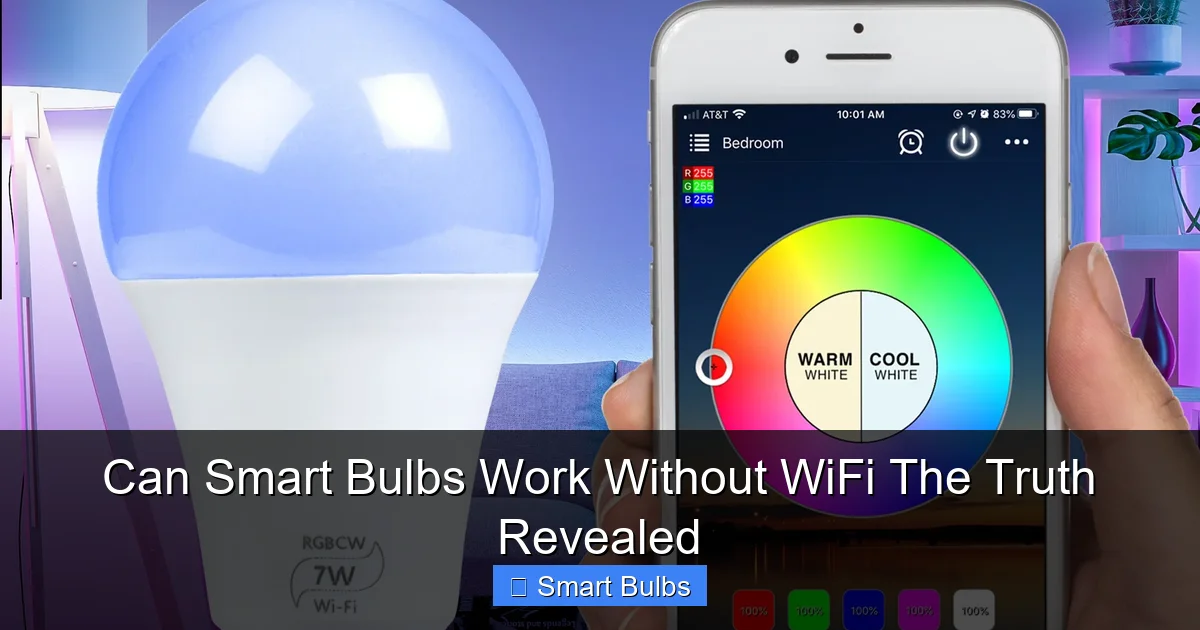
Even if your goal is primarily to ensure your smart bulbs can work without WiFi for daily operation, the initial setup often still demands it. Many smart bulbs need an active internet connection for the very first pairing process. This is typically for:
- Account Creation: Linking the bulb to your user account with the manufacturer.
- Firmware Download: Ensuring the bulb has the latest software version before use.
- Network Configuration: For WiFi bulbs, initially connecting them to your home WiFi.
So, plan to have WiFi and internet access available at least for the first time you set up your bulbs, even if you intend to disconnect them later for offline use.
Visual guide about Can Smart Bulbs Work Without WiFi The Truth Revealed
Image source: cdn.shopify.com
Pairing via Bluetooth or a Hub
If you’ve chosen bulbs known for their offline capabilities, the pairing process will depend on their technology:
- For Bluetooth Bulbs:
- Install the bulb and turn it on.
- Download the manufacturer’s app.
- Enable Bluetooth on your smartphone.
- Open the app and follow the on-screen instructions to “add a device.” The app will scan for nearby Bluetooth bulbs.
- Once paired, you can control it directly from the app within Bluetooth range, even if your phone doesn’t have an active internet connection.
- For Zigbee/Z-Wave Bulbs (with a hub):
- Ensure your smart home hub is set up and powered on, and connected to your local network (usually via Ethernet to your router).
- Install the bulb and turn it on.
- Open your hub’s app (e.g., Philips Hue app, SmartThings app).
- Initiate the “add device” or “search for lights” function within the app. The hub will then discover and pair with the Zigbee/Z-Wave bulb.
- Once paired, the hub can typically control these bulbs locally, even if your internet connection drops. Your control app, however, might still need local network access (from your phone to the hub) to send commands.
Understanding Manufacturer-Specific Apps and Local Control
It’s vital to research the specific capabilities of your chosen brand’s app. Some apps are designed with a stronger emphasis on local control and might offer more functionality even when your internet is down. Others are heavily reliant on cloud services, meaning most features will disappear the moment your internet connection is lost. Look for mentions of “local control,” “offline mode,” or “no internet required” in product descriptions and reviews if this is a key feature for you.
Choosing the Right Smart Bulb for Your Needs
The question “can smart bulbs work without WiFi” really boils down to what you prioritize in your smart lighting experience. Making an informed choice involves weighing convenience, features, and reliability against the potential for offline operation.
Consider Your Priorities
- Maximized Features & Convenience: If remote control, voice commands, and seamless integration with other smart home devices are your top priorities, then a WiFi-enabled bulb with a robust internet connection is generally the best choice.
- Local Control & Reliability: If you’re concerned about internet outages, privacy, or minimizing reliance on cloud services, then Bluetooth-only bulbs or a hub-based Zigbee/Z-Wave system are better options. Just be aware of the functional trade-offs.
- Budget: Bluetooth bulbs often represent a more affordable entry point into smart lighting since they don’t require a hub. Hub-based systems involve an additional initial cost for the hub itself.
Evaluate Your Existing Smart Home Ecosystem
If you already have a smart home hub (like a Hue Bridge or SmartThings), opting for bulbs compatible with that hub (e.g., Zigbee bulbs for a Hue Bridge) will provide the most integrated and potentially offline-capable experience. If you’re starting fresh, consider what other smart devices you might want in the future and choose a lighting ecosystem that can grow with you.
Research Specific Brands and Models
Don’t assume all smart bulbs are created equal. Different manufacturers implement features differently. Some brands are better known for their robust offline capabilities or local control options. Reading reviews and checking product specifications carefully will help you determine if a particular bulb truly meets your “can smart bulbs work without WiFi” requirements. Look for explicit mentions of Bluetooth control, local hub operation, or offline functionality.
Conclusion
The definitive answer to “can smart bulbs work without WiFi?” is a nuanced “yes, but…” While the vast majority of smart bulbs rely on your home’s WiFi and an internet connection for their full suite of features—including remote control, voice commands, and advanced automations—there are viable alternatives. Bluetooth-enabled bulbs offer direct, short-range control without WiFi. Hub-based systems, using protocols like Zigbee or Z-Wave, can often maintain local control even if your internet connection goes down. And even standard WiFi bulbs usually retain their last state during a power outage, providing basic illumination.
However, operating your smart bulbs without WiFi comes with significant compromises. You’ll lose the convenience of remote access, the ease of voice control, and the seamless integration with a broader smart home ecosystem. Firmware updates, crucial for security and new features, also become inaccessible.
Ultimately, your choice depends on your specific needs and priorities. If you value robust connectivity, advanced features, and remote management, a reliable WiFi connection is indispensable for your smart bulbs. But if your primary concern is basic smart control within a limited range, or maintaining functionality during internet outages, then solutions like Bluetooth or a hub-centric system prove that smart bulbs can indeed work without WiFi, offering a tailored balance of intelligence and independence. By understanding these distinctions, you can make an informed decision and illuminate your home exactly the way you want, with or without a constant internet connection.
Frequently Asked Questions
Do all smart bulbs require WiFi to function?
No, not all smart bulbs require WiFi. While most popular models use WiFi for full features, some operate via Bluetooth for direct, short-range control, or connect to a dedicated hub using protocols like Zigbee or Z-Wave, which can often function locally without an active internet connection.
Can I still use smart bulb features like dimming or color changes without WiFi?
Yes, some smart bulbs allow features like dimming or color changes without WiFi. Bluetooth-enabled bulbs can do this directly from your smartphone within range, and hub-based systems (Zigbee/Z-Wave) can maintain these controls locally through their hub, even if the internet is down.
What happens to my smart bulbs during a power outage if I don’t have WiFi?
During a power outage, smart bulbs will typically turn off. When power is restored, most smart bulbs are designed to revert to their last known state (on or off), effectively working like a standard bulb. This basic functionality doesn’t require an active WiFi connection.
Can voice assistants like Alexa or Google Home control smart bulbs without WiFi?
No, voice assistants like Alexa, Google Home, and Siri universally require an active internet connection (which typically comes through WiFi) to process commands and communicate with smart devices. Without WiFi and internet, voice control of smart bulbs is not possible.
Are there any smart bulbs that never need WiFi, even for initial setup?
While some smart bulbs primarily function via Bluetooth or a hub for daily use, most still require a temporary WiFi and internet connection for their initial setup, pairing, account registration, and crucial firmware updates. Truly “never needs WiFi” bulbs are rare.
What are the biggest limitations of using smart bulbs without WiFi?
The biggest limitations include the loss of remote control (cannot manage lights away from home), no voice assistant integration, limited integration with other smart home devices, and the inability to receive important firmware updates for security and new features.
