
You can use a smart bulb in most lamps as long as the bulb fits the socket, the lamp supplies normal power, and the fixture allows enough space and ventilation. If the socket type matches (like E26/E27) and the lamp doesn’t use a dedicated dimmer or enclosed fixture that’s incompatible, a smart bulb will usually work just like a regular bulb.
Check the lamp’s socket size, any built-in dimmer or switch, and whether the fixture is enclosed or heats up. Those small details decide if the smart bulb will perform well, connect reliably, and last as expected.
Key Takeaways
- Match the bulb base and lamp power to ensure basic compatibility.
- Watch for dimmers, enclosed fixtures, and sockets that can block performance.
- Confirm connectivity and space to get full smart features.
Can Smart Bulbs Be Used in Any Lamp?
Smart bulbs fit many fixtures and often work like regular LED bulbs. You must check socket size, power, and whether the lamp stays powered for the bulb’s smart features.
Compatibility Basics
Most smart bulbs use the common E26/E27 screw base or GU-type bases. If your lamp has one of those sockets, the bulb will physically fit. Check the bulb packaging or product page for base type before buying.
Smart bulbs need continuous line power to stay connected. Table lamps with a single on/off switch usually work fine. Lamps controlled by wall switches or pull chains still work, but you must keep them turned on for the bulb’s app, voice, or automation functions to operate.
Confirm wattage and fixture size too. Smart LEDs use low wattage but can be larger in shape. Make sure the bulb won’t touch lamp shades or housings that trap heat.
Types of Lamps Supported
Table lamps, floor lamps, and most ceiling fixtures with standard sockets accept smart bulbs. Lamps designed for decorative candelabra bulbs often use smaller bases (E12); you can buy smart bulbs made for those bases too.
Track lighting and recessed cans that accept LED retrofit bulbs usually support smart versions. Pendant fixtures and enclosed fixtures can work, but choose bulbs rated for enclosed fixtures if your lamp traps heat.
Outdoor lamps can use smart bulbs if they’re rated for outdoor use or placed in weather-protected enclosures. Smart bulbs that support dimming work in dimmable lamps, but rely on the lamp’s switch staying on for full smart control.
Limitations to Consider
Smart bulb features depend on power and connectivity; if the lamp’s wall switch is off, the bulb won’t respond to apps or voice commands. Some smart bulbs can restore the last state when power returns, but behavior varies by brand.
Size and shape can be a problem in tight fixtures. Globe and decorative bulbs may not fit small shades or recessed housings. Also check heat rating; enclosed fixtures can shorten bulb life unless the bulb is rated for that use.
Compatibility with smart ecosystems matters. Some bulbs need a hub, while others connect to Wi‑Fi or Bluetooth. Confirm the bulb’s protocol works with your phone, smart speaker, or hub before you buy.
Understanding Smart Bulb Technology
Smart bulbs use LEDs, electronics, and wireless radios to give you remote control, dimming, color, and scheduling. You’ll need to match the bulb’s base, voltage, and control method to your lamp and home network.
How Smart Bulbs Work
Smart bulbs contain three main parts: the LED light source, a driver that converts household power for the LEDs, and a communication module (Wi‑Fi, Bluetooth, or Zigbee/Z‑Wave). The driver manages brightness and color temperature. The communication module receives commands from your phone, hub, or voice assistant.
When you send a command, the bulb’s firmware translates it into changes in current to the LEDs. For color bulbs, the firmware adjusts separate red, green, and blue LED chips. Some bulbs also include sensors or a small microcontroller for animations, schedules, and local control when the network is down.
Smart Bulb Socket Types
The most common socket sizes are E26 (standard in the U.S.) and E27 (standard in many other countries). Smaller lamps may use candelabra bases like E12 or B15. Some specialty fixtures use GU10 or bayonet mounts, which are not interchangeable with screw bases.
Before buying, check the printed code on your lamp socket or the lamp manual. If your lamp uses an adapter or a shade that limits bulb size, confirm the bulb’s physical dimensions. Smart bulbs come in A19, A15, BR30, and other shapes; pick one that fits the lamp and shade without blocking heat venting.
Wattage and Voltage Considerations
LED smart bulbs use far less wattage than old incandescent bulbs. For example, a 9–12W LED often replaces a 60W incandescent, so wattage limits on lamps rarely matter. Still, verify the lamp’s maximum watt rating to avoid voiding warranties or overloading the fixture’s switch or dimmer.
Voltage matters when moving bulbs between regions. Most smart bulbs support 110–120V (North America) or 220–240V (Europe/Asia); some are universal 100–240V. Using a bulb rated for the wrong mains voltage can damage it. Also check dimmer compatibility: many electronic dimmers require bulbs labeled “dimmable” or specific smart-dimmer compatibility.
Common Compatibility Issues
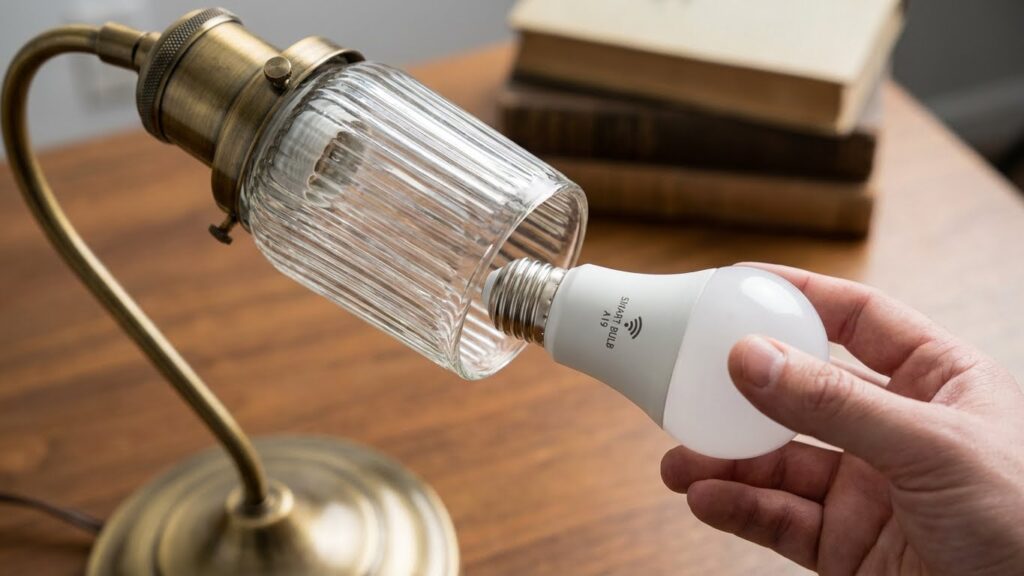
Smart bulbs often fail to work smoothly when the lamp’s shape, socket, or enclosure interferes with fit, ventilation, or control. Check size, base type, and fixture design before you buy to avoid common problems.
Non-Standard Lamp Designs
Some lamps use narrow shades, odd sockets, or built-in fixtures that block a smart bulb’s shape. A standard A19 smart bulb may not fit into a harp lamp with a low shade or a decorative lamp with a short socket. Measure the available space from the socket to the shade or cover and compare it to the bulb’s length and diameter.
Other lamps use non-standard bases such as GU10, BA15d, or small candelabra (E12). Smart bulbs exist for many bases, but they are less common than E26/E27. If your lamp has a twist-lock or proprietary socket, you may need an adapter or a different bulb model.
Also check switch type. If a lamp has a pull chain or a 3-way switch, buy a smart bulb that supports 3-way operation or keep the switch in the on position for app or voice control.
Enclosed Fixtures and Heat Management
Smart bulbs generate heat and need airflow to stay within safe temperatures. Enclosed fixtures, like globe pendants or lamp shades that seal tightly, can trap heat and shorten bulb life or cause flicker. If your lamp encloses the bulb with glass or a deep shade, choose a bulb rated for enclosed fixtures or one with lower watt-equivalent output.
Look for manufacturer notes on “suitable for enclosed fixtures” and check the fixture’s maximum allowed temperature. LED smart bulbs typically run cooler than incandescents, but color-changing and high-lumen models produce extra heat. If you notice dimming, frequent disconnects, or a hot socket, move the bulb to a more ventilated lamp or swap to a lower-heat model.
Special Considerations for Lamp Types
Check the lamp’s socket size, shade clearance, and whether the lamp keeps power to the bulb when off. Also confirm heat, dimmer compatibility, and whether you need a hub or an app for smart features.
Floor Lamps
Floor lamps often use standard E26/E27 sockets, so many smart bulbs will screw in without adapters. Measure the bulb area to ensure the smart bulb’s larger base or taller profile fits inside the lamp’s shade or under a globe. If the lamp has a built-in dimmer switch, check the smart bulb’s documentation — many smart bulbs should not be used with line-voltage dimmers because they can flicker or get damaged.
Heat and ventilation matter. Floor lamps that fully enclose the bulb can trap heat; choose a smart LED rated for enclosed fixtures or leave the shade open. If you rely on voice control across several rooms, pick bulbs with the right wireless tech (Wi‑Fi, Zigbee, or Bluetooth) and confirm whether you need a hub to connect them to your home system.
Desk Lamps
Desk lamps often sit close to you and have small shades or adjustable arms. Choose smart bulbs with a compact shape (A15, candle, or small globe) so the bulb doesn’t stick out or touch the shade. Check lumen output and color temperature — you want at least 400–800 lumens and a daylight option for reading tasks.
Many desk lamps use inline switches or touch controls that cut power to the bulb. Smart bulbs need continuous power for wireless control; if your lamp cuts power, either replace the switch with one that leaves power on or use a smart plug that stays powered. Also verify the lamp’s maximum wattage and that the smart bulb’s heat output is safe for close-contact fixtures.
Table Lamps
Table lamps vary widely in socket type and shade design, so start by checking the socket (E26, E12, etc.) and the lamp’s physical clearance. If the shade is narrow, pick a low-profile smart bulb like a candle or golf-ball style to avoid contact and to keep light evenly diffused. For bedside lamps, consider warm white color options and lower lumen bulbs to reduce glare at night.
If your table lamp has a rotary or pull-chain switch, the smart bulb will work as long as the switch leaves the socket powered. For lamps that are frequently switched off, use a smart bulb plus a companion smart switch or set the bulb’s power-on state in its app so brightness returns to a safe level when power is restored.
Dimming and Switch Compatibility
Smart bulbs vary by dimming ability and how they work with wall switches. Check the bulb’s label and your lamp’s switch type before buying to avoid flicker, reduced lifespan, or loss of app control.
Dimmable Smart Bulbs
Buy bulbs labeled dimmable if you plan to change brightness. Dimmable smart bulbs include a driver and firmware to handle lower power without flicker. If a bulb is not marked dimmable, do not use it on a dimmer — it may buzz, blink, or fail.
Pay attention to the bulb’s minimum and maximum wattage and the dimming range listed by the maker. Some smart bulbs dim via the app, not the wall control; in those cases the physical switch must stay on for app or voice control to work.
Using Smart Bulbs with Dimmer Switches
Most legacy dimmer switches expect an incandescent load and may not work well with LED-based smart bulbs. That mismatch can cause flicker, poor dimming performance, or damage to the bulb’s electronics.
Options:
- Replace the old dimmer with a compatible smart dimmer rated for LED loads.
- Use bulbs that explicitly list compatibility with your dimmer brand or model.
- Keep the wall switch always on and use the bulb’s app, voice commands, or a smart switch designed for “smart-bulb” use.
Always follow manufacturer guidance and turn power off before changing switches to avoid electrical hazards.
Smart Bulb Connectivity Requirements
You need to know how the bulb talks to your devices and whether an extra device is required. The details below explain common wireless options and when a hub or bridge is necessary.
Wi-Fi and Bluetooth Compatibility
Most smart bulbs use 2.4 GHz Wi‑Fi or Bluetooth Low Energy (BLE). Check the bulb box or app to confirm the band. If a bulb requires 2.4 GHz Wi‑Fi, it will not join a 5 GHz network alone. Your router must broadcast 2.4 GHz or both bands.
Wi‑Fi bulbs connect straight to your home network so you can control them from anywhere with the app. Expect higher range and remote access, but slightly higher power use. Bluetooth bulbs pair directly to your phone. They work well for single‑room control and use less power, but you lose remote access unless you add a hub or a phone left at home as a bridge.
Also check for app limits: some Wi‑Fi bulbs need an account and cloud access, while some Bluetooth models allow local control only. Look for specific protocol notes like WPA2 requirements or mesh support if you have many bulbs.
Hub and Bridge Requirements
Some brands require a hub or bridge to unlock full features. Philips Hue, for example, needs a Hue Bridge for advanced routines, firmware updates, and multi‑room voice control. The bridge connects to your router via Ethernet and manages Zigbee devices locally.
Zigbee and Z‑Wave bulbs usually need a compatible hub. The hub translates the low‑power radio protocol to your Wi‑Fi network. This gives you better mesh networking (more reliable group control) and lower per‑bulb power use. Check compatibility lists: hubs often support specific brands and firmware versions.
If you prefer plug‑and‑play, choose Wi‑Fi bulbs that advertise no hub required. If you plan many bulbs, a hub-based system often scales better and reduces Wi‑Fi congestion.
LED and Smart Bulb Safety in Lamps
Smart and LED bulbs run cooler than old incandescent bulbs and use less power, but they still need the right lamp and wiring. Check fit, bulb size, and the lamp’s condition before installing a smart bulb.
Overheating Risks
Smart LEDs produce heat at the base where the driver and heat sink sit. If your lamp has a tight glass or fabric shade that traps heat, the bulb’s base can get warmer than normal. That can shorten the bulb’s life or, in rare cases, damage the shade or socket.
Use bulbs rated for enclosed fixtures when the lamp has a closed shade. Leave a bit of clearance around the bulb—avoid bulb-to-shade contact. Replace lamps with cracked sockets or loose fittings before installing smart bulbs. If a bulb becomes excessively hot to the touch or smells burned, turn it off and inspect the fixture.
Electrical Ratings
Match the bulb’s base type (E26, E27, GU10, etc.) to your lamp socket. Check the lamp’s maximum wattage label and the smart bulb’s wattage equivalent. LEDs use low actual watts, but socket and fixture ratings still matter.
Ensure the lamp’s switch and wiring are in good condition; smart bulbs need constant power and can be damaged by flickering or poor connections. If your lamp is controlled by a dimmer, use bulbs labeled “dimmable” and compatible with that dimmer. When in doubt, consult the bulb manufacturer’s specs or a licensed electrician for wiring or rating questions.
Environmental and Aesthetic Considerations
Pick bulbs that match the room’s function and the lamp’s look. Think about the light’s warmth, brightness, and the bulb’s shape so the lamp both works well and looks right.
Color Temperature and Light Output
Color temperature affects mood and task performance. Use 2700K–3000K (warm white) for living rooms and bedrooms to create a cozy feel. Choose 3500K–4100K (neutral white) for kitchens or home offices where clearer, more focused light helps you see details. If you want daylight-like light for reading or craftwork, pick 5000K–6500K.
Check lumen ratings, not just watts, to judge brightness. A typical table lamp needs 400–800 lumens depending on size and purpose. Dimmer-compatible smart bulbs let you lower output without changing color, which helps for layered lighting. Ensure the bulb supports tunable white if you want to shift color temperature through the day.
Bulb Shapes and Sizes
Measure the lamp’s shade and socket clearance before buying. Standard A19 bulbs fit most table and floor lamps, but smaller fixtures may require G-type, candelabra (E12), or globe shapes. Bulbs that are too large can stick out of shades or touch fabric, creating hot spots and poor diffusion.
Also check the bulb’s length and diameter, and the lamp’s ventilation. LED smart bulbs run cooler than incandescent, but tight, enclosed fixtures can still raise temperatures and shorten lifespan. If your lamp has a narrow shade or decorative finial, choose a low-profile or slim smart bulb designed for compact fixtures.
Tips for Using Smart Bulbs in Your Home
Follow a few simple checks and setup steps to ensure safety, reliable connections, and easy control. Match socket type and wattage, confirm power and dimmer compatibility, and place bulbs where they get a strong wireless signal.
Installation Best Practices
Turn the lamp off and let the old bulb cool before you start. Check the socket type (E26, E27, GU10, etc.) and pick a smart bulb that fits. Confirm the lamp’s maximum wattage and don’t exceed it.
If the lamp has a dimmer switch, use smart bulbs labeled “dimmable” and avoid older mechanical dimmers. Some smart bulbs need the switch to stay in the ON position to work with the app; label switches you must leave on.
Screw the bulb in firmly but don’t overtighten. Place bulbs where they have airflow; avoid fully enclosed fixtures unless the bulb is rated for them. For outdoor lamps, choose bulbs with an IP rating for moisture resistance.
Maximizing Smart Features
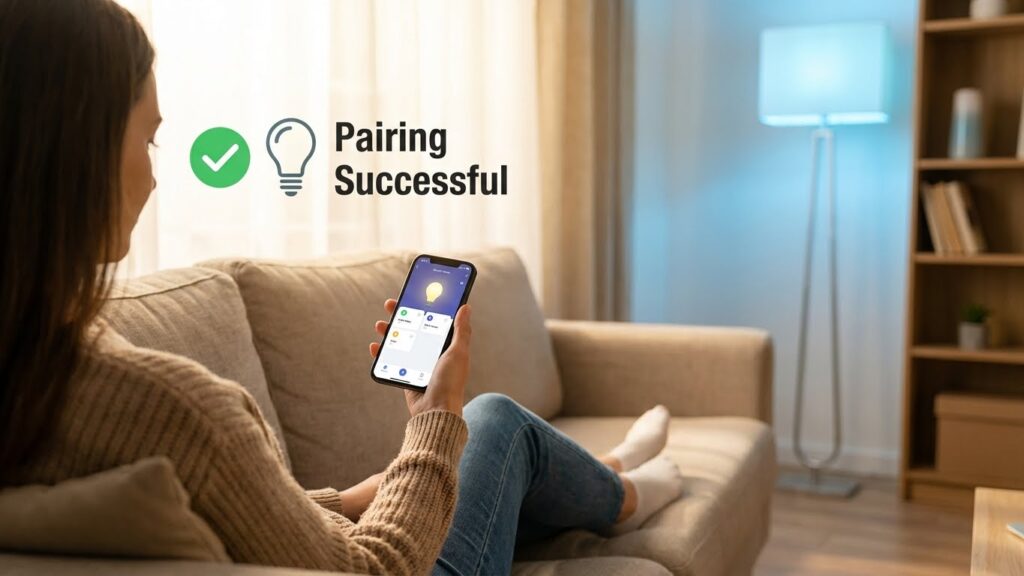
Connect bulbs to the network type the bulb supports: Wi‑Fi for direct phone control, or Zigbee/Z‑Wave for hub setups. Put bulbs on the same 2.4 GHz Wi‑Fi band if required. Give each bulb a clear name in the app, like “Living Room Lamp,” to make voice control and routines easier.
Use schedules and automations to save energy—set wake, sleep, and away scenes. Group bulbs by room so you can adjust multiple lights at once. Test voice commands and app controls after setup, and keep firmware updated to fix bugs and add features.
If you plan many bulbs, consider a hub or bridge to reduce Wi‑Fi traffic and improve response time. Keep bulbs within the recommended range of the hub or router to avoid dropouts.
FAQs
Can you put a smart bulb in any lamp?
You can use a smart bulb in most lamps that accept the same base type (like E26/E27 or GU10). Check the socket size and the bulb shape to make sure it fits physically.
Will a smart bulb work in a lamp with a dimmer switch?
Not always. Many smart bulbs have built-in dimming and don’t work well with traditional dimmer switches. Use the bulb’s app or a compatible smart dimmer to avoid flicker or damage.
Do smart bulbs need Wi‑Fi or a hub?
Some smart bulbs connect directly to Wi‑Fi or Bluetooth, while others need a hub or bridge. Read the product specs so you know what setup you must use.
Can you mix smart and regular bulbs in the same room or fixture?
Mixing can cause uneven light and control issues, especially when using smart features like color or scenes. For consistent results, use the same type of bulbs.
Are smart bulbs safe in enclosed fixtures or lamps with shades?
Heat can build up in fully enclosed fixtures. Check the bulb’s packaging for “suitable for enclosed fixtures” before installing.
What about power and wattage limits?
Smart bulbs use LED tech and low wattage, but you should still confirm your lamp’s maximum wattage rating. The smart bulb’s lumen output matters more than wattage for brightness.
Can you control smart bulbs without the internet?
Often you can control them locally via Bluetooth or a local hub. However, remote control from outside your home usually needs internet access.
Conclusion
You can use a smart bulb in most lamps if the bulb fits the socket and the lamp supplies constant power. Check the base type (like E26/E27) and make sure the bulb’s shape fits inside shades or enclosed fixtures.
Keep in mind that smart bulbs need continuous power to stay connected. If you control the lamp with a wall switch, consider leaving the switch on and using the bulb app or a smart switch instead.
Pay attention to ventilation and wattage ratings. Enclosed fixtures can shorten bulb life or cause overheating, so use bulbs rated for such fixtures when needed.
If you want integration with voice assistants or home systems, verify compatibility with platforms like Amazon Alexa or Google Home. For technical setup and troubleshooting, see the manufacturer’s support pages and the FCC’s consumer guides for safe wireless device use.
