
You probably trust smart bulbs to just light your home, but they connect to your Wi‑Fi and apps in ways that can be exploited. Yes — smart bulbs can be hacked, and a compromised bulb can give attackers a path into your network or let them spy on traffic.
You can protect your devices by updating firmware, using strong, separate Wi‑Fi credentials, and limiting what each gadget can access on your network. Keep reading to learn how attacks work, which bulbs are riskier, and the simple steps you can take now to reduce your exposure.
Key Takeaways
- Smart bulbs can become entry points into your home network.
- Basic steps like updates and network separation cut most risk.
- Assess device permissions and brand security before buying.
Understanding Smart Bulbs and Their Connectivity
Smart bulbs connect to your home network or a hub and can be controlled by apps, voice assistants, or automation rules. They use specific wireless protocols, store minimal local data, and often rely on your Wi‑Fi or a bridge device to reach the internet.
How Smart Bulbs Work
Smart bulbs contain a Wi‑Fi, Bluetooth, or radio module plus a microcontroller that runs firmware. The firmware handles commands (on/off, dim, color) and talks to an app or hub. Some bulbs also include schedules and scenes stored locally so they still work when your phone is off.
When you send a command, the bulb either receives it directly (Wi‑Fi/Bluetooth) or via a hub that translates signals (Zigbee/Z‑Wave). Bulbs with cloud features relay data through a company server for remote access and firmware updates. That remote link is convenient but can add risk if the server or update process is not secure.
Common Wireless Protocols
Wi‑Fi connects bulbs directly to your router and gives easy remote control, but exposes the bulb to your LAN and internet if not secured. Use strong Wi‑Fi passwords and separate guest networks for IoT devices when possible.
Zigbee and Z‑Wave use low‑power mesh networks via a hub. They reduce Wi‑Fi traffic and limit direct internet exposure, but the hub becomes a single point of failure. Bluetooth pairs locally and is simple, yet it lacks range for whole‑home setups and often needs a bridge for remote access. Each protocol has tradeoffs in range, power use, and attack surface.
Integration With Smart Home Ecosystems
Bulbs often integrate with Alexa, Google Home, Apple HomeKit, or vendor apps. Integration lets you use voice commands, routines, and presence‑based automations. Linking accounts or granting permissions can expose tokens or credentials if you reuse passwords or enable weak third‑party access.
Bridges and hubs often handle protocol translation and cloud access. If a hub gets compromised, all connected bulbs and automations may be affected. Keep firmware updated, use unique account passwords, and review app permissions to reduce risk when you connect bulbs to broader smart home systems.
Potential Vulnerabilities in Smart Bulbs
Smart bulbs can leak sensitive data, run outdated code, or expose control endpoints on your network. These weaknesses let attackers capture Wi‑Fi credentials, run malicious firmware, or hijack the bulb remotely.
Firmware and Software Weaknesses
Firmware often contains the core logic that controls the bulb and its network features. If the vendor ships devices with old or unsigned firmware, attackers can flash modified images to run arbitrary code on the bulb. That code can read local storage, intercept pairing secrets, or create a persistent backdoor.
Bugs in the bulb’s OS, libraries, or bootloader also matter. Buffer overflows, weak crypto implementations, and hardcoded credentials let attackers escalate from local access to full device control. You should check whether the maker provides timely firmware updates and supports signed updates to prevent tampering.
Network Exploits
Smart bulbs connect over Wi‑Fi, Zigbee, or Bluetooth. Poorly configured wireless stacks or open provisioning modes let attackers join the same mesh or spoof devices. Once on the same network, an attacker can use the bulb as a pivot to scan your LAN, capture traffic, or attempt to extract your router password during vulnerable pairing flows.
Unencrypted or weakly encrypted communications between bulb and app expose commands and credentials. Publicly known CVEs show attackers can take control remotely when devices accept unauthenticated packets or respond to predictable discovery probes. Segmenting IoT devices on a separate VLAN reduces this risk.
Exposed APIs
APIs let apps and cloud services control bulbs, but poorly protected APIs leak control or data. Missing authentication, weak tokens, or excessive permissions let attackers send on/off, color, or firmware commands without your consent. Some mobile apps back up Wi‑Fi credentials or API keys in cleartext, which a compromised phone or backup can reveal.
Cloud APIs that don’t rate‑limit or validate requests are vulnerable to account takeover or mass scanning. You should review whether the bulb’s API enforces strong auth (OAuth or signed tokens), short‑lived credentials, and least‑privilege access.
Common Methods Used to Hack Smart Bulbs
Smart bulbs can expose your home network and devices through weak wireless links, insecure pairing, or flaws in hub software. Knowing how attackers work helps you choose safer setups and fixes.
Wi-Fi Eavesdropping
If your bulb connects directly to Wi‑Fi, attackers can target that link. They may capture unencrypted traffic or exploit bulbs that leak your network name and credentials. Some models have sent sensitive data or used weak authentication that made it possible to read the Wi‑Fi password.
You are at risk if the bulb or its app uses plain-text communication or an outdated encryption method. Attackers on the same network or in close physical proximity can sniff packets, try default passwords, or run automated scans to find vulnerable devices.
Fixes you can apply: use strong WPA3 or WPA2 with a long passphrase, keep bulb firmware and the mobile app updated, and place smart bulbs on a separate guest or IoT VLAN to limit what a compromised bulb can access.
Zigbee and Bluetooth Attacks
Many bulbs use Zigbee or Bluetooth instead of Wi‑Fi. These protocols can be vulnerable during pairing, or if devices accept unauthenticated commands. Attackers may force a device into an insecure state, replay intercepted messages, or send malformed frames that crash or take over the bulb.
You should watch for open pairing windows, weak device keys, or hubs that expose Zigbee/Bluetooth over IP. Attackers with a radio dongle or a phone near your home can scan and attempt to join the mesh network.
Reduce risk by disabling wireless features you don’t use, updating device keys when possible, and using hubs that enforce authenticated joins and network encryption.
Compromising Smart Home Hubs
Hubs and bridges often coordinate many bulbs. If an attacker compromises a hub, they can control every connected light and pivot to other devices on your network. Vulnerabilities appear in hub firmware, cloud integrations, or companion apps that use overly broad permissions.
You are most exposed when hubs use default passwords, lack firmware updates, or connect cloud services with excessive access. An exploited hub can leak Wi‑Fi credentials or provide an entry point to cameras and routers.
Protect your hub by changing default credentials, enabling automatic updates, limiting cloud access, and placing the hub on a segmented network so an attacker cannot reach critical devices.
Risks and Consequences of Smart Bulb Hacking
Smart bulb hacks can expose personal data, give attackers entry to your home network, and let intruders control devices that affect safety and privacy. Each risk can lead to direct harm or help attackers move on to more valuable targets in your home.
Privacy Invasion
A compromised bulb can reveal information about your routines. Attackers can monitor when lights turn on or off to infer when you’re home, when you sleep, or when rooms are occupied. That data can be used for targeted scams, stalking, or planning a burglary.
If the bulb’s app stores logs or shares data with cloud services, attackers who access that account may read historical usage and location metadata. Weak or reused passwords, and apps without strong authentication, make it easier for them to get that information.
Protect what the bulb reports. Use unique passwords, enable multi-factor authentication on accounts, and limit app permissions so less personal data is collected or retained.
Unauthorized Network Access
Smart bulbs connect to your Wi‑Fi and can act as entry points to other devices. If a bulb has a vulnerability, an attacker might use it to scan your home network, find other devices, and try to exploit them.
Once inside, attackers can access computers, phones, or cameras that share the same network. They can steal credentials, intercept traffic, or install malware that spreads to more sensitive devices. Older bulbs or those without firmware updates pose higher risk.
Segment your network by putting IoT devices on a guest or separate VLAN. Keep firmware updated and avoid connecting smart bulbs to the same subnet as your work or financial devices.
Potential for Device Manipulation
Hackers can directly control lighting behavior to cause nuisance or danger. They can switch lights on and off, change brightness, or flash bulbs rapidly. This can disrupt sleep, trigger seizures for people with photosensitive conditions, or ruin security cues like scheduled lights that simulate occupancy.
Malicious control can also be timed with other attacks. For example, turning lights off while disabling cameras can hide forced entry. Attackers could combine bulb control with social engineering to create believable deception—like making lights behave as if someone is home.
Limit remote access to bulbs, disable cloud-based control if you don’t need it, and monitor device behavior. Use bulbs from vendors that offer signed firmware and clear security update policies.
Protecting Smart Bulbs From Hackers
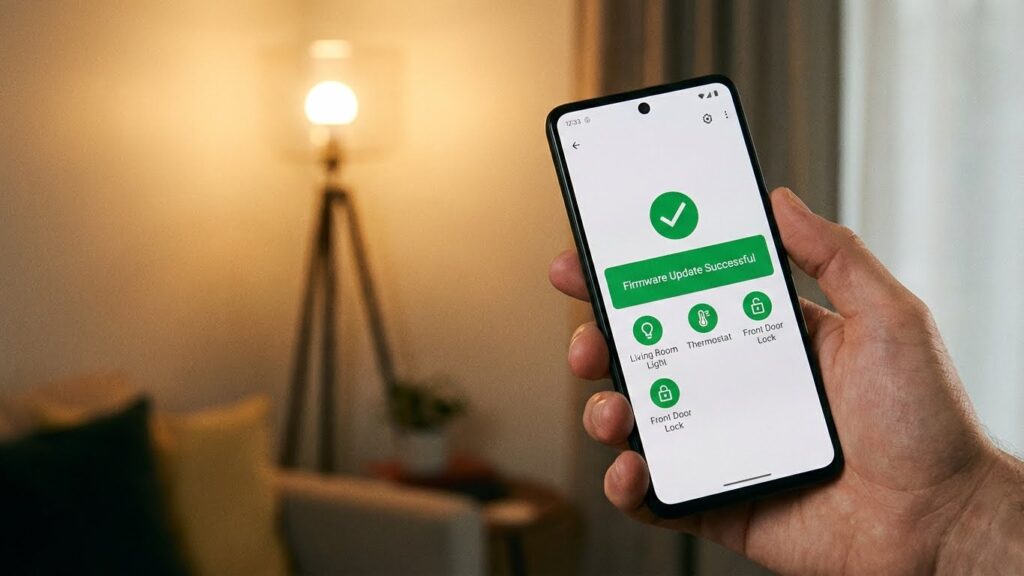
You can cut the main risks by keeping device software current, locking down your Wi‑Fi, and isolating smart bulbs from sensitive devices. Focus on timely firmware updates, strong network settings, and smart home account controls to reduce attack paths.
Firmware Updates and Device Management
Always install official firmware updates from the bulb maker. Updates fix security holes that researchers have used to steal Wi‑Fi passwords or take control of bulbs.
Turn on automatic updates in the manufacturer app when available. If auto‑update isn’t offered, check the app or product support page at least once a month.
Change default passwords on the bulb app and any linked accounts. Use unique, strong passwords or a password manager to create and store them.
Remove unused devices from your account and factory‑reset bulbs before selling or recycling them. Disable cloud features you don’t use, since they broaden the attack surface.
Network Security Best Practices
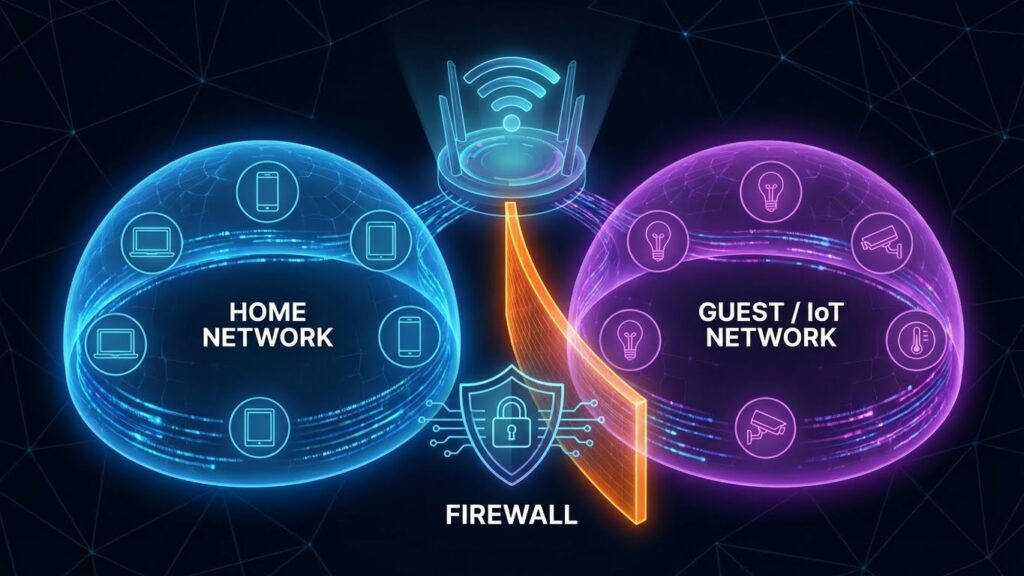
Put smart bulbs on a separate Wi‑Fi network or guest network. This prevents a compromised bulb from directly reaching laptops, phones, or work devices.
Use WPA3 or WPA2-AES encryption and a long, unique Wi‑Fi password. Avoid WEP or open networks; those let attackers join your LAN easily.
Enable your router’s firewall and turn off UPnP if you don’t need it. UPnP can open ports automatically and let malware reach devices inside your network.
Consider using a small VLAN or a router that supports client isolation. If that’s not possible, at least limit local network access in the bulb’s settings and monitor connected devices for unknown clients.
Securing Smart Home Systems
Use multi-factor authentication (MFA) on your smart home account and any linked cloud services. MFA greatly reduces the chance an attacker can take over your account with just a stolen password.
Limit third‑party integrations and only enable skills or services you trust. Each integration can add permissions and increase risk.
Regularly review app permissions on your phone and revoke access for apps you no longer use. Keep the controlling phone or hub updated and protected with a passcode or biometric lock.
Keep records of device models and firmware versions so you can follow security advisories. If a recall or vulnerability is announced, act quickly to update or replace affected bulbs.
Assessing the Security of Popular Smart Bulb Brands
You should focus on encryption, firmware updates, and how the bulbs connect to your network. Look for proven update mechanisms, local-control options, and clear privacy policies.
Philips Hue Security Features
Philips Hue uses the Zigbee protocol for bulb-to-hub communication and TLS for cloud connections, which reduces exposure compared with direct Wi‑Fi bulbs. You get a Hue Bridge that acts as a local hub; this lets bulbs stay on an isolated Zigbee mesh while the bridge handles remote access and cloud features.
Firmware updates are delivered to the Bridge, not directly to each bulb, so you must keep the Bridge updated. Hue supports local control via the Bridge and third‑party integrations, which lets you avoid cloud dependence for basic actions. Check your Bridge firmware version regularly and enable automatic updates if available.
Security checklist:
- Use the Hue Bridge and enable updates.
- Place the Bridge on a protected network segment.
- Disable unused cloud features in the Hue app.
LIFX Smart Bulb Protections
LIFX bulbs connect directly over Wi‑Fi, so each bulb becomes a networked device. LIFX implements TLS for app-cloud traffic and signs firmware updates, but direct Wi‑Fi access means you must treat each bulb like any other smart device on your network.
You should put LIFX bulbs on a guest VLAN or separate SSID to limit lateral access to other devices. Keep the bulbs’ firmware current via the LIFX app and use a strong, unique Wi‑Fi password with WPA2/WPA3. If you use voice assistants, review and limit third‑party permissions to reduce unnecessary data sharing.
Security checklist:
- Use a separate network for bulbs.
- Update firmware promptly.
- Restrict third‑party integrations and review permissions.
Comparing Security Across Brands
Zigbee‑based systems like Philips Hue reduce the number of Wi‑Fi endpoints, lowering attack surface if you use a secure Bridge. Wi‑Fi bulbs like LIFX are easier to install but increase the devices on your main network and require stricter network segmentation.
Key comparison points:
- Connection method: Zigbee + Bridge vs direct Wi‑Fi.
- Update model: Centralized Bridge updates vs per‑bulb updates.
- Network impact: Fewer Wi‑Fi devices vs more endpoints to manage.
When choosing, prioritize brands that provide signed firmware, clear update paths, and support local control. Configure network segmentation, enable automatic updates when safe, and limit cloud features to reduce risk.
Future Trends in Smart Bulb Security
Smart bulb security will shift toward stronger device authentication, encrypted firmware updates, and clearer privacy rules you can rely on. Expect changes that make it harder for attackers to exploit bulbs and easier for you to keep control of your home network.
Emerging Security Standards
Standards bodies and industry groups are moving to require secure defaults for smart bulbs. Look for mandates around unique device certificates, mandatory TLS for cloud links, and signed firmware so manufacturers cannot ship unsigned updates.
You will see certifications similar to “IoT Secure” labels that check password rules, encrypted communications, and update policies. Retailers may start showing these labels on product pages and packaging. Regulators in some regions will require basic security features for devices sold to consumers.
Adoption will vary by brand. Big manufacturers will update firmware and issue security advisories more often. Lower-cost brands may lag, so check for explicit compliance and certificate information before you buy.
Innovations in Home IoT Protection
New home gateways and apps will isolate smart bulbs on segmented networks automatically. Your router or hub will create separate VLANs for lighting and block direct access from internet‑facing networks.
Device attestation and zero‑trust setups will let you verify a bulb’s identity before it joins your network. Many systems will offer automatic rollback if a firmware update fails integrity checks. Expect smart-home apps to add one‑tap security scans that report weak encryption or open ports.
Local-first control options will grow, letting you use bulbs without cloud services. That reduces exposure from cloud breaches. You should prioritize bulbs that support strong local APIs and regular signed updates.
Conclusion
Smart bulbs can be hacked, but the risk varies with model, setup, and user habits. Some bulbs and apps have had flaws that expose network details or let attackers join your Wi-Fi.
You can reduce risk with simple steps. Keep firmware and apps updated, use strong Wi‑Fi passwords, enable encryption, and place IoT devices on a separate network or guest Wi‑Fi.
Choose devices from reputable makers and check for security features like regular updates and encrypted communications. Turn off remote access if you don’t need it, and remove unused apps or accounts tied to the bulbs.
If you notice odd behavior—lights turning on/off, strange app activity, or unknown devices on your network—act quickly. Change passwords, update firmware, and isolate the device until you investigate.
Quick checklist
- Update firmware and app regularly
- Use strong, unique Wi‑Fi and account passwords
- Enable network segregation or guest Wi‑Fi
- Disable unnecessary remote access features
- Monitor devices and logs for unusual activity
Following these steps helps keep your smart lighting useful and safe. You retain control by staying informed and maintaining basic network hygiene.
FAQs
Can smart bulbs be hacked?
Yes. Smart bulbs run software and connect to networks, so attackers can exploit weak apps, firmware, or default settings to gain access.
What can a hacked bulb do?
A compromised bulb can reveal your Wi‑Fi details, act as a gateway to other devices, or join a botnet. It rarely harms hardware directly but can threaten privacy and network security.
How likely is this to happen to you?
Risk rises if you use default passwords, skip updates, or install unofficial apps. Good habits and trusted brands lower the chance significantly.
How do I reduce the risk?
Use strong, unique Wi‑Fi and device passwords. Keep firmware and apps updated. Put IoT devices on a separate guest network when possible.
Should I stop using smart bulbs?
You don’t need to stop using them. Choose reputable brands, follow security steps, and monitor network activity to keep the benefits while reducing risks.
Can manufacturers fix these issues?
Yes. Vendors can release firmware and app updates to patch flaws. You should install those updates promptly.
Where can I check for vulnerabilities?
Look for security advisories from the bulb maker, tech news, or vulnerability databases. If an app asks for excessive permissions, treat it with caution.
Conclusion
Smart bulbs can be hacked, but the risk varies with the device, app, and how you set up your network. Many attacks exploit weak default settings, outdated firmware, or insecure apps.
You can reduce risk with simple steps. Change default passwords, keep firmware updated, and use a separate guest or IoT network for smart devices. These actions cut the chance an attacker moves from a bulb to more sensitive devices.
Choose bulbs and apps from brands with clear security practices. Look for regular firmware updates and transparent privacy policies. The UK’s NCSC and the U.S. CISA offer practical IoT security guidance you can follow for better protection.
If you suspect a device is compromised, disconnect it from your network and update passwords and firmware. Consider a factory reset or removing the device until you verify it is secure.
Adopting basic network hygiene and staying informed gives you control. Small, consistent steps will protect your home network and your data while letting you keep the convenience of smart lighting.