
Roomba robot vacuums are designed to work on carpet, but their effectiveness depends on factors like model, carpet type, and settings. This guide provides step-by-step instructions to optimize your Roomba for carpet cleaning, from preparation to maintenance. By following these tips, you can ensure your Roomba efficiently cleans carpets and maintains a tidy home.
Key Takeaways
- Roomba Models Vary: Higher-end models like Roomba i7 or s9 offer stronger suction and carpet detection for better performance on carpets.
- Preparation is Key: Clearing obstacles and securing loose rugs helps Roomba navigate and clean carpets effectively without issues.
- Adjust Settings for Carpet: Use features like carpet boost or high-power mode to enhance suction and cleaning efficiency on carpeted surfaces.
- Regular Maintenance Matters: Clean brushes, filters, and bins frequently to prevent clogs and maintain suction power on carpets.
- Troubleshoot Common Problems: If Roomba struggles on carpet, check for tangled debris, adjust sensors, or reset the device for smoother operation.
- Carpet Type Impacts Performance: Roomba works best on low-pile carpets; for high-pile or shag carpets, additional adjustments may be needed.
- Consistency Yields Results: Running Roomba regularly on carpets helps manage dirt buildup and improves overall cleaning effectiveness over time.
Does Roomba Really Work on Carpet? A Complete How-To Guide
You bought a Roomba to keep your home clean. But now you wonder: can it handle carpets? Many robot vacuum users ask this. The short answer is yes, Roomba can work on carpet. But it needs the right setup. This guide will show you how. We will cover Roomba’s technology. We will give you steps to prepare your home. You will learn to optimize settings. We will share maintenance tips. And we will troubleshoot common issues. By the end, you will know how to make your Roomba a carpet-cleaning pro. Let’s dive in!
Step 1: Understanding Roomba’s Carpet Cleaning Technology
First, know how Roomba handles carpets. Not all models are equal. Newer Roombas have advanced features. These help on carpets. Let’s break it down.
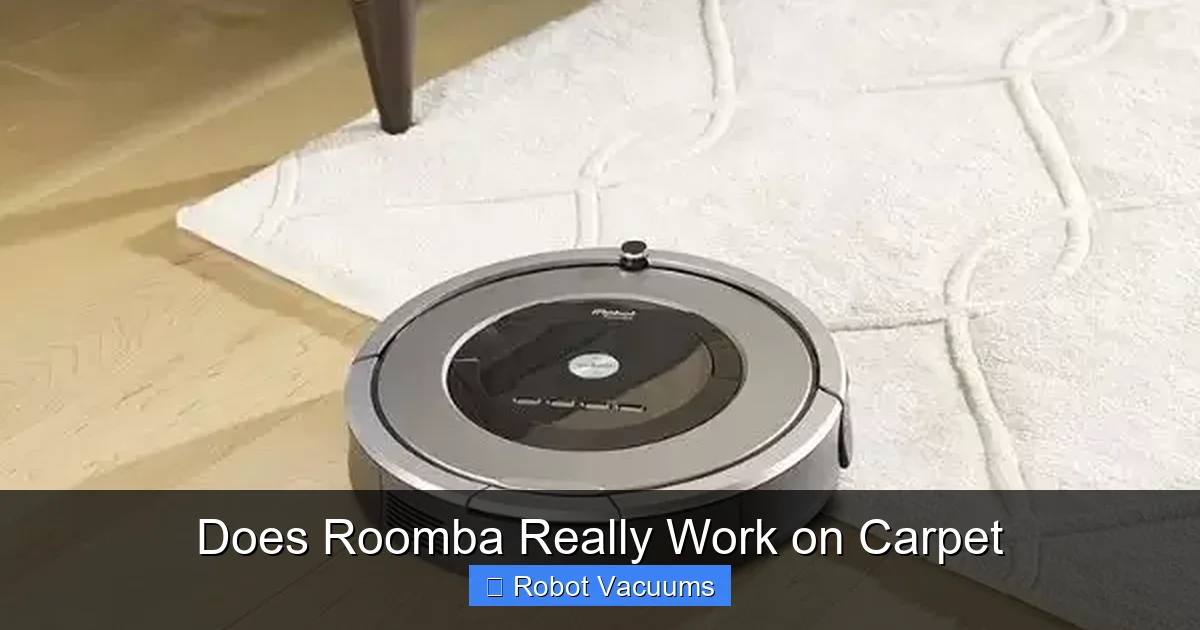
Visual guide about Does Roomba Really Work on Carpet
Image source: homegearslab.com
How Roomba Sensors Work on Carpet
Roomba uses sensors to navigate. On carpets, sensors detect surface changes. They adjust suction and brushes. For example, carpet boost mode kicks in. This increases power for deep cleaning. Older models might not have this. Check your Roomba’s specs.
Suction Power and Brushes
Suction pulls dirt from carpet fibers. Roomba models with high suction work better. Brushes also matter. Dual multi-surface brushes loosen debris. They agitate carpets to lift dirt. This combo helps Roomba work on carpet effectively.
Carpet Types and Roomba Performance
Roomba excels on low-pile carpets. These are flat and tight. High-pile or shag carpets are trickier. They can trap Roomba or reduce suction. But with adjustments, Roomba can still clean them. We will cover that later.
In short, Roomba is built for carpets. But you need to understand its limits. This knowledge sets the stage for success.
Step 2: Preparing Your Home and Roomba for Carpet Cleaning
Preparation makes a big difference. A ready home helps Roomba work smoothly on carpet. Follow these sub-steps.
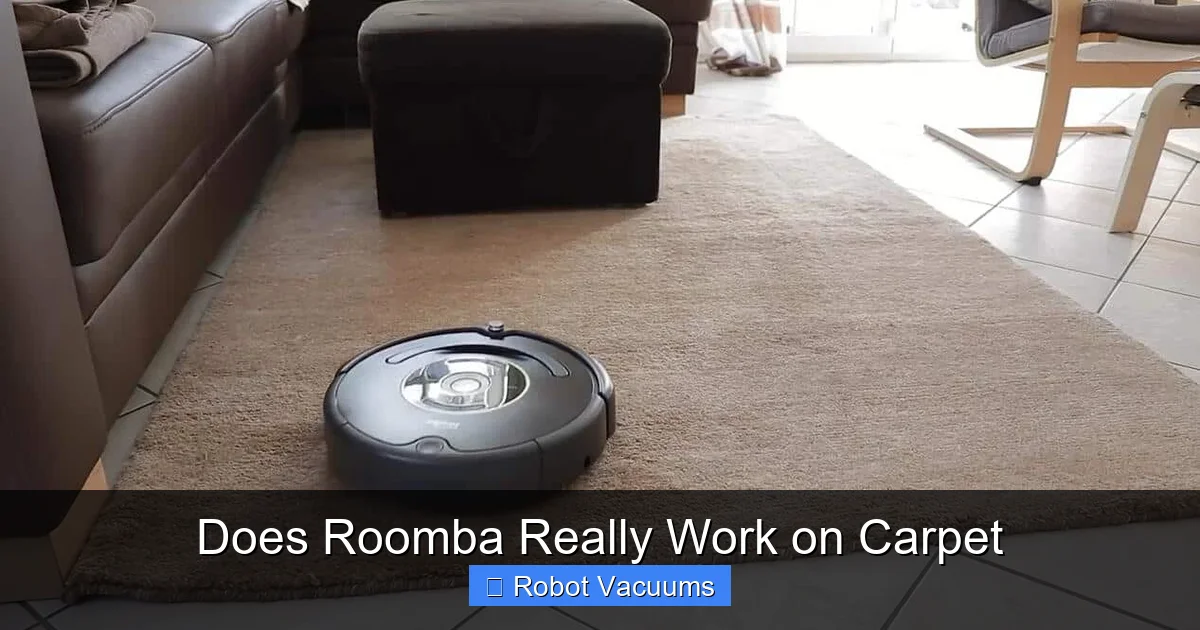
Visual guide about Does Roomba Really Work on Carpet
Image source: homemadebklyn.com
Clear the Floor
Remove small objects. Think toys, cords, and clothes. These can block Roomba. On carpets, items like socks can get tangled. A clear path means better cleaning.
Secure Loose Rugs and Carpets
Loose rugs can curl or shift. This may trap Roomba. Use rug tape or non-slip pads. Secure edges to the floor. This prevents accidents and helps Roomba navigate.
Check for Obstacles
Look for furniture with low clearance. Roomba might get stuck under couches or beds. Raise furniture if needed. Or use virtual walls to block off areas. This keeps Roomba on track.
Charge Your Roomba
Ensure Roomba is fully charged. Carpets require more power. A full battery supports longer runs. Place the dock on a hard floor near carpets. This helps Roomba return easily.
With a prepared space, Roomba can focus on cleaning carpets. This step saves time and prevents headaches.
Step 3: Configuring Roomba Settings for Optimal Carpet Performance
Settings tweaks boost Roomba’s carpet cleaning. Here is how to adjust your model.
Enable Carpet Boost or High-Power Mode
Many Roombas have a carpet boost feature. It auto-increases suction on carpets. Check your app or settings. Turn it on. For models without this, use high-power mode. This ensures strong suction on carpets.
Set a Cleaning Schedule
Carpets collect dirt fast. Schedule Roomba to clean daily or weekly. Consistency helps. In the app, pick times when carpets are less busy. This keeps your carpets fresh.
Use Room Mapping and Zones
Smart Roombas can map your home. Define carpeted zones in the app. Tell Roomba to clean these areas more thoroughly. This targets carpets directly. It makes Roomba work on carpet with precision.
Adjust Cleaning Passes
Some models allow double passes. Set Roomba to go over carpets twice. This picks up more dirt. It is great for high-traffic areas. Look for this option in the app.
These settings maximize Roomba’s ability to work on carpet. Take a few minutes to configure them. You will see better results.
Step 4: Running Your Roomba on Carpet – Best Practices
Now, let’s run Roomba on carpet. Follow these practices for best outcomes.
Start with a Test Run
Do a short test first. Run Roomba on a small carpeted area. Watch how it moves. Check for issues like getting stuck. This helps you spot problems early.
Monitor the First Few Sessions
Stay nearby when Roomba cleans carpets initially. Note if it misses spots or struggles. You can intervene if needed. Over time, Roomba learns and improves.
Run Roomba Frequently
Carpets need regular cleaning. Run Roomba every day or every other day. This prevents dirt buildup. Roomba works on carpet better when dirt is light. It avoids overloading the bin.
Combine with Manual Vacuuming
For deep cleans, use a traditional vacuum occasionally. Roomba maintains carpets between deep cleans. This combo keeps carpets spotless. Roomba is great for daily upkeep.
By following these practices, you ensure Roomba works efficiently on carpet. It becomes a reliable part of your routine.
Step 5: Maintaining Your Roomba for Long-Term Carpet Cleaning
Maintenance keeps Roomba effective on carpets. Neglect can reduce performance. Here is what to do.
Clean Brushes Regularly
Carpets trap hair and strings. These wrap around brushes. Check brushes after each carpet cleaning. Remove tangles with the provided tool. This prevents jams and maintains suction.
Empty the Bin After Every Use
Carpets hold more debris. Empty the bin promptly. A full bin reduces suction. It can also cause Roomba to stop early. Keep it clean for optimal power.
Wash or Replace Filters
Filters catch fine dust from carpets. Clean them weekly. Tap out dirt or rinse if washable. Replace filters every few months. This ensures strong airflow for carpet cleaning.
Check Sensors and Wheels
Wipe sensors with a soft cloth. Carpets can leave dust on sensors. Clean wheels to prevent carpet fibers from sticking. This helps Roomba navigate smoothly on carpets.
Regular maintenance makes Roomba work on carpet like new. Set a reminder to do these tasks. It is worth the effort.
Step 6: Troubleshooting Common Carpet Cleaning Problems
Sometimes, Roomba has issues on carpets. Don’t worry. Here are fixes.
Roomba Gets Stuck on Carpet
If Roomba gets stuck, check carpet height. High-pile carpets can trap it. Use virtual walls to block these areas. Or, try a lower-pile rug in that spot. Also, ensure brushes are clean.
Weak Suction on Carpet
Weak suction means dirt remains. First, empty the bin and clean filters. Check for clogs in the suction path. Enable carpet boost mode. If problems persist, your Roomba model might need an upgrade.
Roomba Misses Spots on Carpet
Missed spots happen. Adjust furniture to open up space. Run Roomba multiple times. Use zone cleaning to target specific areas. Also, ensure Roomba’s sensors are clean for accurate navigation.
Excessive Noise on Carpet
Loud noises can signal trouble. Inspect brushes for obstructions. Make sure wheels move freely. Sometimes, carpets cause friction noise. If it continues, contact Roomba support for help.
Troubleshooting keeps your Roomba working on carpet without fuss. Address issues early to maintain performance.
Conclusion: Maximizing Your Roomba’s Carpet Cleaning Potential
So, does Roomba really work on carpet? Absolutely. With the right knowledge and steps, Roomba can be a carpet-cleaning champ. Start by understanding your model. Prepare your home carefully. Configure settings for carpets. Run Roomba with best practices. Maintain it regularly. And troubleshoot any issues. Remember, consistency is key. Run Roomba often on carpets to see the best results. Now, you have a complete guide. Put these tips into action. Enjoy cleaner carpets with less effort. Happy cleaning!
🎥 Related Video: 5 Best Robot Vacuum for Vacuuming Carpets [Based on Cleaning Tests]
📺 Cordless Vacuum Guide
5 Roborock S8 Pro Ultra on Amazon: https://geni.us/iuWI #4 Roomba Combo J7+ on Amazon: https://geni.us/mBBXY #3 …