

You can usually put a smart bulb in most lamps, as long as the bulb’s base fits the socket and the lamp can handle its wattage and size. Smart bulbs work well in floor lamps, table lamps, and many ceiling fixtures, but a few fit and control limits can block full functionality.
Check the socket type, physical size, and whether the lamp uses a dimmer or enclosed shade before buying a smart bulb to avoid problems. Also confirm whether the bulb needs Wi‑Fi, Bluetooth, or a hub so you can control it the way you want.
If a lamp uses a nonstandard base, built‑in dimmer, or very small shade, you may need a different bulb or adapter to make smart lighting work smoothly.
Key Takeaways
- Most lamps accept smart bulbs when the base and wattage match.
- Confirm control method and dimmer compatibility before installing.
- Small fixtures or nonstandard sockets may need special bulbs or adapters.
Fundamentals of Smart Bulb Compatibility
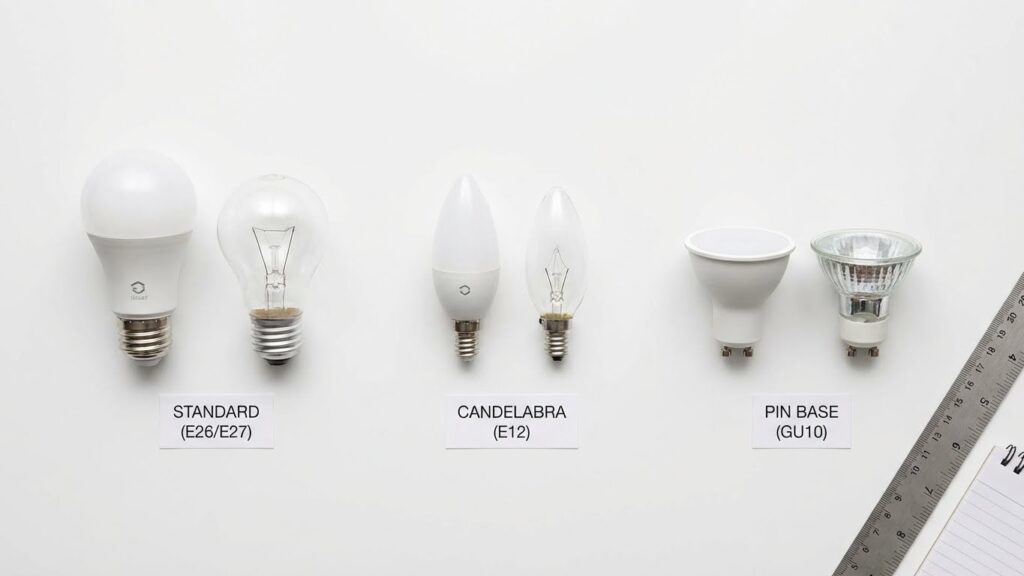
Know the socket type, electrical limits, and physical dimensions before you buy. These three factors determine whether a smart bulb will fit, work safely, and perform as expected in your lamp.
Smart Bulb Socket Types
Most smart bulbs use standard screw bases. The common sizes are E26 (North America) and E27 (Europe and many fixtures). Smaller lamps or specialty fixtures may use B22, GU10, or pin-style bases, so check your lamp’s socket before ordering.
If your lamp has a non-standard base, you can sometimes use an adapter. Adapters change socket type but add bulk and may affect fit or stability. Never force a bulb into a mismatched socket.
Match the bulb base exactly to your lamp. If the base doesn’t match, the bulb won’t make safe electrical contact and may not work at all.
Voltage and Wattage Requirements
Smart bulbs usually run on standard household voltage: 120V in the U.S. and 220–240V in many other countries. Verify the bulb’s rated voltage on the box or product page and compare it to your home’s supply.
Wattage matters for heat and dimmer compatibility. Most smart LEDs use low wattage (6–12W) while giving light similar to 60–100W incandescent bulbs. Check your lamp or dimmer specs to ensure they support LED loads; older dimmers may cause flicker or damage.
Look for safety markings and temperature limits. If your lamp encloses the bulb in a small shade or close-fitting fixture, choose bulbs rated for enclosed fixtures to avoid overheating.
Shape and Size Considerations
Smart bulbs come in shapes like A19/A60, BR30, GU10, and candle shapes. Measure the space inside your lamp shade or fixture before buying. ABR30 or larger flood bulbs may not fit inside small table lamps.
Consider the bulb’s length and diameter, plus the base area and any built-in sensors or Wi‑Fi antennas that stick out. Some smart bulbs have heat sinks that make them thicker near the base.
If your lamp has a tight shade or a decorative cover, choose a compact bulb or a smart bulb model specifically labeled “small” or “short.” This prevents the bulb from touching the shade and helps maintain good airflow for cooling.
Lamp Requirements for Smart Bulbs
Check the lamp’s socket size, switch type, and whether the fixture allows the bulb room to cool. Make sure the bulb physically fits and that the lamp supplies continuous power when you want smart features to work.
On and Off Switch Types
Your lamp needs a switch that leaves power available to the bulb for smart control. Smart bulbs require power even when “off” so they can respond to apps or voice. If your lamp uses a pull chain or rotary switch that cuts power completely, the smart bulb will not work unless you leave the switch on and use app or voice commands instead.
If your lamp has a wall switch, consider using a smart wall switch or a switch guard to keep power on. Toggle switches, dimmer knobs, and occupancy sensors can behave differently; test the lamp after installing the bulb. Smart bulbs with a physical switch lock or schedule feature can reduce accidental turn-offs.
Dimming Compatibility in Lamps
Not all dimmers work with smart LED bulbs. Traditional incandescent dimmer circuits use TRIAC or leading-edge dimming, which may cause flicker or limited range with LED-based smart bulbs. Check the smart bulb’s packaging for “compatible with dimmers” or a list of supported dimmer types.
If your lamp has a built-in dimmer, swap it for an LED-compatible model or use the bulb’s app-level dimming instead. For three-way lamps, buy smart bulbs labeled for three-way use; otherwise you may see uneven brightness. Always match the bulb’s wattage and base type to the lamp and keep space for ventilation to avoid overheating.
Wireless Connectivity Factors
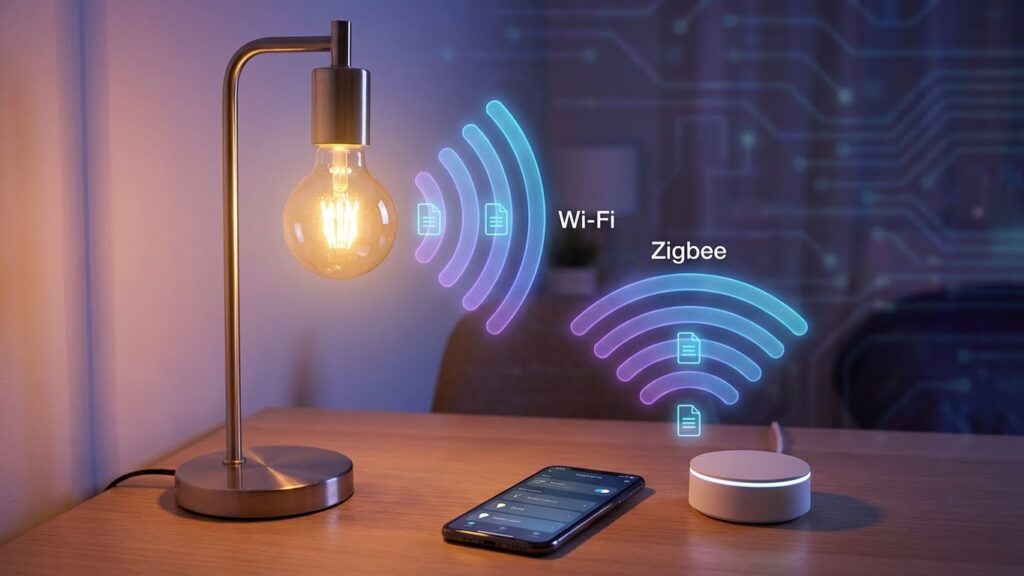
Smart bulb performance depends on the lamp’s network path and the bulb’s wireless standard. Pay attention to whether your lamp sits far from your router, if it has a built-in hub, and which wireless protocol the bulb uses.
Wi-Fi Enabled Lamps
If your bulb uses Wi‑Fi, it will usually require a 2.4 GHz network. Most home bulbs don’t support 5 GHz, so check your router settings and enable 2.4 GHz or use a dual‑band router with both bands active. Place the lamp within a reasonable range of the router; walls and floors reduce signal strength and can cause lag or failed commands.
You control Wi‑Fi bulbs through the manufacturer app or voice assistants after you connect them to your network. If you plan many bulbs, watch for network congestion — dozens of Wi‑Fi devices can strain a home router. Consider a mesh Wi‑Fi system or a separate IoT network to keep smart bulbs responsive.
Bluetooth and Zigbee Integration
Bluetooth bulbs pair directly with your phone or a local controller and work best at close range. They often use less power and set up quickly, but remote control away from home usually needs a hub or a bridge that links the Bluetooth network to the internet.
Zigbee bulbs use a low‑power mesh that relies on other Zigbee devices to extend range. You’ll need a Zigbee hub (for example, a smart home bridge or some smart speakers) to connect bulbs to your apps or voice assistants. Zigbee scales well for many bulbs and tends to be more reliable in larger homes, but check that your chosen hub supports the bulb brand you buy.
Common Compatibility Issues
Smart bulbs usually fit most lamps, but a few specific design and heat factors can stop them from working properly. Check socket type, physical space, switch type, and whether the fixture is enclosed before buying a bulb.
Non-Standard Lamp Designs
Some lamps use odd-shaped sockets or tiny shades that block larger smart bulbs. Measure the bulb base (E26, E27, GU10, etc.) and the shade opening before you buy. Low-profile or globe-shaped smart bulbs may not fit narrow lamp tubes or decorative fixtures.
If your lamp has a pull chain, three-way switch, or wired dimmer, confirm the bulb supports those features. Three-way lamps need bulbs labeled for three-way use. Dimmer switches often require bulbs marked “dimmable” and may still flicker with older dimmer models.
Consider lamp height and balance. Heavy smart bulbs can tilt lightweight shades or tip table lamps. For floor lamps with multiple sockets, test one bulb first to check fit and Wi‑Fi signal if you use a hubless bulb.
Closed Fixtures and Heat Concerns
Enclosed or recessed fixtures trap heat. Smart LEDs generate less heat than incandescents, but their electronics still need ventilation. Installing a smart bulb in a fully closed fixture can shorten its lifespan or cause driver failure.
Look for bulbs rated for enclosed fixtures if that’s your plan. Manufacturers will specify “suitable for enclosed fixtures” on the box or product page. If no rating exists, leave a small gap or use an open fixture instead.
Also check wattage and voltage limits on the lamp. Although most smart LEDs draw low wattage, mismatched voltage or poor heat dissipation can lead to dimming issues, color shifts, or premature failure.
Selecting the Right Smart Bulb for Your Lamp
Check the socket size, bulb shape, and power needs of your lamp. Match the bulb base and choose a brand that works with your phone app, voice assistant, or hub.
Choosing the Correct Bulb Base
Identify the socket in your lamp first. Most lamps use an E26 (medium) or E27 base. These fit most smart bulbs sold for North America and Europe. If your lamp uses a candelabra (E12) or GU10 base, buy a smart bulb made for that base or use an adapter only if it’s safe and rated for the bulb’s wattage.
Check lamp clearance and shade size. A tall A19 bulb may hit the shade; choose a slim A15 or a globe shape if space is tight. Also confirm voltage and fixture type. Do not use indoor-only smart bulbs in damp or outdoor fixtures. Finally, avoid putting a smart bulb behind a dimmer switch unless the bulb is labeled “dimmable” and compatible with electronic dimmers.
Smart Bulb Brands and Ecosystems
Pick a brand that matches your smart home setup. If you use Alexa, choose bulbs that list Alexa integration. For HomeKit, look for “Works with Apple HomeKit.” Zigbee or Z-Wave bulbs need a compatible hub like a SmartThings or Hue Bridge to unlock full features.
Compare apps and features before buying. Some brands provide color tuning, schedules, and routines; others limit color to white temperature. Consider firmware updates and security history too. Finally, check warranty and return policy—smart bulbs involve software as well as hardware, so reliable support matters.
Installation and Setup Tips
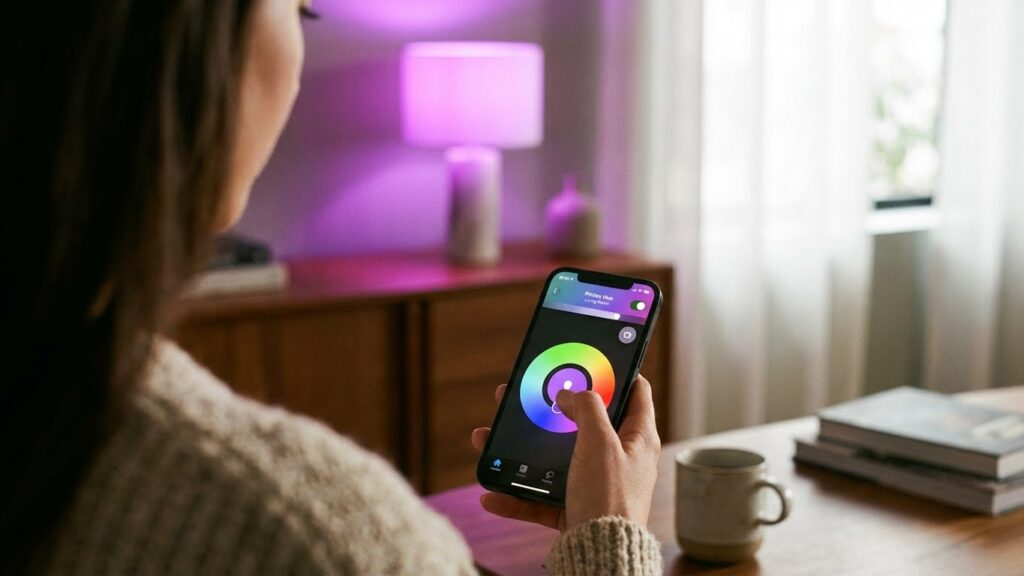
Check the socket type first. Most smart bulbs fit common sockets like E26 or E27, so make sure your lamp uses the same base before buying.
Turn off power and screw the bulb in like a normal bulb. Leave any lampshades or covers off until you confirm the bulb fits and has clearance.
Choose the right app and connectivity. Some bulbs use Wi‑Fi, others use Bluetooth or a hub. If a hub is required, follow the maker’s setup steps before pairing.
Place the lamp where the signal is strong. Wi‑Fi bulbs need a stable router connection. For Bluetooth bulbs, keep your phone within range during setup.
Update firmware when prompted. Updates can fix bugs and add features. Use the bulb maker’s app to check for and install updates.
Use the app or voice assistant to set basic controls. Create schedules, groups, and scenes to simplify daily use. Test dimming and color features to confirm compatibility with your lamp.
If dimming acts oddly, check compatibility. Not all smart bulbs work with older wall dimmers. Replace incompatible dimmers with modern, smart dimmer switches if needed.
Keep spare bulbs and the packaging info. The model number helps if you need troubleshooting steps or return the bulb. Store hub and password details in a safe place.
Troubleshooting Compatibility Problems
Start by checking the bulb and lamp fit. Make sure the bulb base (E26, E27, B22, etc.) matches your lamp socket. If it doesn’t fit, the bulb won’t make contact and won’t work.
Confirm the lamp can supply constant power. Smart bulbs need power even when “off” to stay connected. If a wall switch cuts power completely, use the switch or a smart switch that leaves power on.
Look at dimmer and fixture limits. Many smart bulbs won’t work with legacy dimmer switches and can flicker or hum. Replace old dimmers with smart-compatible ones or set the bulb to non-dimmable mode in the app if available.
Check network and hub requirements. Wi‑Fi bulbs need a 2.4 GHz network and stable signal. Zigbee or Z‑Wave bulbs need a compatible hub. Move the lamp closer to the router or hub during setup to avoid dropouts.
Use simple troubleshooting steps first. Try a different known-good bulb in the lamp to rule out the fixture. Reset the smart bulb per the maker’s instructions and retry pairing.
If color or brightness looks off, adjust settings in the app. Verify the bulb’s firmware is up to date. Sometimes updates fix color rendering and dimming issues.
Keep a short checklist handy:
- Socket type matches
- Power stays on when “off”
- Dimmer compatibility
- Correct network or hub
- Firmware updated
If problems persist, consult the bulb maker’s support. They can confirm compatibility and offer model-specific fixes.
Future Trends in Smart Lighting Integration
You will see Matter and other open standards make devices work together more smoothly. This will reduce setup headaches and help different brands play nicer in the same system.
Expect smarter bulbs to focus on human-centered lighting. They will shift color and brightness across the day to match your natural rhythm and support sleep and focus.
Voice and presence detection will get better. Your lights will respond faster to spoken commands and learn when you enter a room, cutting wasted energy.
Energy efficiency and sensors will become more common in bulbs. Many bulbs will include motion or ambient light sensors to save power automatically.
You will have more choices for form and fit. Slimmer, smart-ready bulbs and improved retrofit options will fit more lamps and fixtures without altering your décor.
Security and privacy will gain attention as devices connect more widely. Look for stronger encryption and clearer privacy controls so you can manage who accesses your lighting data.
Key features to watch:
- Matter and multi-protocol support for wider compatibility
- Built-in sensors for presence and ambient light
- Human-centric lighting schedules and tunable white
- Improved privacy controls and firmware update practices
These trends aim to make smart lighting easier to use, more efficient, and better suited to your daily life.
FAQs
Will a smart bulb fit in my lamp?
Check the bulb base size first. Most smart bulbs use a standard E26/E27 base and will fit common table and floor lamps.
Do smart bulbs work with dimmer switches?
Many smart bulbs have built-in dimming. If your lamp uses a physical dimmer, use a compatible smart bulb or remove the dimmer to avoid flicker.
Can you use smart bulbs in enclosed fixtures?
Some smart bulbs run hot in enclosed fixtures. Look for bulbs rated for enclosed or recessed use to keep performance and lifespan reliable.
Do smart bulbs need Wi‑Fi or a hub?
Some bulbs connect directly to Wi‑Fi or Bluetooth. Others need a hub or bridge for full features. Check the product specs before you buy.
Will smart bulbs change my lamp’s style or shade look?
Color and brightness can affect how a lampshade looks, but bulbs usually don’t change the lamp’s physical fit. Try a bulb with the right color temperature for the look you want.
How do you install a smart bulb?
Screw in the bulb like a normal one, then follow the maker’s app setup. Keep the lamp’s switch on during setup for best results.
Are smart bulbs energy efficient?
Yes. Most smart bulbs are LED and use less power than incandescent bulbs while giving similar or better light quality.
Conclusion
You can use smart bulbs in most lamps if the bulb fits the socket and the lamp lets heat escape. Check the base type (like E26/E27) and the bulb’s size before buying. A tight fit or enclosed fixture can limit performance.
Think about power and controls. If your lamp uses a simple switch, a Wi‑Fi or Bluetooth smart bulb will still work, but smart hubs or dimmer compatibility may matter. Visit the bulb maker’s support page or a trusted guide like the Philips Hue compatibility info for specifics.
Also consider light output and shade fit. Bulbs with color or larger housings may not sit well under small shades, which can change how the light spreads. Measure the lamp opening and compare it to the bulb shape.
If you want remote control or voice features, confirm the bulb’s connectivity and app options. Some bulbs need a hub for full features, while others connect directly to your phone or smart speaker. For setup tips and safety guidance, consult an authoritative source such as the U.S. Department of Energy lighting basics.
With a quick check of socket size, fixture type, and connectivity needs, you can pick a smart bulb that works well in your lamp and gives you the control you want.