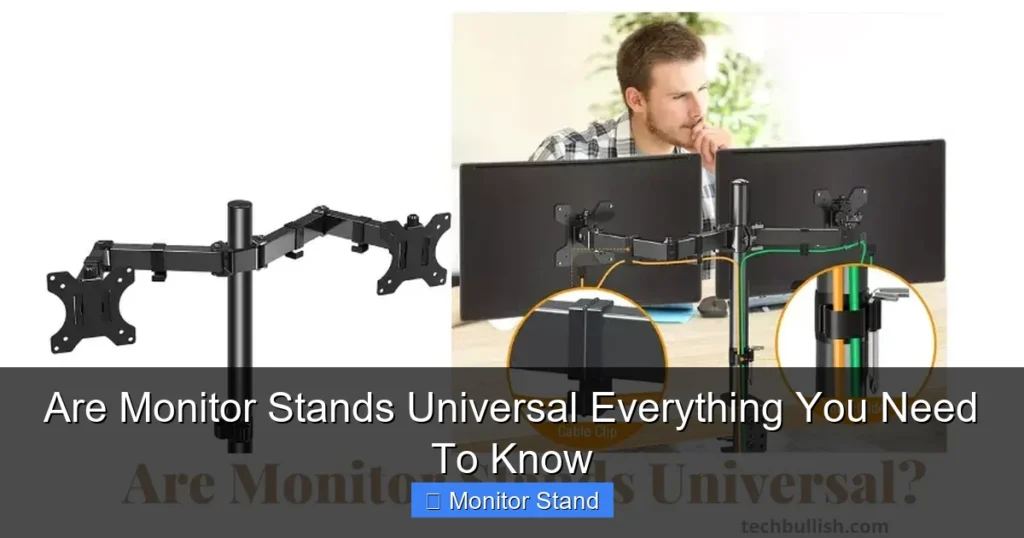
Monitor stands are not universally compatible. Compatibility hinges primarily on the VESA mount pattern, screen weight, and the type of mounting arm or base. You must check your monitor’s specifications and the stand’s requirements to ensure a secure and functional fit.
Key Takeaways
- VESA is the Key Standard: Most compatibility revolves around the VESA FDMI standard, which defines screw hole patterns like 75x75mm or 100x100mm.
- Weight and Size Limits Matter: Every stand has a maximum weight and screen size capacity. Exceeding these can damage your gear.
- The Mounting Interface Varies: There are different types: fixed stands, tilt-only stands, and full-motion arms with gas springs.
- Adapter Plates Can Bridge Gaps: If your monitor doesn’t have VESA holes, specialized adapter kits can often provide a solution.
- Desk Clamp vs. Grommet Mount: Ensure your chosen stand can attach to your desk’s thickness and style.
- Laptop Stands are Different: They are not typically VESA-compatible and use their own clamping or weighted systems.
- Check Before You Buy: Always verify your monitor’s VESA pattern, weight, and back panel design against the stand’s specifications.
Are Monitor Stands Universal? Everything You Need To Know
So you want to upgrade your workspace. Maybe you got a new monitor. Or perhaps the wobbly stand it came with is driving you nuts. You start looking at sleek monitor arms and sturdy stands. Then, a big question hits you: are monitor stands universal?
The short, honest answer is no. But don’t worry! That doesn’t mean you’re stuck. It just means you need to know what to look for. This guide will walk you through every detail. You will learn about standards, measurements, and secret tricks. By the end, you’ll be an expert. You’ll know exactly how to pick the perfect stand for your screen.
The Universal Truth: It’s All About VESA
Think of VESA as the USB of the monitor world. It’s the closest thing we have to a universal rule. VESA stands for Video Electronics Standards Association. They created the Flat Display Mounting Interface (FDMI). This is a set of rules for screw holes on the back of monitors and TVs.

Visual guide about Are Monitor Stands Universal Everything You Need To Know
Image source: techinspection.net
Most quality monitors and nearly all monitor stands support VESA. It’s the magic link that makes them work together.
Common VESA Mount Patterns
VESA isn’t just one size. It comes in square or rectangular patterns. The numbers tell you the distance between the holes in millimeters.
- 75 x 75mm: Common for smaller monitors, under 24 inches.
- 100 x 100mm: The most popular size for mainstream monitors, 24 to 32 inches.
- 200 x 200mm: Used for large, heavy monitors and many TVs.
- 200 x 100mm: A less common rectangular pattern for some specific models.
How to find yours: Check your monitor’s manual or the official website. Look for “VESA Mount” in the specifications. You can also just measure it. Turn off your monitor, lay it face down on a soft towel, and measure the distance between the screw holes horizontally and vertically.
Step-by-Step: How to Check Your Monitor’s Compatibility
Follow these simple steps. They will guarantee you get a stand that fits.
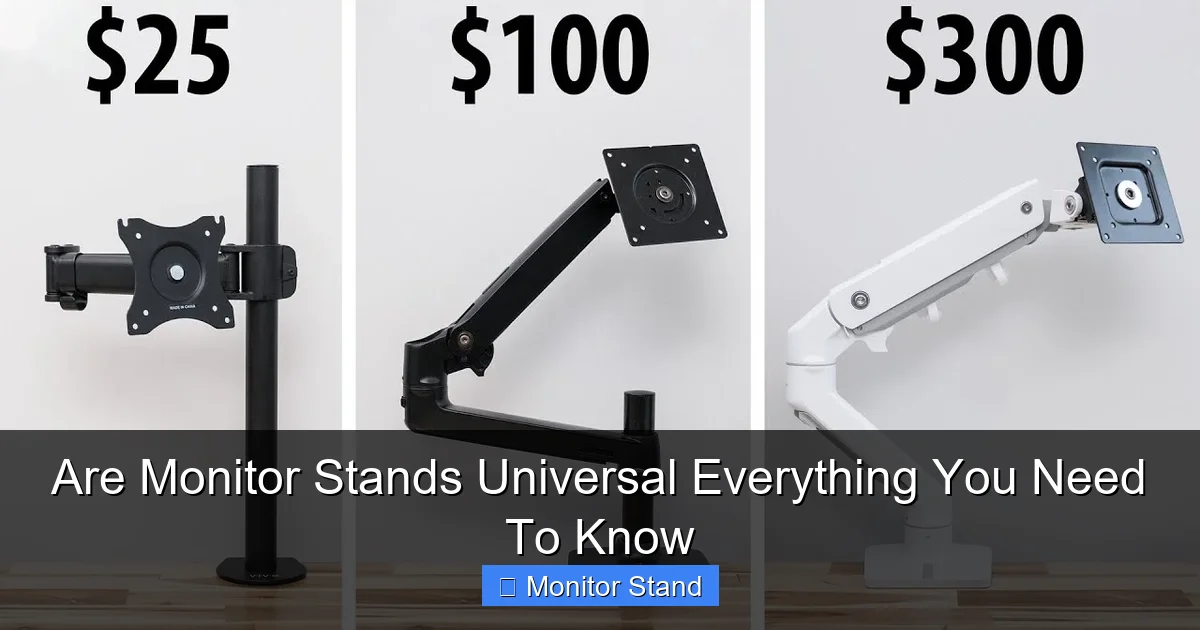
Visual guide about Are Monitor Stands Universal Everything You Need To Know
Image source: i.ytimg.com
Step 1: Find Your Monitor’s VESA Pattern
As we just discussed, grab a measuring tape. Or find the spec sheet online. Write down the pattern, like “100×100”.
Step 2: Check the Weight and Size
Now, find your monitor’s weight. This is also in the manual or online. Do not guess! Next, look at the stand you want to buy. It will list two critical numbers:
- Maximum Weight Capacity: Your monitor must weigh LESS than this number.
- Maximum Screen Size: Your monitor’s diagonal size (e.g., 27″) must be within this range.
Pro Tip: Give yourself a 10-15% buffer on weight. If your monitor weighs 18 lbs, a stand rated for 20 lbs might work, but one rated for 25 lbs is safer and will be more stable.
Step 3: Look at the Mounting Type
Monitor stands are not all the same. The way they connect matters.
- Fixed Stands: Just hold the monitor at one height. They are simple and cheap.
- Tilt Stands: Allow you to angle the screen forward and back for better viewing.
- Full-Motion (Articulating) Arms: These are the kings of flexibility. They use gas springs. They let you move your monitor up, down, side-to-side, and pull it closer. They attach via a clamp or a grommet mount (a bolt through a hole in your desk).
Decide what movement you need. A full-motion arm is great for ergonomics.
Step 4: Verify Desk Compatibility
If you choose a clamp stand, measure your desk thickness. The clamp will have a minimum and maximum thickness it can handle. Most handle desks from 0.4 inches (10mm) to 3.15 inches (80mm). If your desk has a privacy lip or is very thick, check this carefully!
Grommet mounts need a hole (usually 1 to 3 inches wide) in your desk. If you don’t have one, you might need to drill it.
What If My Monitor Doesn’t Have VESA Holes?
Don’t panic! Many sleek, modern monitors come with their own proprietary stands. They hide the VESA holes to look clean. The solution is often a VESA adapter plate or kit.

Visual guide about Are Monitor Stands Universal Everything You Need To Know
Image source: m.media-amazon.com
Here’s what to do:
- Contact the Manufacturer: Search for “[Your Monitor Model] VESA adapter” online. Companies like Dell, LG, and Samsung often sell them.
- Try Third-Party Adapters: Companies like VIVO and Humanscale make universal adapters. They use special brackets that clip or screw onto the monitor’s existing stand mount.
- DIY (With Caution): For some monitors, you can carefully remove the original stand to reveal hidden VESA holes. Always check the manual first to see if this is possible.
Warning: Using an adapter changes the weight and leverage. Make sure your chosen monitor arm can handle the total weight (monitor + adapter).
Troubleshooting Common Monitor Stand Problems
Even with the right parts, things can go wrong. Here are quick fixes.
Problem: The Stand is Wobbly or Tilts Down
Solution: This almost always means the stand is underpowered. Your monitor is too heavy, or the arm’s gas spring tension is too low. Check the weight rating again. Many gas spring arms have a tension adjustment screw. Turn it (usually with an Allen key) to increase the holding force.
Problem: The VESA Screws Don’t Fit or Are Too Long
Solution: Screw length is crucial. If they’re too long, they can damage your monitor’s internal components. The stand should come with a set of screws (often M4 or M8 thread). Use the shortest screws that securely fasten the mount. The manual will tell you the correct length. When in doubt, contact the stand maker.
Problem: The Clamp Doesn’t Fit My Desk
Solution: For desks with a thick lip, look for a “C-clamp” style with a wider opening. Some brands sell “lip extenders.” You can also use a grommet mount if you’re willing to drill. For very thin or fragile desks (like glass), use a large distribution plate to spread the weight.
Beyond the Basics: Special Cases and Pro Tips
Let’s talk about some specific situations.
Ultrawide and Curved Monitors
These screens are wider and often heavier. They need a stand with a high weight capacity. Also, ensure the VESA plate is wide enough to support the monitor’s width. A 100x100mm pattern on a huge 49-inch screen might feel unstable. Look for stands specifically rated for ultrawide models.
Multiple Monitors on One Stand
You can get single arms that hold two or even three screens. The math is critical here. The stand’s weight capacity must support the combined weight of all monitors. Also, consider the reach of the arms. You need enough length to position them side-by-side without straining.
The Laptop Question
Laptop stands are a different category. They do not use VESA. They have trays or clamps designed to hold a laptop’s base. Some high-end monitor arms offer a “laptop tray” attachment. This is an add-on, not the standard VESA mount.
Final Verdict and Smart Buying Advice
So, are monitor stands universal? No, but the system (VESA) makes compatibility easy to figure out. You just have to do your homework.
Before you click “buy,” make this quick checklist:
- ✅ Monitor VESA Pattern: _____
- ✅ Monitor Weight: _____ lbs/kg
- ✅ Stand Weight Capacity: _____ lbs/kg (Heavier is better!)
- ✅ Stand Screen Size Range: Includes my monitor’s size.
- ✅ Desk Thickness: Fits the clamp’s range (or I have a grommet hole).
- ✅ Special Needs: Adapter for no VESA? Strong enough for ultrawide?
Investing in a good monitor stand or arm is a game-changer. It frees up desk space. It improves your posture. It makes your setup look professional. By understanding these simple rules, you can buy with total confidence. You’ll get a stand that fits perfectly, works smoothly, and lasts for years.