
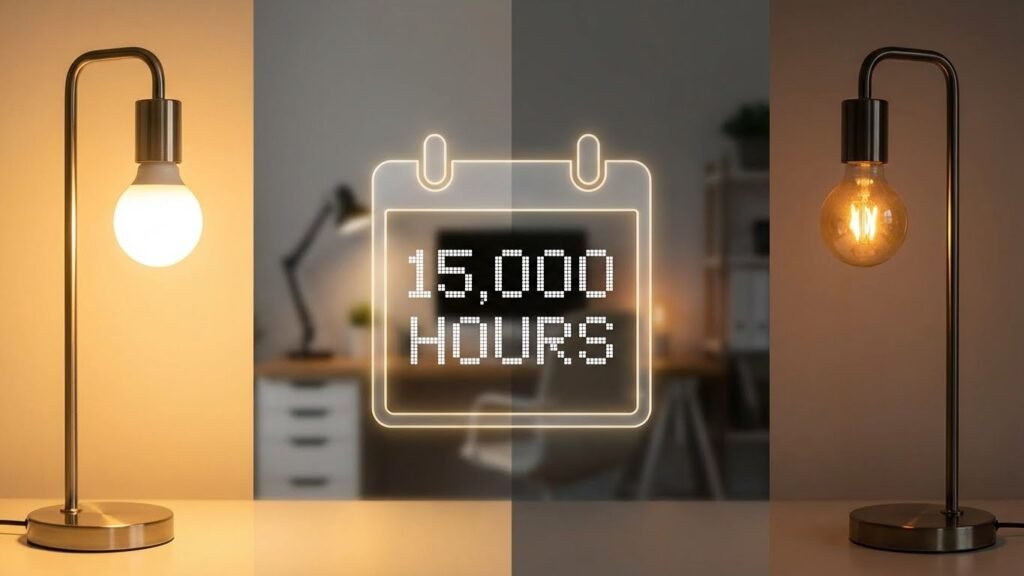
Smart bulbs do die, but they usually fade slowly instead of burning out suddenly. Most smart bulbs last thousands of hours (commonly 15,000–25,000 hours), so with normal use you’ll likely get many years before they need replacing.
You’ll want to learn how to spot signs of decline, what shortens their life, and simple steps to get more years from each bulb. That knowledge saves money and avoids annoying flicker or loss of smart features at the worst time.
Key Takeaways
- Smart bulbs dim or fail gradually and often last many years under normal use.
- Heat, power issues, and poor firmware or hardware can shorten a bulb’s life.
- You can extend lifespan with proper installation, settings, and routine checks.
Understanding Smart Bulb Lifespan
Smart bulbs typically last many years but their life depends on use, build quality, and how you handle them. Expect a range of hours, know what shortens life, and learn how they differ from old incandescent or CFL bulbs.
Average Lifespan of Smart Bulbs
Most smart LED bulbs advertise lifespans between 15,000 and 25,000 hours. At 3 hours of use per day, that equals roughly 14–23 years; at 8 hours per day, expect about 5–9 years. Some high-end models claim up to 50,000 hours, but those are less common.
Manufacturers rate bulbs in hours under ideal conditions. Real-world life will vary because of dimming, firmware activity, and power issues. Look for an official hours rating and any warranty length when you buy. Warranties often give the best practical clue to expected lifespan.
Factors Affecting Smart Bulb Longevity
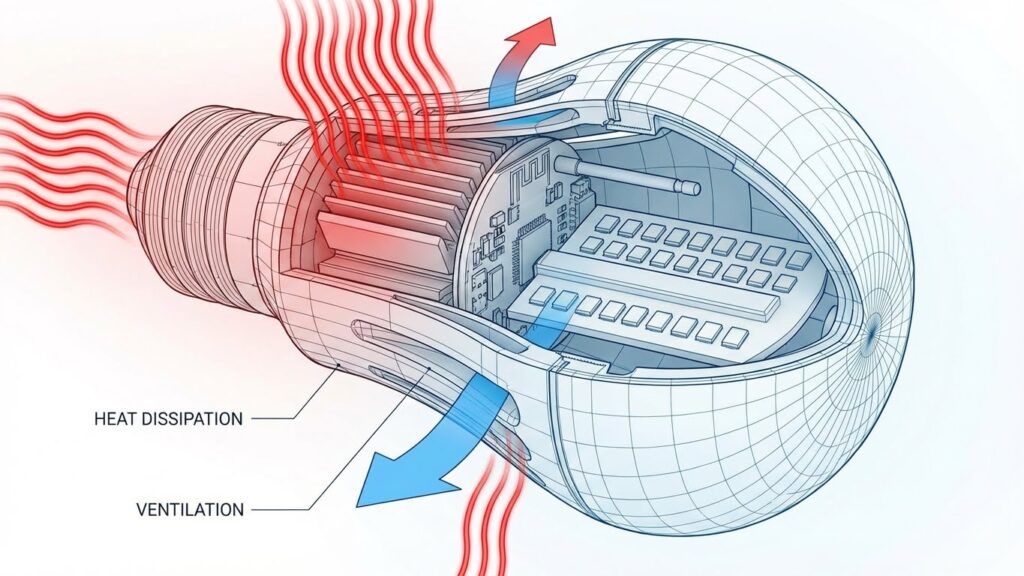
Heat is a major enemy: poor ventilation or enclosed fixtures can cut life by a large margin. Electrical problems like voltage spikes or flicker from dimmer incompatibility also cause premature failure.
Frequent on/off cycles stress electronics more than steady use. Network activity and firmware processes add tiny extra heat and wear. Build quality matters: metal heat sinks and quality drivers lengthen life. Finally, environmental factors — humidity, vibration, and dust — can harm internal components over time.
How Smart Bulbs Differ from Traditional Bulbs
Smart bulbs use LED technology plus added electronics: a Wi‑Fi or Zigbee radio, a microcontroller, and sometimes firmware. That extra hardware introduces failure points you won’t see in simple incandescent bulbs.
Incandescent bulbs fail when the filament breaks, often suddenly. LEDs typically dim over time rather than die instantly. Smart bulbs can stop working because of a failed LED, a bad power driver, or a firmware/network issue. That means you might fix connectivity or reset settings instead of replacing the bulb.
Signs Your Smart Bulb Is Dying
Watch for steady changes in light, response, and connectivity. These signs tell you when the bulb itself may be failing rather than a problem with your app, hub, or wiring.
Dimming or Flickering Light
If your bulb slowly loses brightness, that often means lumen degradation. LEDs dim over time; expect a gradual drop after thousands of hours. Compare the bulb to a new one in the same fixture to see the difference.
Flicker can be intermittent or constant. Intermittent flicker that matches power cycles or dimmer settings points to wiring or driver issues. Constant, random flicker—especially after ruling out dimmer compatibility—suggests the bulb’s internal electronics are failing.
Also watch color drift in RGB bulbs. If white tones shift yellow or blue and color accuracy drops, the LED chips or drivers are degrading. Note when these changes started and how long the bulb has been in use.
Unresponsiveness to Commands
When a bulb stops reacting to app commands or voice control, check basics first: power switch on, app connection, and firmware updates. If other bulbs on the same circuit work, the issue likely lies with that specific bulb.
A bulb that occasionally responds but often ignores commands is usually near end of life. Intermittent behavior can mean internal memory or controller faults. Resetting the bulb might restore function temporarily, but repeated resets are a red flag.
If the bulb accepts local on/off but fails to change color, the color-control circuitry may be damaged. Track how often commands fail and whether failures occur after heat buildup or long run times.
Connectivity Issues
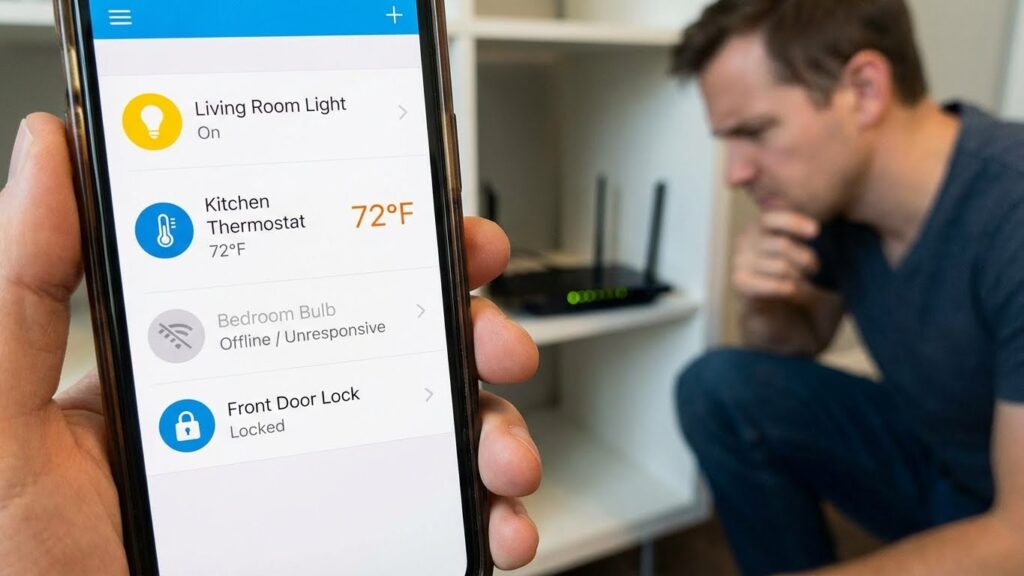
Smart bulbs losing their Wi‑Fi or Zigbee connection regularly can indicate failing radio hardware. Start by testing distance and interference: move the bulb closer to your router or hub to see if stability improves.
If stability doesn’t improve after relocating or resetting the network, the bulb’s antenna or radio module may be failing. Look for patterns: disconnects during peak network use, after power surges, or following firmware updates can hint at stress on the radio components.
Also note if the bulb shows as “offline” in multiple apps or on different bridges. That points to a hardware problem rather than a single app or hub fault. Document times and conditions of dropouts to help decide whether to replace the bulb.
Common Reasons Smart Bulbs Fail
You can usually trace failures to three main causes: sudden electrical problems, software or firmware issues, and heat-related damage. Each cause affects different parts of the bulb and needs a different fix.
Electrical Surges and Power Fluctuations
Power spikes and brownouts damage the bulb’s internal electronics. Smart bulbs use small driver circuits to convert house AC to low-voltage DC. A surge can fry those drivers instantly, leaving the LEDs intact but the bulb dead.
Protect your bulbs with surge protectors or whole-home surge suppression. Frequent flicker or dimming during storms, heavy appliance use, or unstable grid conditions signals you should act. If multiple bulbs fail at once after a storm, suspect a surge rather than a single bad unit.
Wiring problems can also cause intermittent failure. Loose sockets, poor neutral connections, or using dimmer switches that aren’t rated for LEDs can stress the driver and shorten life. Check fixture compatibility and wiring if your smart bulbs behave erratically.
Firmware and Software Failures
Smart bulbs rely on firmware and network protocols to accept commands. A failed update, corrupt firmware, or compatibility mismatch with your hub or app can make a bulb unresponsive. The light may still power on but lose smart features.
Resetting the bulb to factory settings often fixes firmware issues. Check the manufacturer’s app for updates and follow their reset steps. If the bulb repeatedly fails after updates, avoid automatic updates until the maker issues a patch.
Network settings matter too. If your bulb uses 2.4 GHz Wi‑Fi, using a 5 GHz network or hitting DHCP limits on the router can prevent connections. Assign static IPs or free up addresses if you see frequent disconnects tied to network changes.
Overheating Problems
LEDs themselves run cool, but the bulb’s electronics and driver generate heat that must escape. Enclosed fixtures or poor ventilation trap heat and raise internal temperature. Over time, heat degrades capacitors and solder joints, causing early failure.
Use bulbs rated for enclosed fixtures when needed and avoid high-wattage replacements in tightly sealed lamps. If a bulb feels unusually hot to the touch or you notice color shift and flicker before failure, heat is likely the culprit.
Install temperature-friendly brands if you run lights long hours or in hot rooms. Proper fixture selection and airflow extend the driver’s life and keep the bulb working as advertised.
Extending the Life of Smart Bulbs
You can make smart bulbs last years by installing them correctly, keeping them cool and dry, and doing simple checks now and then. Small steps cut wear from heat, power spikes, and dirt.
Proper Installation Techniques
Install bulbs with the power off and screw them in until snug, not forced. A loose bulb can flicker and cause arcing that shortens its life. If the bulb sits in a metal socket, ensure the contact points are clean and free of corrosion.
Match the bulb type and wattage to the fixture. Don’t put a high‑wattage LED into a fixture rated for lower power or an enclosed fixture unless the bulb says it’s rated for that use. Use a compatible dimmer if you plan to dim the bulb; many smart bulbs need a specific trailing‑edge or LED‑rated dimmer or should be dimmed only via the app.
If you use smart hubs or bridges, place them within recommended range and avoid overloading one circuit with many smart devices. For outdoor bulbs, choose weather‑rated models and seal fixtures to prevent moisture.
Environmental Considerations
Heat is the main enemy of LEDs. Use bulbs in open fixtures or choose those marked for enclosed fixtures when needed. Keep bulbs away from direct sunlight through windows or heat sources like ovens or space heaters.
Avoid frequent full on/off cycling. Repeated rapid switching can stress the bulb’s driver and electronics. For areas where you flip the switch often, consider using smart controls (app or motion sensors) to reduce mechanical switching.
Protect bulbs from moisture and dust. Outdoor or bathroom use needs IP‑rated bulbs. In garages or workshops, use fixtures with guards that prevent dust build‑up and accidental impacts.
Routine Maintenance
Check bulb seating and fixture contacts every 6–12 months. Tighten any loose bulbs and clean contacts with a dry cloth to remove dust or corrosion. Replace damaged sockets or fixtures promptly.
Keep firmware up to date. Manufacturers release updates that fix bugs and improve power management. Use the official app and enable automatic updates if available.
Monitor bulb behavior. Note flicker, color shifts, or slow response; these signs can mean driver or network issues. If one bulb fails early, try it in another fixture to see whether the socket or electrical supply caused the problem.
End-of-Life Disposal and Recycling
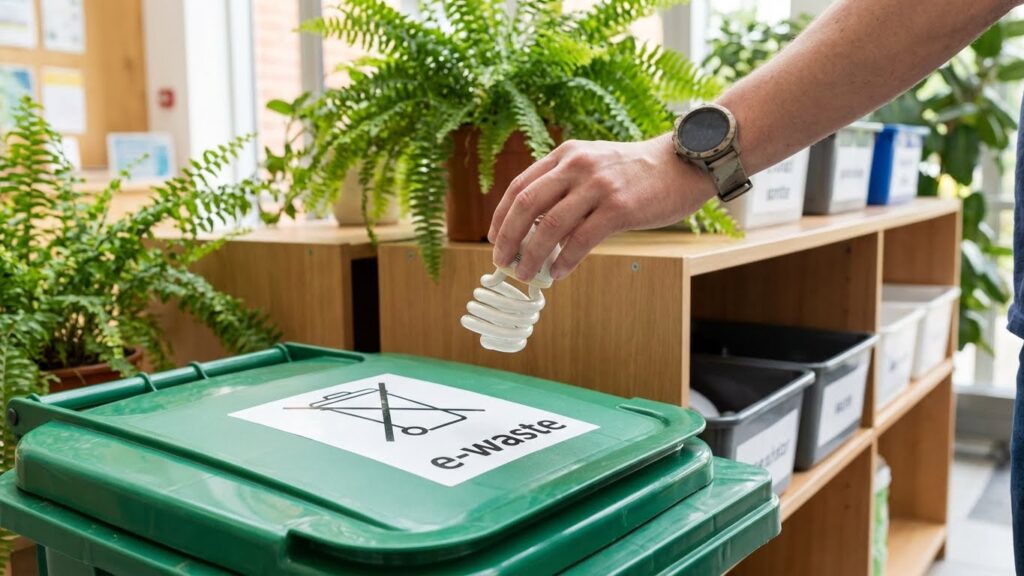
When a smart bulb stops working, treat it as electronic waste rather than regular trash. Smart bulbs contain circuit boards, metals, and small amounts of materials that recyclers can recover.
Check local recycling centers or retailer take-back programs for LED and smart-bulb drop-off. Many stores and manufacturers run recycling or mail-back options, so you can return bulbs safely.
If you cannot find a dedicated program, contact your municipal hazardous waste or e-waste collection service. They often accept LEDs and other small electronics to keep them out of landfills.
Prepare bulbs for recycling by placing them in their original packaging or wrapping them in paper to prevent breakage. Avoid crushing or smashing bulbs to reduce dust and sharp fragments.
Use this quick checklist:
- Do: Look for e-waste, LED, or appliance recycling options.
- Do: Return bulbs to manufacturer take-back or retailer drop-off when available.
- Don’t: Put smart bulbs in household trash if local rules prohibit it.
- Don’t: Break bulbs intentionally before disposal.
Recycling helps recover metals and plastics and keeps components from polluting soil and water. Follow local rules, and choose programs that handle electronics responsibly.
When to Replace Your Smart Bulb
Watch for dimming or flickering that won’t fix with software updates or power cycling. LEDs usually fade before they fail, so a steady drop in brightness or uneven light across the room means the bulb is aging.
If the bulb loses smart features — like failing to connect to your app or respond to voice commands — try resetting and updating firmware first. If problems persist, the bulb’s internal electronics may be failing and replacement is likely.
Look for physical signs: unusual heat, buzzing, or discoloration around the bulb or socket. These indicate electrical issues or internal wear and you should replace the bulb to avoid safety risks.
Use runtime as a guideline. Most smart LED bulbs last roughly 15,000–50,000 hours; at 6 hours per day, expect 7–23 years depending on quality. Replace sooner if brightness drops to about 70% of original output.
Quick checklist (use before you buy a new bulb):
- Try reset, firmware update, and check power source.
- Swap with a known-good bulb to rule out fixture issues.
- Replace if brightness, connectivity, or safety signs remain.
Keep brand and warranty info handy. If the bulb is under warranty, contact the manufacturer before replacing it yourself.
Comparing Brands and Lifespans
Smart bulb lifespans vary by brand and model. Many leading LED smart bulbs advertise lifespans between about 15,000 and 50,000 hours. That range depends on build quality, heat management, and how you use them.
You should expect well-known brands to last longer in real use. Brands like Philips Hue, Nanoleaf, Sengled, Kasa, and Govee tend to report higher reliability and longer rated hours. Pay attention to manufacturer specs and real-world tests when choosing.
Key factors to compare:
- Rated hours (e.g., 15k–50k).
- Lumens per watt (efficiency).
- Warranty length (often 1–3 years).
Look at both specs and user reports. A bulb rated 25,000 hours can still fail sooner if it runs hot or gets switched on and off a lot. Firmware updates and compatible fixtures also improve longevity.
Quick comparison table
| Brand examples | Typical rated hours | Notes |
|---|---|---|
| Philips Hue | 15,000–25,000 | Strong ecosystem, regular updates |
| Nanoleaf | 25,000–50,000 | High efficiency for some models |
| Sengled / Kasa / Govee | 15,000–30,000 | Good value, mixed long-term reports |
When you shop, weigh rated life against price and warranty. That helps you pick bulbs that suit your budget and how you’ll use them.
FAQs
Do smart bulbs ever fully stop working?
Yes. Like all electronics, smart bulbs can fail completely. Most die from LED driver or electronics failure long before the LED chips lose brightness.
How long should I expect a smart bulb to last?
Typical ratings fall between 15,000 and 25,000 hours. If you run a bulb 4 hours a day, that equals about 10 to 17 years, depending on usage and quality.
What shortens a smart bulb’s life?
Heat, power surges, and frequent on/off switching stress the electronics. Poor ventilation or cheap components also cut life span.
Can software updates affect bulb life?
Yes. Firmware bugs can make bulbs misbehave or draw more power, which may reduce lifespan. Keep firmware current from the maker’s app.
Will a dimmer or smart switch hurt my bulb?
Only if the dimmer isn’t compatible. Use dimmers rated for LED or digital smart switches to avoid flicker and extra wear.
How do I know when to replace a smart bulb?
Replace when brightness drops noticeably, color shifts, or it becomes unreliable. Intermittent connectivity or long startup times also signal failure.
Can you repair a dead smart bulb?
Most users can’t repair them safely or cheaply. Recycling and replacing is usually the best choice.
How should you dispose of old smart bulbs?
Follow local e-waste rules. Many stores and recycling centers accept LEDs and smart bulbs to keep electronics out of landfill.
Conclusion
Smart bulbs do wear out, but they last far longer than old incandescent lamps. Typical LED-based smart bulbs run 15,000–25,000 hours, which often equals several years with normal home use. Your actual lifespan depends on heat, power stability, and how often you change settings.
You can extend life by keeping bulbs cool, using proper fixtures, and updating firmware when manufacturers release fixes. Avoid high-heat enclosures and unstable dimmers to reduce early failures. For more on LED care and safety, see guidance from the U.S. Department of Energy.
Expect occasional failures in any electronics. When a smart bulb fails, check warranty and return options before discarding it. Many brands offer multi-year warranties, and recycling used LEDs helps reduce waste. For recycling info and local drop-off rules, visit Earth911.
You don’t need to replace all bulbs at once. Replace only failed units or upgrade gradually to models with better ratings and longer warranties. That approach keeps costs down and makes your lighting more reliable over time.