
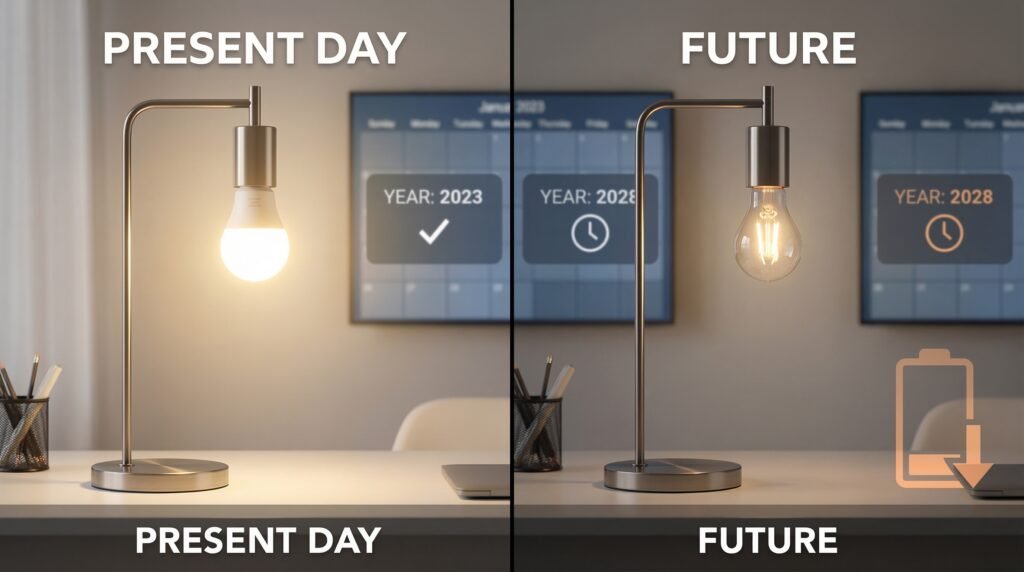
Smart light bulbs do die, but not like old incandescent bulbs that burn out suddenly. Most smart bulbs slowly dim or lose connectivity over thousands of hours, with many lasting roughly 15,000–25,000 hours under normal use.
You’ll want to know the common signs that a bulb is failing, why some stop working sooner, and simple steps to stretch their life. Keep reading to learn how to spot trouble, fix common issues, and decide when to replace a bulb or the whole system.
Key Takeaways
- Smart bulbs usually dim or lose function slowly rather than fail instantly.
- Heat, power issues, and wireless problems often cause early failure.
- Simple care and correct setup can extend bulb life and prevent surprises.
Do Smart Light Bulbs Die?
Smart bulbs do stop working, but not usually in one sudden moment. They tend to get dimmer or fail slowly, and several factors like hours of use, heat, and power events determine when that happens.
Expected Lifespan of Smart Bulbs
Most smart bulbs use LEDs and are rated between about 15,000 and 25,000 hours of use. That equals roughly 10 to 15 years if you run a bulb about 3–4 hours daily. Higher-end brands sometimes rate bulbs up to 50,000 hours, while cheaper bulbs may fall short of their rating.
Ratings assume normal room temperature and stable power. Heavy use, frequent on/off cycles, or a lot of color-changing and high-brightness settings can cut life. Check the manufacturer’s hours rating and warranty when you buy so you know what to expect.
How Smart Bulbs Fail Over Time
Smart bulbs usually show luminous decay: they slowly produce less light instead of burning out instantly. You’ll notice them become dim or lose color accuracy. Electronics inside—drivers and Wi‑Fi modules—can also fail and stop the bulb from responding.
Common causes of failure:
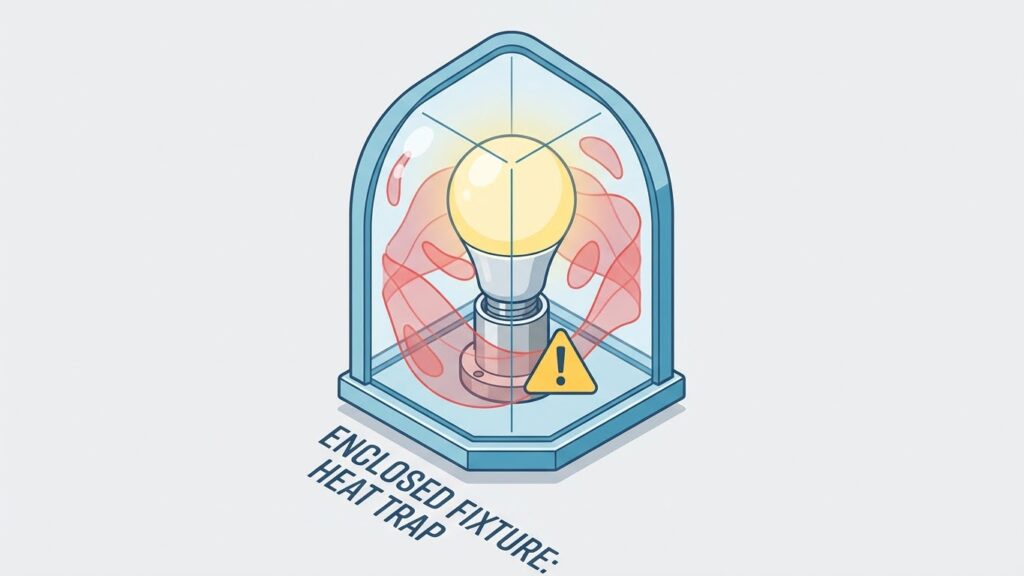
- Heat buildup inside enclosed fixtures
- Power surges or unstable voltage
- Poor-quality internal components
- Frequent high-brightness operation
You can extend life by using bulbs in open fixtures, avoiding constant max brightness, and using surge protection. Firmware issues can make bulbs unresponsive too; occasional firmware updates from the maker may fix that.
Comparison With Traditional Bulbs
Traditional incandescent bulbs burn out suddenly when their filament breaks. They last only about 1,000 hours, so you replace them much more often. CFLs and halogens last longer than incandescents but still shorter than LEDs.
Smart LED bulbs last far longer than incandescents and CFLs. They cost more upfront but save on energy and replacements. However, smart bulbs add electronics that can fail sooner than the LED chip itself, so expect a different failure pattern: slow dimming or electronics failure rather than an immediate blackout.
Common Causes of Smart Bulb Failure
You’ll most often lose a bulb to worn electronics, network problems, or power issues. Each cause has specific signs and clear fixes you can try.
Electronic Component Degradation
LED chips, drivers, and capacitors wear out over time. The LED elements themselves can dim slowly, while the driver circuitry or capacitors can fail more suddenly and cause the bulb to stop working or flicker.
Heat speeds up this wear. If your bulb runs hot in an enclosed fixture or near other heat sources, expect a shorter life. Cheap or poorly cooled bulbs show failures faster than higher-quality models with better thermal design.
Look for patterns: steady dimming suggests LED aging; rapid on/off or total loss points to driver or capacitor failure. If a bulb dies after a few months, it’s often a defective driver rather than the LED chips. Replace the bulb and, if it recurs, consider a different brand or a fixture that allows better airflow.
Connectivity Issues
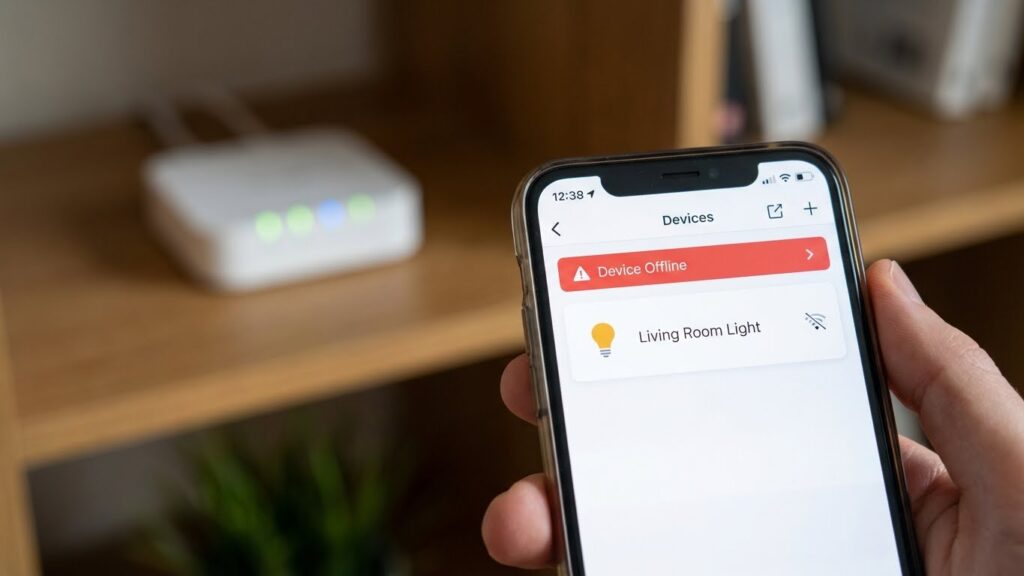
Wi‑Fi drops, Bluetooth limits, or Zigbee/Z‑Wave interference can make bulbs appear dead when they’re actually online problems. You’ll notice bulbs responding slowly, disappearing from apps, or reconnecting after a router reboot.
Signal strength matters: distance from the router or hub, thick walls, and other electronics reduce range. Overcrowded 2.4 GHz networks and devices like microwaves can cause packet loss. For mesh or hub systems, a single failing node can isolate several bulbs.
Fixes include moving the router or hub closer, switching to a less crowded Wi‑Fi channel, using the 2.4 GHz band for bulbs that require it, and adding a repeater or mesh node. Firmware updates for both bulbs and routers often resolve weird reconnect issues.
Power Supply and Surge Problems
Bulbs rely on steady voltage and compatible fixtures. Dimmer switches, incompatible timers, or old wiring can cause flicker, strobing, or sudden failure. Many smart bulbs do not work with legacy electronic or TRIAC dimmers without a neutral line.
Power surges from lightning, faulty appliances, or utility switching can damage internal electronics instantly. Repeated small spikes shorten component life even if you don’t see immediate failure.
Check fixture compatibility before installing smart bulbs. Use surge protectors or whole‑house surge suppression to reduce risk. If a bulb fails after a storm or appliance fault, replace it and inspect the circuit; repeated failures on the same circuit point to wiring or surge issues.
Signs Your Smart Bulb Is Nearing the End
You may notice behavior changes like reduced brightness, delayed or failed responses, or color shifts. These signs point to problems with the bulb’s electronics, LED degradation, or firmware issues.
Dimming and Flickering
If your bulb shows steady dimming over weeks or months, the LED chips are losing output. Measure brightness against a new bulb if you can; a 20–30% drop is noticeable and common before failure. Dimming that worsens with time, rather than sudden drops, usually means luminous decay rather than a wiring issue.
Flickering can occur in two patterns: intermittent strobe-like flashes or rapid tiny pulses. Intermittent flicker often stems from poor power delivery—loose socket, poor fixture contact, or a dimmer incompatible with LED smart bulbs. Rapid pulsing usually points to failing internal drivers or aged capacitors. Check power and fixture first; if problems persist across sockets, the bulb likely needs replacing.
Unresponsive Controls
When a smart bulb ignores app commands, voice requests, or hub controls, start by checking the network and hub status. If other smart devices work fine but one bulb does not, the bulb’s Wi‑Fi or Zigbee radio may be deteriorating. Firmware glitches can also cause temporary unresponsiveness; a factory reset and firmware update can fix some cases.
Persistent delays—commands taking several seconds to act—suggest weakening internal electronics or antenna issues. Also note how the bulb behaves after power cycles. If it loses settings, fails to rejoin the network, or resets unpredictably, the internal memory or controller is likely failing and replacement is the safest option.
Color Shifting or Fading
Color-capable bulbs rely on multiple LED dies (usually warm and cool white or RGB elements). If colors no longer match saved scenes or look washed out, one set of dies may have degraded. For example, whites that skew too blue or too yellow indicate imbalance between warm and cool chips.
Faded saturation in colored modes—colors that used to be vivid now appear pale—points to loss of color LED efficiency. Test by setting solid colors (pure red, green, blue). If one color is much weaker, that specific LED component is failing. Occasional color glitches after software updates can be temporary, but repeated or worsening shifts mean the bulb is nearing end of life.
Factors That Impact Smart Bulb Longevity
Several key factors determine how long a smart bulb will work: how often you use it, the temperatures where it operates, and the bulb’s build quality. These directly affect the LED driver, electronics, and light output over time.
Usage Patterns
How often you turn the bulb on and off matters. Frequent power cycling stresses the electronic driver and can shorten life. If you switch bulbs dozens of times per day, expect earlier failure than if you run them for long continuous periods.
Dimming and color changes also matter. Constantly using high brightness or rapid color shifts forces the electronics to work harder and can raise internal temperatures. Use schedules, scenes, or motion sensors to cut needless on/off cycles and high-intensity use.
If you run bulbs 10+ hours daily, pick bulbs rated for high duty cycles. For areas with short bursts of use (closets, hallways), choose bulbs designed for frequent switching. Match the bulb’s stated rated life to your actual use pattern.
Operating Temperatures
Smart bulbs contain small electronic parts that hate heat. High ambient temperatures reduce LED and driver lifespan faster than cool conditions. If a bulb sits inside an enclosed fixture, internal heat can climb and accelerate failure.
Cold can also cause issues. Very low temperatures may make drivers less efficient and cause flicker or start-up delays. Aim to use bulbs within the manufacturer’s specified temperature range, usually printed on the box or datasheet.
Improve performance by using fixtures with better ventilation. Avoid fully enclosed fixtures unless the bulb is rated for them. Check product specs for maximum operating temperature and choose bulbs with good heat-sinking design for hot rooms.
Quality of Manufacturing
Not all smart bulbs are built the same. Cheap bulbs often use lower-grade LEDs and drivers that fail sooner. Look for reputable brands that list rated lifespan, warranty length, and certifications (UL, CE).
Firmware and electronic design matter. A well-designed driver and proper surge protection reduce premature failure from voltage spikes. Regular firmware updates from the manufacturer can fix bugs that cause electronic stress or connectivity issues.
Compare warranties and return policies. A 3-year warranty and clear specs usually indicate better quality control than no warranty. Read user reviews for real-world failure patterns, focusing on complaints about early death, flicker, or connectivity loss.
How to Prolong the Life of Smart Light Bulbs
Focus on correct installation, steady power use, and choosing fixtures that allow airflow and match the bulb’s specs. These steps cut heat, prevent electrical stress, and avoid premature failure.
Proper Installation Practices
Screw the bulb in firmly but don’t overtighten; a snug fit ensures good contact without cracking the base. Use bulbs rated for the socket type (E26, E27, GU10, etc.) and match the voltage to your home’s supply.
Check the fixture for loose wiring before installing smart bulbs. Loose or corroded contacts cause arcing and heat that shorten lifespan. If you see scorch marks or feel warm connections, turn off power and fix the wiring or call an electrician.
Follow the manufacturer’s mounting instructions for smart features. If a bulb has a heatsink or requires vertical mounting, place it as recommended. Keep firmware updated when the bulb supports OTA updates to avoid software-related failures.
Avoiding Frequent On and Off Cycles
Limit rapid switching; many smart bulbs use LED drivers that wear faster with constant cycling. If you use motion sensors, set a minimum on-time (for example, 1–5 minutes) to reduce pointless flashes.
Use automation apps to group bulbs and avoid manual flicking. Scheduling or presence-based automation keeps bulbs on only when needed and prevents short bursts of power that stress electronics.
For areas that frequently turn lights off and on—like garages—consider using hardwired timers or occupancy sensors designed for LED loads. These devices reduce wear better than repeated manual switching.
Using Compatible Fixtures
Do not install smart bulbs in fully enclosed fixtures unless the bulb is rated for enclosed use. Enclosed fixtures trap heat and push internal temperatures above safe limits, reducing LED life and risking driver failure.
Match the bulb’s wattage and shape to the fixture. Using a high-output bulb in a small fixture forces the driver to run hotter. Check the fixture’s maximum rated wattage and the bulb’s temperature rating.
Choose fixtures with good ventilation or open designs for heat dissipation. If you need a sealed look, pick smart bulbs explicitly listed for enclosed or damp locations to ensure safe, long-lasting operation.
Disposal and Replacement Considerations

You will learn how to handle old smart bulbs, why their waste matters, and how to pick a reliable replacement that fits your home and budget.
Recycling Smart Bulbs
Smart bulbs contain circuit boards, small amounts of metals, and sometimes rare-earth elements. These parts make them e-waste, so you should not toss them in regular trash. Check for local e-waste drop-off sites, retailer take-back programs, or municipal hazardous-waste events that accept LED and smart bulbs.
Before recycling, remove any bulky packaging and wrap the bulb in paper or its original box to prevent breakage. If a bulb is damaged, wear gloves and collect fragments with tape, then place pieces in a sealed container. Many big-box stores list accepted items online, so search your city’s recycling page or the store’s electronics recycling policy first.
Environmental Impact
Smart bulbs use less energy than incandescent bulbs, which reduces carbon emissions during use. However, their electronic components create recycling needs at end of life. Improper disposal can release metals and chemicals into landfills and make recycling harder.
Recycling recovers metals and circuit materials, lowering demand for new mining and reducing energy use in manufacturing. Shipping bulbs to certified e-waste recyclers or returning them through manufacturer programs helps ensure parts get properly processed. Prioritize recycling options that list certifications like R2 or e-Stewards when available.
Choosing Replacement Bulbs
Match the new bulb to your fixture’s base type, voltage, and size first. Look for lumen output and color temperature numbers rather than vague labels; for example, choose 800 lumens for a 60W-equivalent and 2700–3000K for warm white light. Confirm the bulb is dimmer-compatible if you plan to use a wall dimmer.
Consider brand reputation, warranty length, and firmware update practices. A 3–5 year warranty and regular firmware support reduce the risk of early failure. If you want lower environmental impact, pick bulbs with ENERGY STAR certification and check manufacturer recycling or take-back options before you buy.
Emerging Trends in Smart Lighting Durability
You will see smarter heat management in new bulbs. Manufacturers now use better heat sinks and internal layouts to clear heat away from LEDs, which slows degradation and extends life.
Expect longer lifespans as default. Many modern smart LEDs aim for 25,000–50,000 hours, so your bulbs can last years with typical home use. That range depends on brand, usage patterns, and power stability.
Firmware and connectivity matter more than before. Regular updates can fix bugs that cause flicker or disconnections, and stronger radios reduce the chance of repeated re-pairing that can stress electronics.
Look for improved surge protection and power regulation. Better internal drivers handle voltage spikes and reduce failure from unstable mains power, especially in older homes.
You can use simple checks to judge durability before buying:
- Brand reputation: choose makers with reliable updates and support.
- Thermal design: prefer bulbs with visible heat sinks or metal housings.
- Warranty length: longer warranties often indicate confidence in durability.
Smart home platforms also play a role. If your hub or app handles group commands efficiently, bulbs experience fewer rapid on/off cycles that shorten life. Compatibility with standards like Zigbee, Thread, or robust Wi‑Fi stacks helps keep bulbs stable over time.
FAQs
Do smart bulbs ever stop working?
Yes. The LED chips rarely fail suddenly, but the driver electronics or wireless components can. You may see dimming, flicker, or loss of connectivity before a full failure.
How long should a smart bulb last?
Most smart LEDs are rated for about 20,000–25,000 hours. That equals roughly 15–22 years at 3 hours of use per day, though real life depends on conditions.
What shortens a smart bulb’s life?
Heat, voltage spikes, and poor ventilation are common killers. Enclosed fixtures, frequent power cycling, and high ambient temperatures speed wear.
Can you repair a dead smart bulb?
Not practically. You can try replacing sockets or checking the fixture, but opening the bulb usually isn’t safe or worth the effort. Replacement is the usual fix.
Why does my smart bulb lose brightness over time?
LEDs gradually lose light output as electronics age. Dimming can also come from driver degradation or thermal stress.
How can you make smart bulbs last longer?
Use bulbs rated for enclosed fixtures when needed, avoid extreme temperatures, and use surge protection. Keep firmware updated and choose quality brands.
Do smart bulbs waste more energy than regular LEDs?
They use slightly more power for radios and electronics, but overall they remain far more efficient than incandescent bulbs.
Conclusion
Smart bulbs do wear out, but they last much longer than old incandescent bulbs. Typical lifespans range from about 15,000 to 25,000 hours, and some models reach up to 50,000 hours depending on quality and use. You can expect several years of service with normal home use.
How long yours lasts depends on heat, voltage, usage patterns, and build quality. Avoid enclosed fixtures unless the bulb is rated for them, keep vents clear, and use surge protection to reduce premature failure. These steps can add years to a bulb’s life.
If a bulb stops responding but still lights, check firmware and your hub or app first. Manufacturers sometimes fix issues with software updates, and support pages often list troubleshooting steps. For trusted guidance on electrical safety and product specs, consult resources like the U.S. Consumer Product Safety Commission and manufacturer support pages.
When a smart bulb truly fails, dispose of it responsibly. Recycling programs and local electronic-waste drop-offs help keep components out of landfills. Replacing bulbs with higher-rated models or those from reputable brands gives you better longevity and fewer headaches.