

Yes, many smart bulbs can function without an active WiFi connection, but with limitations. While remote control and voice assistant integration typically require WiFi, bulbs utilizing Bluetooth, Zigbee, or Z-Wave protocols can still be controlled locally via a smartphone app or a dedicated hub. Understanding the technology behind your smart bulb is key to knowing its offline capabilities.
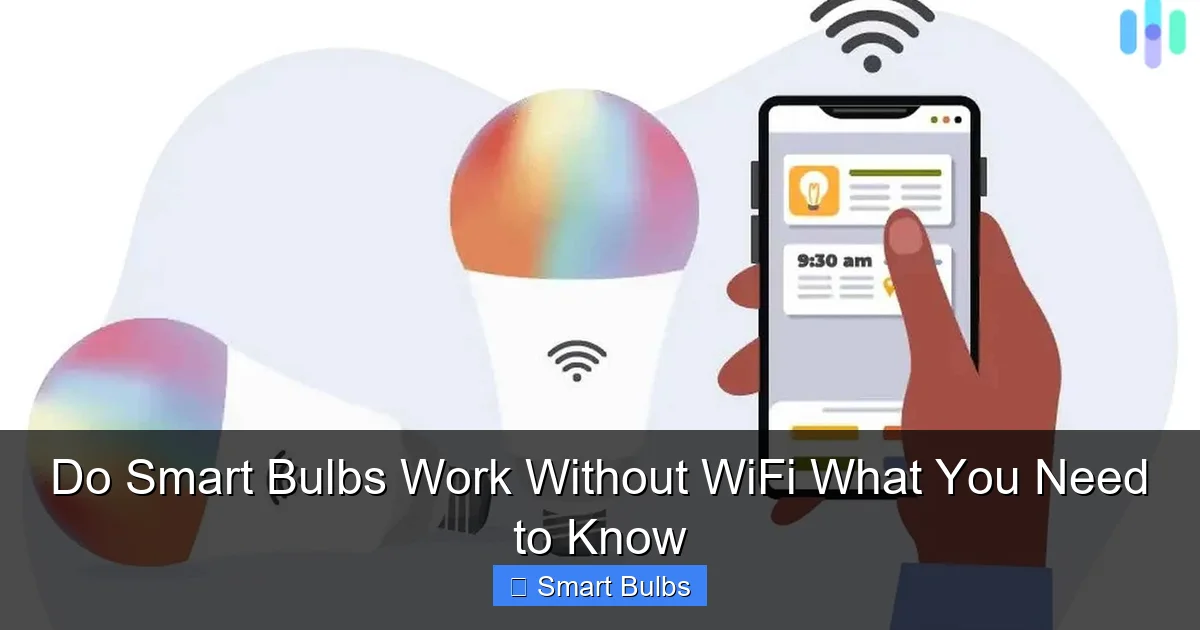
Do Smart Bulbs Work Without WiFi What You Need to Know
Smart home technology has revolutionized the way we interact with our living spaces, and smart lighting stands as one of the most popular entry points. The idea of controlling your lights with a tap on your phone or a simple voice command is undeniably appealing. However, a common question often pops up for those considering these futuristic light sources, or for existing users experiencing an internet outage: “Do smart bulbs work without WiFi?” It’s a valid concern, especially in a world where a stable internet connection isn’t always a guarantee.
The short answer, much like many things in the tech world, is “it depends.” While many smart bulbs are designed to integrate seamlessly with your home’s WiFi network, enabling a whole host of convenient features, some can indeed function, albeit with limitations, even when your router is offline or your internet service is down. Understanding *how* they can work without WiFi involves delving a bit deeper into the different types of smart bulb technologies available today. Let’s shed some light on this often-confusing topic and explore what you can expect from your smart lighting setup when the internet decides to take a break.
In this comprehensive guide, we’ll break down the nuances of smart bulb connectivity, explore the technologies that allow for offline operation, and detail exactly what features you might gain or lose when your smart lights are untethered from the internet. Whether you’re planning a smart home installation in an area with spotty internet, seeking to maximize your privacy, or simply curious about your bulbs’ capabilities during an outage, this information will empower you to make informed decisions and ensure your smart lighting always serves your needs. So, let’s dive into the fascinating world of smart bulbs and their offline potential.
Key Takeaways
- Offline Functionality Varies: Not all smart bulbs are created equal; their ability to work without WiFi depends on their underlying technology (Bluetooth, Zigbee, Z-Wave, or direct control).
- Bluetooth is Your Best Friend for WiFi-Free: Many individual smart bulbs can be controlled directly via Bluetooth from your smartphone within a limited range, offering basic on/off and dimming.
- Hubs Can Bridge the Gap: Zigbee and Z-Wave bulbs require a central hub, but once set up, this hub often doesn’t need an active internet connection to control the bulbs locally.
- You’ll Lose Advanced Features: Without WiFi, you’ll typically miss out on remote control from outside your home, voice assistant integration (Alexa, Google Home), complex schedules, and firmware updates.
- Basic Control Remains: Even the most WiFi-dependent bulbs will usually revert to simple on/off control via a traditional wall switch if no network is available.
- Setup Often Needs WiFi: Most smart bulbs, even those capable of offline operation, require an initial setup process that leverages a WiFi connection to pair and configure them.
- Consider Your Needs: If you prioritize privacy or live in an area with unreliable internet, choose Bluetooth or hub-based systems designed for robust local control.
📑 Table of Contents
The Short Answer: Yes, But With Caveats
Let’s get straight to it: Can smart bulbs work without WiFi? The definitive answer is a nuanced “yes, many can,” but it’s crucial to understand the limitations and specific scenarios where this applies. Most smart bulbs are designed with a primary connection method, usually WiFi, to offer their full suite of smart features. However, many also include secondary or alternative communication protocols that allow for some level of control even when your home network is unavailable.
The key takeaway here is that “working” without WiFi doesn’t mean “fully functional.” You won’t typically have the same seamless experience you get with an active internet connection. The capabilities will be pared down, often to basic control like turning the light on or off, or perhaps dimming. Advanced features that rely on cloud services, like voice commands, remote access from outside your home, or complex scheduling, are usually the first to go.
Understanding Basic On/Off Functionality
Before we get into the tech, let’s clarify the most basic function: simply turning the light on or off. Every smart bulb, regardless of its connectivity, can be turned on and off using a traditional wall switch. When you toggle the physical switch, it cuts or restores power to the bulb. This means that in the absolute worst-case scenario – no WiFi, no Bluetooth, no hub – your smart bulbs still function as regular light bulbs. They’ll just typically turn on to their default state (often full brightness, warm white). This is an important distinction, as it means you’ll never be left completely in the dark, even if your smart home system completely fails.
How Smart Bulbs Can Work Without WiFi: The Technologies

Visual guide about Do Smart Bulbs Work Without WiFi What You Need to Know
Image source: smarthomebit.b-cdn.net
The ability of a smart bulb to operate offline hinges on the communication protocol it uses. While WiFi is popular, it’s not the only game in town. Other technologies offer local control, meaning devices can talk to each other directly or via a hub without needing to route commands through the internet.
Bluetooth-Controlled Smart Bulbs
Bluetooth is arguably the simplest and most direct way for smart bulbs to work without WiFi. Many entry-level smart bulbs, and even some higher-end ones, come equipped with Bluetooth radios.
Direct Device-to-Bulb Communication
When a smart bulb uses Bluetooth, your smartphone (or another compatible device) communicates directly with the bulb itself. You open the manufacturer’s app on your phone, and as long as you’re within Bluetooth range (typically around 30-50 feet), you can control the bulb. This means you can turn it on/off, dim it, change colors, and even set simple timers, all without any WiFi network or internet connection whatsoever.
Advantages of Bluetooth for Offline Use
- No Hub Required: Often, Bluetooth bulbs don’t need a separate hub, making them a cost-effective choice for small setups.
- Immediate Local Control: Commands are sent directly from your phone to the bulb, meaning very low latency and quick responses.
- Great for Individual Rooms: Ideal for controlling a few bulbs in a single room or apartment where you’re always within range.
Limitations of Bluetooth
- Limited Range: Bluetooth signals don’t travel far and can be blocked by walls, restricting control to relatively close proximity.
- One-to-One or Small Group Control: Managing many bulbs across different rooms can become cumbersome, as you need to be in range of each one.
- No Remote Access: You can’t control your lights when you’re away from home.
Examples of brands offering strong Bluetooth control include Philips Hue (with Bluetooth built into newer bulbs) and Sengled Bluetooth bulbs.
Zigbee and Z-Wave Protocols (with a Local Hub)
Beyond Bluetooth, two other major communication protocols dominate the smart home landscape: Zigbee and Z-Wave. These are mesh networking protocols, meaning devices can relay messages to each other, extending the range of your smart home network. Crucially, they operate on different radio frequencies than WiFi, reducing interference and making them highly reliable for local control.
The Role of the Smart Home Hub
Zigbee and Z-Wave bulbs don’t connect directly to your phone like Bluetooth bulbs. Instead, they require a dedicated smart home hub (like the Philips Hue Bridge, SmartThings Hub, or Aeotec Smart Home Hub). This hub acts as the central brain of your smart home network, translating commands from your smartphone app into Zigbee or Z-Wave signals that the bulbs understand.
Offline Operation with a Hub
Here’s the key: many of these hubs are designed to process commands and execute automations *locally*. This means that once the hub and your bulbs are set up and paired, the hub can continue to communicate with the bulbs and run pre-programmed schedules or scenes even if your home’s internet connection goes down. The hub itself might initially require an internet connection for setup, firmware updates, or cloud-based features, but its core function of controlling local devices often remains intact offline.
Advantages of Hub-Based Systems for Offline Use
- Robust Local Control: Commands between the hub and bulbs are often very reliable and fast, even without internet.
- Extended Range: Mesh networking allows bulbs to relay signals, extending the effective range beyond what a single Bluetooth connection offers.
- Supports More Devices: Hubs can typically manage dozens, if not hundreds, of Zigbee or Z-Wave devices simultaneously.
- Advanced Offline Automations: Many hubs can store schedules and scenes locally, running them even without an internet connection.
Limitations of Hub-Based Systems
- Initial Setup Might Need Internet: Pairing the hub and bulbs, and configuring initial settings, often requires an active internet connection.
- Requires a Dedicated Hub: This adds to the cost and complexity compared to simple Bluetooth bulbs.
- No Remote Access: While local control persists, accessing your lights from outside your home will still require the hub to have an active internet connection.
Popular brands using these protocols include Philips Hue (Zigbee), IKEA Tradfri (Zigbee), and various Z-Wave compatible bulbs from brands like Aeotec and Zooz.
Smart Bulbs with Dedicated Remote Controls
Some smart lighting systems, particularly those designed for simplicity or as an entry point, offer dedicated physical remote controls. These remotes often communicate directly with the bulbs using their own proprietary radio frequency, or sometimes via Bluetooth or Zigbee.
Direct Control Without Apps or Networks
With these remotes, you typically pair the remote directly to one or more bulbs. Once paired, the remote can turn lights on/off, dim them, or change colors without needing a smartphone, an app, a hub, or any network connection. This is pure, unadulterated local control.
Advantages of Dedicated Remotes
- Completely Independent: Functions entirely without any external network or internet.
- Simplicity: Great for users who prefer tactile buttons over smartphone apps.
- Reliable Backup: An excellent solution for ensuring control during network outages.
Limitations of Dedicated Remotes
- Limited Functionality: Usually only offers basic control (on/off, dimming, sometimes color).
- Proprietary: Remotes are usually specific to a brand or product line.
- Range Limitations: Similar to Bluetooth, the range can be limited.
IKEA Tradfri, for example, offers various remotes that work directly with their Zigbee bulbs, even without the Tradfri Gateway (hub).
What Features You Lose Without WiFi
Visual guide about Do Smart Bulbs Work Without WiFi What You Need to Know
Image source: security.org
While some smart bulbs retain basic functionality without WiFi, it’s equally important to understand what capabilities you will forfeit when your internet connection is absent. These are often the “smartest” features that draw people to connected lighting in the first place.
No Remote Access from Outside Your Home
This is perhaps the most significant loss. The ability to turn on your lights before you arrive home, or check if you left them on after you’ve left, completely disappears without an internet connection. WiFi and cloud services are essential for remote control, as your commands need to travel from your phone, through the internet, to your home network, and finally to your bulbs.
Voice Assistant Integration Becomes Mute
Alexa, Google Assistant, Siri – these popular voice control platforms rely heavily on internet connectivity. Your voice commands are sent to the cloud for processing and interpretation, and then translated into actions for your smart devices. Without WiFi, your smart speaker becomes just a speaker, and your voice commands to control lights will go unanswered.
Loss of Cloud-Based Scheduling and Advanced Automations
Many sophisticated schedules, routines, and automations (e.g., “turn lights on at sunset,” “flash lights when the doorbell rings via IFTTT”) are processed and managed in the cloud. While some hubs can store simple schedules locally, complex, internet-dependent automations or those involving external triggers (like weather or calendar events) will cease to function.
No Firmware Updates
Smart bulbs, like any connected device, receive firmware updates to improve performance, fix bugs, and introduce new features. These updates are almost universally delivered over WiFi and require an internet connection to download and install. Without WiFi, your bulbs won’t receive these critical updates, potentially leaving them vulnerable or missing out on enhancements.
Limited Integrations with Other Smart Home Platforms
If your smart bulbs are part of a larger smart home ecosystem (e.g., integrated with a security system, smart thermostat, or motion sensors from different brands), these integrations often rely on a central cloud platform or a hub with internet access to orchestrate actions. Without WiFi, these cross-device automations will likely fail.
Setting Up Smart Bulbs for Offline Use
Even if your primary goal is offline functionality, most smart bulbs will still require some initial setup steps that might involve a WiFi connection. It’s a common misconception that if a bulb *can* work offline, it *never* needs internet.
Initial Pairing and Configuration
Almost universally, smart bulbs, even Bluetooth or hub-based ones, benefit from an initial setup process with an active internet connection. This is often necessary for:
- Downloading the App: The manufacturer’s app, essential for control, needs to be downloaded from an app store.
- Account Creation: Many smart home systems require an online account to manage devices.
- Firmware Updates: Getting the latest firmware onto your bulb during setup ensures optimal performance and security.
- Hub Setup: Smart home hubs almost always require an internet connection for their initial configuration and to connect to cloud services.
Once these initial steps are complete, and especially if you’re using Bluetooth or a hub with local processing capabilities, you can often disconnect the internet (or rely on local communication) for day-to-day control.
Choosing the Right Smart Bulb System for Your Needs
If offline functionality is a priority for you, consider these factors when buying:
- Bluetooth-First: Look for bulbs explicitly advertised with strong Bluetooth capabilities. These are usually the easiest to manage without a network.
- Local Processing Hubs: Invest in a smart home hub (Zigbee or Z-Wave) known for its robust local processing. Research reviews to confirm which hub functions well during internet outages.
- Dedicated Remotes: If simplicity and guaranteed physical control are paramount, seek systems that offer reliable dedicated remote controls that pair directly with the bulbs.
Best Use Cases for Offline Smart Bulbs
Understanding that smart bulbs *can* do smart bulbs work without WiFi opens up several practical scenarios where this functionality shines.
Areas with Poor or No WiFi Coverage
Not every corner of your home has strong WiFi. Basements, garages, sheds, or even certain rooms can be dead zones. For these areas, Bluetooth bulbs or those controlled by a local hub are perfect. You still get the convenience of smart control without the frustration of dropped connections.
Privacy Concerns
Some users are wary of devices constantly connected to the internet, fearing data collection or potential security vulnerabilities. Opting for smart bulbs that operate primarily offline, especially those controlled by local hubs or Bluetooth, can significantly enhance your privacy by limiting data transmission to external servers.
Backup Lighting During Internet Outages
Nobody wants to be left in the dark when the internet goes down. Having smart bulbs that can still be controlled locally provides peace of mind. You can still adjust your lighting with an app or remote, even if your streaming service is buffering endlessly.
Simple, Convenient Lighting
Sometimes, you just want to turn a light on, dim it, or change its color without needing to ask a voice assistant or pull out your phone for a remote server call. Bluetooth bulbs, for instance, offer this direct, immediate control, making them ideal for bedside lamps or reading lights where quick adjustments are appreciated.
Cost-Effective Smart Home Entry
If you’re just dipping your toes into smart home technology, a few Bluetooth-controlled bulbs can be a very affordable and low-commitment way to experience smart lighting without the need for a full hub setup or a reliance on constant internet.
Maintaining Offline Smart Bulb Functionality
Even with offline-capable bulbs, a little maintenance goes a long way to ensure smooth operation.
Keep Your Apps Updated (When Online)
While the bulbs can work offline, the control app on your smartphone will occasionally need updates. Connect to WiFi periodically to ensure your app is the latest version, which often includes bug fixes and performance improvements for local control.
Ensure Remotes Have Fresh Batteries
If you rely on physical remotes, check their batteries regularly. A dead battery will obviously render the remote useless, regardless of network status.
Test Your Offline Setup
Periodically, simulate an internet outage by unplugging your router or disabling WiFi on your phone (while still connected via Bluetooth or to your local hub network). This helps you understand exactly what functions remain and can save you frustration during a real outage.
Understand Hub Dependencies
For Zigbee/Z-Wave hubs, remember that while they can control devices locally, some settings, automations, or even the hub’s clock might require occasional internet syncs. Familiarize yourself with your specific hub’s documentation to know its exact offline capabilities.
Conclusion
So, do smart bulbs work without WiFi? Absolutely, but not always in the way you might initially expect. The world of smart lighting is diverse, offering solutions that cater to various needs and preferences, including those that prioritize offline functionality or operate in environments with unreliable internet.
By understanding the differences between Bluetooth, Zigbee, Z-Wave, and dedicated remote controls, you can intelligently choose smart bulbs that best fit your lifestyle. While you might sacrifice some of the more advanced, internet-dependent features like remote access or voice control, you gain reliable local control, enhanced privacy, and peace of mind knowing your lights will still respond even when the internet goes dark. Ultimately, whether you opt for fully connected lighting or a more independent, offline setup, smart bulbs still offer a powerful and convenient way to illuminate your home.
Frequently Asked Questions
Do all smart bulbs work without WiFi?
No, not all smart bulbs can function without WiFi. Their ability to work offline depends on their underlying technology, such as whether they incorporate Bluetooth, Zigbee, or Z-Wave protocols in addition to, or instead of, WiFi. Many basic WiFi-only bulbs will revert to simple on/off via a wall switch when the network is down.
What features will I lose if my smart bulbs work without WiFi?
Without WiFi, you’ll typically lose remote control from outside your home, integration with voice assistants like Alexa or Google Assistant, cloud-based scheduling and complex automations, and the ability to receive firmware updates. Basic functions like on/off and dimming often remain, especially with Bluetooth or hub-controlled systems.
Can Bluetooth smart bulbs work without WiFi?
Yes, Bluetooth smart bulbs are specifically designed to work without WiFi. You can control them directly from your smartphone via the manufacturer’s app as long as you are within Bluetooth range, allowing for local control of on/off, dimming, and color changes.
Do Philips Hue bulbs work without WiFi?
Newer Philips Hue bulbs with Bluetooth built-in can work directly with your phone via Bluetooth without a WiFi connection for basic control. If you have the Philips Hue Bridge (which uses Zigbee), it can control your lights locally even if your internet is down, provided the Bridge itself is still powered on and connected to your local network.
Do I need a hub for smart bulbs to work offline?
It depends on the bulb type. Bluetooth bulbs generally don’t require a hub for offline control. However, Zigbee or Z-Wave bulbs do need a compatible hub, but once configured, many hubs can continue to control these bulbs locally without an active internet connection.
Can I still use my physical light switch with smart bulbs if there’s no WiFi?
Yes, absolutely! Every smart bulb, regardless of its connectivity, can always be controlled using a traditional physical wall switch. Toggling the switch will cut or restore power to the bulb, causing it to turn on (usually to a default brightness and color) or off, just like a regular light bulb.