
Specs are compiled from manufacturer listings and verified buyer reviews and can change over time — please confirm the key details on the product page before buying.
When you’re shopping for a tablet that makes handwriting feel natural, the real test is how it feels in your hand — the friction between the pen tip and the screen, how fast the ink follows your stroke, and whether the device fades into the background while you work. Your first decision is if you need a full app-driven tablet or a distraction-free digital notebook.
I’m Maruf — the founder and writer behind HomeYarr. This guide is built by comparing the manufacturers’ published specifications and the patterns across verified customer reviews, so you get each pick’s real strengths and trade-offs instead of marketing spin.
From the featherweight digital notebook to the powerhouse pro canvas, this breakdown covers a spectrum of tablets to write on that deliver a genuine pen-on-paper feel without sacrificing the features you actually need daily.
Our Picks at a Glance


How To Choose The Best Tablets To Write On
Choosing a tablet for writing is less about picking the biggest screen and more about matching the technology to your workflow. Your decision starts with a single, fundamental question: do you want a device that also runs email, games, and streaming, or do you want a tool that isolates the act of writing and reading from all distractions?
Decide Between an App Tablet and a Digital Notebook
A full tablet like the iPad or Galaxy Tab S9 runs thousands of apps, connects to the internet, and can replace your laptop for many tasks. On the other hand, a digital notebook like the Kindle Scribe or reMarkable is purpose-built for writing and reading. These e-ink devices have no notifications, no social media, and offer battery life measured in weeks, not days.
Look for the Writing Feel, Not Just the Spec Sheet
The “paper-like” feeling is the holy grail of writing tablets. E-ink displays like those on the Kindle Scribe and reMarkable offer a textured surface that creates real friction, so your pen glides like it would on a physical notebook. LCD tablets with matte screen protectors can also approximate this feel, but the technology that reduces eye strain and glare is the defining factor for long writing sessions.
Quick Comparison
| Model | Best For | Display Type | Battery Life | Storage | Amazon |
|---|---|---|---|---|---|
| Apple iPad 11-inch★ Best Overall | App ecosystem + notetaking | Liquid Retina | All-day | 128GB | Amazon |
| TCL NXTPAPER 11 PlusEye Comfort Pick | Eye-friendly reading + writing | 2.2K 120Hz LCD | 8000mAh | 256GB | Amazon |
| Lenovo Idea TabValue Champion | Budget student writing | 2.5K 90Hz IPS | 12 hours | 256GB | Amazon |
| Lenovo Idea Tab Pro | Large-screen productivity | 12.7″ 3K LCD | 11 hours | 128GB | Amazon |
| Kindle Scribe (Like-New) | Budget paper-like writing | 10.2″ 300 ppi | Weeks | 32GB | Amazon |
| Kindle Scribe (newest) | Distraction-free focus | 11″ paper-like | Weeks | 32GB | Amazon |
| Kindle Scribe Colorsoft | Color notes + reading | 11″ Colorsoft | Weeks | 64GB | Amazon |
| reMarkable Paper Pro | Premium paper feel | 11.8″ Canvas Color | 2 weeks | — | Amazon |
| Samsung Galaxy Tab S9 | Power + S Pen | 11″ AMOLED 2X | 15 hours | 256GB | Amazon |
| Samsung Galaxy Tab S10+ | Large-screen artists | 12.4″ AMOLED | 10090mAh | 512GB | Amazon |
| Apple iPad Pro 13-inch | Pro creative work | Ultra Retina XDR | All-day | 256GB | Amazon |
In-Depth Reviews
1. Apple iPad 11-inch (A16)
Our pick — over 4.5★ from 27,500+ verified ratings; the strongest balance of quality and price.
The all-rounder that turns into a digital notebook in a second.
This iPad earns its spot as the crowd favorite — 4.7 stars across 27,000+ owners — because it handles everyday tasks with ease. The A16 chip (Apple’s processor for fast app performance) keeps things snappy, the 11-inch Liquid Retina display (a high-resolution screen with vivid colors) stays crisp, and battery life lasts through a full day of classes, meetings, and sketching. At just 1.05 pounds, you’ll barely notice it in your bag.
Writing on it feels smooth, especially with the Apple Pencil (USB-C) (Apple’s stylus that connects via the USB-C port). The display’s True Tone (a feature that automatically adjusts colors to match your room’s lighting) keeps your eyes comfortable whether you’re jotting notes at a café or reviewing documents in a dim office. It doubles as a drawing canvas and note-taking device while running over a million apps.
Buyers report the battery genuinely lasts around 12 hours even with heavy use, and the Touch ID in the top button makes open up and paying secure and fast. The 12MP Center Stage front camera keeps you framed during video calls, and the 12MP back camera handles document scanning with a True Tone flash.
What wins people over
- Functionality is the #1 praised aspect — over 1,000 owners call it out for just working smoothly day in, day out
- Battery life is the second most-discussed positive, with heavy users getting a full day
- Bright, clear display that reviewers call premium-feeling yet lightweight
Who should think twice
- Storage starts at 128GB — fine for notes, but heavy media hoarders may want more
- Apple Pencil is sold separately, so budget for the stylus
Reach for this if: you want one device that handles notes, work, entertainment, and creativity without compromise.
Consider another if: your only goal is distraction-free writing — an e-ink notebook will serve you better.
2. TCL NXTPAPER 11 Plus
A matte screen that’s genuinely easier on your eyes for long writing sessions.
If you write for hours, the NXTPAPER 11 Plus is worth a serious look. Its 11.5-inch 2.2K display (a high-resolution screen with over 2,000 pixels across) runs at 120Hz (a fast refresh rate that makes scrolling and writing feel smooth), but the real story is the NXTPAPER 4.0 technology: a TÜV-certified low blue light (a certification from a German safety group for reduced eye strain), anti-glare coating, and DC dimming (a method that reduces screen flicker) all work together to cut eye strain. Owners say the Ink Paper Mode significantly reduces eye fatigue for longer reading sessions.
The included TCL T-PEN stylus offers 4096 pressure levels, giving you precise and natural input for writing, sketching, or note-taking. Unlike the iPad above, this comes with the pen and a flip cover in the box — and the cover doubles as a stand. It also packs a huge 8000mAh battery with 33W PD fast charging, and the reverse charging function can top up your phone or earbuds.
Owners mention the handwriting functionality is a highlight — you can physically handwrite notes and convert them to typed text later. The tablet quality is the most-praised aspect, with owners noting the sturdy aluminum build and the paper-like matte display being great for comics and reading. One owner summed it up: “She loves it, great color, comes with Pen & cover.”
Standout strengths
- 3-in-1 VersaView modes switch between vivid, e-reader-like, and soft color
- AI tools: voice memo, real-time bilingual subtitles, writing assist
- 256GB built-in storage — no microSD needed for most users
Honest trade-offs
- Performance is rated mixed by some owners — best for reading, notes, and light creative work
- Build quality has mixed feedback, so treat it gently
Best for: students and readers who want a paper-like screen without giving up Android apps.
Look elsewhere if: you need a guaranteed long-term Android update commitment.
3. Lenovo Idea Tab
The budget-savvy student tablet that came to class prepared.
This Lenovo is a strong value pick because it bundles everything a student needs: the Tab Pen, the folio case, and a crisp 11-inch 2.5K IPS touchscreen are all in the box at a budget-friendly price. The screen runs at 90Hz, which keeps scrolling and writing feeling fluid, while TÜV Rheinland Low Blue Light hardware protects your eyes during long study sessions.
Owners are most impressed by the overall quality — it’s the #1 praised aspect, with over 130 buyers calling it out. Performance is the second most-discussed positive, powered by the MediaTek Dimensity 6300 processor and 8GB of RAM (expandable with virtual RAM). One owner noted the included stylus is particularly useful for marking up PDF files for grad school, and the 256GB storage even beats pricier tablets from other brands.
Four learning apps are preloaded — Lenovo AI Note, Squid, Nebo, and MyScript Calculator — so you can write, organize, sketch, and calculate right away. Battery life is rated up to 12 hours of YouTube, and the 20W charger gets you back in action quickly. The 7216mAh battery keeps you going through a full day of lectures and streaming breaks.
The things buyers praise
- Exceptional value — a capable tablet with pen and case at a budget price
- 256GB storage plus microSD expansion for media hoarders
- Dolby Atmos-tuned quad speakers for rich sound
Things to know
- Some apps (like Amazon) are incompatible and preloaded junk games annoy
- The included folio case has unsecured edges
Grab this if: you’re a student who wants a capable writing tablet without spending premium money.
Steer clear if: you need flawless compatibility with every app on the Play Store.
4. Lenovo Idea Tab Pro

A laptop-sized canvas that’s genuinely better than most iPads for writing.
The Idea Tab Pro is a different beast — its 12.7-inch 3K LCD display offers a huge canvas for writing, sketching, and annotation. It’s the screen size that wins people over, with the display quality being a top-praised aspect. Owners describe it as crisp and vibrant, perfect for drawing on the go, and one reviewer noted it’s simply “better than iPad for writing.”
Under the hood, the MediaTek Dimensity 8300 processor with Wi-Fi-6E keeps multitasking smooth, and the 360Hz touch sampling rate makes the included Tab Pen Plus feel instant and responsive. Google Gemini is built in, so you can circle anything on screen with your pen or finger to search instantly. The 10200mAh battery offers 11 hours of unplugged video streaming, and the 45W quick charge gets you back in action fast.
Performance is the most-praised aspect with over 150 owners mentioning it, and value for money comes second — this is a semi-budget tablet that handles many Chrome tabs without slowdown, unlike a Chromebook. The quad JBL Dolby Atmos speakers also make media consumption a pleasure, and the included folio case protects the device.
Why it stands out
- Huge 12.7″ 3K screen — great for aging eyes and detailed work
- PUBG certified for FPS gameplay at 90fps
- Google Gemini AI assistant for study and work
The honest catches
- Battery life is mixed — the LCD drains faster, with an 80% charge limit as an option
- Weight is mixed — it’s a desk-use tablet, not a one-hand device
- Requires a specific 45W PD smart charger; standard chargers may cause slow charging
Choose this if: you want a big writing canvas with PC-like productivity and AI smarts.
skip it if: you need a lightweight tablet you’ll hold for hours.
5. Kindle Scribe 32GB (Like-New)

The affordable gateway into focused, paper-like writing.
This Like-New Kindle Scribe is a smart way to try the e-ink writing experience without paying full price. It’s refurbished, tested, and certified to look and work like new, and it comes with the same limited warranty as a new device. The 10.2-inch glare-free, 300 ppi front-lit display is designed for reading and writing anytime, indoors or out.
Owners love the writing experience — it genuinely feels like pen on paper, with the Premium Pen needing no setup or charging. Just start writing. The built-in AI tools can convert messy handwriting into readable font, summarize your notes, and even change their length and tone. You can import documents and PDFs using Send to Kindle and mark them up directly on the page.
Battery life spans weeks of writing and months of reading on a single charge. Its lack of notifications and social media makes it a popular daily planner for owners. One owner uses it at work to replace “8 million different notebooks,” taking notes and emailing them out as needed.
What owners appreciate
- Paper-like writing feel with natural erasing via the pen back
- Weeks of battery life on a single charge
- Versatile notebook templates: margins, lines, graph, dotted, music
Consider the caveats
- Some owners note the UI can feel clumsy for non-linear reading
- No Outlook calendar integration for scheduling
Reach for this if: you want to dip into digital writing without the premium price tag.
Think again if: you need a fast, app-driven tablet for browsing and streaming.
6. Kindle Scribe 32GB (Newest Model)

The digital notebook that finally feels faster than pen and paper.
This all-new Kindle Scribe takes the paper-like concept further. It’s redesigned with an 11-inch glare-free display, a textured surface that creates a smooth writing feel, and — critically — writing and page turns that are 40% faster. That speed matters: it kills the lag that makes digital writing feel disconnected, and owners with experience on the previous model say the difference is real.
At just 5.4mm thin and 400g light, it’s built for comfort, and the display auto-adapts its brightness to your surroundings. The included pen never needs charging and has a built-in eraser plus a shortcut button for tools like the highlighter. Owners call it the best e-ink device for intensive reading, writing, and notes, with zero writing lag and a crisper screen than even the color version.
The device quality is the #1 praised aspect, with writing experience coming in second — 75 owners specifically rave about the feel. The AI tools are a standout: convert handwriting to text, generate summaries, or ask questions about what you’ve written. You can import documents from Google Drive or Microsoft OneDrive, mark them up, and export as PDFs or send notebooks to OneNote.
Why it’s the top of its class
- Zero-lag writing with a paper-like textured screen
- Weeks of battery on a single charge
- Distraction-free — no apps, no notifications, no social media
What to expect
- Some units show uneven front lighting — a known quality variance
- AI tools work in notebooks, not on DRM-protected books
Choose this if: you want the best distraction-free writing experience money can buy.
Skip if: you need color for your notes or documents.
7. Kindle Scribe Colorsoft 64GB

For when your notes and sketches demand more than black ink.
The Kindle Scribe Colorsoft is the answer if you want the focus of an e-ink notebook but need color in your life. Its custom-built 11-inch Colorsoft display delivers high-contrast, paper-like color that’s easy on the eyes, and it does this without the distracting flashes that often come with color e-ink writing. It’s “our most advanced Kindle Scribe,” and it shows.
Owners love the color for graphic novels, and the experience feels like writing with a pencil on paper. The included pen never needs charging and has a built-in eraser and shortcut button. But there’s a real trade-off: while device quality is the top-praised aspect with 117 mentions, value for money gets mixed feedback — it’s pricey, and some owners note the screen brightness is lower than the original Scribe.
Battery life is still measured in weeks, and it’s just as slim and light as its black-and-white sibling at 5.4mm thick and 400g. You get 64GB of storage — double the standard Scribe — which is useful for a growing library of color documents and comics. The AI notebook tools work the same way: summarize, clean up, and convert your handwriting.
Where it shines
- Color highlighting and notes that bring documents to life
- Works with third-party pens like STAEDTLER and Lamy
- Library organization by author and subject
The honest trade-offs
- Screen brightness is lower than the black-and-white Scribe
- Some customers note daily charging needs despite the long battery claim
Get this if: you read comics, color-code notes, or want a color e-ink display for documents.
Stick with B&W if: color doesn’t matter — the standard Scribe has a brighter screen.
8. reMarkable Paper Pro
The purist’s choice for writing that truly mimics the friction of paper.
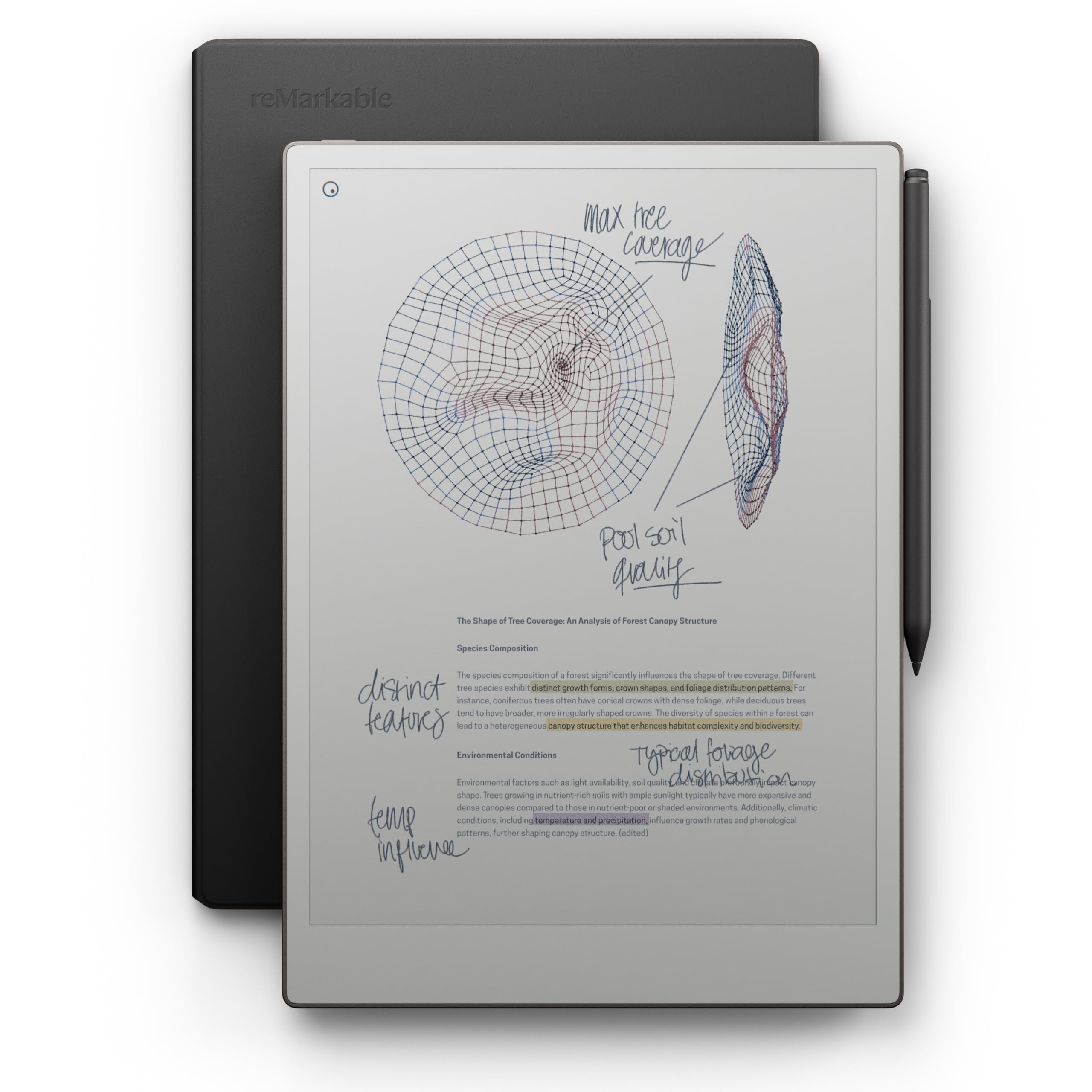
The reMarkable Paper Pro is designed to be the ultimate paper tablet, and it’s the first from reMarkable with a color display. The 11.8-inch Canvas Color display delivers realistic friction and a natural writing feel, and the included Marker Plus offers precise control, incredible responsiveness, and all-day comfort. It’s not a tablet you’re used to — no browser, no apps, no social media.
Instead, it’s a dedicated device for a unique style of writing. Owners who’ve made the switch say they’ve “not used a yellow pad since” — everything downloads to their phone, so notes are easily accessible. The writing experience feels very natural, the screen is easy on the eyes, and the battery lasts a long time, rated at 2 weeks. The premium black leather Book Folio case is a standout inclusion.
Handwriting conversion is instant: write on PDFs, organize with folders and tags, and convert handwritten notes to typed text automatically. The adjustable reading light lets you keep working when the lights go out. Reviewers consistently call it expensive but worth it, citing an class-leading writing feel.
What makes it special
- Realistic paper friction that feels indistinguishable from a physical notebook
- 2-week battery life with a low-glare, reflection-free display
- 6 spare Marker tips and a premium leather folio included
Know the limitations
- No web browser or third-party apps — it’s a focused tool, not a full tablet
- Some owners find the brightness and reading comfort disappointing for the cost
Choose this if: you’re ready to replace your paper notebooks entirely with the most natural digital writing feel.
Look elsewhere if: you need connectivity to the broader web or app ecosystem.
9. Samsung Galaxy Tab S9

The S Pen is included, the AMOLED is stunning, and the IP68 rating is rare.
The Galaxy Tab S9 stands out with its 11-inch Dynamic AMOLED 2X screen — intense colors, deep contrasts, and Vision Booster that auto-adjusts brightness. It’s the display quality that owners rave about, pairing it with a Snapdragon 8 Gen 2 processor that runs faster than work laptops. The S Pen is included and feels like a real pen for sketching and notes.
What truly sets this apart is durability: with an IP68 rating, it’s one of the only water- and dust-resistant tablets on the market. The Armor Aluminum frame is designed to protect against bumps, so you can take it anywhere confidently. Battery life hits 15 hours, and Super Fast Charging gets you back in action quickly. The 8400mAh battery handles heavy use, with owners reporting solid longevity during college note-taking.
Device quality is the most-praised aspect with over 100 owners, and performance is second. Galaxy AI is built in, so you can search like never before, let transcript assist take notes for you, and format notes into clear summaries. The quad speakers with Dolby Atmos surround sound make it excellent for entertainment too.
Its strongest suits
- IP68 water and dust resistance — truly portable
- Stunning AMOLED 2X display with Vision Booster
- S Pen included with natural pen feel
Worth noting
- Value for money gets mixed reviews — accessories are pricey
- Battery life is mixed; gaming drains it faster than expected
Reach for this if: you want premium power, a gorgeous screen, and durability in one device.
Consider alternatives if: you’re on a tight budget and only need basic note-taking.
10. Samsung Galaxy Tab S10+

The big canvas that turns your rough sketches into finished art.
For artists and professionals, the Tab S10+’s 12.4-inch display is a revelation. It works like a big phone for notes, but its real a neat extra is “Sketch to Image” — turn simple sketches into works of art instantly using Galaxy AI. The Note Assist feature captures your lecture, meeting, or daily notes and organizes and even summarizes them for you.
The included S Pen is excellent for art — reviewers point out it works smoothly with Krita and Clip Studio Paint, and the tablet can even serve as a second screen for Photoshop. The 512GB storage is generous, and it’s expandable to 1TB. Battery life is strong at 8-10 hours of active use, with the 10090mAh capacity keeping you going through long study sessions.
Owners consistently praise the large screen size and how it aids aging eyes, with one noting it’s ideal for big hands. It performs exceptionally well and syncs easily with other Samsung products. The Samsung Notes app is a standout for students, syncing handwritten notes with lecture recordings for a complete study workflow.
Standout features
- Sketch to Image AI — turn doodles into finished art
- Circle to Search with Google — no app switching
- Note Assist captures and summarizes lectures automatically
Consider first
- Too big and heavy for casual one-hand use — best as a laptop replacement
- Premium price point that pushes it beyond casual buyers
Choose this if: you’re a professional, artist, or student who’ll use it daily as a laptop alternative.
Skip if: you want a light, casual tablet for occasional notes and browsing.
11. Apple iPad Pro 13-inch (M5)

The gold standard for professionals who demand laptop-level power in a writing slate.
The iPad Pro 13-inch with the M5 chip is the ultimate writing tablet for professionals. Its 13-inch Ultra Retina XDR display is “the world’s most advanced display,” featuring extreme brightness, precise contrast, ProMotion, P3 wide color, and True Tone. At just 0.2 inches thin and 1.28 pounds, it’s remarkably portable for its screen size — owners describe it as paper-sized and stunningly light.
Performance is the most-praised aspect with 131 owners mentioning it, and it’s easy to see why. The M5 chip delivers next-generation speed, and shoppers say it excels at professional 3D design work with the Apple Pencil Pro — one IT professional notes 90% of their desktop Fusion 360 work is possible on this device. The 120Hz ProMotion display is stunning, and the four-speaker audio system actually beats the M3 MacBook Air’s speakers, according to one owner.
Battery life impresses too: buyers report 2-3 days of mixed use, and the 35W charger is fast, taking 50% to 80% in under an hour. The landscape 12MP Center Stage camera and 12MP Wide camera with LiDAR scanner round out a pro-grade package. It’s the pick for those who want zero compromises between writing and computing.
Why it’s the pro choice
- M5 chip with Neural Accelerators for on-device AI
- 13″ Ultra Retina XDR with ProMotion — the world’s most advanced display
- Wi-Fi 7 with Apple N1 for lightning-fast transfers
The real trade-offs
- Premium price — the 1TB/2TB storage options are hard to justify
- One-hand use fatigues on this large a screen
Choose this if: you’re a creative professional who wants a single device for writing, design, and computing.
Consider the standard iPad if: your needs are notes and everyday productivity, not pro workflows.
Understanding the Specs
Display Technology
Display type directly shapes writing feel and comfort. E-ink displays, like those in the Kindle Scribe and reMarkable, offer a paper-like texture with zero glare, making them ideal for long reading and writing sessions. LCD displays like the iPad’s Liquid Retina offer vibrant colors and high refresh rates but may cause more eye strain over extended use. AMOLED displays from Samsung offer the best of both — vivid colors and deep blacks, though they’re not paper-like.
Stylus Pressure Levels
Higher pressure sensitivity levels let the stylus detect more force variations, producing more natural strokes. The TCL NXTPAPER’s T-PEN offers 4096 pressure levels, which is excellent for artists who shade and vary line weight. This spec matters most if you sketch or draw; for pure note-taking, even a basic stylus with fewer levels feels sufficient.
FAQ
What is the difference between an e-ink tablet and a standard tablet for writing?
Can I convert my handwriting to typed text on these tablets?
Will my tablet’s stylus work without charging?
Is an iPad or an e-ink tablet better for taking notes in college?
How important is the display refresh rate for writing?
Can I read PDFs and mark them up on these tablets?
Which tablet has the best battery life for writing?
Is it worth paying more for a color e-ink display?
How much storage do I need for a writing tablet?
Can these tablets replace my paper notebooks completely?
Final Thoughts: The Verdict
If you want one dependable pick, the tablets to write on winner is the Apple iPad 11-inch because it balances a stunning Liquid Retina display, all-day battery life, and the full app ecosystem — the crowd favorite at 4.7 stars across 27,000+ owners. If you want a distraction-free writing experience with weeks of battery, grab the Kindle Scribe. And for the most natural pen-on-paper feel, the reMarkable Paper Pro is the one to reach for. If you are on a budget, the Lenovo Idea Tab delivers a pen, case, and a sharp 2.5K screen for far less than the premium options.
How We Picked
We do not accept paid placement. Every pick is matched to a real buyer and a real use-case; we do not hands-on test units.
Sources & Methodology
Specifications: manufacturer listings and product documentation. Review insights: verified customer reviews, as of August 2026. Pricing: not shown on this page (it changes often); check the current price via the retailer link.