This guide walks you through the essential steps to create a productive study desk setup. Emphasizing ergonomics and organization, it covers everything from choosing the right monitor stand to cable management. Follow these tips to enhance focus and comfort during long study sessions.
Key Takeaways
- Ergonomics is Key: Proper desk and chair height prevent strain and boost productivity.
- Monitor Height Matters: Use a monitor stand to align the top of the screen at eye level for comfort.
- Declutter for Focus: Keep your desk organized to minimize distractions and improve concentration.
- Lighting Enhances Performance: Ensure adequate, glare-free lighting to reduce eye fatigue.
- Cable Management is Crucial: Tidy cables create a clean workspace and prevent accidents.
- Personalize Your Space: Add motivational items to make your study desk inviting and inspiring.
Introduction: Why Your Study Desk Setup Matters
Welcome to the ultimate guide to setting up a productive study desk! A good study desk is more than just a piece of furniture. It is your command center for learning and work. A well-set-up study desk can boost your focus. It can reduce physical strain. And it can help you achieve more in less time. In this guide, we will cover every step to create your ideal study desk. We will pay special attention to monitor stands. A monitor stand is a game-changer for comfort and efficiency. By the end, you will have a study desk that supports your goals. Let’s get started!
Step 1: Choose the Right Desk and Location
Your study desk journey begins with the desk itself. The right desk and location set the foundation for a productive study desk setup. Here’s how to choose wisely.

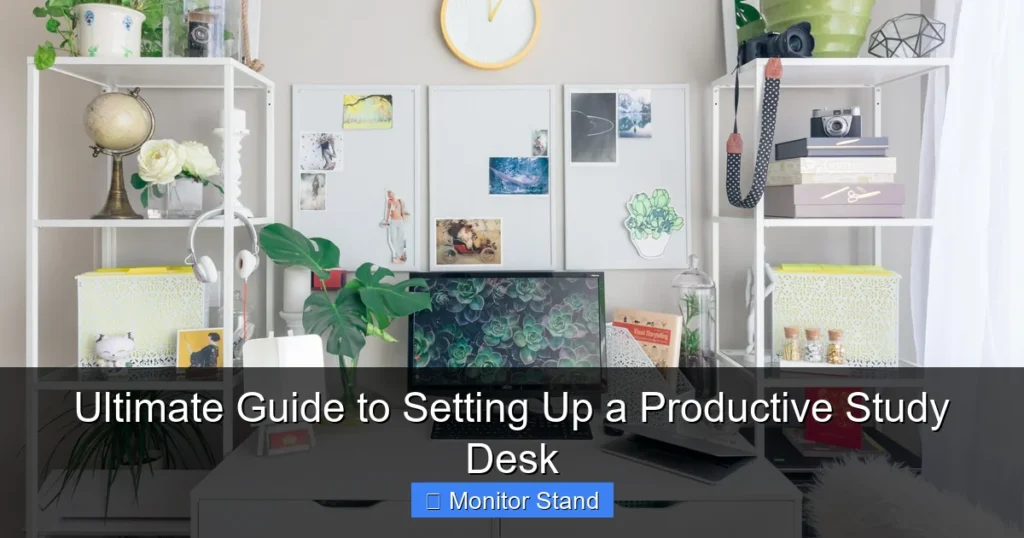
Visual guide about Ultimate Guide to Setting Up a Productive Study Desk
Image source: gobritanya.com
Assessing Your Space
First, look at your room. Find a spot with good natural light if possible. Avoid high-traffic areas to minimize distractions. Make sure there is enough space for your desk and chair. You need room to move around comfortably. A clutter-free zone is best for a study desk.
Selecting the Desk Type
There are many desk types. Consider a standing desk for flexibility. A traditional wooden desk is sturdy and classic. For small spaces, a wall-mounted or corner desk saves room. Your study desk should fit your needs and style. Ensure it is wide enough for your monitor and supplies. A depth of 24 inches or more is ideal. This gives you ample space for a productive study desk.
Practical Tip: Measure your space before buying a desk. Use tape to mark the desk outline on the floor. This helps you visualize the setup.
Step 2: Invest in an Ergonomic Chair
An ergonomic chair is vital for your study desk. You will spend hours sitting. A good chair prevents back pain and keeps you focused.
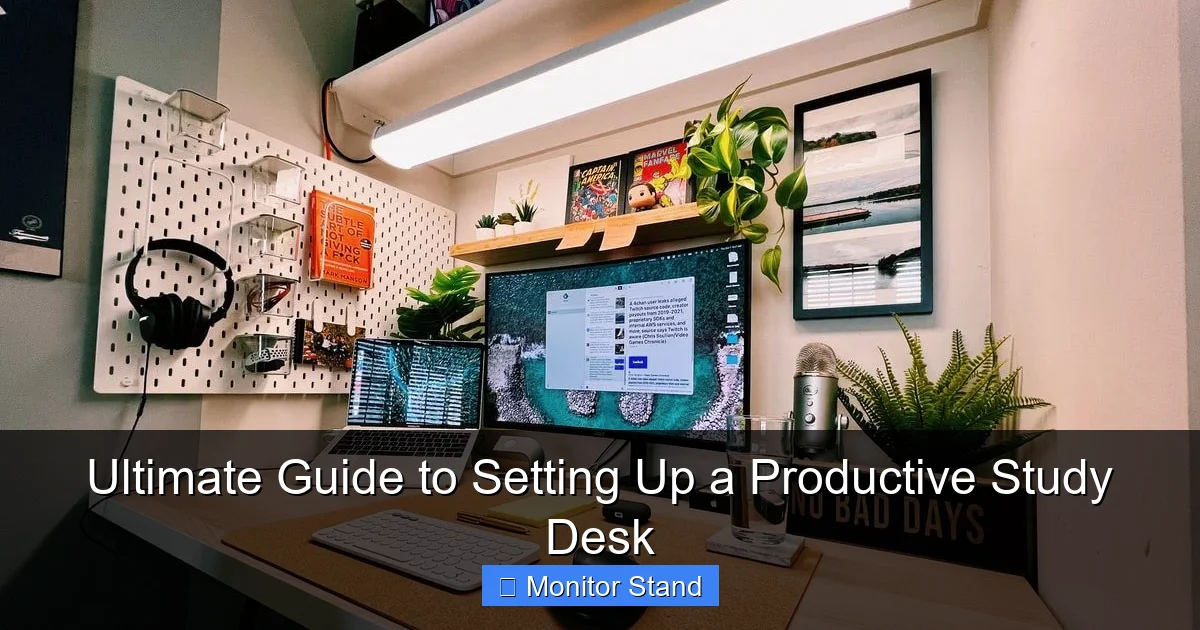
Visual guide about Ultimate Guide to Setting Up a Productive Study Desk
Image source: careerkarma.com
Adjusting Chair Height
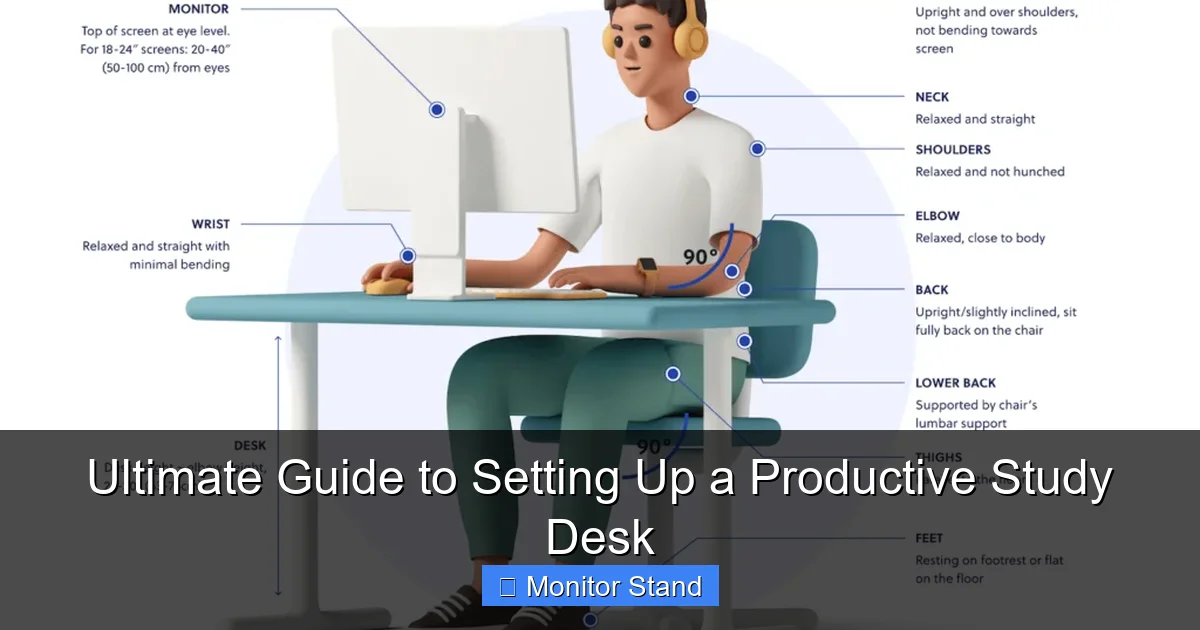
Your chair height should let your feet rest flat on the floor. Your knees should be at a 90-degree angle. Adjust the seat so your thighs are parallel to the ground. This promotes good circulation. Pair it with your study desk for optimal posture.
Lumbar Support and Comfort
Look for a chair with lumbar support. It should curve to fit your lower back. Adjustable armrests are a plus. They should let your shoulders relax. A breathable fabric keeps you cool during long study sessions. Remember, your chair is part of your study desk ecosystem. It should work with your desk height.
Example: If your study desk is 29 inches high, set your chair so your elbows are level with the desk surface. This avoids strain.
Step 3: Set Up Your Monitor with a Stand
This step is crucial for a productive study desk. A monitor stand elevates your screen. It improves posture and saves space. Let’s dive in.
Visual guide about Ultimate Guide to Setting Up a Productive Study Desk
Image source: quidlo.com
Why a Monitor Stand is Essential
A monitor stand raises your screen to eye level. This prevents you from hunching over. It reduces neck and shoulder pain. It also frees up desk space. You can store items underneath. For a study desk, this means more room for books and notes. A monitor stand makes your study desk look tidy and professional.
Choosing the Right Monitor Stand
Monitor stands come in various styles. Fixed stands are simple and stable. Adjustable stands let you change height and angle. Some have built-in storage or USB ports. Pick one that matches your monitor size and weight. Ensure it fits on your study desk without overcrowding. For dual monitors, consider a wider stand. This enhances your study desk setup for multitasking.
Positioning Your Monitor Correctly
Place the monitor stand on your study desk. Center it in front of you. The top of the screen should be at or slightly below eye level. Sit back in your chair. Extend your arm. The screen should be about an arm’s length away. Adjust the tilt to avoid glare. This setup protects your eyes and neck. Your study desk now supports healthy habits.
Practical Tip: Use books or risers if you don’t have a monitor stand. But a dedicated stand is better for stability and style on your study desk.
Step 4: Organize Cables and Accessories
A messy study desk can distract you. Cable management and smart accessories keep things neat. Here’s how.
Cable Management Solutions
Gather all cables from your monitor, lamp, and devices. Use cable ties or clips to bundle them together. Route cables behind your study desk legs. A cable management tray under the desk hides wires. Label cables for easy identification. A power strip with surge protection is safe. Plug it into a nearby outlet. This keeps your study desk area hazard-free.
Essential Desk Accessories
Add a desk organizer for pens and supplies. A document holder reduces paper clutter. A coaster protects your study desk from drink stains. A small plant can boost mood. Keep only what you need on the study desk surface. Store extras in drawers. This minimalist approach fosters concentration on your study desk.
Example: For a study desk with a monitor stand, tuck excess cables behind the stand. This creates a clean look.
Step 5: Optimize Lighting and Ambiance
Good lighting is key for a productive study desk. It reduces eye strain and sets the mood. Let’s brighten up your space.
Natural vs. Artificial Light
Position your study desk near a window for natural light. But avoid direct sunlight on your screen. It causes glare. Use curtains to diffuse light. For evenings, add a desk lamp. Choose LED bulbs with warm white light. They are easy on the eyes. Place the lamp on the opposite side of your writing hand. This prevents shadows on your study desk.
Reducing Glare and Eye Strain
Adjust your monitor’s brightness to match the room. Use an anti-glare screen filter if needed. Ensure overhead lights don’t reflect on the screen. A matte finish on your study desk surface can help. Take breaks every 20 minutes. Look away from the screen. This practice, combined with a well-lit study desk, keeps your eyes fresh.
Practical Tip: A lamp with adjustable brightness is perfect for your study desk. You can change it based on the task.
Step 6: Personalize for Motivation and Efficiency
Your study desk should inspire you. Personal touches make it inviting. But balance is key. Let’s personalize wisely.
Adding Personal Touches
Add a photo frame or a motivational quote. A small clock helps with time management. Choose decor that doesn’t clutter your study desk. A calendar or planner keeps tasks in view. Plants like succulents are low-maintenance. They add life to your study desk. Personal items should spark joy without distraction.
Keeping It Functional
Ensure everything on your study desk has a purpose. Keep frequently used items within reach. Use drawers for less-used things. A whiteboard on the wall can save space. Regularly declutter your study desk. A tidy desk means a clear mind. This habit maintains your productive study desk setup.
Example: On your study desk, place a notepad for quick notes. This avoids digital distractions during study sessions.
Troubleshooting Common Study Desk Issues
Even with the best setup, problems can arise. Here are solutions for common study desk woes.
Neck or Back Pain
If you feel pain, check your posture. Adjust your chair and monitor stand. The screen should be at eye level. Your study desk height might be wrong. Use a footrest if your feet don’t reach the floor. Take frequent stretches. Your study desk setup should adapt to your body.
Clutter Buildup
Clutter can creep onto your study desk. Dedicate 5 minutes daily to tidy up. Use storage boxes under the desk. Implement a one-in-one-out rule for items on your study desk. This keeps your productive study desk environment intact.
Poor Lighting
If lighting feels off, add a second lamp. Use bias lighting behind your monitor. It reduces contrast strain. Ensure your study desk area has even illumination. Avoid dark corners that cause fatigue.
Distractions
If distractions plague your study desk, use noise-canceling headphones. Face your desk away from doors or windows. Set boundaries with others during study time. A well-organized study desk minimizes visual distractions too.
Conclusion: Enjoy Your Productive Study Desk
Congratulations! You have now set up a productive study desk. We covered choosing the right desk and chair. We emphasized the monitor stand for ergonomics. We organized cables and optimized lighting. We personalized for motivation. Remember, a study desk is a dynamic space. Tweak it as your needs change. Regular maintenance keeps it effective. Your study desk is now a hub for success. Happy studying!