
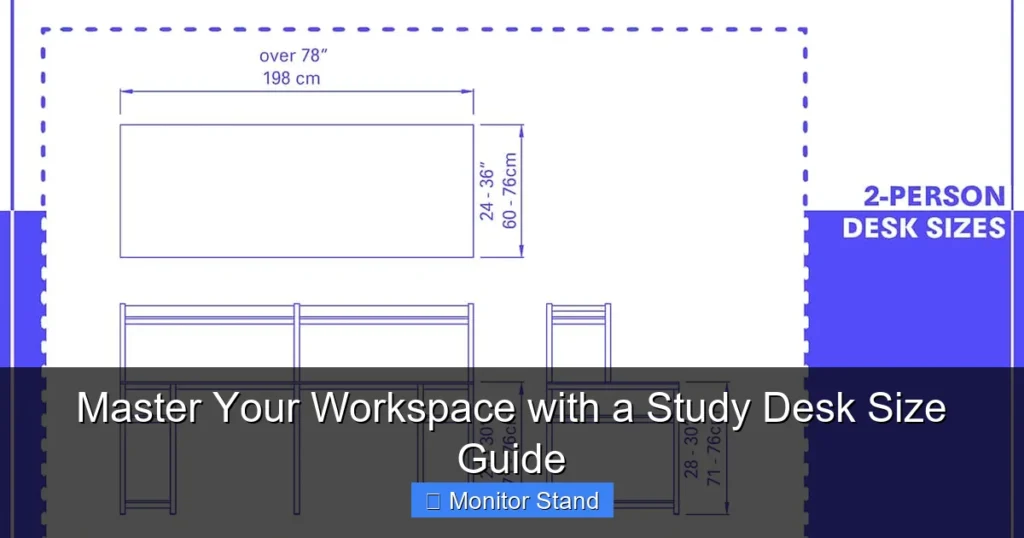
Choosing the right study desk size is crucial for comfort and efficiency. This guide walks you through measuring your space, assessing your needs, and selecting dimensions that promote good posture. You’ll learn how to integrate a monitor stand for optimal viewing and create a workspace that boosts productivity.
Key Takeaways
- Measure Twice, Buy Once: Always assess your room dimensions and available space before selecting a desk to ensure a perfect fit.
- List Your Essentials: Identify all items that will reside on your desk, from monitors to notebooks, to determine the required surface area.
- Prioritize Ergonomics: Proper desk height and depth are vital for maintaining good posture and preventing strain during long study sessions.
- Integrate Your Monitor Stand: Account for the stand’s base and adjustability to ensure your screen is at eye level for comfortable viewing.
- Consider Future Needs: Choose a desk that can accommodate potential upgrades, like a second monitor or additional peripherals.
- Shape Matters: The desk shape (rectangular, L-shaped, etc.) can maximize corner spaces or provide ample room for multitasking.
- Test for Comfort: Use mock-ups or adjustable furniture to fine-tune your setup before making a final purchase.
Master Your Workspace with a Study Desk Size Guide
Welcome to your ultimate study desk size guide! A well-sized desk is the heart of a productive workspace. It supports your gadgets, books, and most importantly, your health. In this guide, you’ll learn how to choose a desk that fits your space, meets your needs, and enhances your study sessions. We’ll focus on integrating a monitor stand for the best viewing experience. Let’s dive in and master your workspace!
Why Desk Size Matters
Imagine trying to work on a tiny table. Your elbows hang off the edge. Your monitor is too close. You feel cramped and distracted. Now, picture a spacious desk. Everything has its place. You can move freely. Your focus improves. That’s the power of the right desk size. A proper desk reduces clutter, promotes good posture, and boosts productivity. It also prevents neck and back pain. So, getting the size right is a big deal. This study desk size guide will help you do just that.
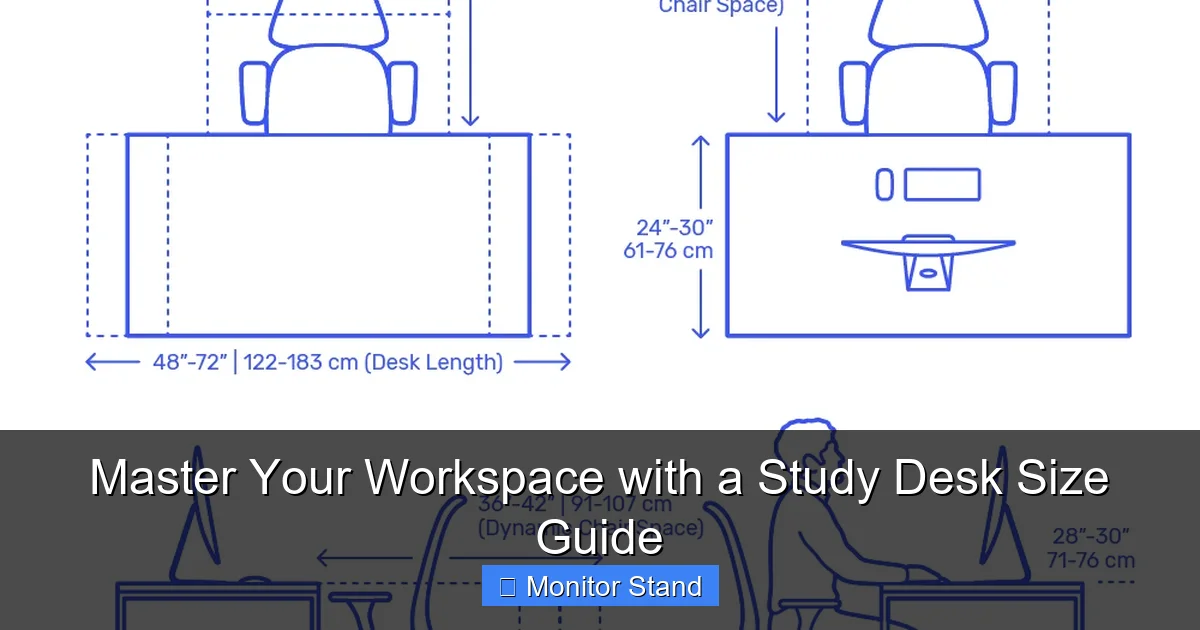
Visual guide about Master Your Workspace with a Study Desk Size Guide
Image source: dimensionsguide.s3.amazonaws.com
Step 1: Assess Your Space
Before you even look at desks, you need to know your space. Grab a tape measure and let’s get started.
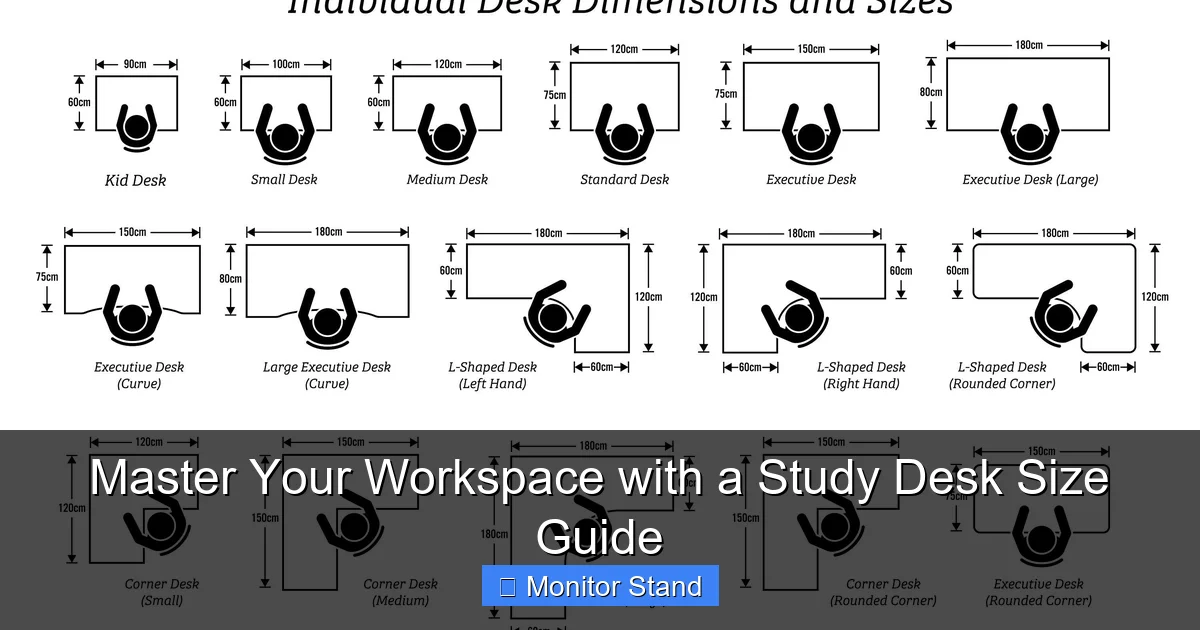
Visual guide about Master Your Workspace with a Study Desk Size Guide
Image source: i.pinimg.com
Measure the Room
Start by measuring the entire room. Note the length and width. This gives you a sense of the available area. Don’t forget to account for doors, windows, and other furniture. You need space to move around the desk. A good rule is to leave at least 30 inches of clearance on all sides. This allows for easy chair movement and access.
Identify the Desk Location
Decide where the desk will go. Is it against a wall? In a corner? Or in the middle of the room? The location affects the desk shape and size. For example, a corner desk fits well in an L-shaped nook. A wall-mounted desk saves floor space. Think about power outlets too. You’ll need them for your devices.
Note Obstructions
Look for obstructions like radiators, vents, or light switches. You don’t want your desk blocking them. Also, consider natural light. Position your desk to avoid glare on your monitor. This step ensures your desk fits perfectly without issues.
Practical tip: Use a floor plan app to visualize your room. This helps you play with different desk placements. It’s a fun way to see what works best.
Step 2: Determine Your Needs
What will you put on your desk? Make a list of everything. This list determines the desk surface area you need.
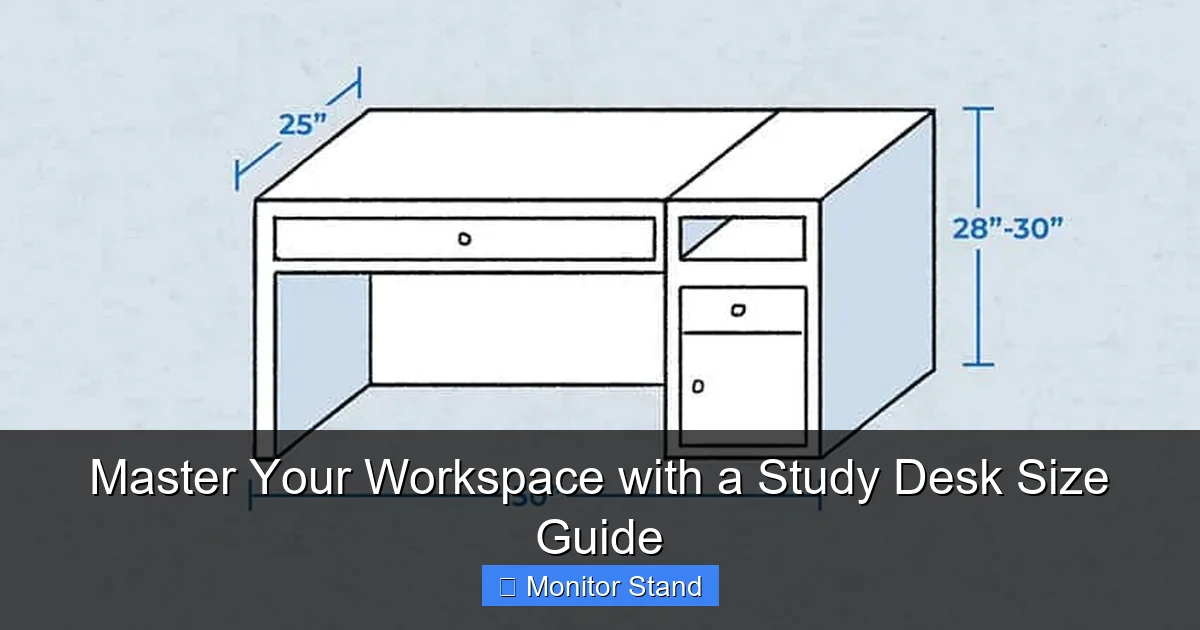
Visual guide about Master Your Workspace with a Study Desk Size Guide
Image source: designingidea.com
List Your Equipment
Start with the essentials. Do you use a monitor? How many? What about a laptop? Add a keyboard, mouse, and speakers. Don’t forget your monitor stand. If you have a stand, note its base dimensions. It needs space on the desk. Also, consider a printer or scanner if you use one.
Account for Study Materials
Think about books, notebooks, and papers. How much space do they take? If you’re a student, you might have textbooks open. A larger desk gives room for spreading out. Also, include personal items like a cup of coffee or a plant. These small things add up.
Plan for Accessories
Accessories like desk lamps, organizers, and chargers need space too. A cluttered desk can be distracting. So, plan for storage solutions. Maybe you want drawers or shelves. This affects the desk design and size.
Example: John is a college student. He has a laptop, a monitor on a stand, a keyboard, a mouse, and two textbooks. He also likes to have a notepad and a water bottle. His list helps him estimate a desk width of 48 inches and depth of 24 inches.
Step 3: Understand Standard Desk Sizes
Desks come in common sizes. Knowing these helps you narrow down choices.
Small Desks
Small desks are usually 30 to 40 inches wide and 20 to 24 inches deep. They fit in tight spaces. But they might not hold a large monitor with a stand. They’re good for laptops or minimal setups.
Medium Desks
Medium desks range from 40 to 60 inches wide and 24 to 30 inches deep. This is a popular size for study desks. It can accommodate a monitor, keyboard, and some books. It’s a versatile choice for most people.
Large Desks
Large desks are over 60 inches wide and 30 inches deep. They offer ample space for multiple monitors, printers, and more. They’re ideal for serious students or professionals who need room to spread out.
Desk Height
Standard desk height is 29 to 30 inches. This suits most adults. But if you’re taller or shorter, consider an adjustable desk. The height affects your posture. Your arms should be at a 90-degree angle when typing.
Tip: For a custom fit, measure from the floor to your elbow when seated. That’s your ideal desk height. This study desk size guide emphasizes personalized ergonomics.
Step 4: Consider Monitor Stand Requirements
Since this guide is in the monitor stand category, let’s focus on this. A monitor stand elevates your screen for better ergonomics.
Monitor Stand Base Size
Monitor stands have a base that sits on the desk. Measure the base’s width and depth. Ensure your desk has enough space for it. Some stands have large bases for stability. Others are minimal. Choose one that fits your desk.
Adjustability and Placement
A good monitor stand lets you adjust height, tilt, and swivel. This helps position the screen at eye level. The top of the screen should be at or slightly below eye level. This prevents neck strain. Place the monitor about an arm’s length away. Your desk depth must allow for this distance.
Integrating with Desk Space
When placing the monitor stand, leave room for other items. The stand shouldn’t crowd your keyboard or mouse pad. A deeper desk gives more flexibility. For example, a 30-inch deep desk is better for a monitor stand than a 20-inch deep one.
Example: A monitor stand with a 12×10 inch base needs a desk depth of at least 24 inches to allow for a keyboard in front. This study desk size guide recommends testing placements with a mock-up.
Step 5: Calculate Ideal Desk Dimensions
Now, combine everything to calculate your ideal desk size.
Add Up Item Dimensions
Take your list from Step 2. Measure each item’s footprint. Add them up. For instance, if your monitor stand base is 10×10 inches, keyboard 18×6 inches, and you need space for a notebook open at 15×10 inches, total the areas. But remember, you don’t need to place everything side by side. Think in terms of width and depth.
Include Movement Space
You need space to move your arms and write. Add at least 6 inches of extra width on each side of your keyboard. For depth, ensure there’s room for your monitor and still space to work in front of it. A good depth is 24 to 30 inches for comfort.
Use a Mock-Up
Lay out newspaper or tape on the floor in the desk dimensions you’re considering. Place your items on it. See if it feels spacious enough. This visual test helps avoid buying a desk that’s too small.
Practical tip: Use online desk size calculators. They let you input your items and suggest dimensions. This study desk size guide tools like these for accuracy.
Step 6: Evaluate Desk Shapes
Desks come in different shapes. Each has pros and cons.
Rectangular Desks
Rectangular desks are the most common. They fit well against walls. They provide a straightforward work surface. Choose one with enough width and depth for your needs.
L-Shaped Desks
L-shaped desks are great for corners. They offer two work surfaces. You can use one for your monitor and another for writing or other tasks. They maximize space in small rooms.
U-Shaped Desks
U-shaped desks provide a lot of surface area. They wrap around you. They’re ideal for multiple monitors or extensive projects. But they require a large room.
Standing Desks
Standing desks are adjustable in height. They promote movement and better health. When choosing a standing desk, consider the size when extended. Ensure it can hold all your items securely.
Example: For a multi-monitor setup with a stand, an L-shaped desk gives room for screens on one wing and paperwork on the other. This study desk size guide often recommends L-shaped desks for versatility.
Step 7: Test for Comfort
Comfort is key for long study sessions. Test your desk setup before finalizing.
Check Ergonomics
Sit at your desk mock-up or a similar desk. Your feet should be flat on the floor. Knees at a 90-degree angle. Elbows at desk height. Monitor at eye level. Adjust as needed. An ergonomic chair helps too.
Assess Reach and Visibility
Can you reach everything without straining? Is your monitor visible without glare? Make sure items you use often are within arm’s reach. This reduces unnecessary movement.
Consider Long-Term Use
Think about how you’ll feel after hours of studying. A comfortable desk setup reduces fatigue. If possible, try out different desk sizes at a store. Or read reviews online.
Tip: Use adjustable monitor arms to free up desk space. They attach to the desk edge or wall. This study desk size guide loves them for small desks.
Troubleshooting Common Desk Size Issues
Sometimes, things don’t go as planned. Here are solutions to common problems.
Limited Space
If your room is small, consider a wall-mounted or fold-down desk. These save space when not in use. Also, look for desks with built-in storage to reduce clutter.
Multiple Monitors
For multiple monitors, you need a wider desk. A desk at least 60 inches wide is recommended. Use a multi-monitor stand to save space. Ensure the desk depth is sufficient to avoid eye strain.
Incorrect Desk Height
If your desk is too high or low, use a keyboard tray or monitor arm to adjust. An adjustable chair can also help. For standing desks, follow ergonomic guidelines for height settings.
Clutter and Organization
Even with a large desk, clutter can happen. Use cable management solutions and desk organizers. Keep only essential items on the desk. This maintains a clean and focused workspace.
Example: Sarah had a small desk but needed two monitors. She used a dual monitor stand with a small base. She also added a shelf above the desk for books. This study desk size guide shows creativity can solve space issues.
Conclusion
Choosing the right study desk size is a game-changer for your productivity and health. By assessing your space, listing your needs, and considering monitor stand requirements, you can find the perfect desk. Remember to prioritize ergonomics and test for comfort. With this study desk size guide, you’re equipped to master your workspace. Start measuring, planning, and create a study area that works for you. Happy studying!