
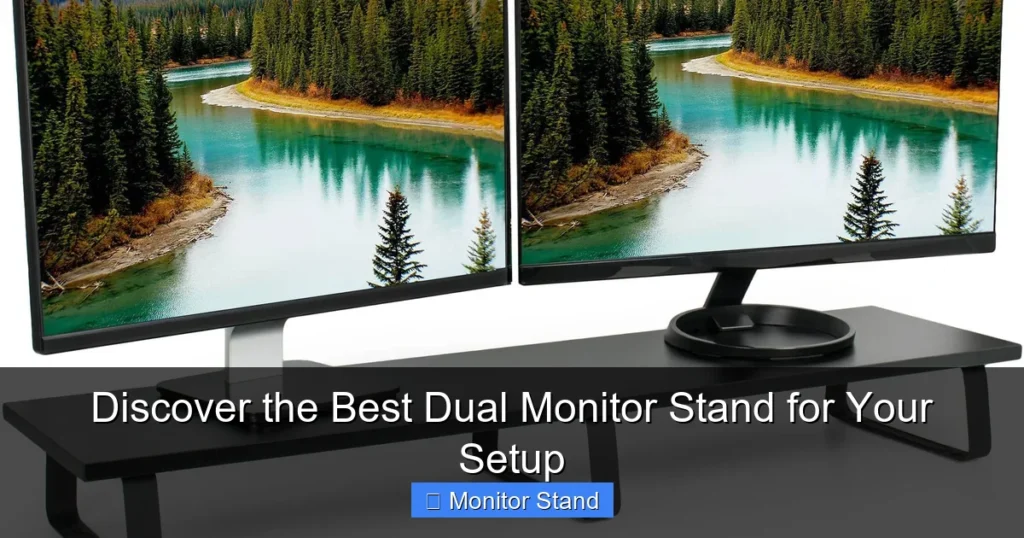
Upgrading to a dual monitor stand can transform your workspace by freeing up desk space and improving ergonomics. This guide will help you discover the best dual monitor stand for your needs, from choosing the right type to easy installation tips. Follow our steps to enhance your productivity and comfort with a sleek, organized setup.
Key Takeaways
- Ergonomics are crucial: A good dual monitor stand improves posture and reduces strain by allowing precise screen positioning.
- Know the types: Choose from clamp, grommet, or freestanding bases based on your desk setup and stability needs.
- Check compatibility: Ensure the stand supports your monitor’s VESA pattern, weight, and size for a secure fit.
- Prioritize adjustability: Look for features like height, tilt, and swivel to customize your viewing angles easily.
- Installation is simple: Most stands come with clear instructions; proper mounting saves time and prevents issues.
- Cable management matters: Integrated clips or channels keep wires tidy, boosting aesthetics and safety.
- Troubleshoot common problems: Address wobbling or misalignment with simple adjustments for a smooth experience.
Discover the Best Dual Monitor Stand for Your Setup: A Complete How-To Guide
Welcome to your ultimate guide on finding the best dual monitor stand! If you use two screens for work or play, you know how messy desks can get. Monitors take up space. Wires create clutter. Your neck might ache from poor positioning. A dual monitor stand solves these problems. It lifts your screens off the desk. It gives you room to breathe. It makes your setup look clean and professional.
In this guide, you will learn everything about dual monitor stands. We will start with the basics. Then, we will help you assess your needs. You will discover the different types of stands. We will list key features to look for. Next, we will walk you through choosing the best one. After that, we have a step-by-step installation guide. We will also share tips for adjusting your setup. Finally, we will troubleshoot common issues. By the end, you will be ready to buy and set up the perfect dual monitor stand. Let’s dive in!
Understanding Dual Monitor Stands
A dual monitor stand is a mounting system. It holds two monitors on one arm or bar. It attaches to your desk or floor. This frees up desk space. It also lets you move your screens easily. You can adjust height, angle, and position. This improves ergonomics. Good posture means less pain. You can focus better on tasks. Whether you are a gamer, coder, or office worker, a dual monitor stand boosts efficiency.
Visual guide about Discover the Best Dual Monitor Stand for Your Setup
Image source: deskadvisor.org
Why use one? Think about your current setup. Monitors sit on bulky stands. They waste space. You cannot adjust them much. A dual monitor stand changes that. It gives you flexibility. Your screens float above the desk. You gain room for notebooks, cups, or speakers. The stand also manages cables. Wires hide in arms or clips. Your desk looks neat. Plus, many stands have sleek designs. They add a modern touch to any room.
In short, a dual monitor stand is a smart upgrade. It enhances comfort and style. Now, let’s see how to pick the right one for you.
Assessing Your Needs
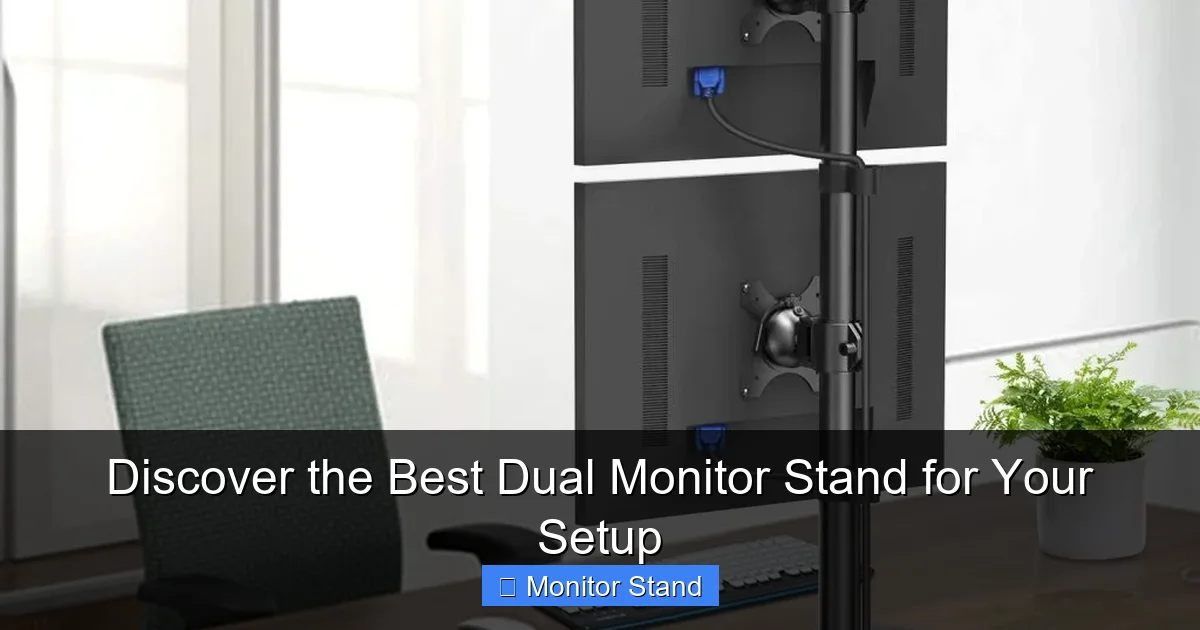
Before buying a dual monitor stand, think about your setup. What do you need? Start by looking at your desk. Then, check your monitors. This will guide your choice.

Visual guide about Discover the Best Dual Monitor Stand for Your Setup
Image source: cdn.autonomous.ai
Evaluate Your Desk
Is your desk thick or thin? Some stands need a certain thickness. Clamp mounts attach to the edge. They work best on desks up to 3 inches thick. Grommet mounts go into a hole in the desk. If your desk has no hole, you can drill one. Freestanding stands sit on the desk. They do not need mounting. But they use more space. Measure your desk depth and width. Ensure the stand fits without overcrowding.
Check Your Monitors
Look at the back of each monitor. Find the VESA pattern. This is a set of four holes in a square or rectangle. Most monitors have it. Common sizes are 75×75 mm or 100×100 mm. Your dual monitor stand must match this. Also, note the monitor weight and size. Stands have weight limits. Usually, 10 to 30 pounds per arm. Screen size matters too. Most stands fit monitors up to 32 inches. Heavier or larger screens need sturdy stands.
Think about your habits. Do you switch between sitting and standing? Consider a height-adjustable stand. Do you share your desk with others? A stand with easy movement helps. Write down your needs. This list will make shopping easier.
Types of Dual Monitor Stands
Dual monitor stands come in several types. Each has pros and cons. Knowing them helps you choose wisely.

Visual guide about Discover the Best Dual Monitor Stand for Your Setup
Image source: rollingstone.com
Clamp Mount Stands
These attach to the desk edge with a clamp. They are very popular. Clamp mounts save space. They do not need drilling. But they require a sturdy desk. The clamp can tighten securely. This type is great for most users. It offers good stability. Just check your desk thickness first.
Grommet Mount Stands
These use a hole in the desk. You insert a bolt through the hole. Then, you secure it underneath. Grommet mounts are very stable. They hold heavy monitors well. But you need a desk with a hole. Or you must drill one. This is a permanent solution. It is ideal for fixed setups.
Freestanding Stands
These stands have a base that sits on the desk. They are easy to install. No mounting needed. Just place them and adjust. However, they use more desk space. They might wobble if bumped. Freestanding stands are good for rented spaces. You can move them easily.
There are also wall-mounted stands. They attach to the wall. This frees all desk space. But you need to drill into the wall. It is less flexible. Choose based on your desk and mobility needs.
Key Features to Look For
When shopping for a dual monitor stand, focus on features. These make your experience better. Here are the most important ones.
Adjustability
Look for height adjustment. This lets you set screens at eye level. Tilt is key for reducing glare. Swivel allows you to turn monitors left or right. Some stands even have rotation. You can switch between landscape and portrait modes. More adjustability means more comfort. Test the range of motion before buying.
VESA Compatibility
As said earlier, VESA patterns must match. Most dual monitor stands support common sizes. But confirm this. Check the product specs. Also, see if adapters are included. Some monitors need them. Better stands have flexible VESA plates. They fit multiple patterns.
Cable Management
Cable clutter is ugly. It can be hazardous too. Good stands have cable channels or clips. Wires run inside the arms or along clips. This keeps them hidden. Your setup looks clean. It also makes cleaning easier.
Build Quality and Weight Capacity
Stands made of aluminum or steel are durable. Plastic parts might break. Check the weight capacity. It should exceed your monitor weight. For example, if each monitor weighs 15 pounds, get a stand that holds 20 pounds per arm. This ensures safety. It prevents sagging or falling.
Ease of Installation
Look for stands with clear instructions. Tools should be included. Some have quick-release plates. These make attaching monitors simple. Read reviews to see if others found it easy. A hassle-free setup saves time.
Other features include USB ports or tool-free adjustments. But the above are essential. Keep them in mind while browsing.
How to Choose the Best Dual Monitor Stand
Now, let’s put it all together. Follow these steps to pick the best dual monitor stand for you.
Step 1: Match Your Monitor Specs
List your monitor VESA pattern, weight, and size. Compare with stand specs. Ensure they align. If unsure, contact the manufacturer. This avoids returns.
Step 2: Decide on Mount Type
Based on your desk, choose clamp, grommet, or freestanding. If you move often, clamp or freestanding is best. For a permanent office, grommet works well.
Step 3: Set Your Budget
Dual monitor stands range from $50 to $300. More money buys better materials and features. But you can find good options under $100. Decide what you can spend. Then, look for value within that range.
Step 4: Read Reviews
Check online reviews. See what real users say. Look for comments on stability, ease of use, and durability. This gives you insight beyond product descriptions.
Step 5: Consider Future Needs
Think ahead. Might you upgrade monitors? Choose a stand with extra weight capacity. Or one that allows for more adjustability. This makes your investment last.
By following these steps, you will find a stand that fits perfectly. Take your time. Do not rush the decision.
Installation Guide
Once you have your dual monitor stand, installation is next. Do not worry. It is straightforward. Here is a general guide. Always refer to the manual for specific steps.
Step 1: Unbox and Organize
Lay out all parts. Check if anything is missing. You should have arms, base, plates, bolts, and tools. Keep screws sorted. Read the instructions carefully.
Step 2: Prepare Your Desk
Clear the area. If using a clamp mount, clean the desk edge. For grommet mounts, drill a hole if needed. Ensure the desk is sturdy. Remove any obstacles.
Step 3: Attach VESA Plates
Take the VESA plates. Bolt them to the back of your monitors. Use the screws provided. Do not overtighten. Make sure they are secure. Then, set monitors aside safely.
Step 4: Assemble the Stand
Connect the arms to the base or pole. Tighten bolts as per instructions. Some stands come pre-assembled. Adjust the arms loosely. You will fine-tune later.
Step 5: Mount the Stand
For clamp mounts: Position the clamp on the desk edge. Tighten the knob underneath. Ensure it is firm. For grommet mounts: Insert the pole through the hole. Secure with a nut below. For freestanding: Place the base on the desk. Weight it down if needed.
Step 6: Attach Monitors
Lift each monitor. Hook the VESA plates onto the arms. You might need to slide them in. Use safety screws if included. Double-check that monitors are locked in place.
Step 7: Cable Management
Route cables through the arms. Use clips or channels. Tie wires with zip ties if provided. This keeps everything tidy. Plug in power and video cables.
Step 8: Adjust and Test
Now, adjust the monitors. Move them to your preferred height and angle. Tighten any knobs to lock positions. Sit in your chair. Test the view. Ensure screens are stable. Make small tweaks for comfort.
That’s it! Your dual monitor stand is ready. If you face issues, see the troubleshooting section below.
Adjusting and Optimizing Your Setup
After installation, optimize your setup. This maximizes benefits. Here are some tips.
Ergonomic Positioning
Set the top of the screens at or slightly below eye level. Your neck should be straight. Position monitors about an arm’s length away. Tilt them slightly upward. This reduces glare and strain. If you use two monitors equally, place them side by side. If one is primary, center it. Put the secondary off to the side.
Improve Productivity
Use the stand to create a curved layout. This mimics a single wide screen. It helps with multitasking. For coding or writing, try portrait mode on one monitor. It shows more lines of text. Experiment with angles. Find what works for your tasks.
Maintain Your Stand
Dust the stand regularly. Check bolts for tightness every few months. If arms become loose, tighten them. Avoid forcing adjustments. Use smooth movements. This prolongs the stand’s life.
A well-adjusted dual monitor stand makes work enjoyable. You will feel the difference in your body and focus.
Troubleshooting Common Issues
Sometimes, problems arise. Do not panic. Most are easy to fix.
Monitors Wobble or Sag
This often means the stand is not tight enough. Check all connection points. Tighten bolts and clamps. Ensure the desk is stable. If monitors are too heavy, you might need a stronger stand. Reduce weight by removing accessories.
Screens Are Misaligned
Loosen the arms. Adjust each monitor individually. Align them visually. Then, tighten the arms. Some stands have individual height adjustments. Use them to level screens.
Difficulty Adjusting
If arms are stiff, check for tension knobs. These control movement. Loosen them slightly. Move the monitors. Then, retighten. Do not use excessive force. It could damage the stand.
Cables Are Visible or Tangled
Re-route cables. Use more clips or ties. Ensure cables are long enough. You might need extensions. Hide wires behind the stand or desk.
Desk Damage Concerns
For clamp mounts, use a protective pad. This prevents scratches. Do not overtighten the clamp. It can crack the desk. For grommet mounts, ensure the hole is the right size. Sand edges if rough.
If issues persist, contact customer support. They can offer solutions or replacements.
Conclusion
You have reached the end of our guide. Now, you know how to discover the best dual monitor stand for your setup. We covered the basics, types, features, and selection steps. We walked through installation and optimization. We also solved common problems.
A dual monitor stand is a game-changer. It clears your desk. It boosts your posture. It makes you more productive. Take action today. Use what you learned here. Assess your needs. Choose a stand that fits. Install it with care. Then, enjoy your new, efficient workspace.
Remember, the best dual monitor stand is the one that meets your unique needs. Do not settle for less. Invest in quality. Your body and work will thank you. Happy setup!