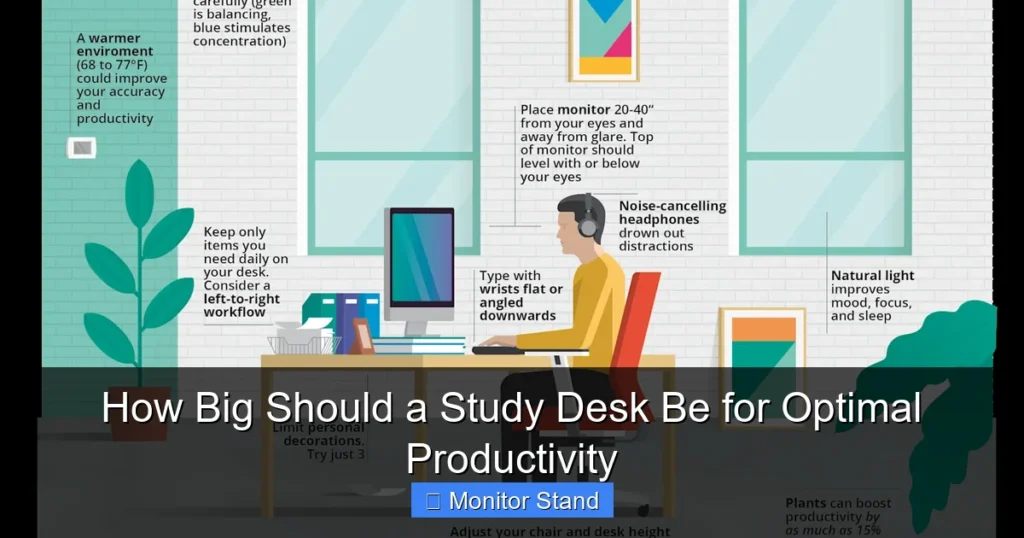
Choosing the right study desk size is crucial for comfort, organization, and focus. The ideal size depends on your space, tech setup, and work style. This guide breaks down standard dimensions, key considerations, and how tools like a monitor stand create a perfect, productive workspace.
Key Takeaways
- Ergonomics Dictate Depth: A desk depth of 24-30 inches is essential for proper monitor viewing distance and preventing eye and neck strain.
- Width Defines Your Workflow: For a single monitor, aim for at least 48 inches wide. For dual monitors or lots of materials, 60-72 inches provides necessary real estate.
- Height is Personal (and Adjustable): Standard desk height is 29-30 inches, but an adjustable or sit-stand desk tailored to your body is the gold standard for posture.
- Monitor Stands are Space Multipliers: A quality monitor stand or arm frees up significant desk surface, improves posture by raising the screen, and organizes cables.
- Measure Your Space Twice: Always account for room to push out your chair and open drawers. Your desk should fit your room, not dominate it.
- Future-Proof Your Purchase: Consider your potential future needs, like more monitors or different hobbies, to avoid needing a new desk too soon.
How Big Should a Study Desk Be for Optimal Productivity
Is your study desk holding you back? A desk that’s too small feels cramped. A desk that’s too big can overwhelm your room. The perfect desk size is the invisible hero of your productivity. It supports your work without you even noticing it. This guide will help you find that sweet spot.
We will explore the three key dimensions: width, depth, and height. You will learn how to match the desk to your space, your gear, and your body. By the end, you’ll know exactly how to choose a desk that makes studying and working a breeze.
Step 1: Understand the Three Core Desk Dimensions
Every desk is defined by three measurements. Think of them as the length, width, and height of your work surface.
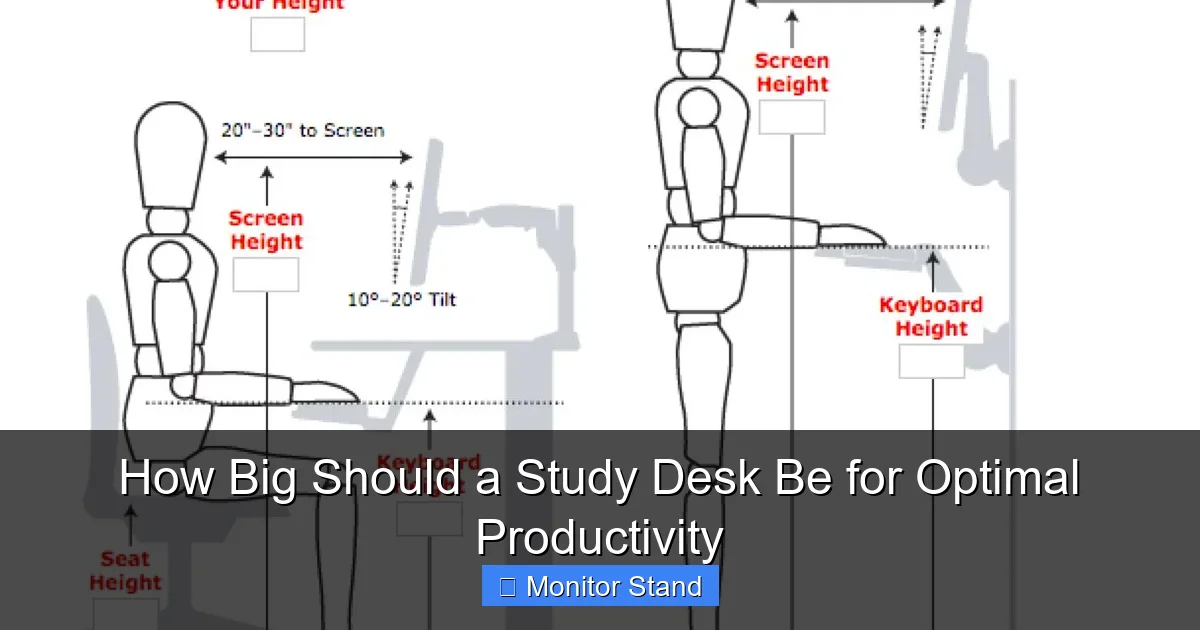
Visual guide about How Big Should a Study Desk Be for Optimal Productivity
Image source: images.zapier.com
1. Width (The Left-to-Right Measurement)
This is the most important dimension for feeling organized. Width determines how much you can spread out.
- Standard Range: 42 inches to 72 inches.
- Minimum for Comfort: 48 inches. This fits a laptop and a notebook side-by-side.
- Ideal for a Single Monitor Setup: 55-60 inches. This gives room for your monitor, keyboard, mouse, and a drink.
- Best for Dual Monitors or Serious Projects: 70-72 inches. This is the command center size.
2. Depth (The Front-to-Back Measurement)
Depth is critical for eye health and posture. It decides how far away your screen can be.
- Standard Range: 24 inches to 30 inches.
- Absolute Minimum: 20 inches (but this is very tight).
- Recommended Minimum: 24 inches. This allows for a monitor and keyboard.
- Sweet Spot: 30 inches. This provides ample room for a deep monitor, keyboard, and some desk accessories in front of it.
3. Height (The Floor-to-Tabletop Measurement)
Desk height is about your body. The wrong height can cause shoulder and back pain.
- Standard Fixed Height: 29 to 30 inches.
- The Ergonomics Rule: When sitting, your elbows should be at a 90-degree angle, and your screen should be at eye level.
- Best Solution: An adjustable-height (sit-stand) desk. This lets you change height for sitting or standing.
Step 2: Audit Your Equipment and Work Style
Your stuff and how you work are the biggest clues to your perfect desk size. Grab a tape measure and let’s assess.
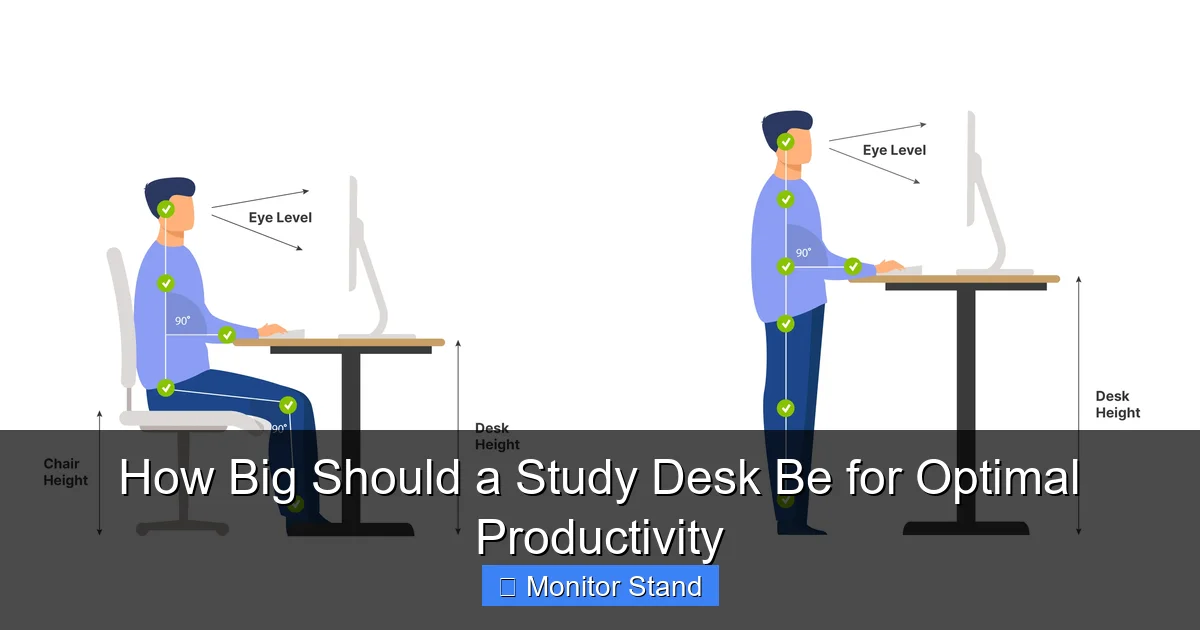
Visual guide about How Big Should a Study Desk Be for Optimal Productivity
Image source: officefurniturescene.co.uk
What Will Be on Your Desk?
Make a list. Measure each item’s width and depth.
- Primary Screen(s): A single 24-inch monitor? Two 27-inch screens? Measure their total width.
- Laptop: Will it be open or closed in a stand?
- Keyboard and Mouse: Don’t forget their required space.
- Non-Tech Essentials: Notebook, textbook, coffee mug, desk lamp, speaker.
- The Monitor Stand Factor: Here’s a pro tip. A monitor stand raises your screen. This does two huge things. First, it creates valuable storage space underneath for your keyboard or notebook. Second, it lets you place the monitor further back on a deeper desk, which is better for your eyes. A stand effectively increases your usable desk depth.
Identify Your Workflow Type
Are you a “Stacker” or a “Spreader”?
- The Digital Minimalist (Spreader): You work with one screen and a notebook. A 48″ W x 24″ D desk might suffice, but 55″ x 30″ is more comfortable.
- The Multi-Tasker (Spreader): You need multiple windows open. You reference physical books while typing. You need space. Aim for 60″ W x 30″ D minimum.
- The Creative Pro (Spreader): Dual monitors, a drawing tablet, and reference materials. You need maximum real estate. Look for 70″+ W and 30″+ D. A monitor arm is almost mandatory here.
Step 3: Measure Your Physical Room Space
The dream desk must fit the room. This step stops you from buying furniture you can’t use.
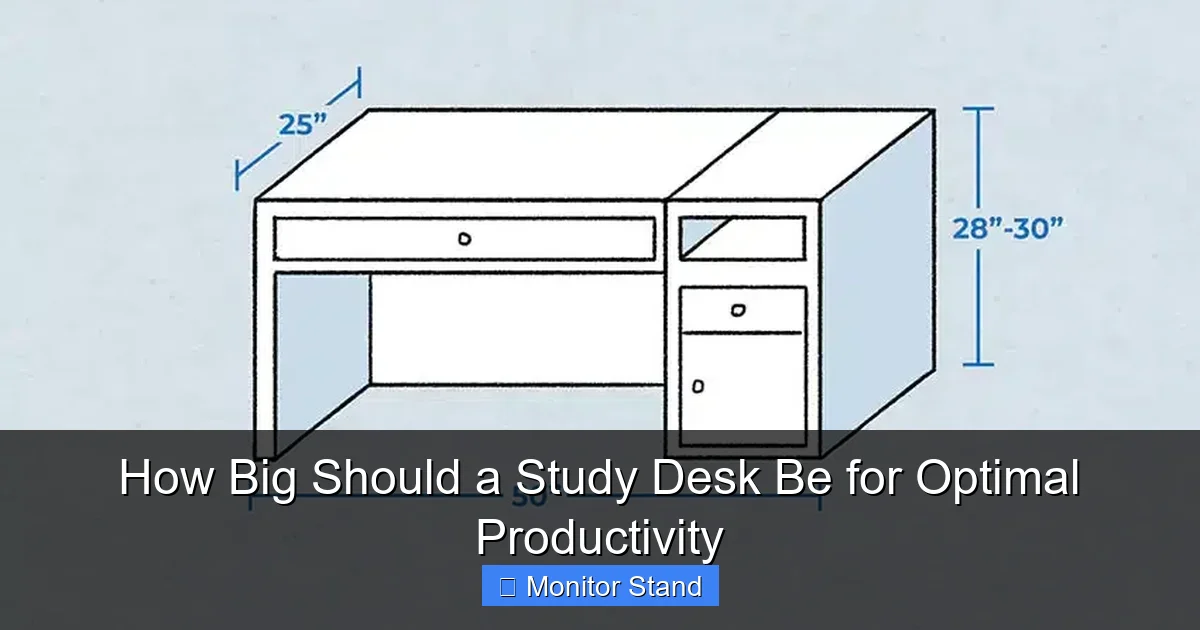
Visual guide about How Big Should a Study Desk Be for Optimal Productivity
Image source: designingidea.com
Create a Floor Plan
Measure your room’s length and width. Note the locations of doors, windows, outlets, and vents.
- Clearance is King: Leave at least 30-36 inches of clear space behind your chair to push back and stand up comfortably.
- Walkway Space: Leave at least 24 inches of walking space around other furniture.
- Drawer & Door Space: If the desk has drawers, make sure you have room to open them fully.
Visualize with Tape
Use painter’s tape on the floor to mark the outline of your potential desk sizes. This gives you a true feel for the space it will consume.
Step 4: Prioritize Ergonomics and Posture
A big desk is useless if it hurts your body. Let’s make it comfortable.
The Perfect Posture Setup
- Feet: Flat on the floor or on a footrest.
- Knees: At about a 90-degree angle, level with or slightly below hips.
- Elbows: At a 90-degree angle, arms parallel to the floor.
- Screen: Top of the screen at or slightly below eye level, about an arm’s length away.
This is where a monitor stand becomes a non-negotiable upgrade for many. It easily raises your screen to the correct eye level without using stacks of books. If you use a laptop, a stand is essential to raise the screen and should be paired with an external keyboard.
Consider an Adjustable Desk
Sit-stand desks are the ultimate ergonomic tool. They let you change your posture throughout the day. The key size tip here? The desktop size rules still apply. Just make sure the adjustable base fits your chosen desktop size.
Step 5: Choose Your Final Dimensions and Features
Time to make a decision. Combine everything you’ve learned.
Recommended Desk Sizes by Scenario
- Small Room / Student / Laptop Focus: 48″ W x 24″ D. (Add a monitor stand if using an external screen).
- Standard Home Office / Single Monitor: 55″ – 60″ W x 30″ D. (This is the most versatile, recommended size).
- Professional Work / Dual Monitors: 70″ – 72″ W x 30″ D. (A monitor arm is highly recommended to manage space).
- Standing Desk Desktop: Do not go below 48″ W x 27″ D. 55″ x 30″ is ideal for stability and surface area.
Essential Features to Look For
- Cable Management: Grommets, trays, or channels to hide wires.
- Material: Solid wood is durable. High-quality laminate is cost-effective.
- Stability: Wobble is the enemy. Look for sturdy legs and cross-supports.
Troubleshooting Common Desk Size Problems
What if you’re stuck with a less-than-ideal desk? Here are some fixes.
Problem: Desk is Too Shallow
Solution: Use a monitor arm or stand. It clamps to the back edge and holds your screen, freeing up the entire depth underneath. You can then pull the monitor closer to the wall, creating more front-to-back space.
Problem: Desk is Too Narrow
Solution: Go vertical. Use shelves above the desk for books or speakers. Add a rolling cart beside the desk for printers or supplies. Declutter ruthlessly.
Problem: Standard Height is Wrong for You
Solution: Adjust your chair height first. If your desk is too high and you can’t raise your chair, use a footrest. If it’s too low, consider height-adjustable desk risers or leg extensions.
Conclusion
Finding the perfect study desk size isn’t about guessing. It’s a simple process. Measure your gear. Measure your room. Listen to your body’s ergonomics. Remember, the goal is a clear surface that supports your work effortlessly.
For most people, a desk around 60 inches wide and 30 inches deep is the productivity sweet spot. And never underestimate the power of a monitor stand to transform a cramped desk into an organized, posture-friendly command center. Invest the time to get the size right. Your focus, comfort, and work quality will thank you every single day.