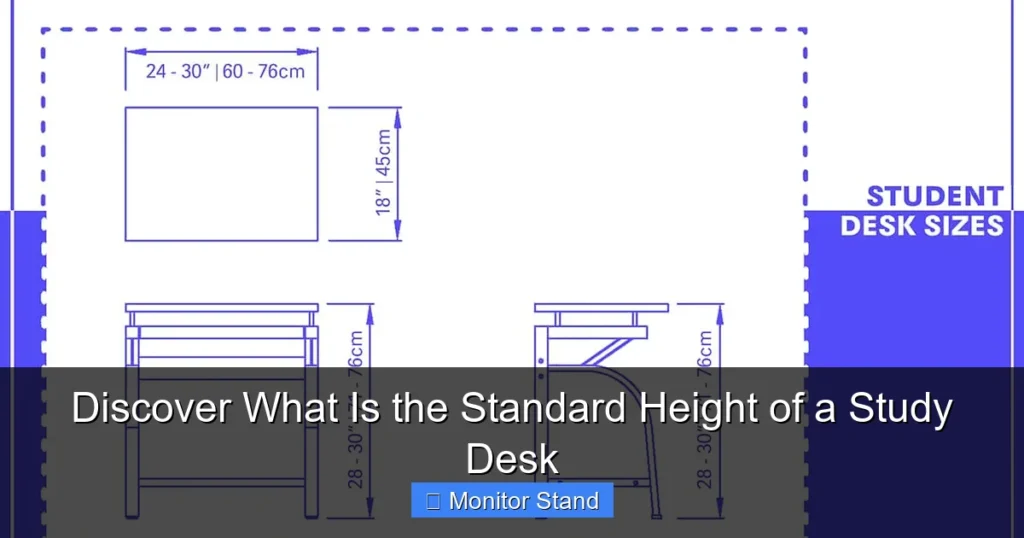
The standard height of a study desk is typically between 28 to 30 inches. However, the ideal height depends on your body measurements and seating position. This guide explains how to determine the perfect desk height for your needs and how monitor stands can enhance ergonomics.
Key Takeaways
- The Standard Range: The typical standard height for a study desk is 28 to 30 inches (71 to 76 cm), but it can vary based on design and user.
- Ergonomics is Key: Proper desk height ensures your elbows are at 90 degrees and your screen is at eye level to prevent strain.
- Measure Your Body: To find your ideal height, measure from the floor to your elbow when seated with arms bent at 90 degrees.
- Adjustability Matters: Consider adjustable desks or monitor stands to customize height for different tasks and users.
- Monitor Stands Enhance Comfort: Using a monitor stand can raise your screen to the correct height, reducing neck and eye strain.
- Seating Affects Height: Your chair height must be coordinated with desk height for a balanced posture.
- Personalization is Crucial: Always tailor desk height to your specific needs, as there is no one-size-fits-all solution.
Introduction: Why Desk Height Matters
Do you spend long hours at your study desk? If yes, desk height is crucial. The right height keeps you comfortable. It boosts focus. It prevents aches and pains. In this guide, we will discover what is the standard height of a study desk. We will also learn how to make it work for you. From measuring to adjusting, we have got you covered. Let us get started!
Many people ignore desk height. They end up with back pain or tired eyes. But a simple adjustment can change everything. This guide will walk you through each step. You will learn about the standard height of a study desk. You will see how to check if your desk fits you. And you will find tips for fixes. Ready to create your perfect study space? Read on.
What is the Standard Height of a Study Desk?
So, what is the standard height of a study desk? Most experts say 29 inches. That is about 73.7 centimeters. But why this number? It comes from average human size. The idea is to fit most people. But “standard” can be tricky. Desks vary. People vary. Let us look closer.
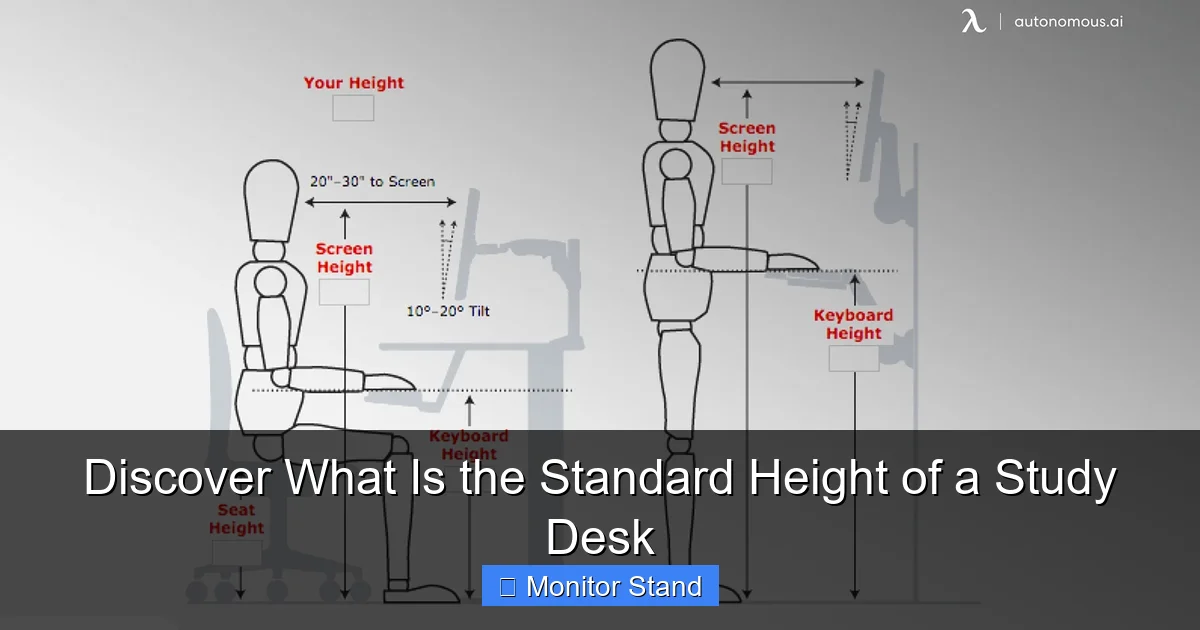
Visual guide about Discover What Is the Standard Height of a Study Desk
Image source: cdn.autonomous.ai
The Common Range: 28 to 30 Inches
Many study desks are between 28 and 30 inches tall. This range suits adults of average height. If you are between 5’8″ and 5’10”, this might fit you well. But check your own body. The standard height of a study desk is just a guide. It is not a rule. Always prioritize your comfort.
Ergonomic Standards and Guidelines
Ergonomics experts suggest desks should let your arms rest at 90 degrees. Your shoulders should be relaxed. The standard height of a study desk often aims for this. But it is not perfect for everyone. Ergonomics focuses on reducing strain. So, even if your desk is standard, you might need tweaks.
Desks for Different Ages and Users
Kids need shorter desks. For children, desks might be 24 to 28 inches tall. Teens might use adult desks. Always consider the user’s height. Also, think about tasks. A desk for drawing may differ from one for typing. The standard height of a study desk is a starting point.
Historical and Global Variations
Desk heights have changed over time. Old desks were often higher. Modern desks consider ergonomics. In different countries, standards may vary. For example, in Europe, desks might be 72 cm. Always check the specs when buying. Knowing the standard height of a study desk helps you compare.
How to Measure Your Study Desk Height
Before you adjust, measure. Here is how to find your desk’s height accurately. This step is key. It tells you if your desk matches the standard height of a study desk.
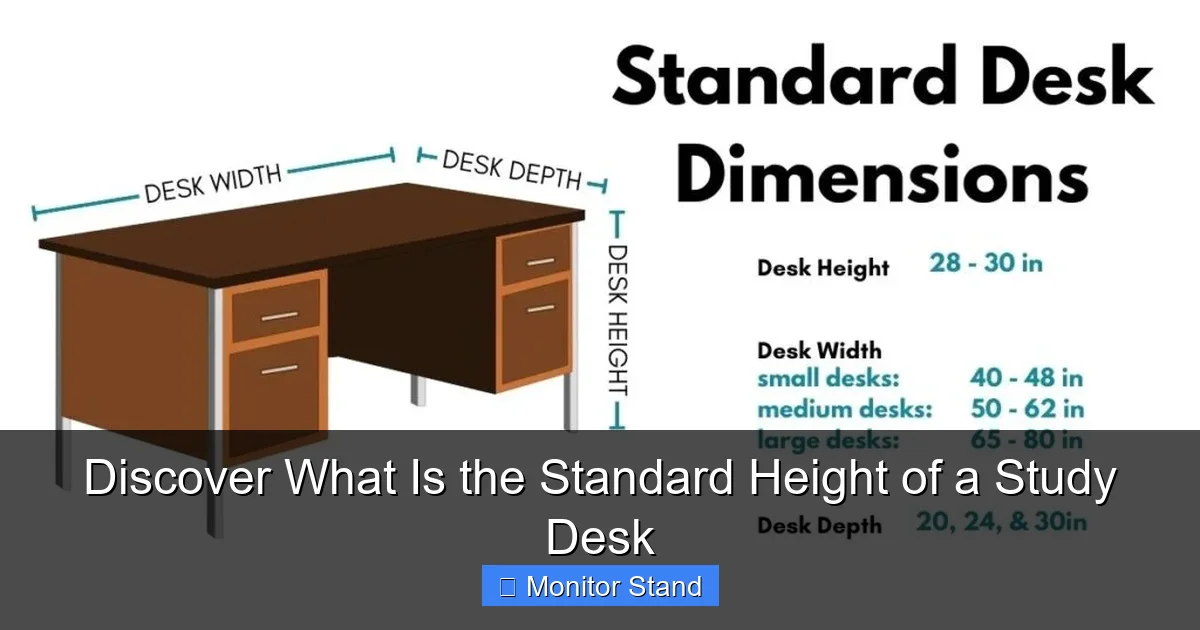
Visual guide about Discover What Is the Standard Height of a Study Desk
Image source: theworkspacehero.com
Gather Your Tools
You need a tape measure. A metal one is best. Also, a level can help. Make sure the desk is on a flat floor. Remove any items from the desk. You want a clean surface for accurate measurement.
Step 1: Clear the Desk Surface
Take off everything. This includes monitors, books, and pens. A clear desk ensures you measure correctly. Place the tape measure at the floor. Pull it up to the top of the desk. Read the number. Do this at each corner. Desks can be uneven. Write down the measurements.
Step 2: Measure from Floor to Desk Top
Place the tape measure at the floor. Extend it vertically to the desk top. Note the height in inches or centimeters. Measure at all four corners. If the heights differ, your desk may be wobbly. This affects comfort.
Step 3: Check for Level and Stability
Use the level on the desk top. If it is not level, the height might feel off. Fix wobbles first. You can use shims under the legs. A stable desk is safe. It also helps with proper posture.
Step 4: Compare to Standard Height
Now, compare your measurement to the standard height of a study desk. Is it close to 29 inches? If not, you might need adjustments. Do not worry. We will cover fixes later. Remember, the standard height of a study desk is a reference.
Factors Influencing the Ideal Desk Height
The standard height of a study desk is a start. But your ideal height depends on many things. Let us explore. Personal factors matter a lot. Your body, chair, and tasks all play a role.
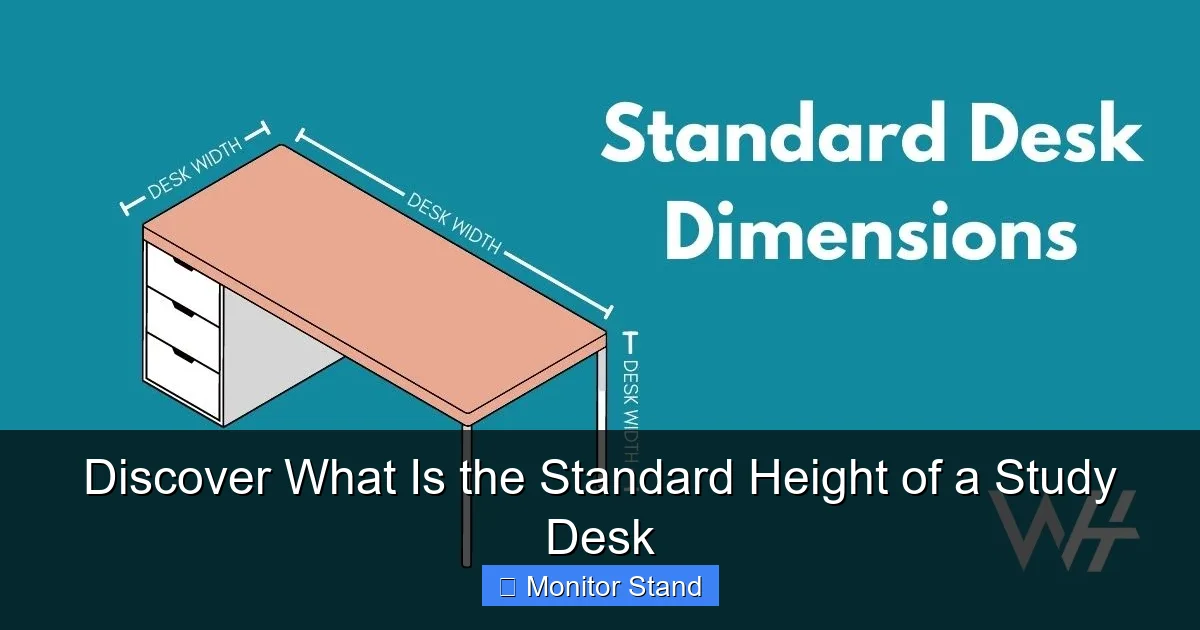
Visual guide about Discover What Is the Standard Height of a Study Desk
Image source: theworkspacehero.com
Your Height and Arm Length
Tall people might need higher desks. Short people might need lower desks. Measure from your elbow to the floor when seated. That is a good target for desk height. Sit in your chair. Bend your arms at 90 degrees. See where your elbows are. The desk should meet your forearms comfortably.
Chair Height and Seating Posture
Your chair is part of the equation. Sit with feet flat on the floor. Thighs should be parallel to the ground. Then, see where your elbows fall. The desk should allow your arms to rest easily. If your chair is too high or low, adjust it. A footrest can help if your feet dangle.
Type of Activities and Work Habits
Do you write a lot? You might prefer a slightly higher desk. For typing, a lower desk can help. Monitor stands are great for computer work. They lift the screen to eye level. Think about how you use your desk. The standard height of a study desk may not suit all tasks.
Multiple Users and Shared Spaces
If several people use the desk, consider adjustable options. Or find a compromise height. The standard height of a study desk might work for sharing. But it is best if each user can customize. Adjustable chairs and monitor stands help too.
How to Adjust Your Desk to the Standard Height
Got a desk that is too high or too low? Here are ways to fix it. You do not need to buy a new desk. Simple solutions exist. Let us look at methods for different situations.
For Desks That Are Too Low
You can raise the desk. Use furniture risers. These are blocks that go under the legs. They come in various heights. Choose ones that lift the desk to the standard height of a study desk. Another option: adjust your chair. Lower your chair if possible. But keep feet supported. Use a footrest if needed.
For Desks That Are Too High
If the desk is too high, lower your chair. Ensure your feet are flat. If your chair is low, use a footrest for comfort. You can also cut the desk legs. But this is permanent. Measure twice, cut once. Or, add a keyboard tray below the desk. This lowers your typing surface. It helps achieve the ergonomic standard height of a study desk.
Invest in an Adjustable Desk
Adjustable desks are fantastic. You can change the height with a button. Set it to your perfect position. Many have memory settings for different users. These desks often range from 22 to 33 inches. They let you switch between sitting and standing. This is great for health.
DIY Adjustments and Quick Fixes
Get creative. Use books to raise monitors. Use cushions on chairs. But ensure stability. Safety first. For a temporary fix, stack sturdy platforms under the desk legs. Always test for wobbles. The goal is to match the standard height of a study desk for your body.
The Role of Monitor Stands in Ergonomics
Monitor stands are game-changers. They work with your desk to improve posture. Even with the standard height of a study desk, your monitor might be too low. A stand fixes this. Let us see how.
What is a Monitor Stand?
A monitor stand is a platform for your screen. It lifts the monitor. This helps align it with your eyes. No more looking down. This reduces neck strain. Stands come in many styles. Some are simple risers. Others have arms for adjustment.
How Monitor Stands Complement Desk Height
Place the stand on your desk. Then put your monitor on top. Now, the screen is higher. This complements the standard height of a study desk. Your eyes should look straight ahead at the top third of the screen. This posture prevents fatigue.
Choosing the Right Monitor Stand
Look for adjustable height. Also, check weight capacity. Your monitor should fit securely. Some stands have extra features like cable management. Consider the size of your desk. A stand should not take too much space. It should blend with your setup.
Setting Up Your Monitor Stand
First, clear space on your desk. Place the stand where you sit. Adjust the height so the top of the screen is at eye level. Sit back and test. Make small changes until it feels right. Your monitor stand and desk height should work together. This creates an ergonomic zone.
Troubleshooting Common Desk Height Issues
Problems can pop up. Even with the standard height of a study desk, you might face issues. Here is how to solve them. Let us tackle common complaints.
Neck Pain from Looking Down
This often means your monitor is too low. Use a monitor stand. Or raise the desk if possible. The standard height of a study desk might not account for screen height. Ensure your screen is at eye level. This simple fix can erase neck pain.
Shoulder Tension and Hunching
If your shoulders hunch, the desk might be too high. Lower your chair or the desk. Ensure your arms are relaxed. Your elbows should be at 90 degrees. Adjust until your shoulders feel loose. This aligns with ergonomic principles.
Wrist Pain from Typing or Writing
Wrists should be straight. If they bend, adjust desk or chair height. A wrist rest can help. Also, check your keyboard position. It should be at elbow height. The standard height of a study desk may need tweaks for wrist health.
Leg Discomfort and Limited Space
If your legs do not fit under the desk, it might be too low. Raise the desk. Or use a chair without arms. Ensure there is enough knee room. Your thighs should be parallel to the floor. This prevents circulation problems.
Fatigue and Poor Focus During Study
Wrong desk height can cause fatigue. Adjust until you feel comfortable. Take breaks often. Stand up and stretch. A well-set desk boosts energy. Remember, the standard height of a study desk is a guide. Personalize it for your comfort.
Conclusion: Creating Your Perfect Study Setup
Now you know what is the standard height of a study desk. But remember, it is about you. Use the standard as a guide. Measure your desk. Adjust for your body. Add a monitor stand for better screen placement. With these tips, you will create a workspace that feels great. Say goodbye to pain and hello to productivity. Happy studying!
Start today. Check your desk height. Make small changes. Your back and eyes will thank you. The standard height of a study desk is 28 to 30 inches. But your perfect height is the one that fits you. Enjoy your ergonomic study space!